Synology BeeCamera Mobile - turn your BeeStation Plus into an NVR

Following the release of the latest BSM 1.5 beta version earlier this month, Synology has announced additional capabilities for BeeStation Plus.
 Luka Manestar
The new BSM 1.5 beta brings support for the BeeCamera recording with CC400W Synology camera
 Luka Manestar
Full review of the second generation 8TB BeeStation Plus model
Since its launch, BeeStation has garnered significant attention from both hardware and software perspectives. With each BSM update, particularly the Plus model, users are unlocking increasingly advanced capabilities. To avoid repetition, this article will focus solely on the latest addition: support for the new mobile app, BeeCamera Mobile.
Expanding BSM with surveillance capabilities
Those familiar with Synology's portfolio of devices and services will readily recognize the connection to their existing surveillance lineup. The company has traditionally offered a range of DVR devices, with new models forthcoming, including their inaugural rack-mounted edition.
Over the past three years, Synology has introduced several proprietary surveillance cameras, including the CC400W, which is compatible with the new BeeCamera Mobile app and BeeStation Plus. You can find more details in the CC400W review.
 Luka Manestar
 Luka Manestar
 Luka Manestar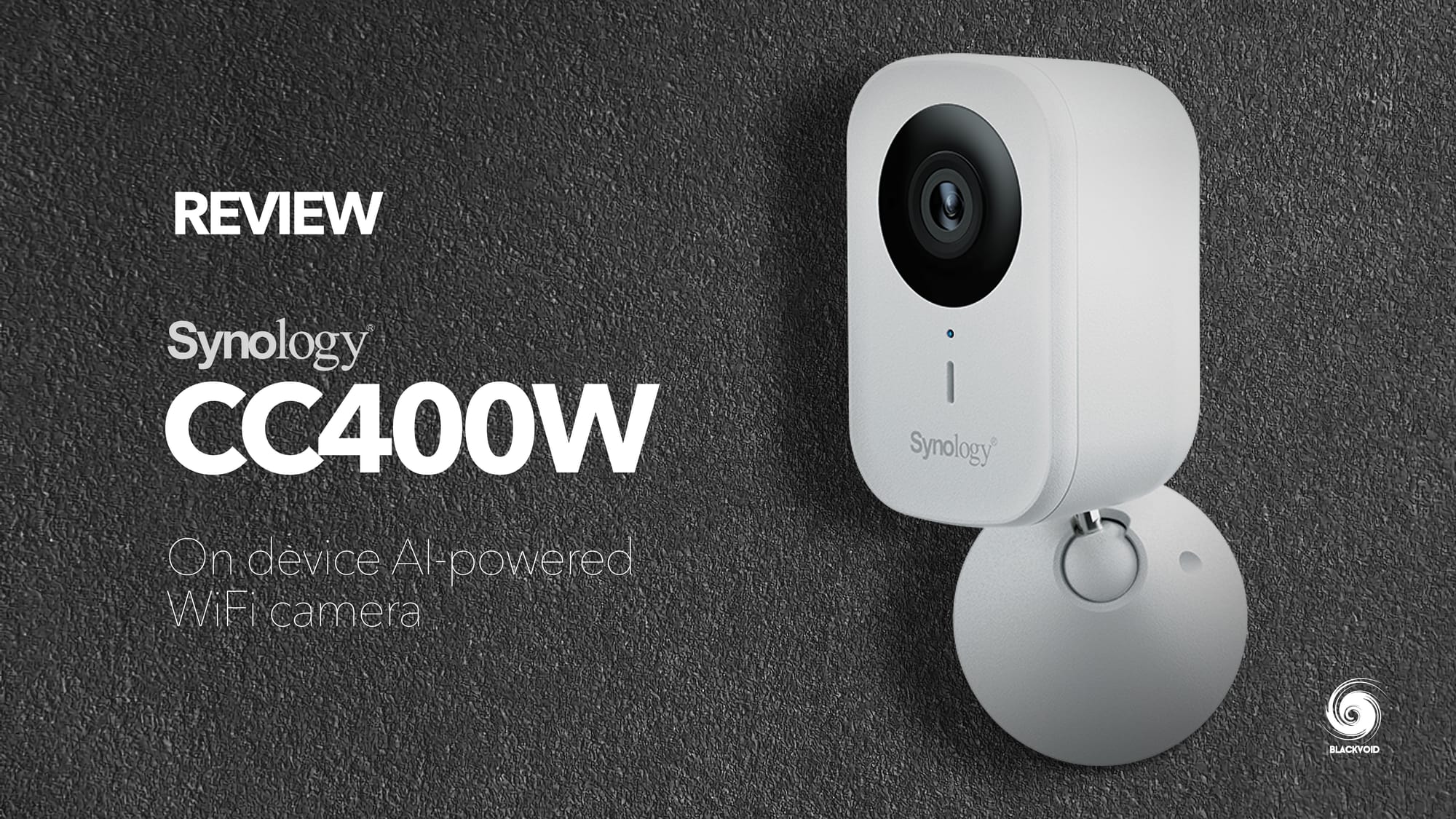
Long before Synology introduced its own camera line, the Surveillance Station platform—currently at major version 9—has consistently supported a wide range of third-party vendors and camera models.
 Luka Manestar
 Luka Manestar
The original BeeStation was never marketed as an NVR device. However, with the introduction of the more capable BeeStation Plus model, Synology appears prepared to expand SOHO surveillance options by enabling multi-camera support for their entry-level CC400W camera.
To support this feature, Synology has doubled the size of the BSM installer, increasing from approximately 500MB in the original BeeStation version to about 1GB in the current BeeStation Plus 1.5 version.
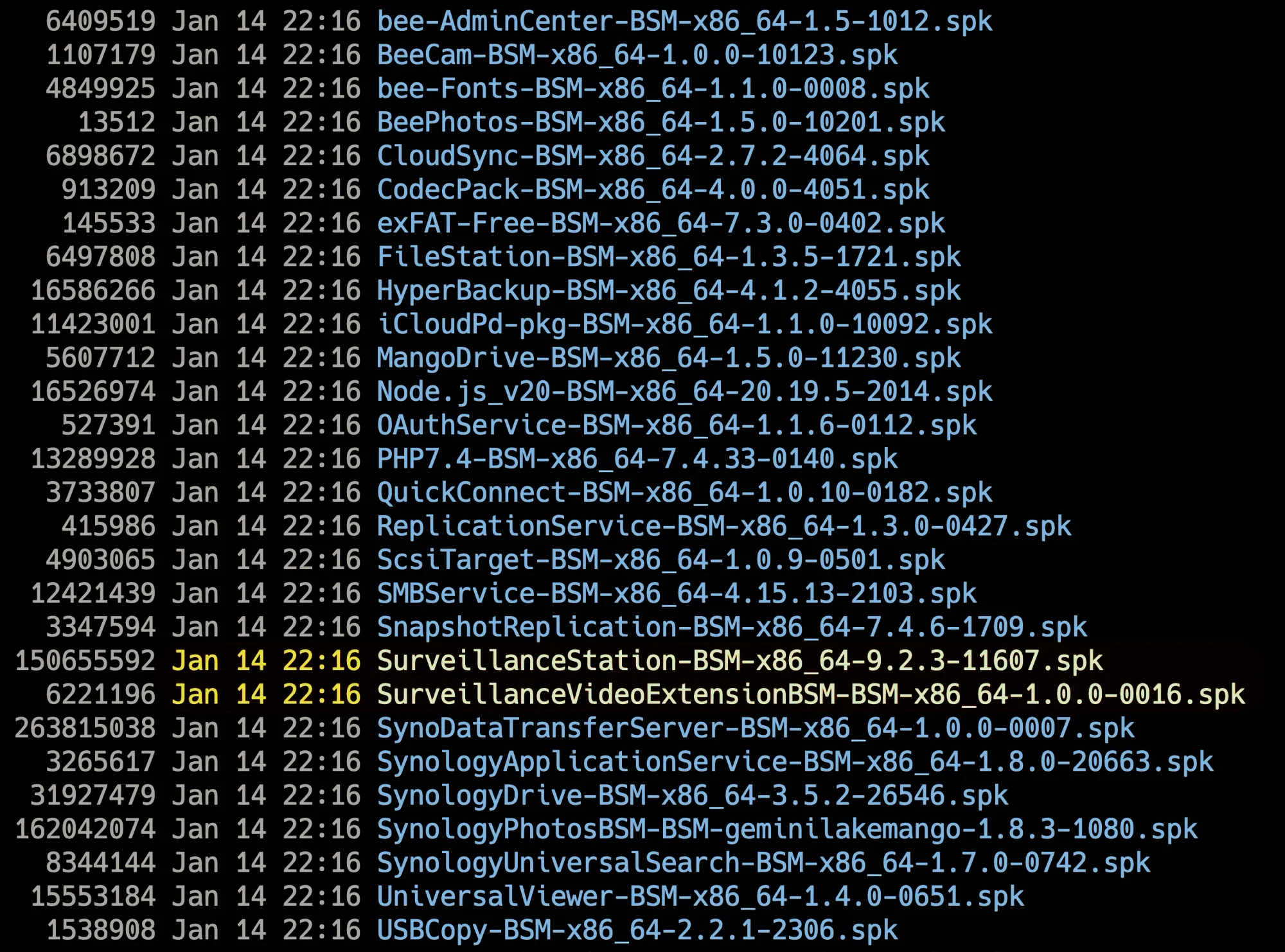
The primary upgrade, alongside updates to existing packages, is the introduction of a tailored Surveillance Station compiled specifically for the BSM platform. For this beta, Synology chose not to use the current 9.2.5 SVS version but instead opted for version 9.2.3. Additionally, the installer is approximately 100MB smaller than the full DSM version, which makes sense given that the BeeCamera Mobile app will not leverage all features of the SVS platform.
It's noteworthy that Synology is not merely porting the x86 version but is optimizing the software for each platform to conserve storage and computational resources.
Beyond these technical details, let’s explore what the new BeeCamera Mobile app can do when paired with BeeStation Plus, and whether it meets the surveillance needs of the SOHO audience.
What is BeeCamera Mobile, and how can we set it up?
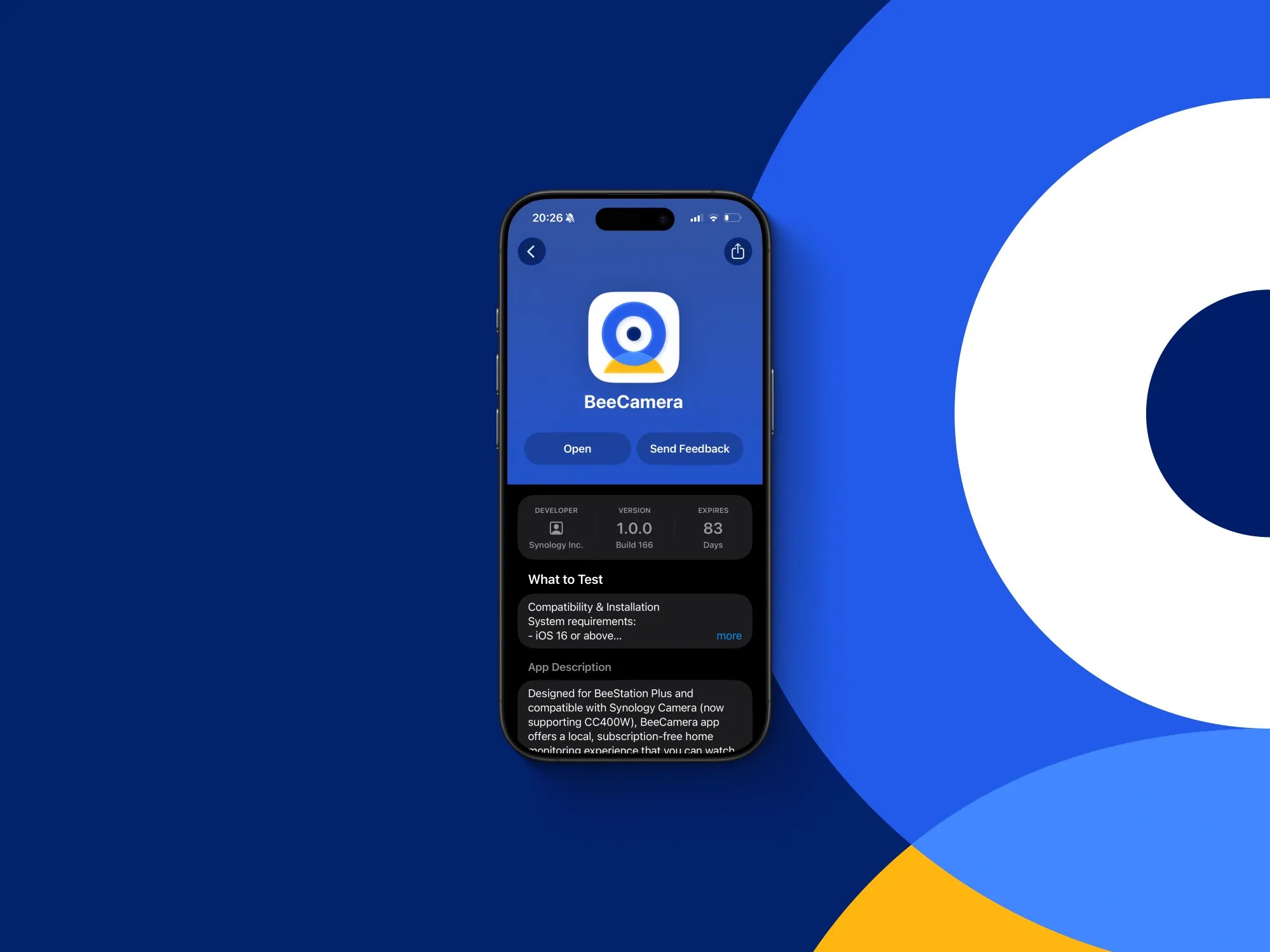
Unlike the SVS platform for DSM-powered devices, the installation and configuration of the BeeCamera Mobile app are performed exclusively on the mobile device itself, including the setup of the camera.
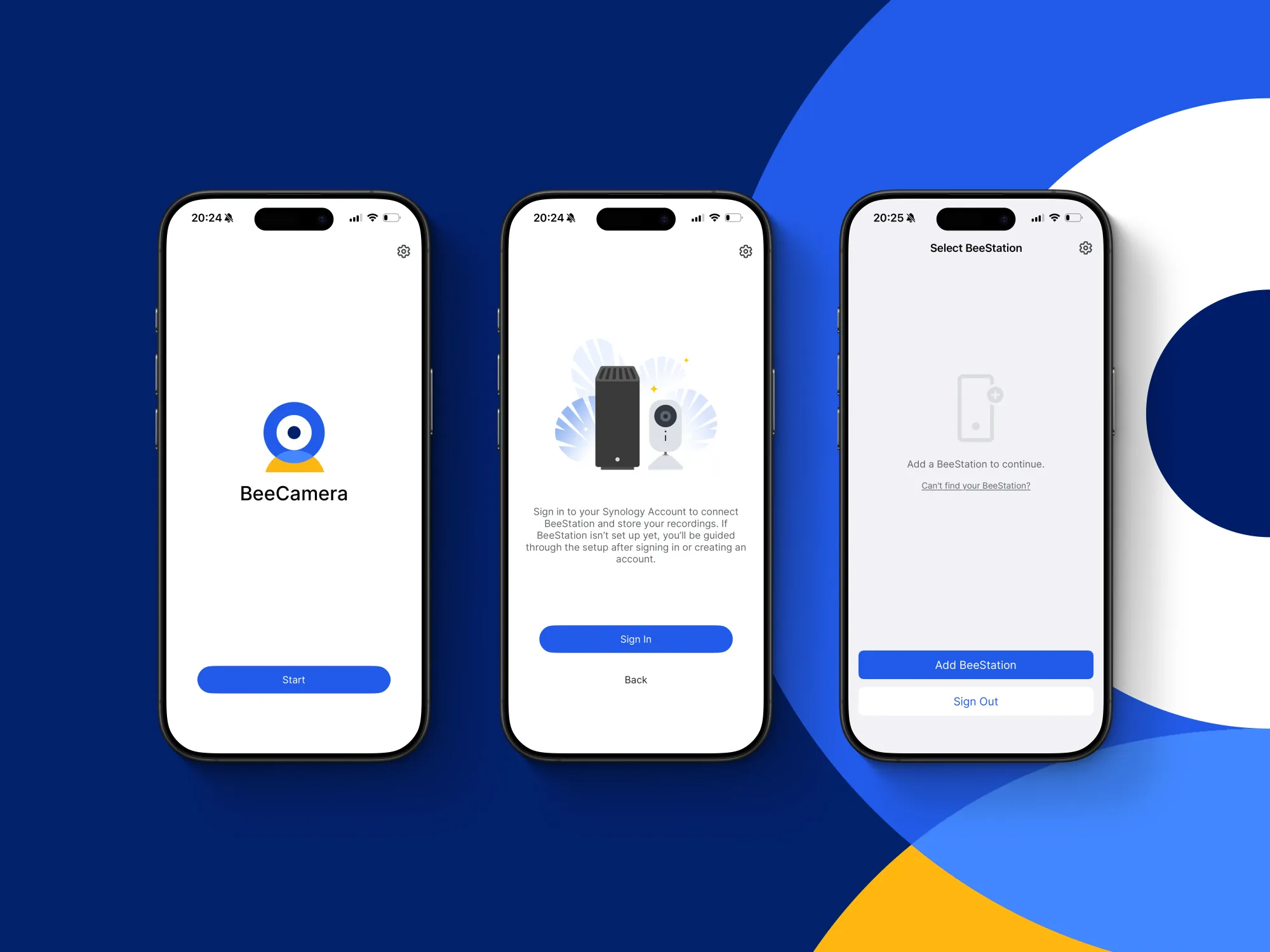
According to the release notes, the BeeCamera Mobile app has specific system requirements for both the mobile device and the BeeStation.
System requirements:
- Android 11 or above
- iOS 16 or above
- Beestation OS 1.5.0 or above (only works with the Beestation Plus model!)
If the BeeStation Plus is not detected when logging into your Synology Account via the new app, we will be unable to proceed with the connection and setup. This feature is exclusively supported on the specified systems with the Synology CC400W camera.
Once all requirements are fulfilled, we can proceed to the initial step: connecting the camera to the BeeStation.
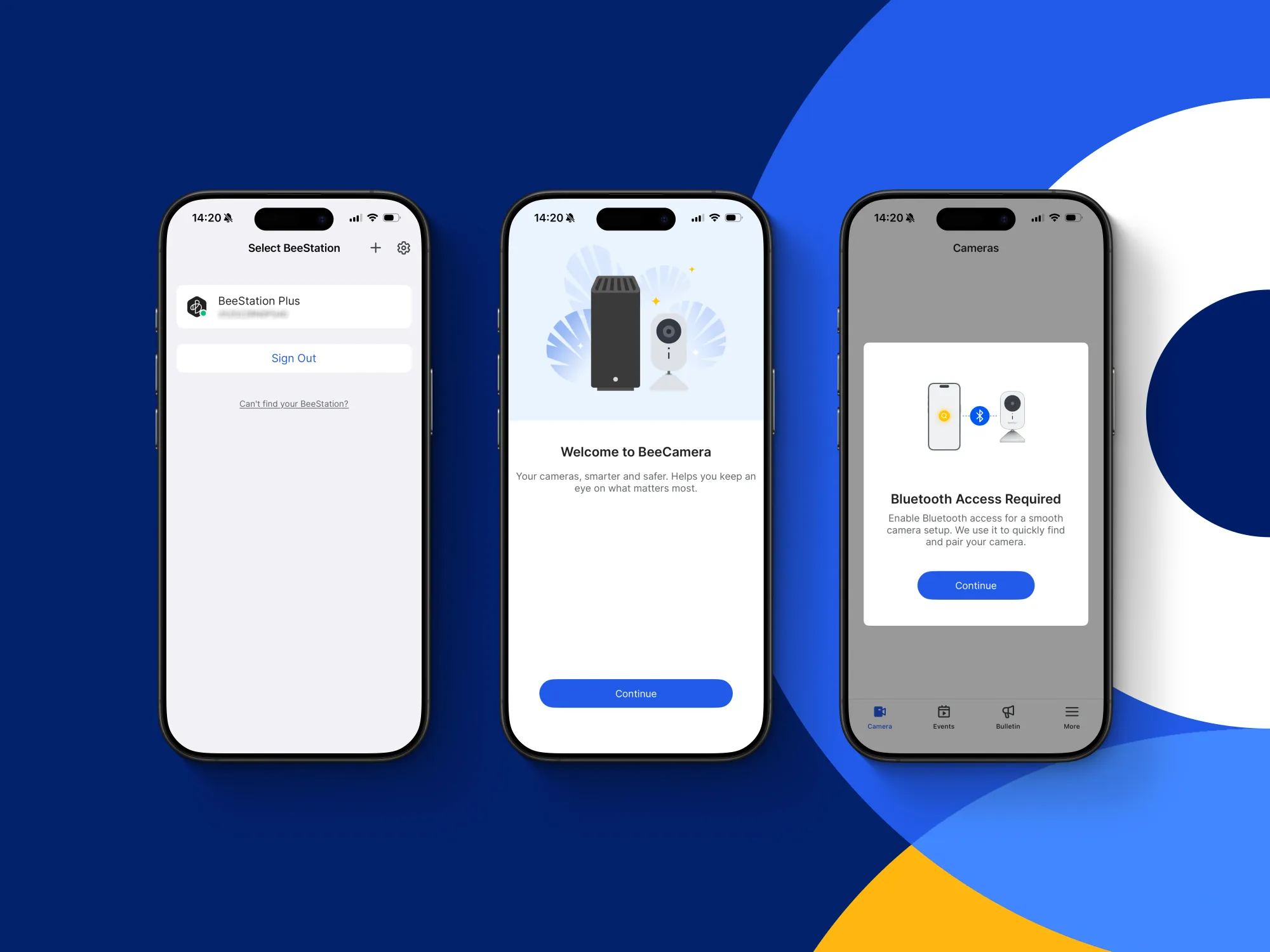
The camera can be connected to the app using several methods: by entering the network IP address, scanning a QR code, or establishing a Bluetooth connection.
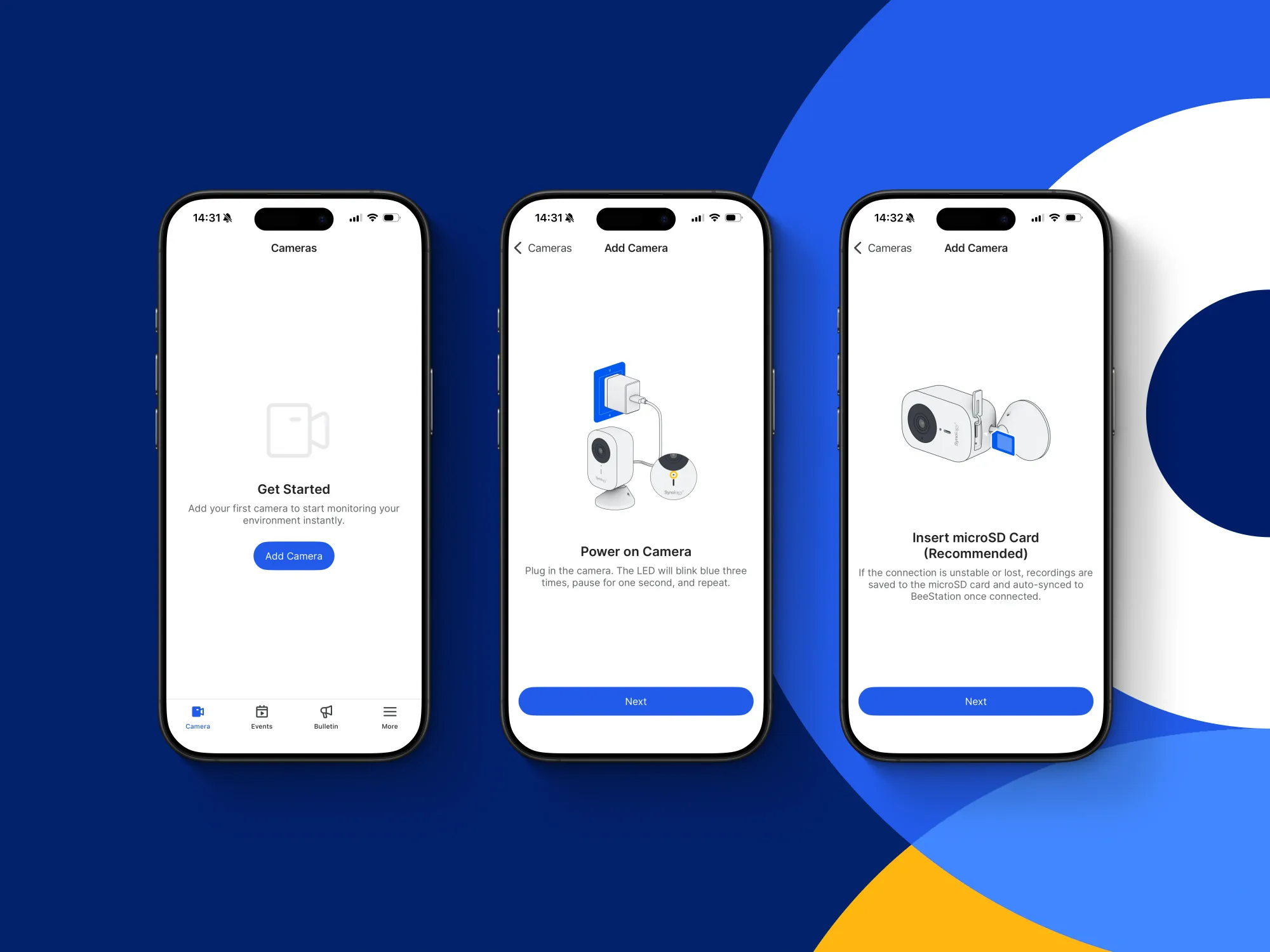
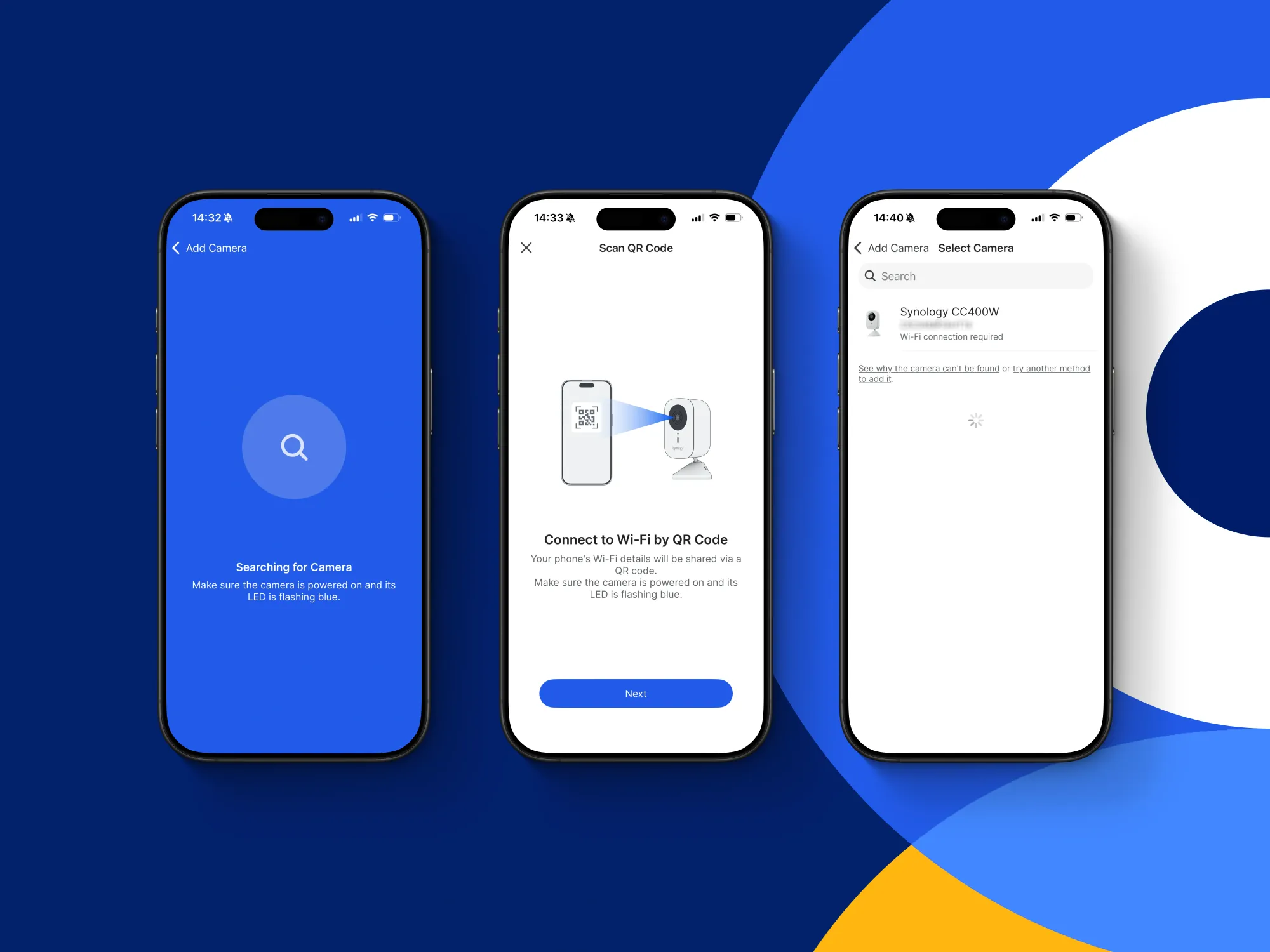
Detecting the camera typically takes 5-10 seconds. If it takes longer, there may be issues with the device. In such cases, resetting the camera to its default factory settings is often the best course of action.
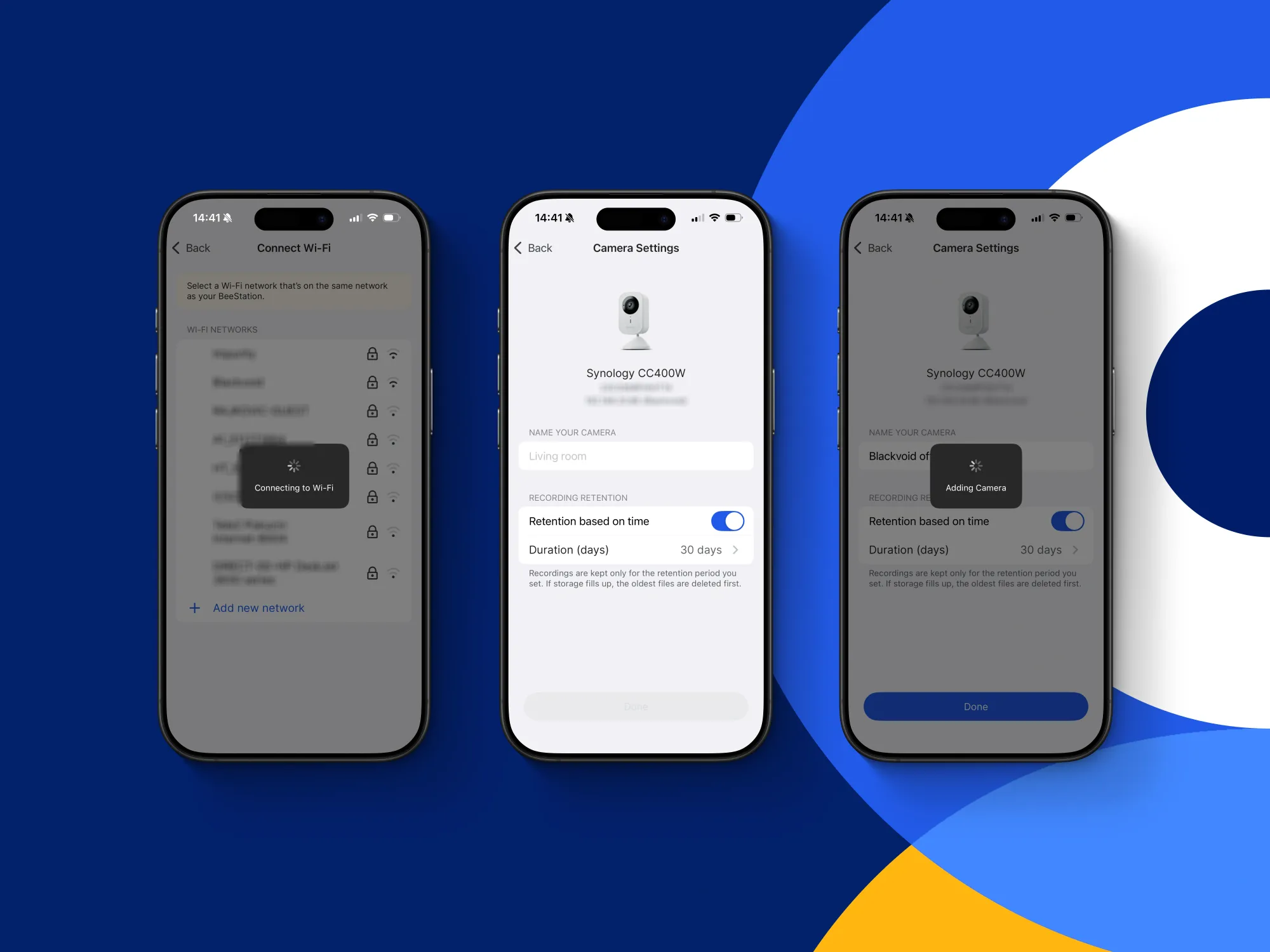
Once the camera is detected, ensure it is connected to the same network as your BeeStation. This is necessary for the BeeCamera app to configure the camera properly and enable it to save recordings on the BeeStation.
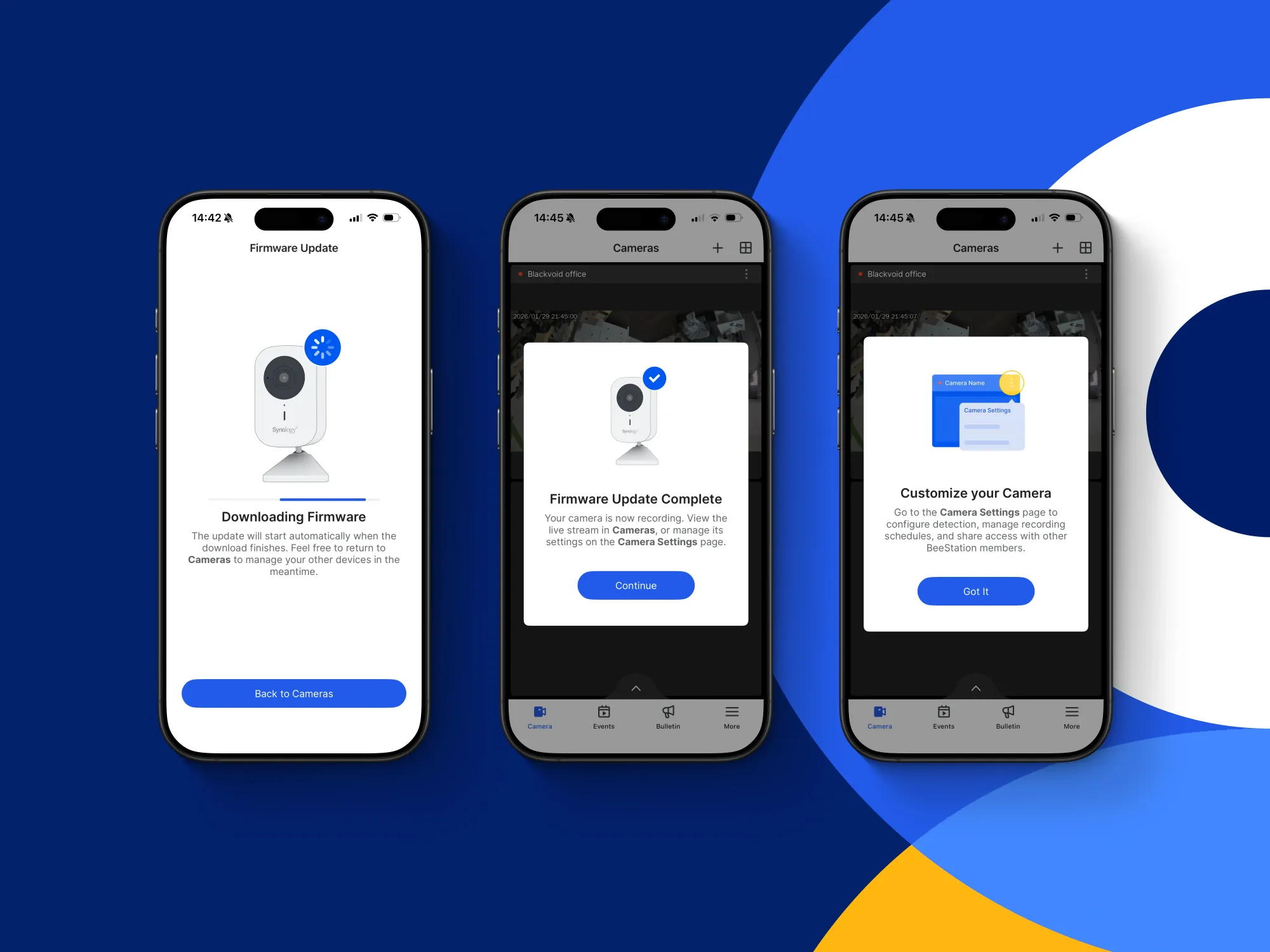
The BeeCamera will perform a firmware update if necessary. Once this process is complete, you will be able to proceed with the camera configuration and access all the settings provided by the app.
BeeCamera configuration and settings
As previously noted, the full feature set of Surveillance Station is not available in this version, as evidenced by the limited settings and options within the mobile app.
With approximately six main settings sections, users can configure various aspects, including recording and detection, audio and video parameters, image quality, microSD card management, and sharing options that enable other BeeStation users to access the camera.
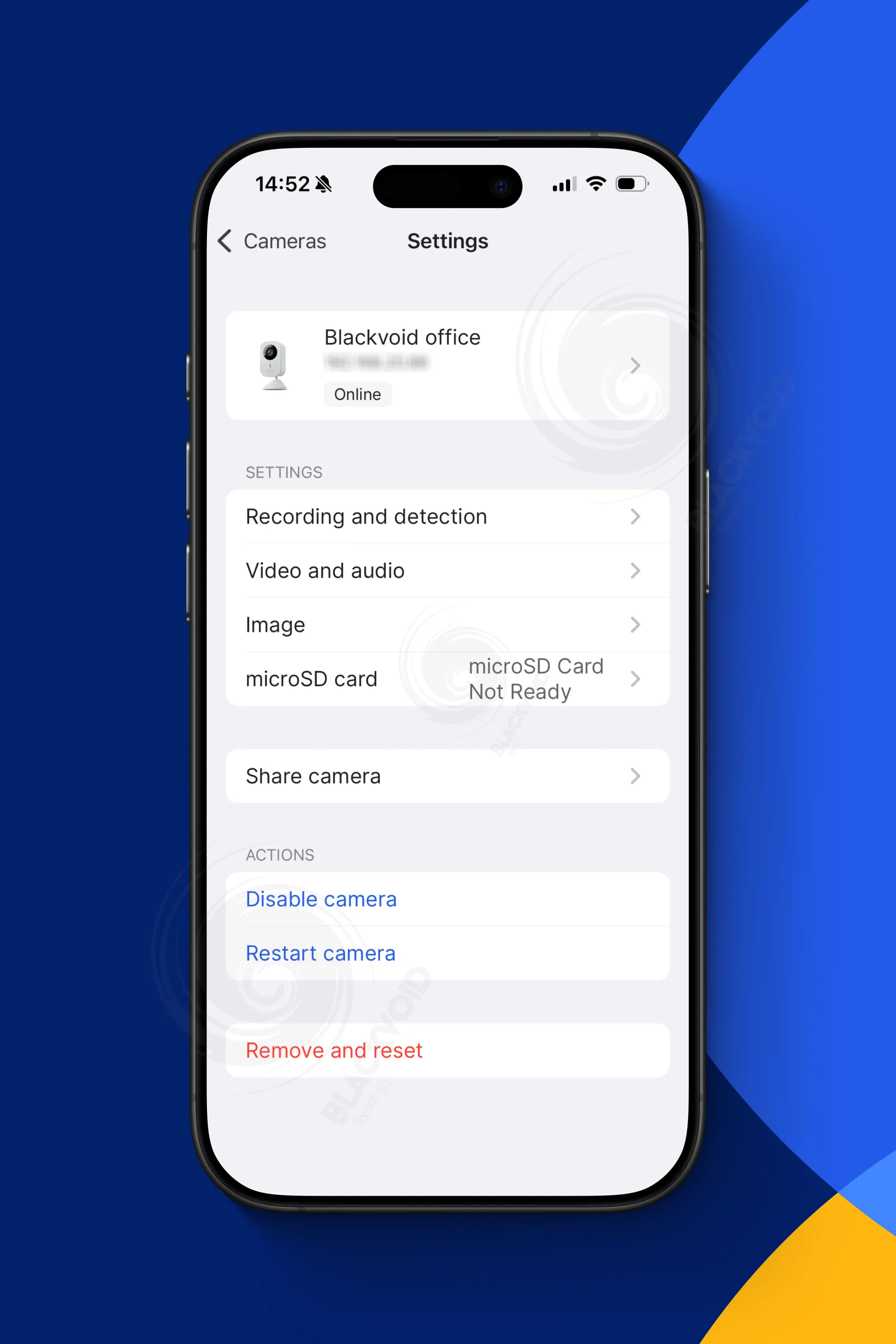
Since the app is designed specifically for the Synology-branded CC400W, full support for its features can be expected. However, because the BeeStation Plus lacks the advanced GPU support found in dedicated DVR devices, all AI-driven features will not be available.
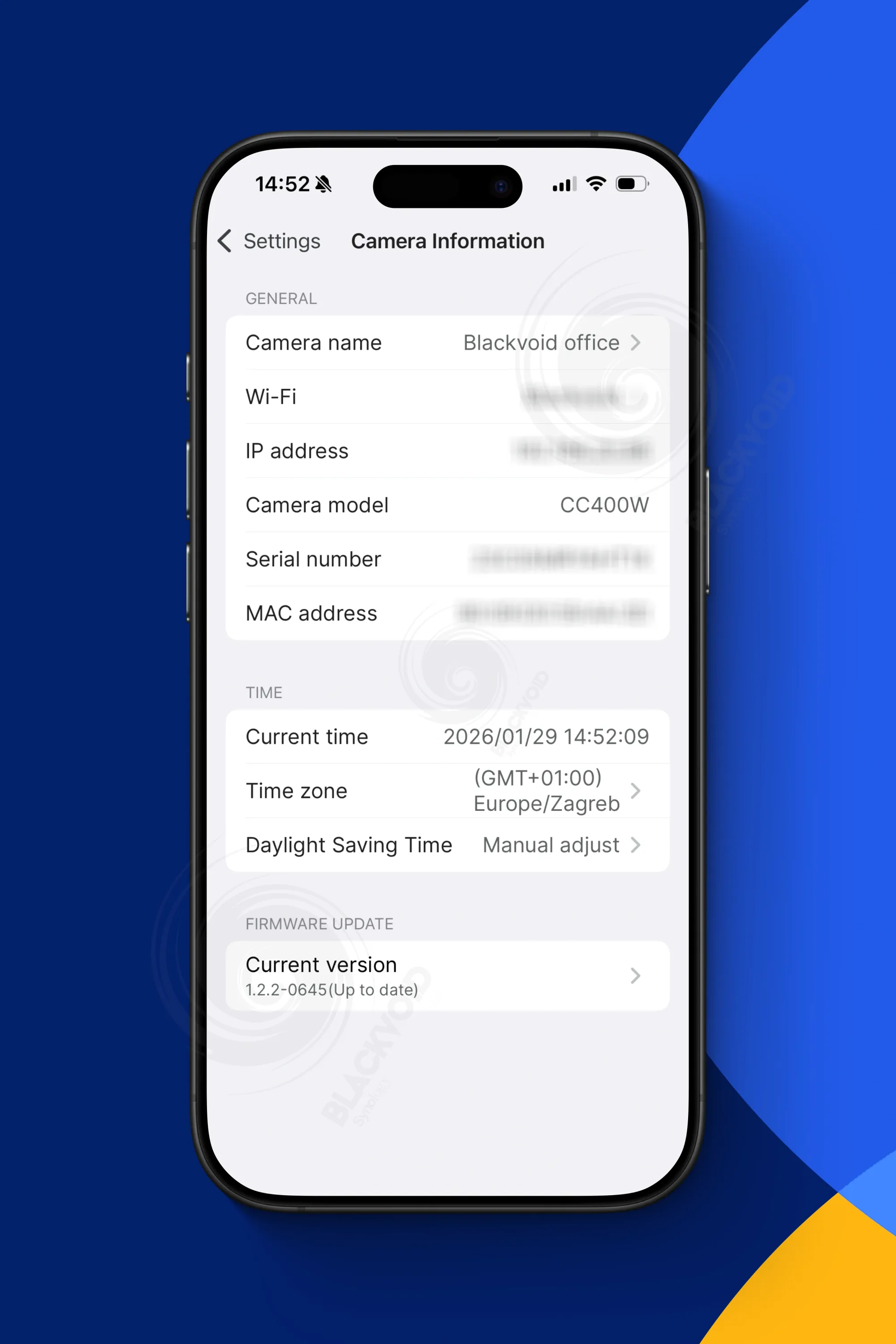
Users will primarily focus on recording, image, and format settings, and these directly influence recording size and storage utilization.
While the app supports variable bitrate, disabling it to maximize quality and setting the image quality to maximum will result in significantly larger files.
For example, with default settings at 1440p, variable bitrate enabled, and image quality at 4/5, a 5-minute recording will be approximately 20-30 MB.
However, if all settings are maxed out and variable bitrate is turned off, the same recording could increase to about 150 MB.
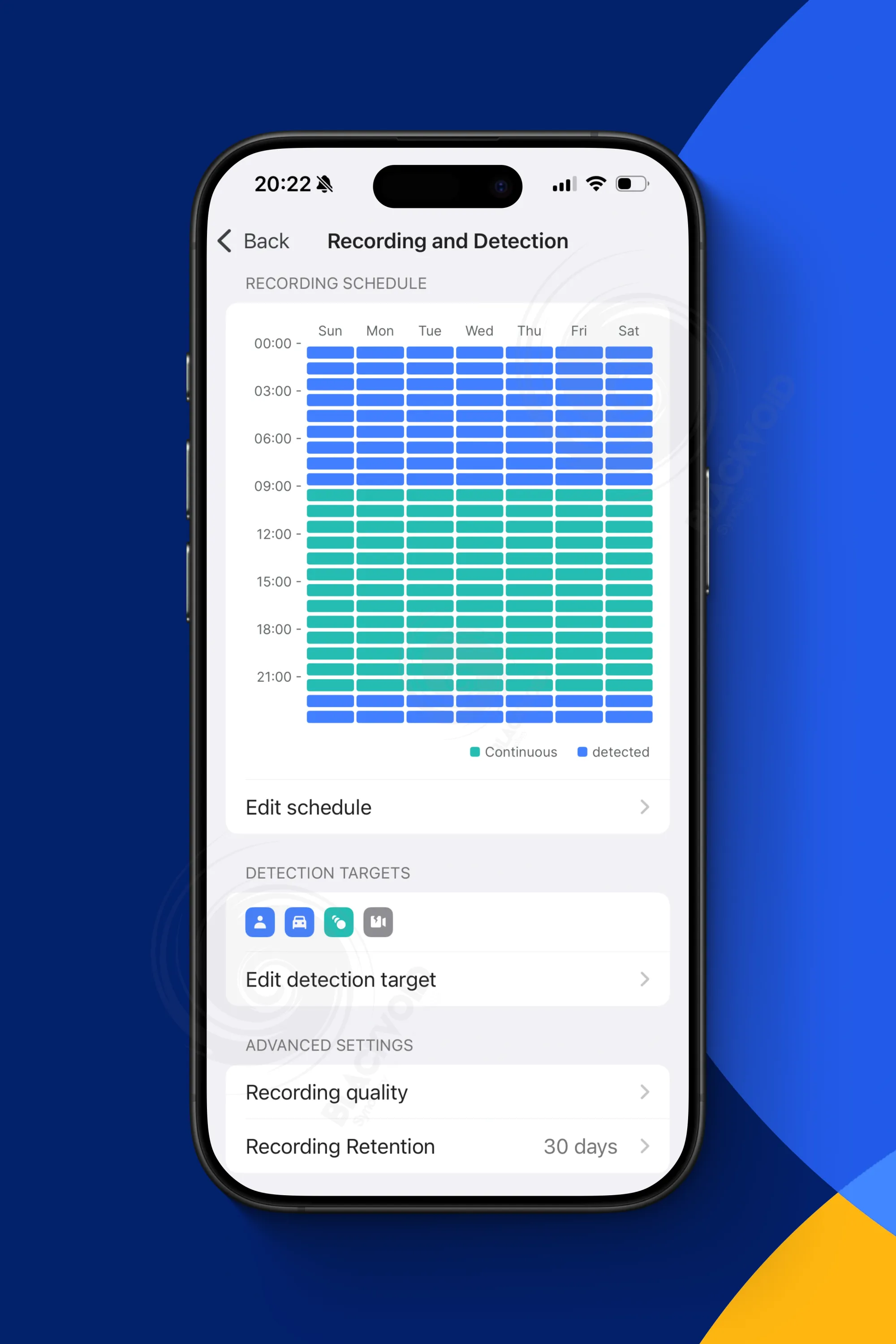
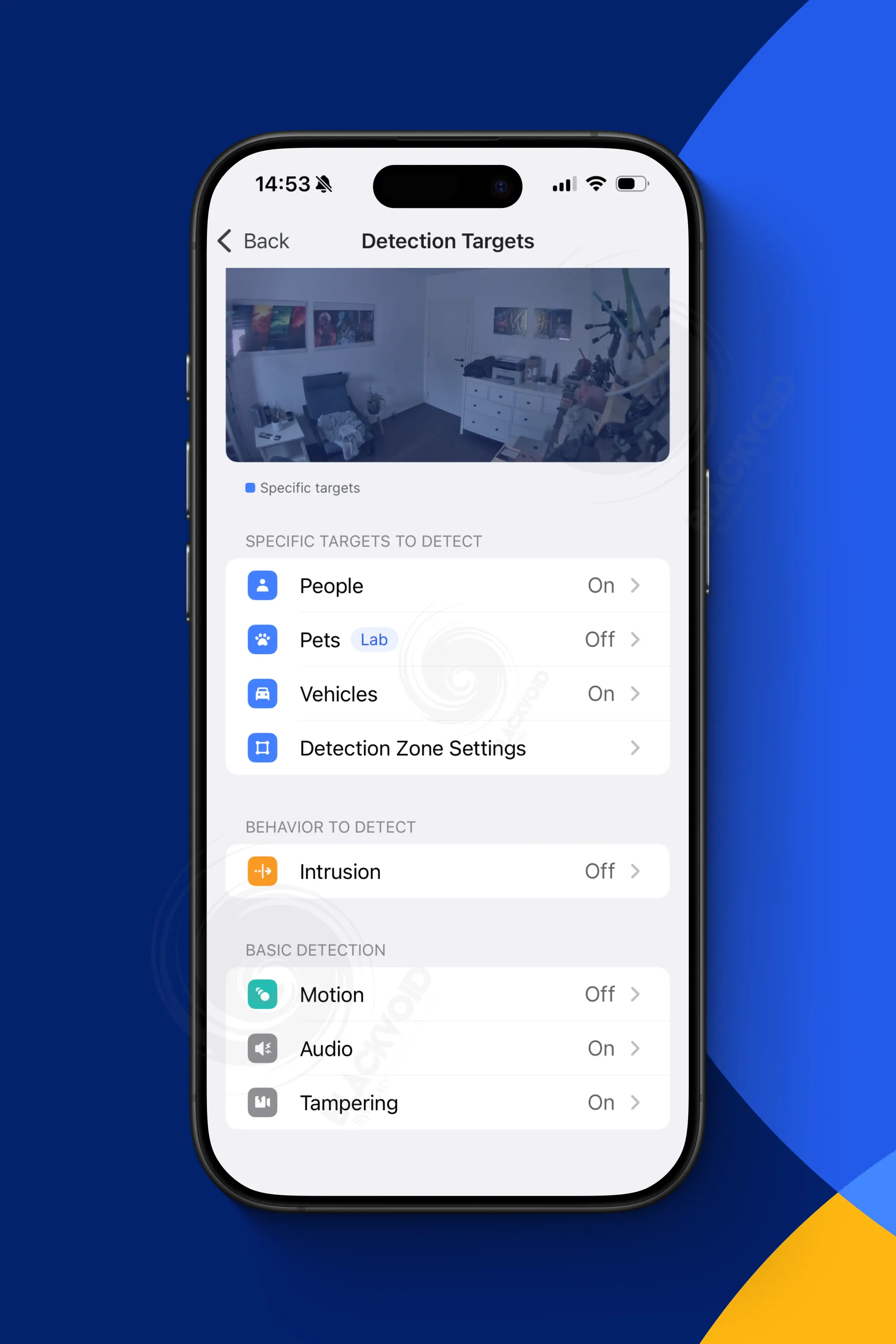
Recording and detection settings offering a detailed schedule, detection targets, zone definition, and recording quality and retention
With the default 30-day retention setting, continuous 24/7 recording would require approximately 1 to 1.5 TB of storage. Considering the BeeStation model has 7 TB of usable space, allocating around 20% per month for all-day surveillance leaves ample room for ongoing recording without immediate storage concerns.
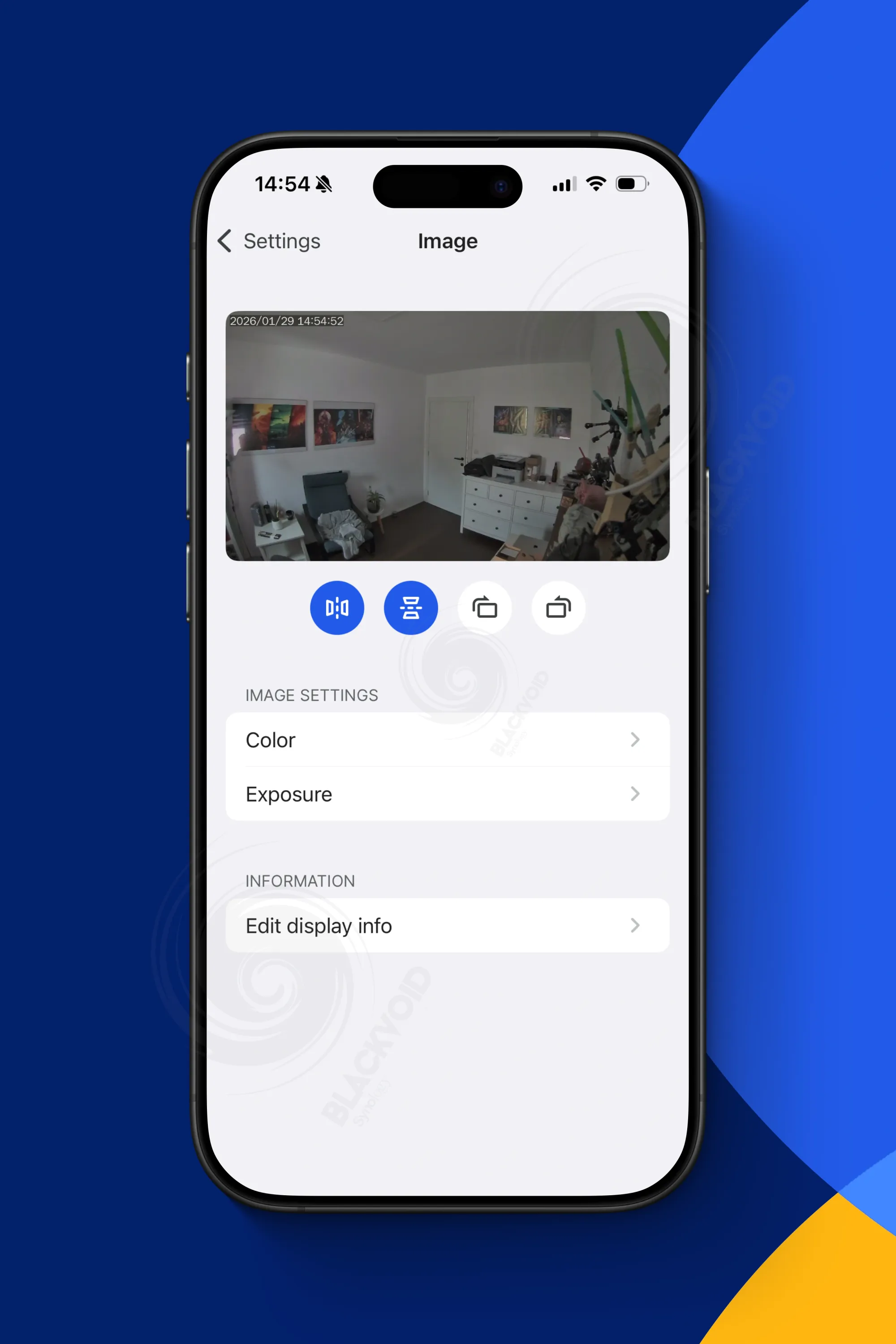
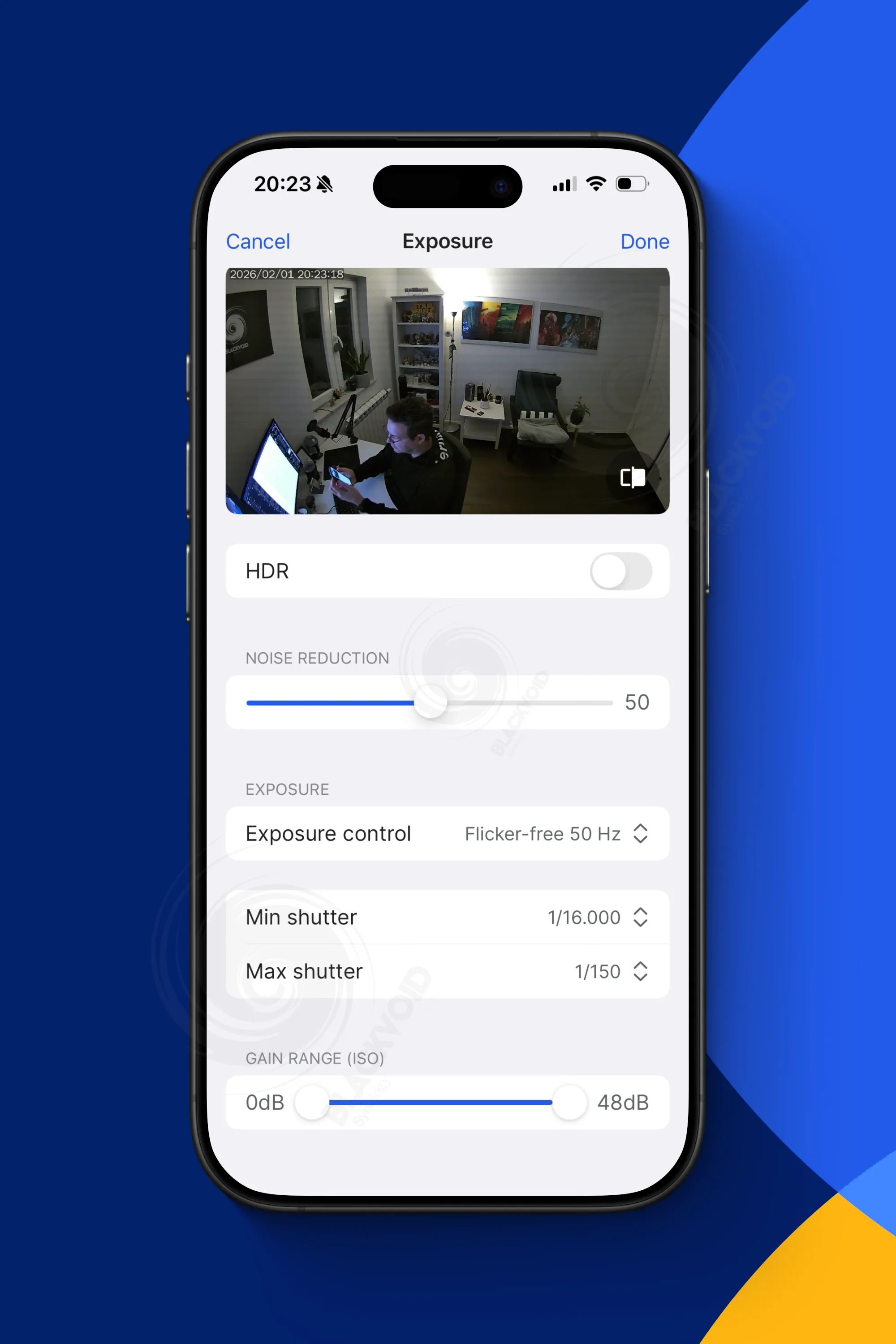
As expected we can configure the camera image to adjust it to our own needs and expected results
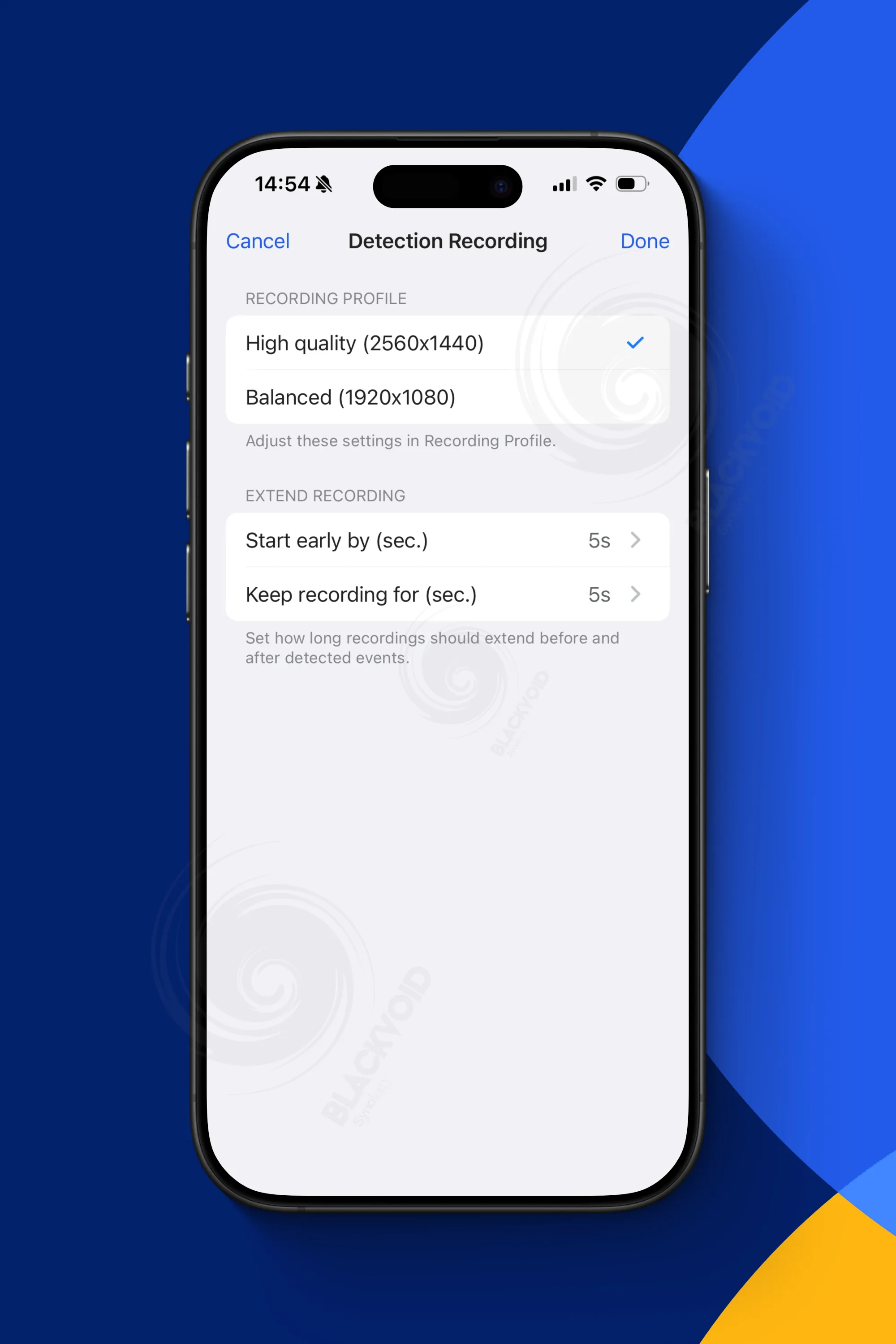
Like with Surveillance Station, any modifications to the image or recording profiles will cause the camera to reinitialize for approximately 10-15 seconds.
One aspect that takes longer with the BeeCamera app compared to the standard SVS client is exposure control; switching from outdoor to indoor or manual settings may require some time before the expected results are visible.
This is not a major issue and is understandable given that the software is still in beta, so some glitches and delays can be expected.
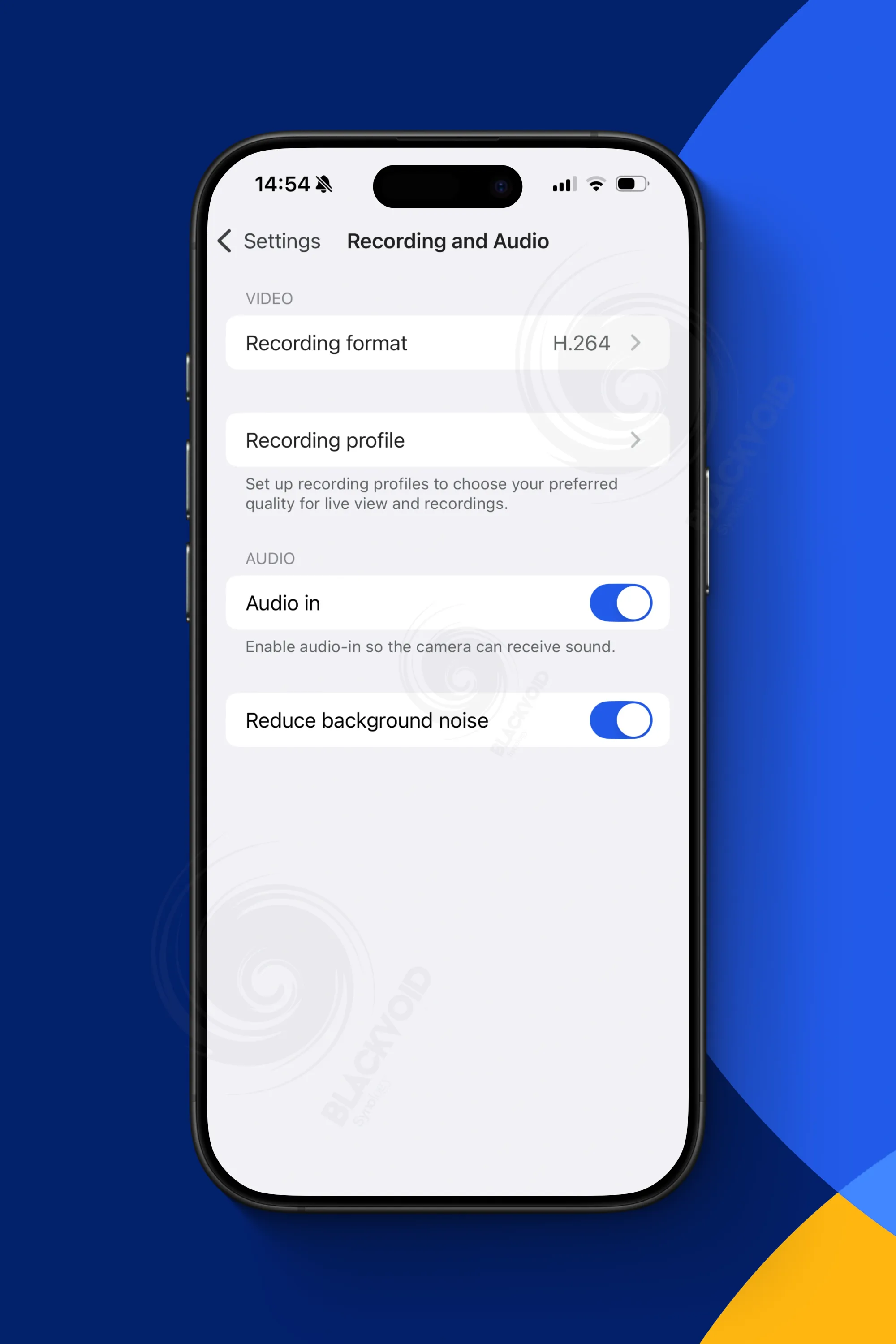
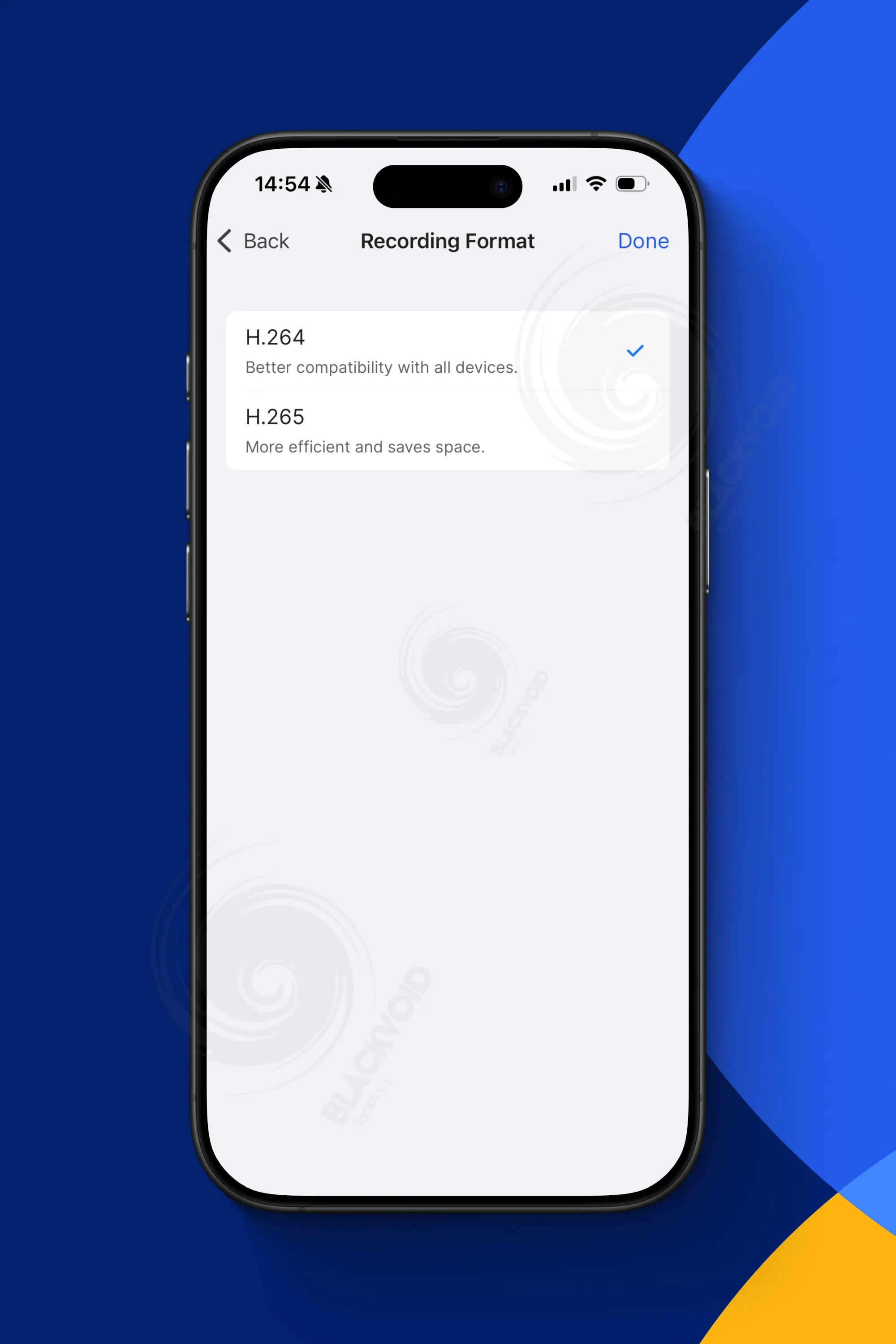
We have the option to set the recording profile, audio recordings, variable bitrate and image quality. All of these settings will have direct impact on the NAS storage capacity
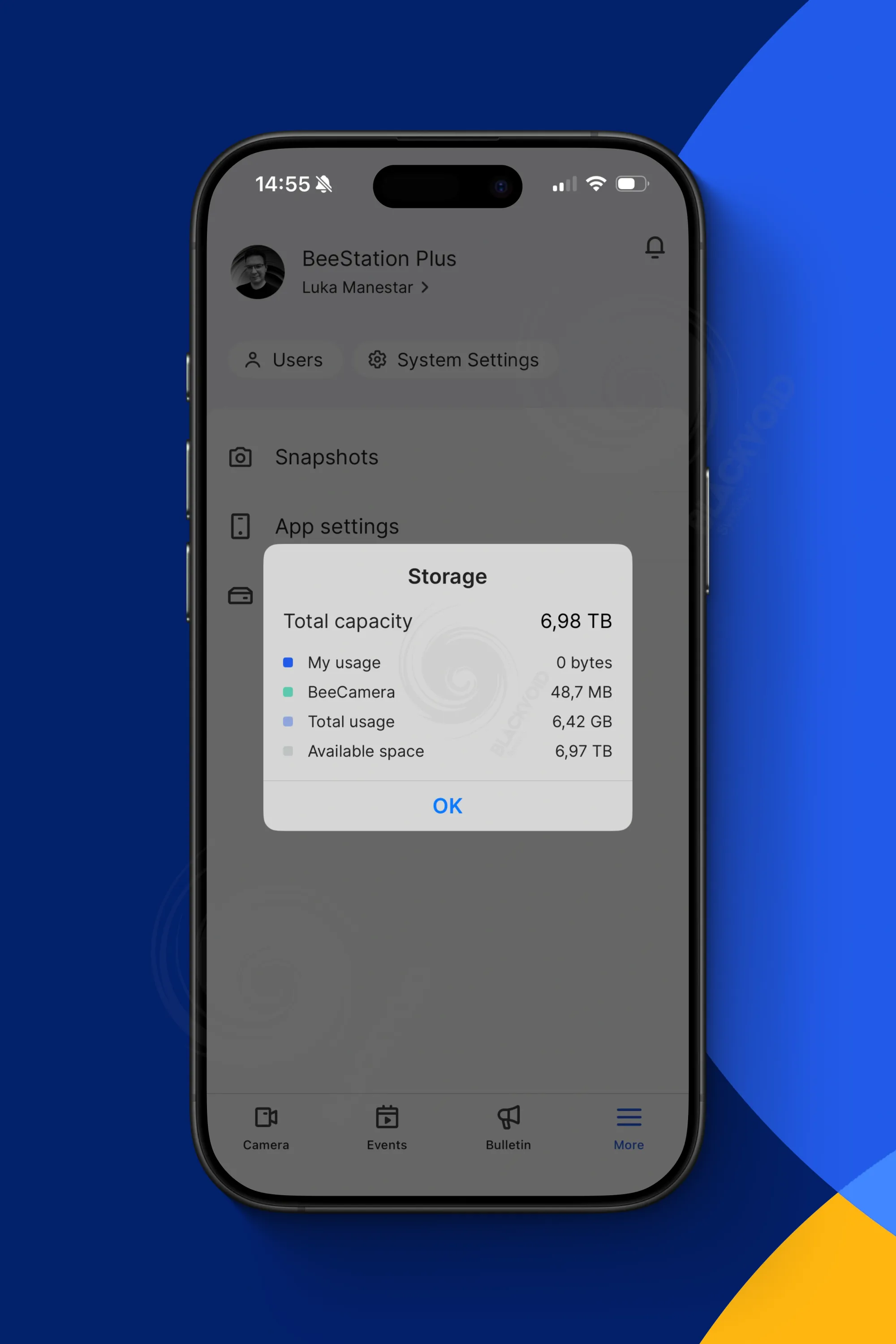
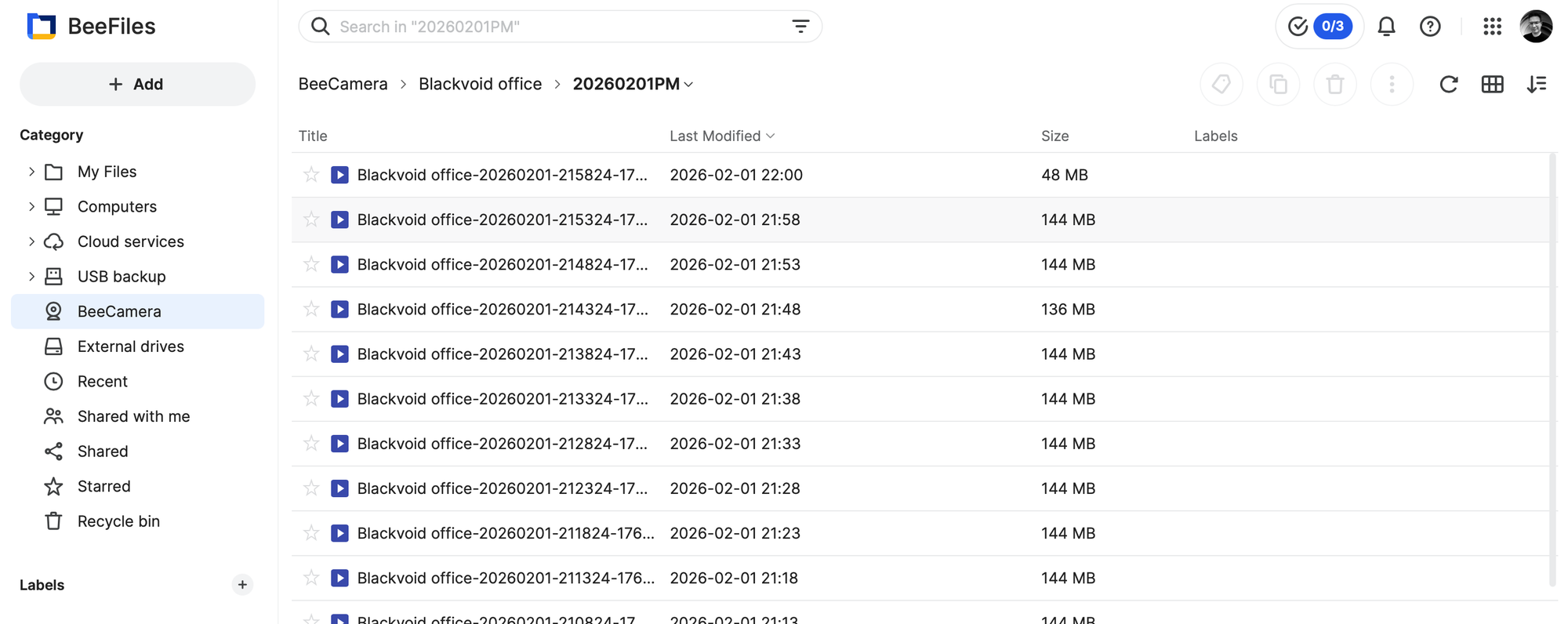
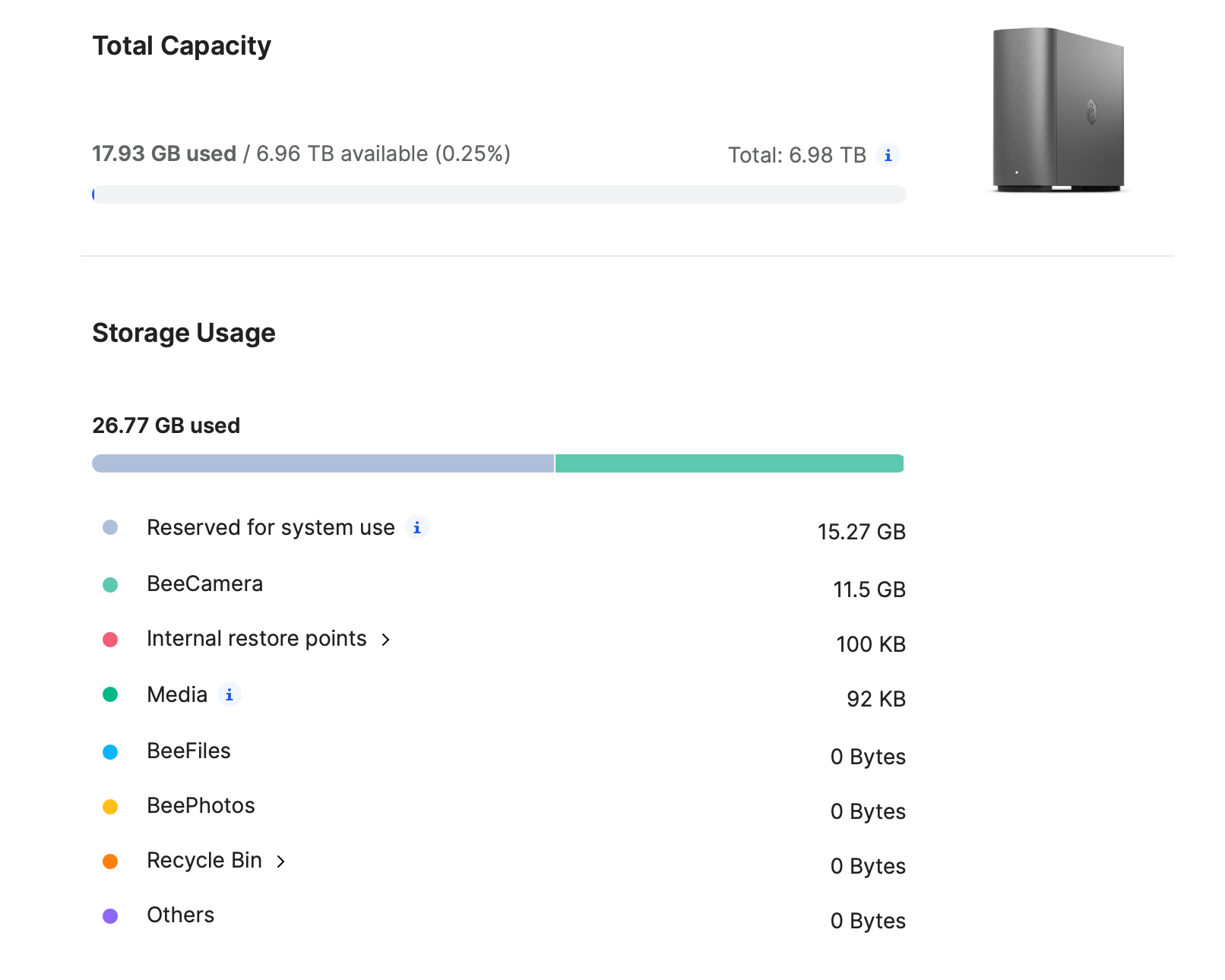
The app, despite being in beta, appears very polished overall. Aside from a few nuisances and bugs, the quality of the implementation is impressive. It's evident that Synology's extensive experience with similar solutions and interfaces has influenced the design, resulting in an app that is both informative and minimalistic in its approach.
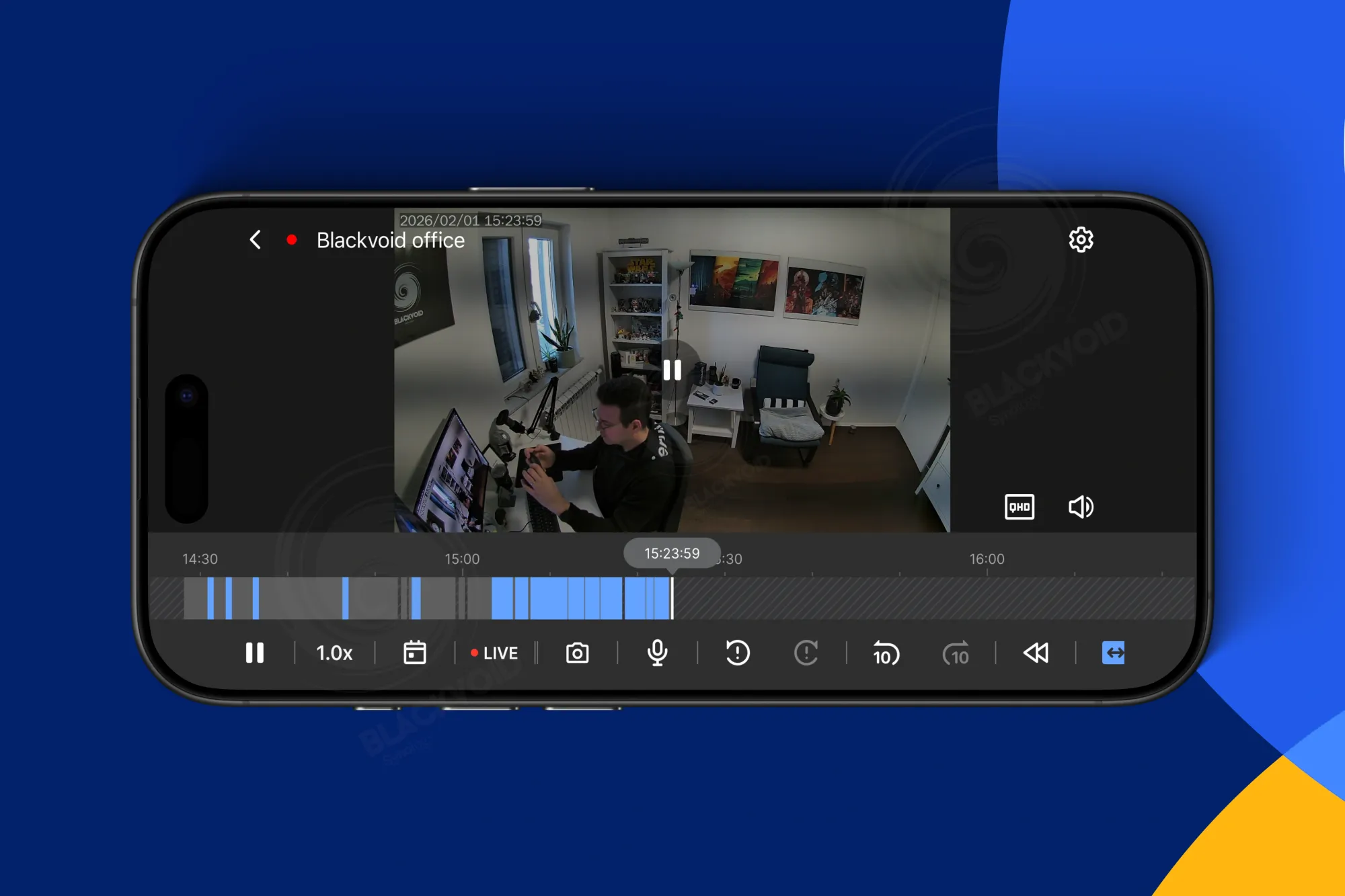
The app supports both landscape and portrait modes, including a multi-view option, providing all essential settings within easy reach. Just below the video image, there is a familiar color-coded timeline with various controls, such as play/pause, two-way audio, event trigger shortcuts, and more.
Additionally, the screen features a zoom function activated by a multi-gesture, allowing for a closer, more detailed view of the video.
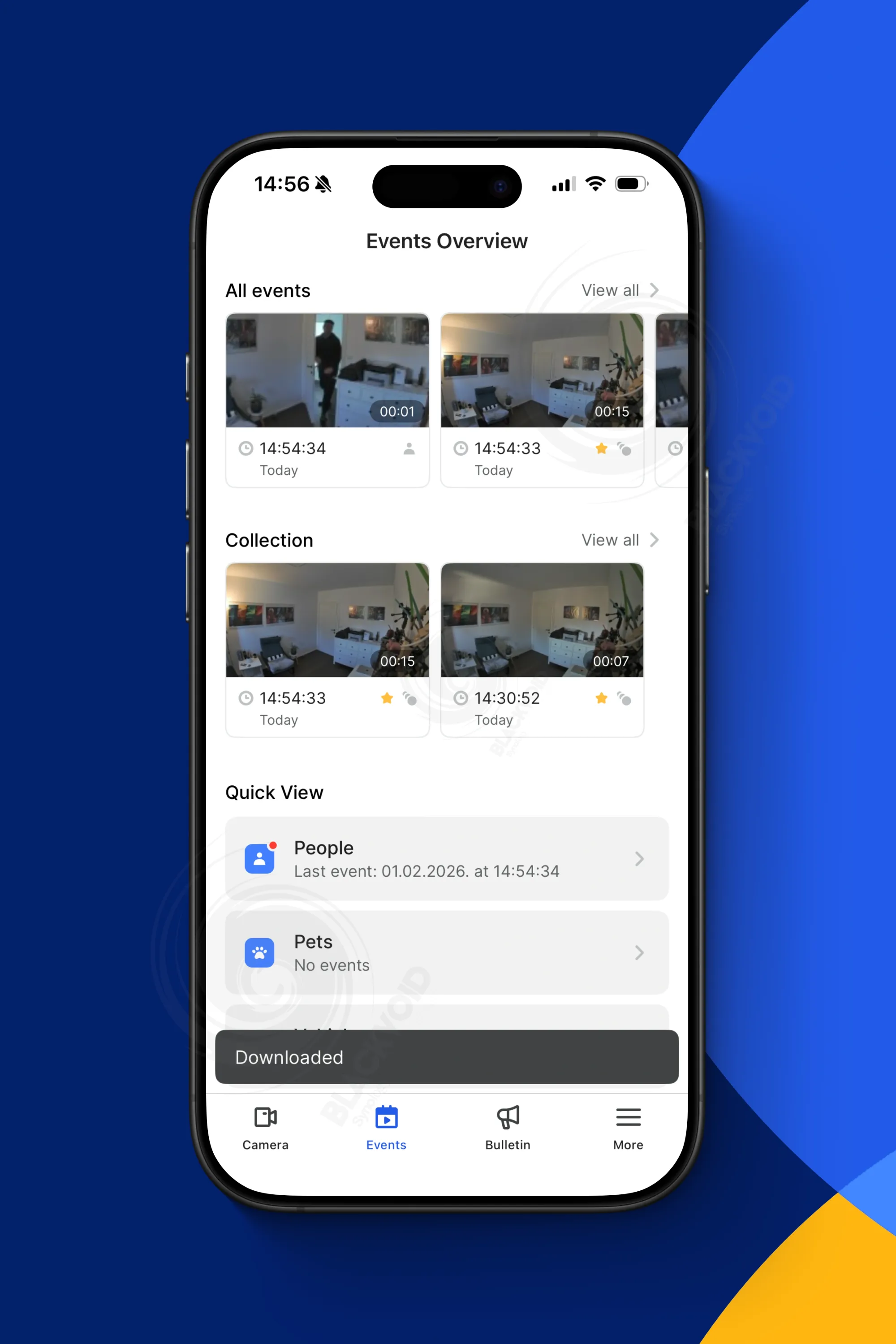
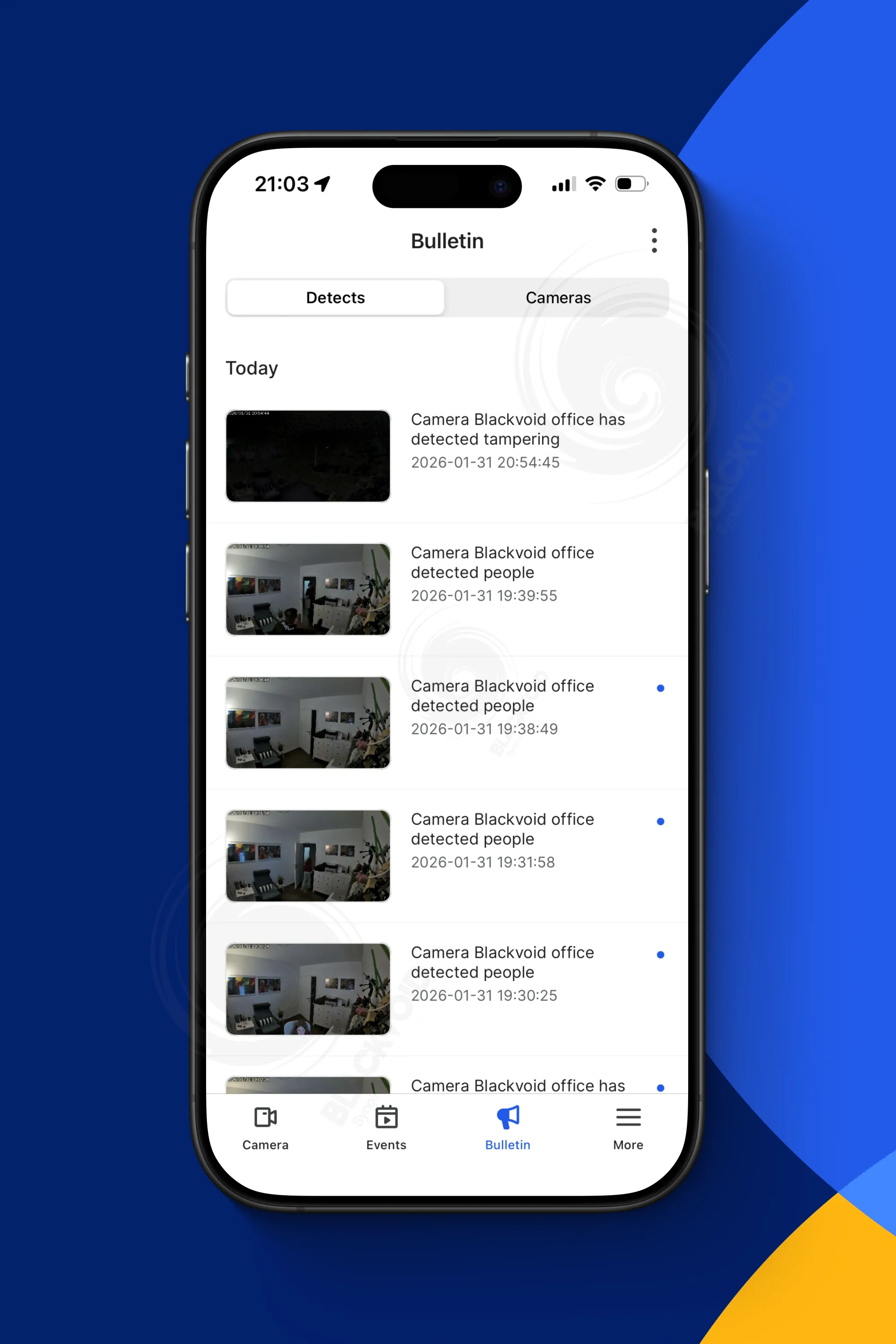
The events overview allows for a quick access to point in time recordings, download options and collection options, while the bulletin provides a list of last 100 event notifications
Beyond the core Surveillance Station features, the BeeCamera app presents expected functionalities with its own distinct interface. In addition to the camera tab, the app includes Events and Bulletin tabs, which provide a quick overview of motion or trigger events, notifications, and time-based shortcuts. These features enable users to swiftly review or download footage directly to their mobile devices.
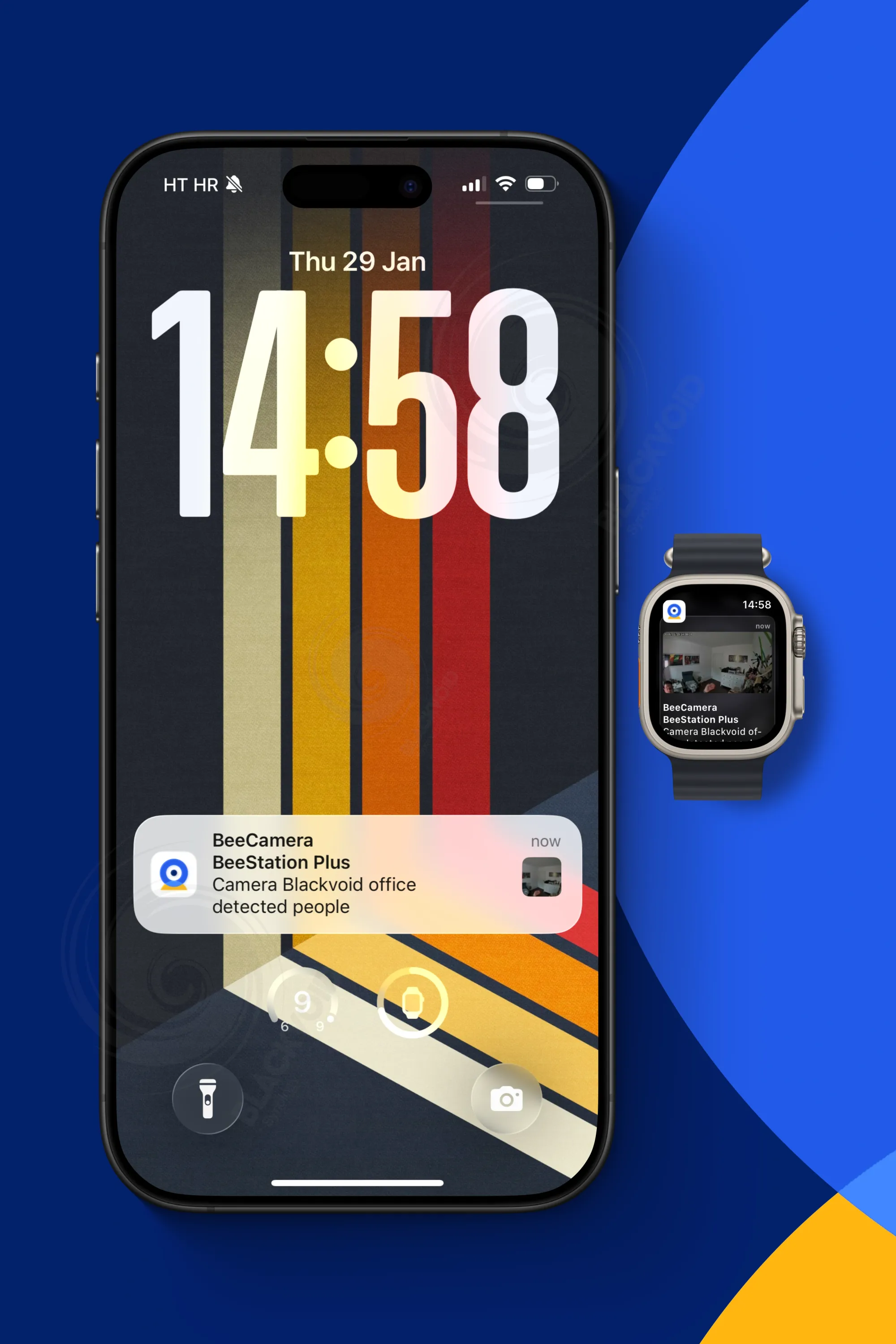
The app leverages a native notification system to ensure real-time alerts, minimizing delays between event detection and user notification. This significantly enhances response times in situations requiring immediate action.
However, unlike the NAS surveillance platform, BeeCamera currently lacks options to filter false positives or tools to fine-tune motion sensitivity, limiting users' ability to customize detection parameters at this time.
However, it is encouraging to see Synology continue to focus on the SOHO market, especially after the recent emphasis on enterprise solutions over the past two years. The BeeStation with its BSM OS demonstrates that even underdog platforms can deliver significant feature upgrades with each new release.
The €600 package (CC400W + BeeStation Plus) provides substantial value for the average user or small team, covering basics like file sharing, photo management, backup, sync options, as well as recent Plex support and now surveillance capabilities.
This promising start to 2026 suggests a future where more DSM features—both new and existing—will be integrated into this polished, turnkey platform.