Synology DSM 7.4 and AI future

- FS Series: FS3017, FS2017, FS1018
- XS Series: RS18016xs+, RS4017xs+, RS3617xs+, RS3617xs, RS3617RPxs, RS18017xs+, DS3617xs, DS3617xsll, DS3018xs
- Plus Series: RS2416RP+, RS2416+, DS916+, DS716+II, DS716+, DS216+II, DS216+, DS1817+, DS1517+, RS2818RP+, RS2418RP+, RS2418+, RS818RP+, RS818+, DS1618+, DS918+, DS718+, DS218+, RS1219+
- Value Series: DS116, DS216, DS216play, DS416, DS416play, DS1517, DS1817, DS418play, RS217, RS816
- J Series: DS216j, DS416j, DS416slim, DS419slim, DS418j, DS218j, DS119j
It has been eight months since Synology released a new version of DSM, not including incremental updates that came after October 2025.
Now, following the Computex 2026 expo, we have info on the upcoming new DSM 7.4 that should arrive starting mid June all the way till mid August, as well as some updates on the productivity packages.
DSM 7.4 major upcoming changes
While the release notes are not yet available, let's focus on the major upcoming updates that will be part of DSM 7.4 and existing packages. What we can say for sure is that the new DSM 7.4 will not be compatible with all models, so any device before the X20 generation (x19 or older) will be considered incompatible with this version.
The rolling schedule for DSM 7.4 is to officially release the new version on June 16th for global new or manual installations, and over the next two months, Synology will progressively complete automatic upgrade installations across various regions, ending by August 18th.
As always, certain updates will be released after the initial rollout of the 7.4 version, either as open beta (such as the new Synology Drive 4.1 version or ChatPlus & Meet platforms), while some more under-the-hood optimizations and features will be available on day one.
Storage efficiency feature
DSM 7.4 will introduce a new Storage Manager feature called storage efficiency that will allow HDD data reduction using deduplication and compression. The main reasoning behind this are current economic issues of hard drive shortage and high prices.
While one way to combat these issues is by using the Synology Tiering feature (coming in its 1.3 version with DSM 7.4), the option to use it depends on the actual NAS model.
 Luka Manestar
Considering Tiering is not available on all models, the storage efficiency feature will help out.
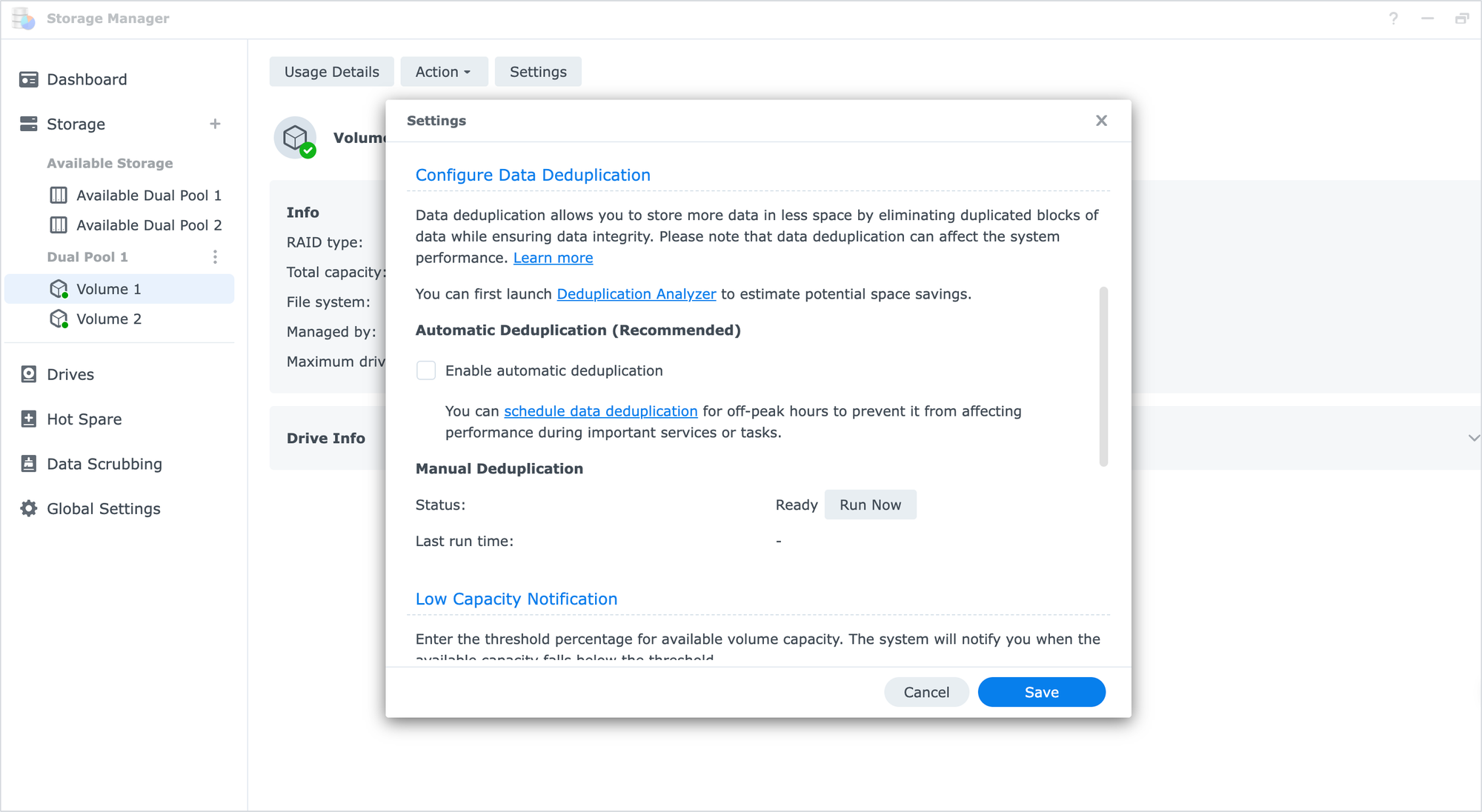
Now, it might come as a surprise at first that deduplication and file compression are mentioned, as those features exist in DSM already. However, currently, DSM offers SSD volume deduplication, which only works on Synology SSDs for data deduplication and can be configured in Storage Manager.
File compression functionality works for shared folders, which applies to almost all compatible models and drives, and can be configured in the Control Panel.
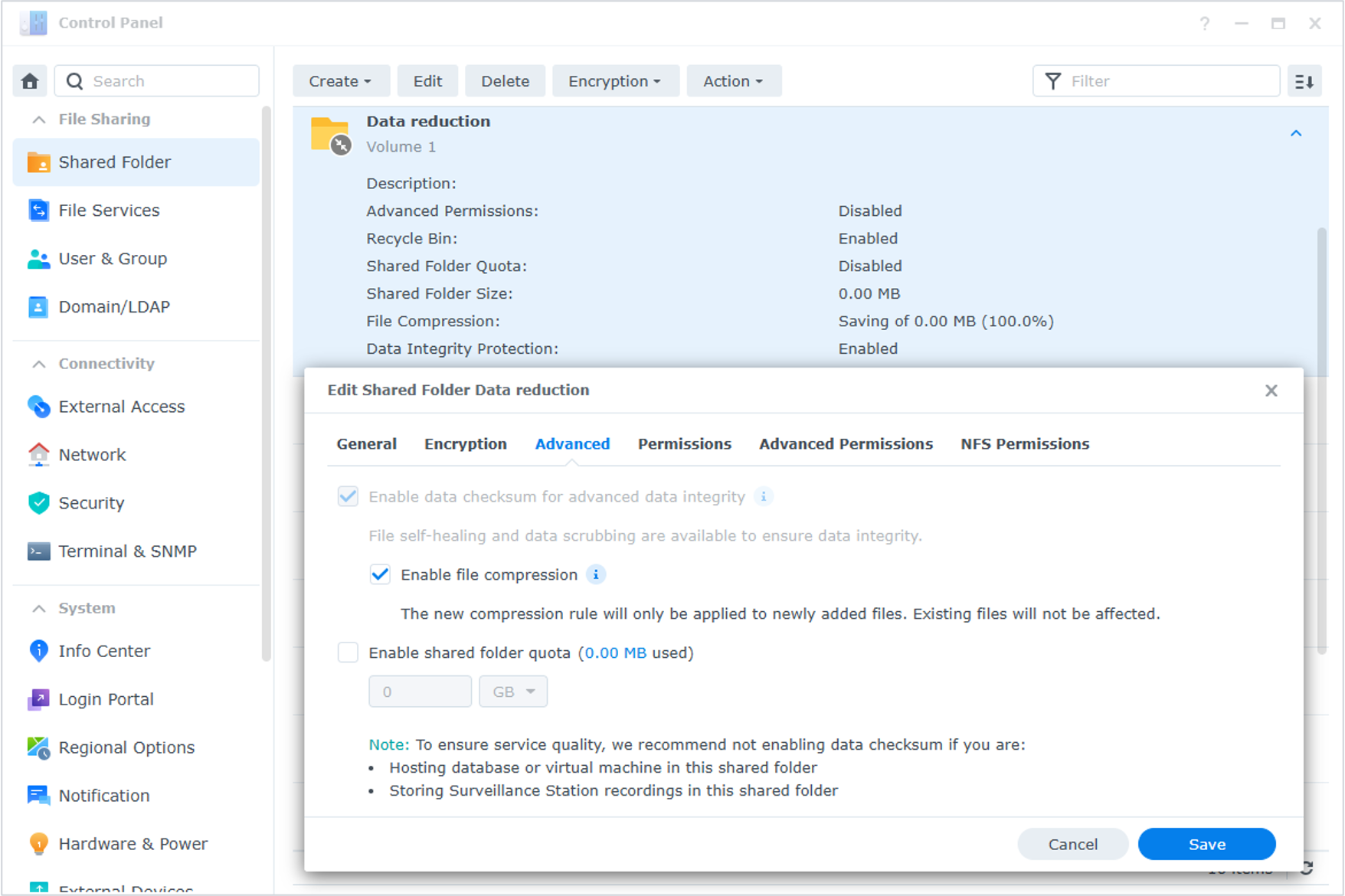
Our new feature will be repackaged under the higher-level naming of Storage Efficiency. However, the main capabilities still include deduplication and compression, as both can be enabled simultaneously.
Storage efficiency works at the Shared folder level using Synology HDD drives.
For supported models, it will cover the existing models that already support SSD deduplication, plus models that meet certain specific conditions, such as models released after 2022 with a 4.4 or better kernel, a CPU with four or more threads, and a minimum of 2GB of memory or more.
You'll be able to check each model's product specification page to see if it supports this feature when the time comes, but I've also organized all the currently planned supported models for you here.
Storage efficiency recap:
- including data deduplication, compression, and both as configurable options
- compatible with Synology HDDs
- can be enabled by Shared Folder
- supported models = supported models for SSD dedupe + models with the following conditions:
-> launched after 2022
-> Kernel ≥ 4.4, CPU ≥ 4 threads, RAM ≥ 2G
In terms of supported models that support the new feature, the current list is as follows:
Storage efficiency supported models:
FS series: FS6420, FS6400, FS3600, FS3420, FS3410, FS3400, FS2500, FS200T
HD series: HD6500
SA series: SA6400, SA3610, SA3600, SA3410, SA3400, SA3400D, SA3200D
RS XS/XS+ series: RS11626xs+, RS6426xs+, RS4826xs+, RS3626xs, RS1626xs+, RS4021xs+, RS3621xs+, RS3621RPxs, RS3621xs+
RS Plus series: RS1226RP+, RS1226+, RS826RP+, RS2825RP+, RS826+, RS426+, RS822RP+, RS822+, RS422+, RS2423RP+II, RS2423RP+, RS2423+, RS3621RPxs
DS series: DS3622xs+,DS925+, DS725+, DS425+, DS225+, DS224+, DS923+, DS723+, DS423+, DS2422+, DS1825+, DS1823xs+, DS1525+, DS1522+
As we can see, no model before the X21 is listed (meaning X20 or older). This should not be considered as DSM 7.4 compatibility in general, this list is for storage efficiency only!
Difference between this new storage efficiency feature and the existing deduplication and compression?
Up until DSM 7.4, the SSD deduplication was post-process, or offline deduplication, while file compression was inline, or better to say, real-time data compression.
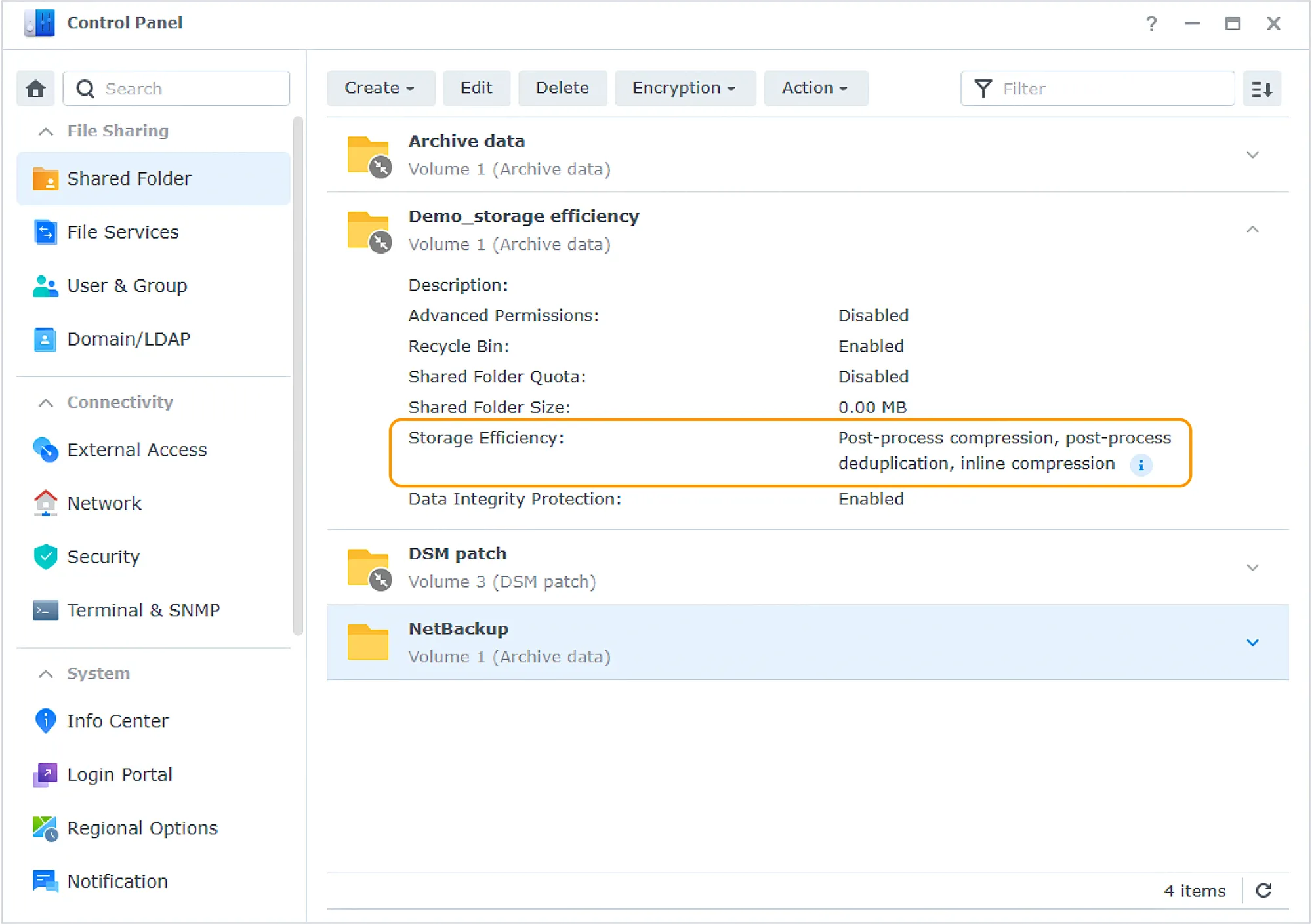
The technical difference between inline and post-process is that inline performs data reduction before data is written to the drive, while post-process, as the name suggests, further processes data after it's written to the drive.
This new feature mainly adds post-process data compression and deduplication for HDDs. Since the scope of the new feature differs from existing ones, even though 7.4 supports the new HDD data reduction functionality, the original features will still be retained.
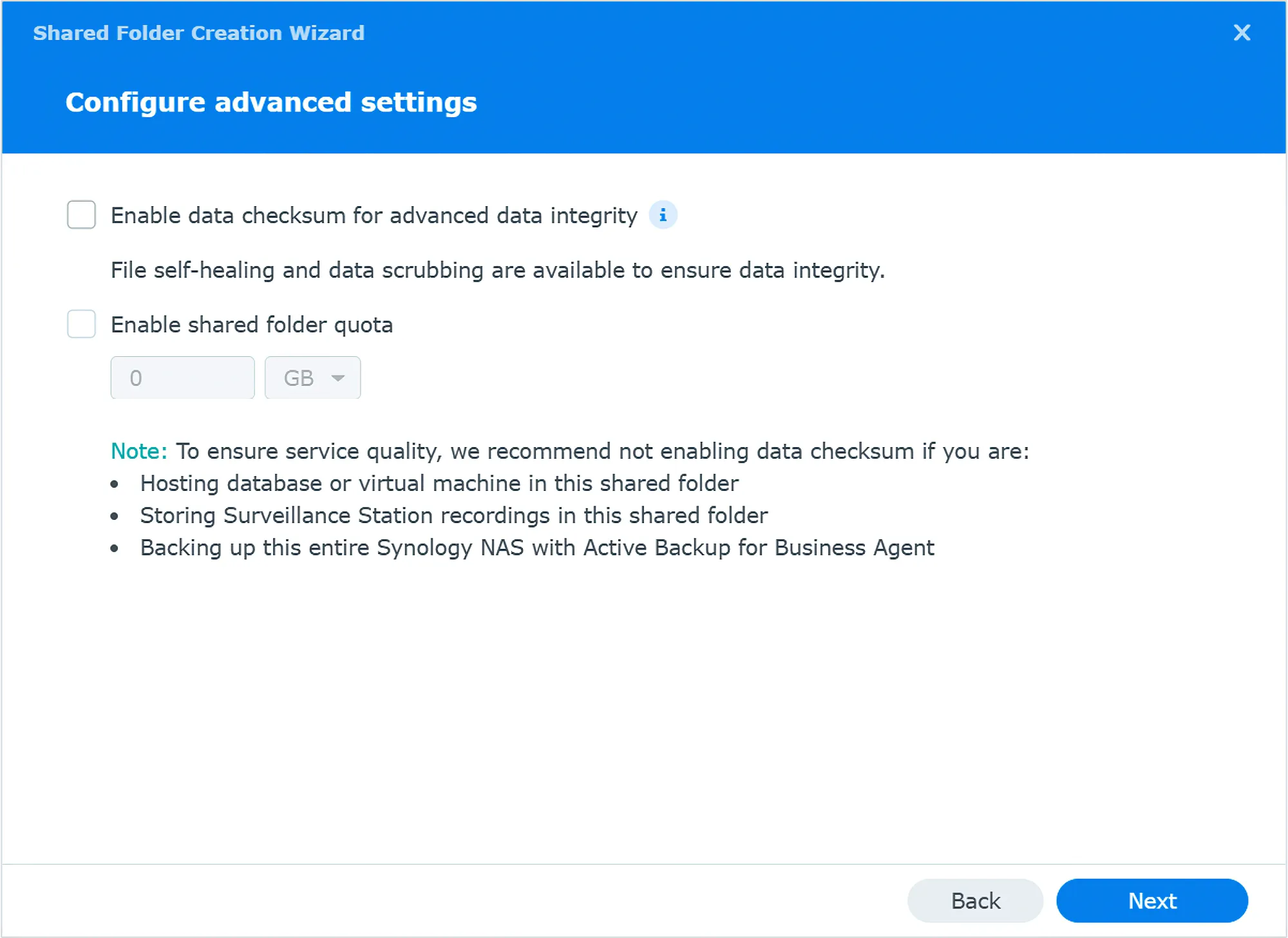
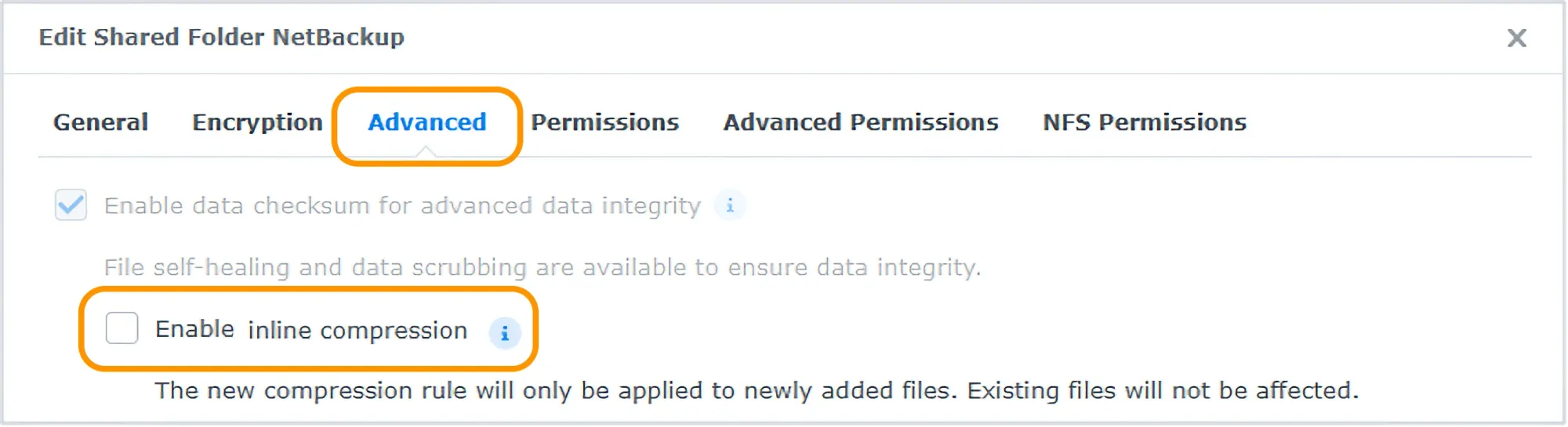
However, for HDDs, there's actually no difference between inline and offline compression, so it is still recommended to use the new storage efficiency as a more comprehensive data reduction feature. However, the existing inline compression can still be used as well.
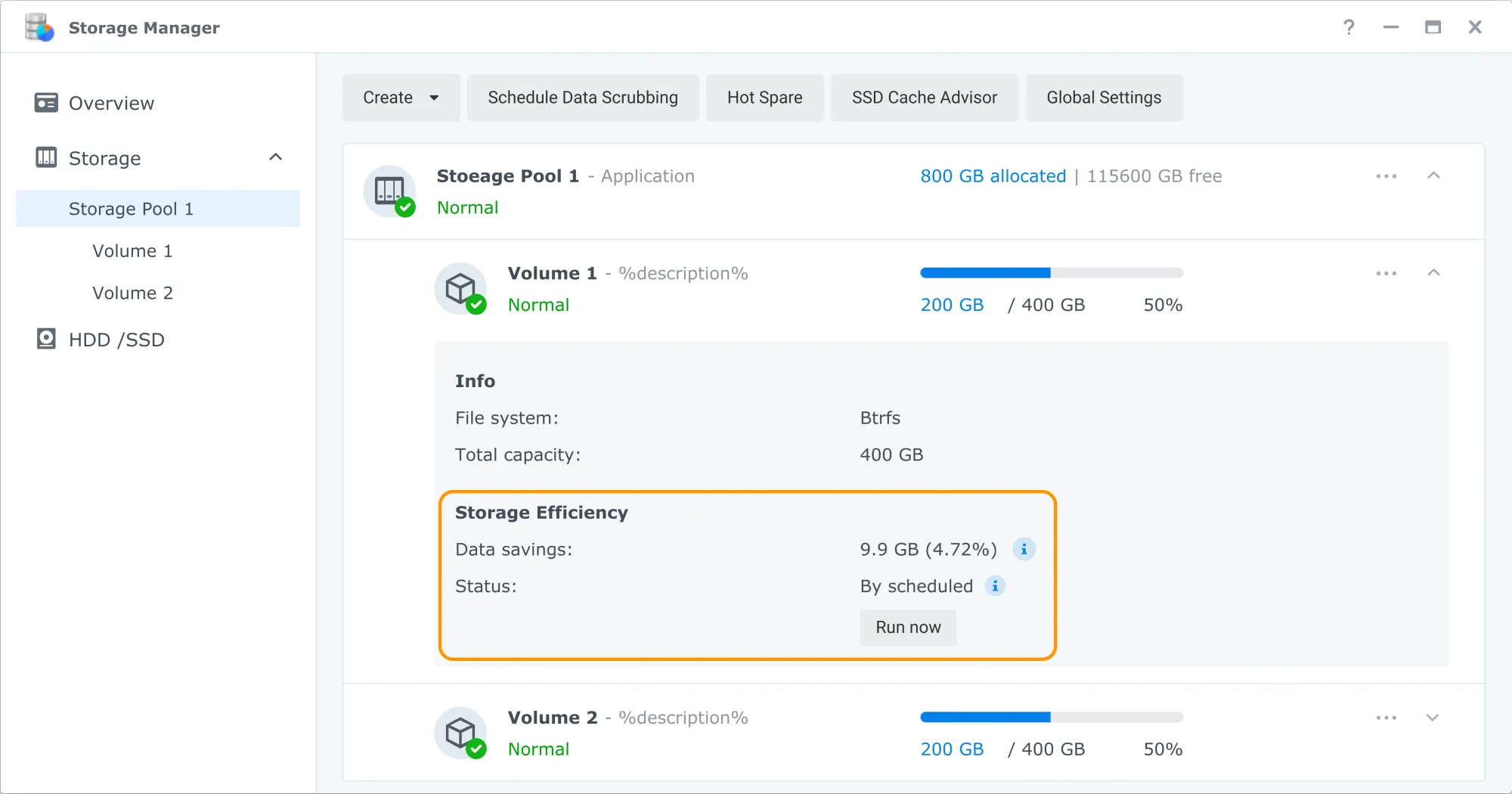
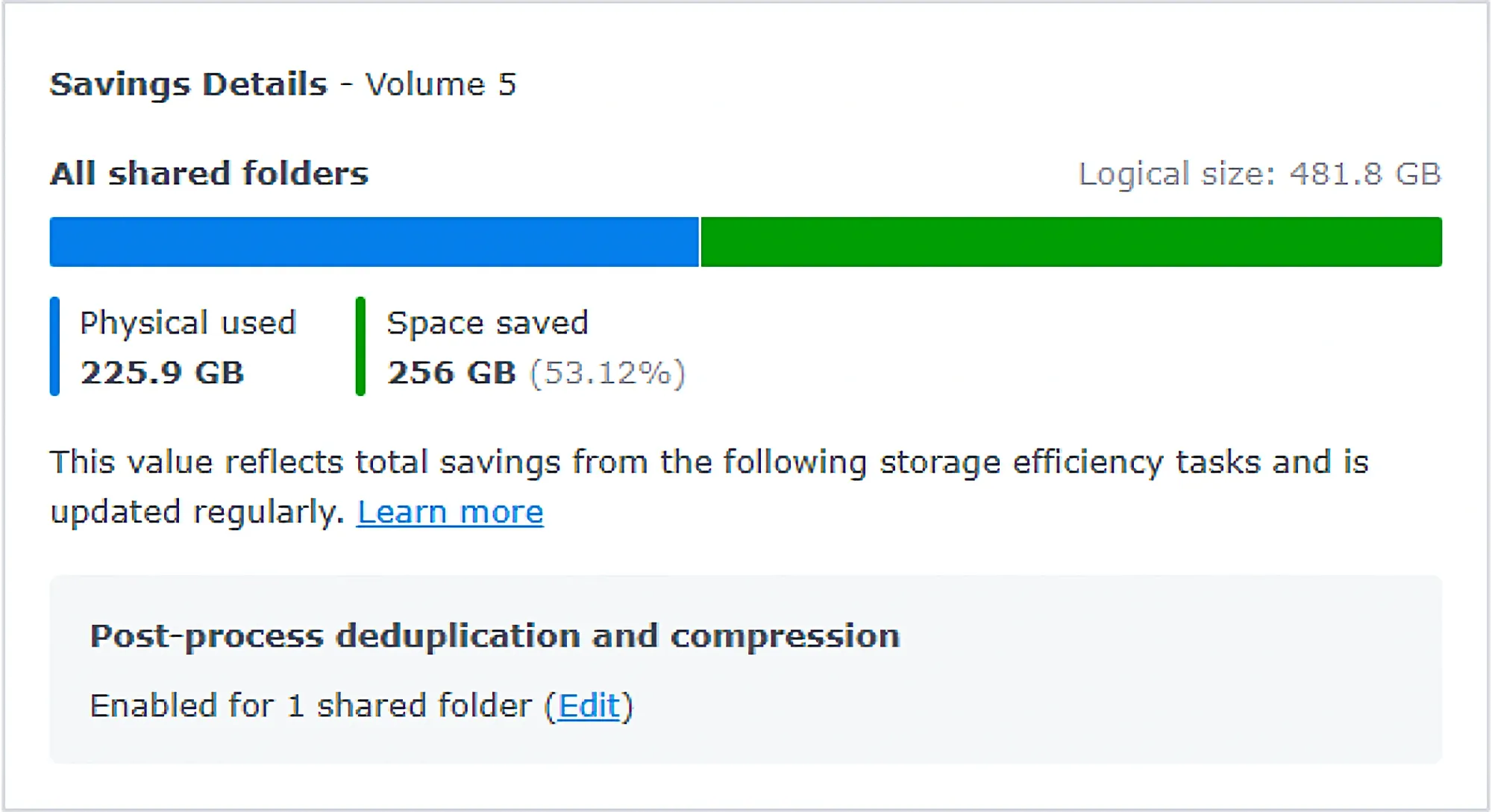
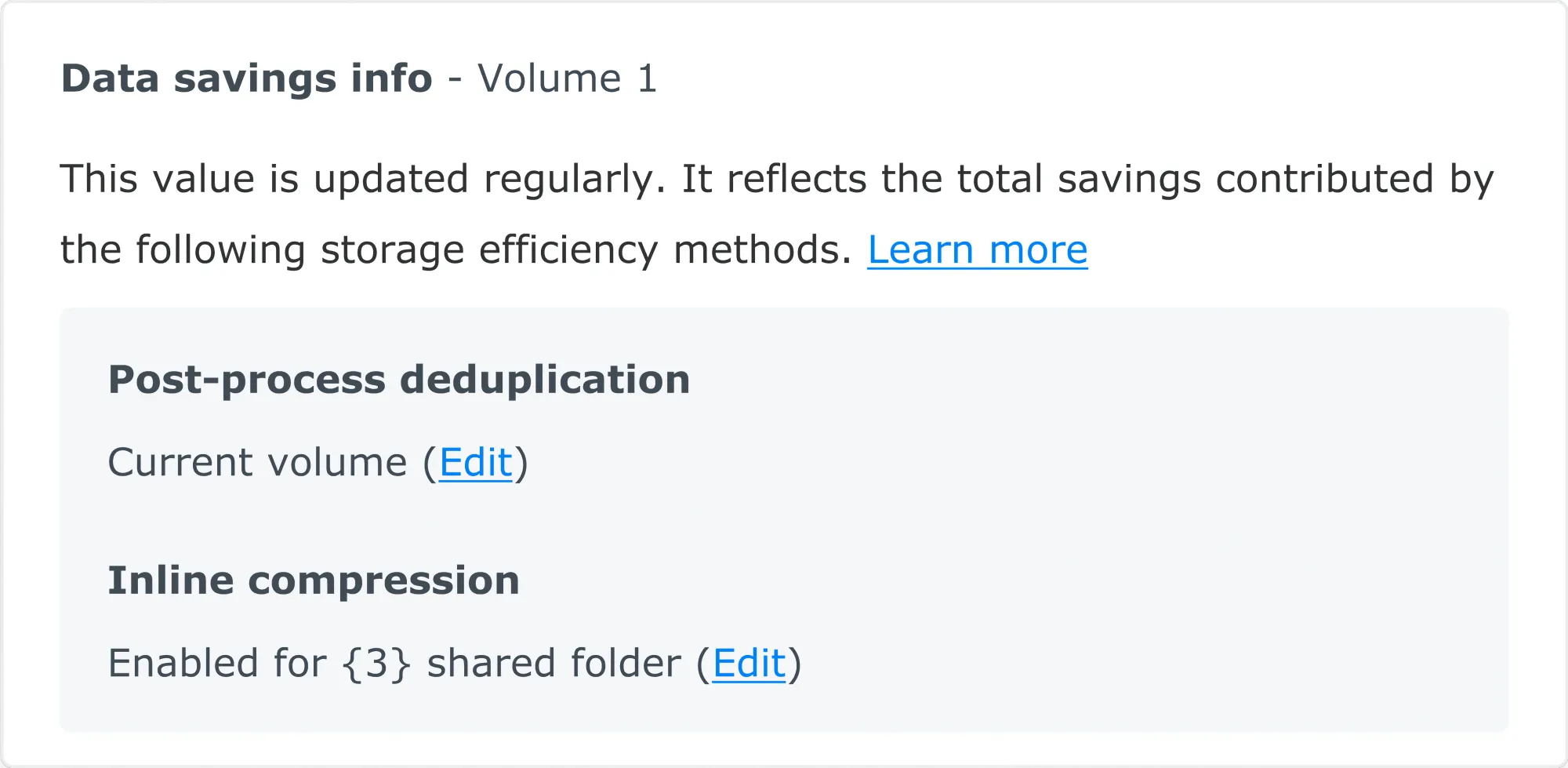
Originally, HDD volumes in Storage Manager had no information or function toggles for data reduction. After DSM 7.4, the data savings percentage for Storage efficiency will be visible here, and if we hover over a small info icon, we can also see a visual bar chart showing the proportion of saved data relative to all Shared folder data.
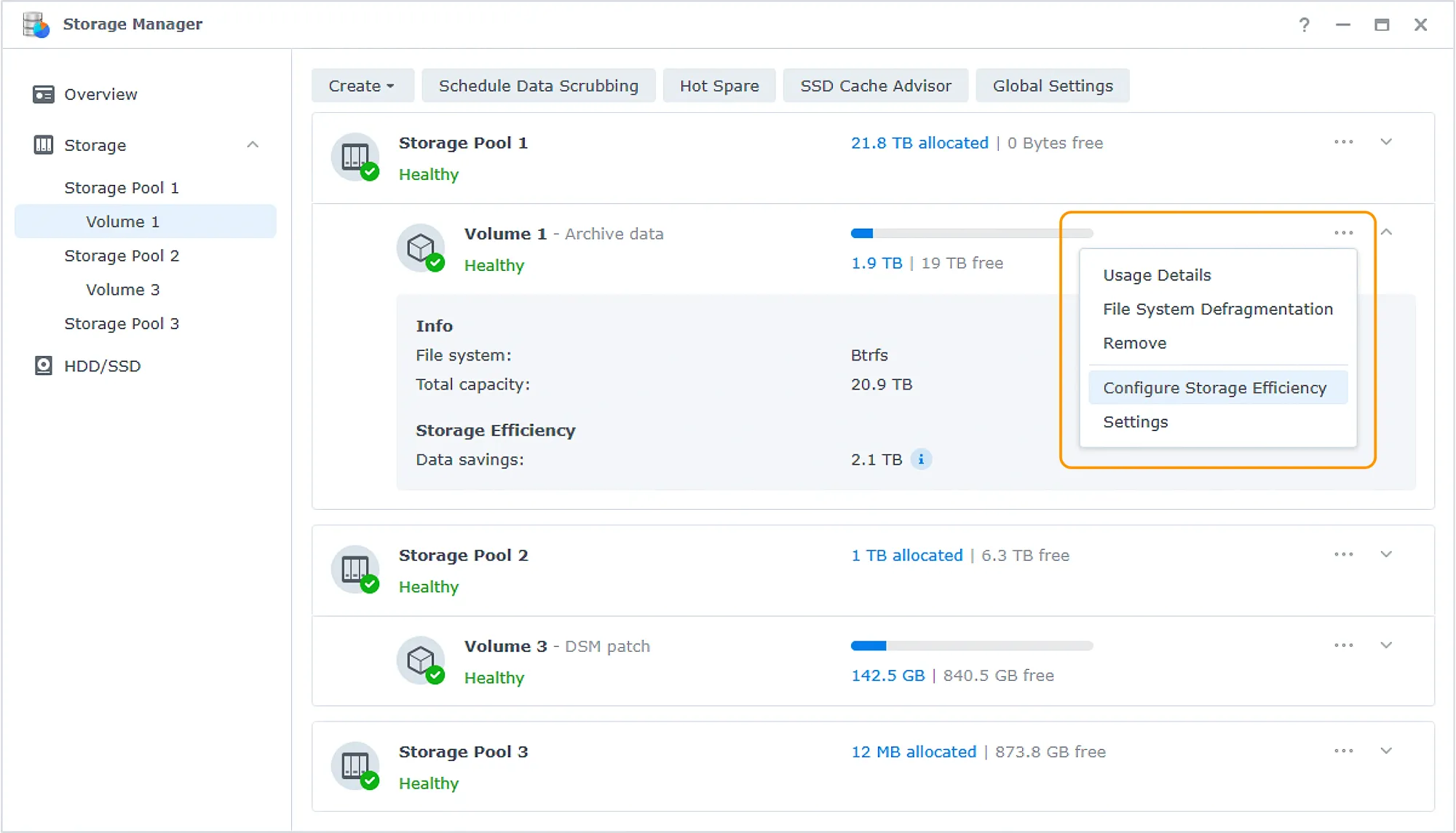
Configuration of the Storage Efficiency feature
The new feature will list all details inside the Storage Manager, so it also makes sense to configure it there as well. By using the "..." volume menu, we will have the option to also configure the storage efficiency feature.
The first thing we will need to choose is the storage efficiency mode, whether we want to enable both deduplication and compression together, or enable only one of them.
If we are unsure how to choose based on our current data, we can also hover over the info icon to see some guidance suggestions. For example, for backup files or VM image files, there are usually more duplicate data blocks, so deduplication would be relatively more effective. As for compression, it's usually suitable for document files with mostly text. Of course, the simplest method is to enable both, which will achieve the maximum effect in saving data.
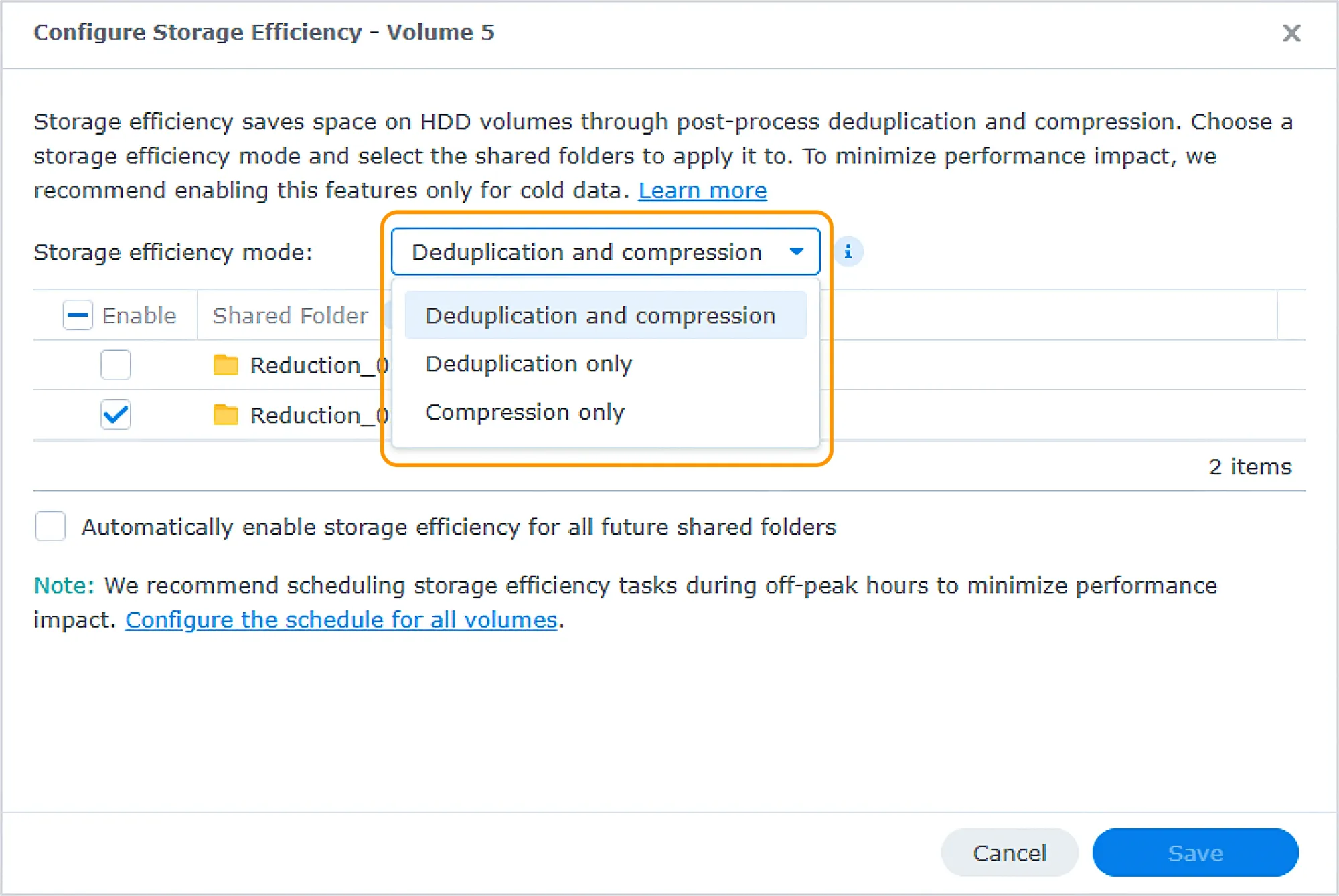
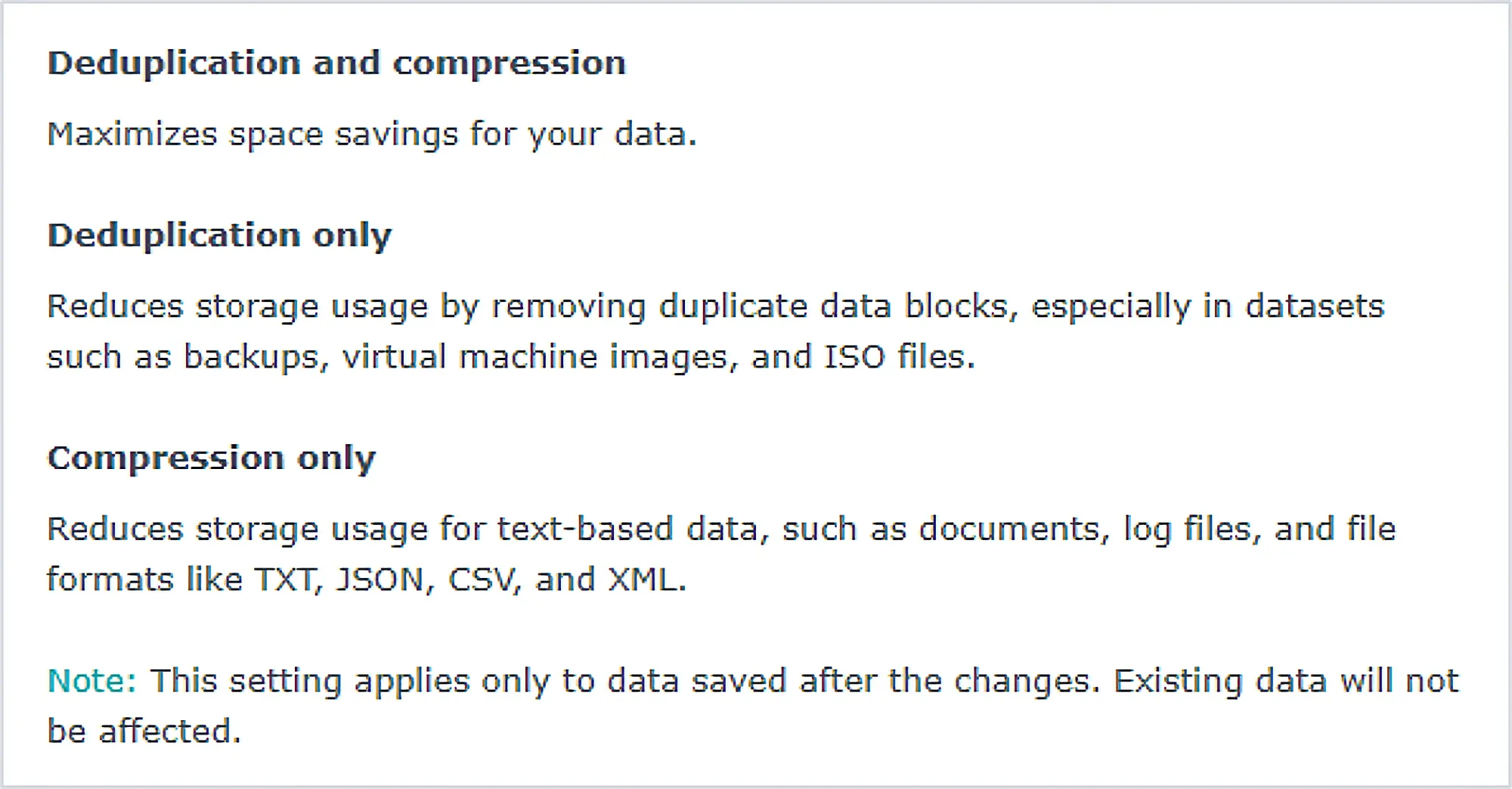
It is worth noting that we have the option to selectively choose which shared folder will have what mode active. There is also an option to automatically set storage efficiency for all future folders, so we don't have to repeat the process every time.
Considering the process is intensive, it is recommended to choose off-hours to run the process so the user experience will be better when using other apps and services hosted on the NAS. Of course, this will depend on the size of the volume, drive speed, and the overall performance of the unit.
Storage efficiency limitations and FAQs
As with any feature, there are certain limitations, and this is true with storage efficiency. These limitations are mostly due to guardrails of other packages that utilize volume folders, such as for replications, active backup, or encryption.
This is the current list of limitations that will be updated in Synology KB dedicated articles over time:
- Encrypted shared folders
- Hybrid Share shared folders
- Shared folders as hot tier resources in Synology Tiering plans
- Replication destination shared folders (read only)
- Shared folders for specific packages
Including: Active Backup for Business, Active Backup for Google Workspace, Active Backup for Microsoft 365, ActiveProtect Vault, PACS, Surveillance Station, and Synology MailPlus Server
Why are the storage savings lower than expected?
Storage savings may be lower or temporarily inaccurate due to several factors:
Limited reduction potential: Pre-deduplicated, pre-compressed, pre-encrypted, or media files such as photos/images, videos, and audio may have limited savings.
Snapshot usage: Data retained by snapshots cannot be reduced.
Insufficient task runtime: A short task schedule may not give Storage Efficiency enough time to process data.
Processing latency: Recently added or modified data may still be under processing or rescanning.
Why is the post-processing compression of Storage Efficiency not supported with Synology SSDs?
Compression may introduce frequent data rewrites during compression and decompression operations, which can significantly increase SSD write wear and reduce drive endurance. To ensure long-term reliability and lifespan, compression mode is only supported on HDD-based volumes.
Does Storage Efficiency affect system performance?
Storage Efficiency may consume CPU, memory, and storage I/O resources during processing. Deduplication may affect read/write performance; compression requires additional CPU resources. To minimize impact, running storage efficiency tasks during off-peak hours is recommended.
Future of AI within Synology DSM and apps
Synology has been on the AI train for years, but it was not until last year, with the introduction of AI Console, that productivity packages gained more capabilities.
Luka Manestar Luka Manestar
 Luka Manestar
The use of AI Console still lacks some elements, like local LLM usability as well as integration with Synology Drive, but that is about to change with DSM 7.4 and new Drive 4.1.
Essentially, Synology will focus on three key points regarding its AI implementation. As did others, Synology started with Generative AI, helping users accelerate everyday workflows. Next, they expanded into data intelligence, enabling unstructured data like images, audio, and video to be searchable through natural language. All of this is leading to their next step, building a trustworthy agentic AI ecosystem.
This year, data intelligence is coming with the introduction of Synology Drive AI Search. Drive is the only productivity package that has no AI capabilities as of yet. The fact is that it requires deep semantic search options that will bind both OCR, image, and video analysis in order to allow for end-user results to have meaning.
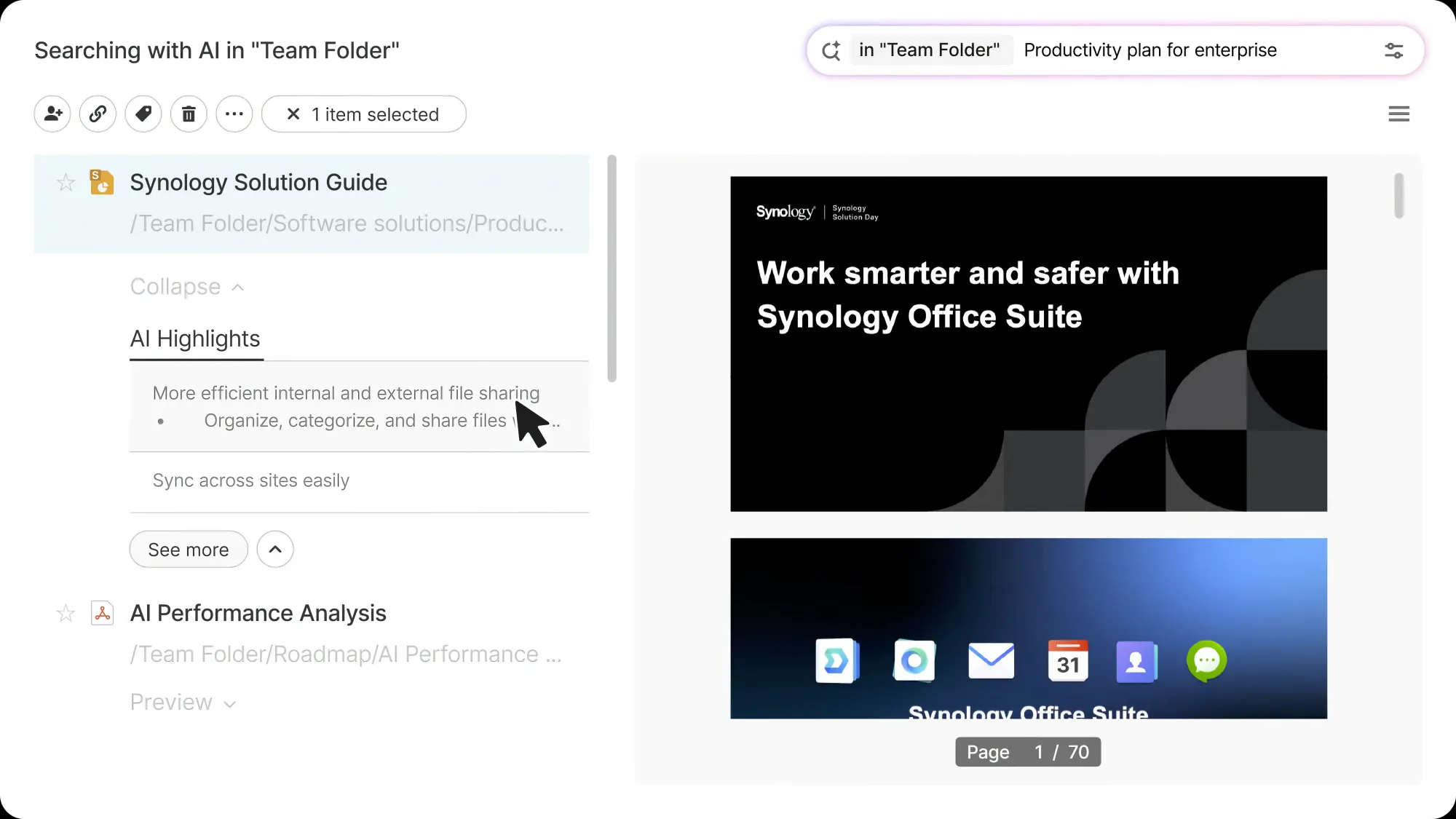
That is why with Drive 4.1, Synology will implement AI search into this final productivity app, completing the whole package and empowering it with AI features.
Drive AI Search is powered by local embedding models that convert text, images, audio, and video into a local vector database that AI can understand.
This allows individuals and organizations to search across unstructured data using natural language, going beyond simple keyword matching to semantic understanding.
On top of this, later this year, Synology will also push out the already announced ChatPlus & Meet platforms, both with AI features as well.
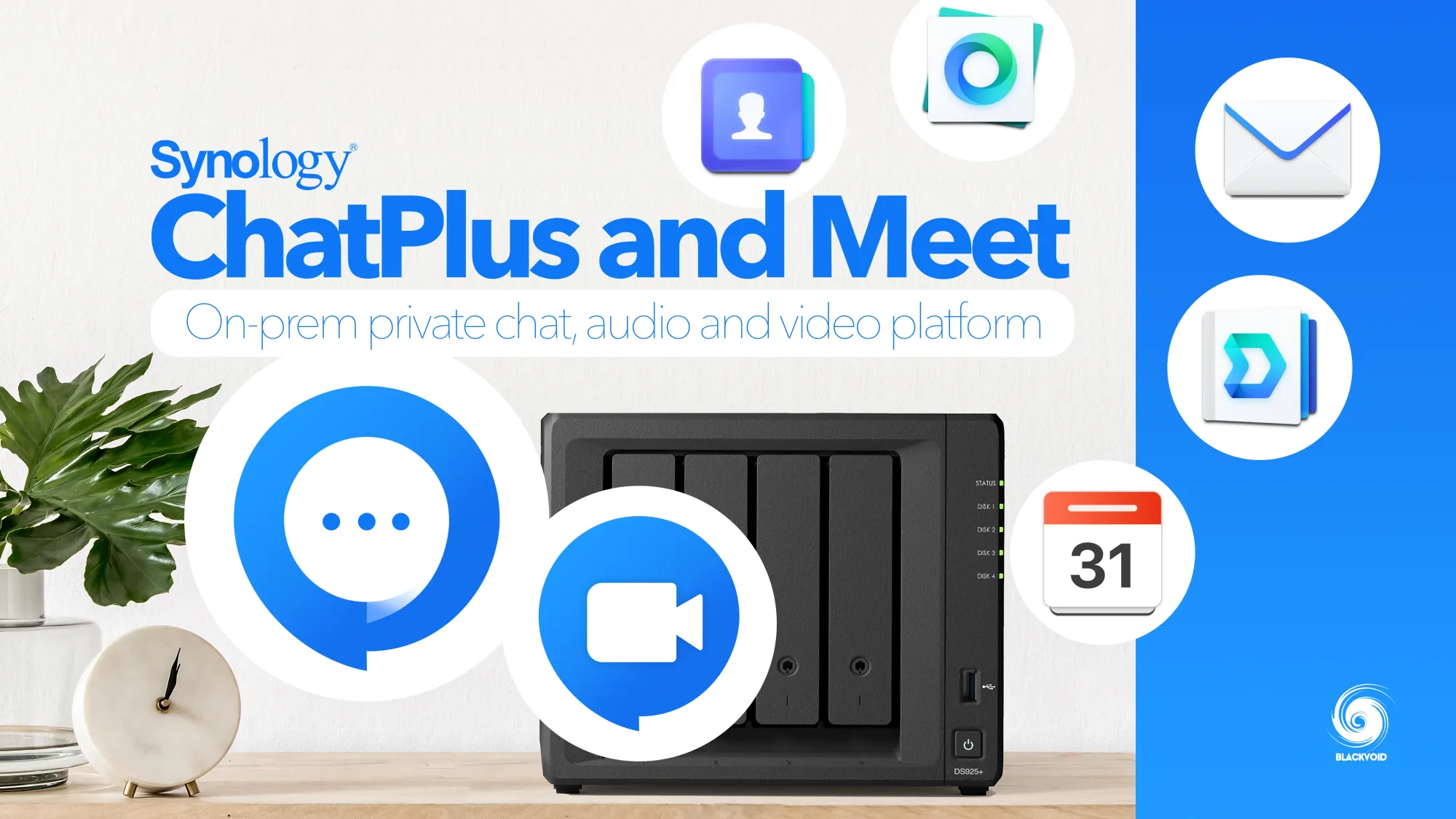
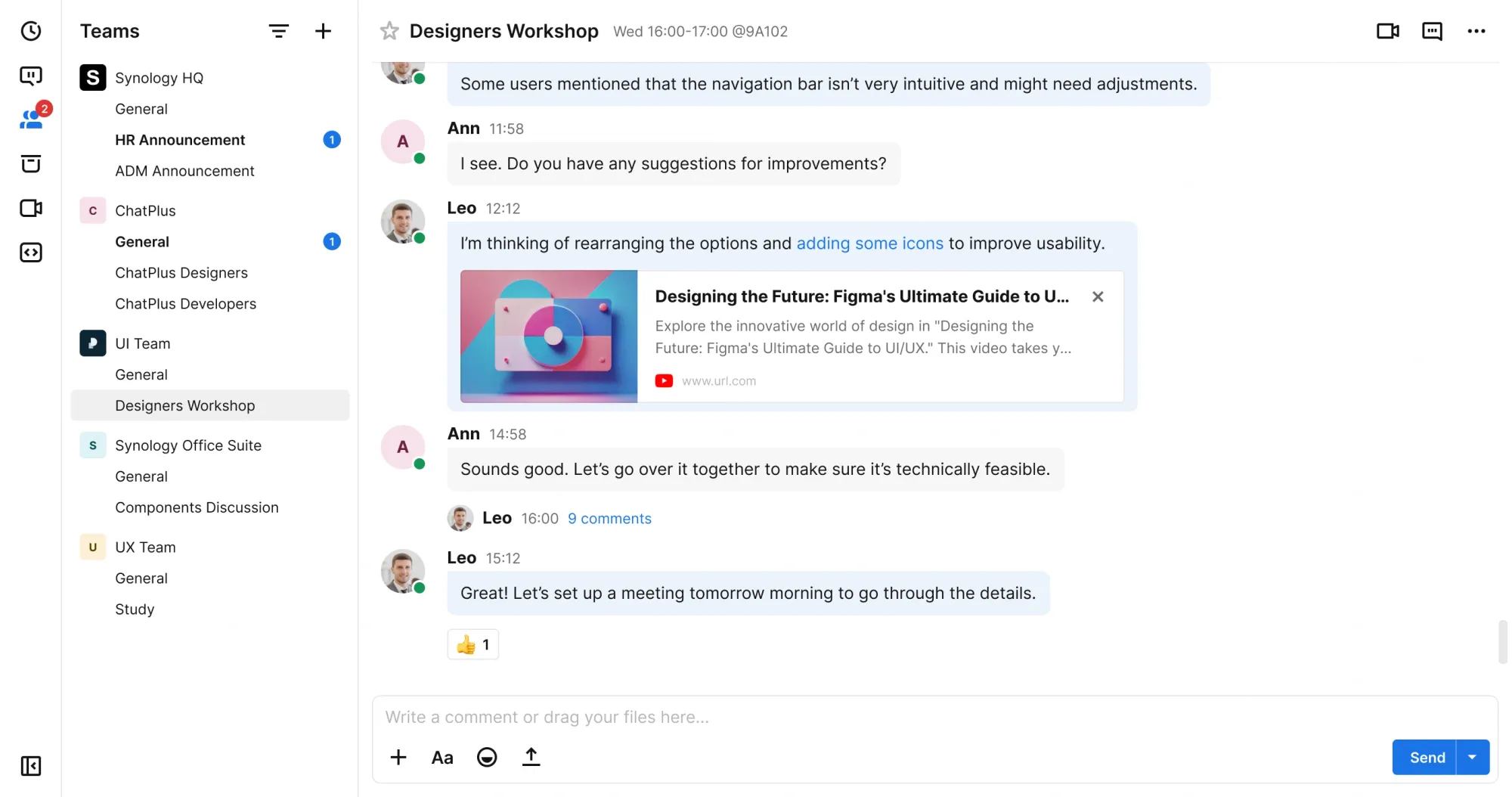
Synology ChatPlus and Meet will be a new on-prem chat and virtual conferencing tool for secure and flexible enterprise communication, from scale-out, robust access controls, to customizable chat structures to fit different organization hierarchies.
ChatPlus & Meet highlights:
Enterprise-grade performance: ChatPlus can support over 10,000 users and accommodate webinars with up to 7,000 participants, easily handling any scale and ensuring smooth usage.
Complete and flexible architecture: From one-on-one chats, groups, to team-divided channels, ChatPlus is highly scalable and designed to fully meet various communication needs.
Multiple tools integrated into one platform: The platform has built-in video conferencing, Webhook, and ChatBots integration, without switching to different tools.
Granular permission control: ChatPlus offers detailed permissions from team to channel level, and you can also sets permissions in Meet based on various roles
This will be more than just instant messaging and video conferencing. It is built on the pillars of security and flexibility.
Security is enforced through rigorous login protections, robust access controls, advanced safety settings, and more, while flexibility is reflected in the scalability of meetings, customizable team and channel structure, and granular access controls that adapt to your evolving business needs.
All these AI features can run securely within a private cloud environment, with support for both locally deployed and OpenAI API-compatible LLMs.
Pure local LLM support is coming later in 2026.
DSM Agent 1.0
So far, we have seen, or will see, mostly generative AI and natural language use cases when it comes to AI, but Synology is also introducing autonomous AI agents in DSM to execute complex tasks across the ecosystem.
The first of which will be called the DSM agent. A built-in AI agent for DSM that features pre-built integrations throughout the Synology OS.
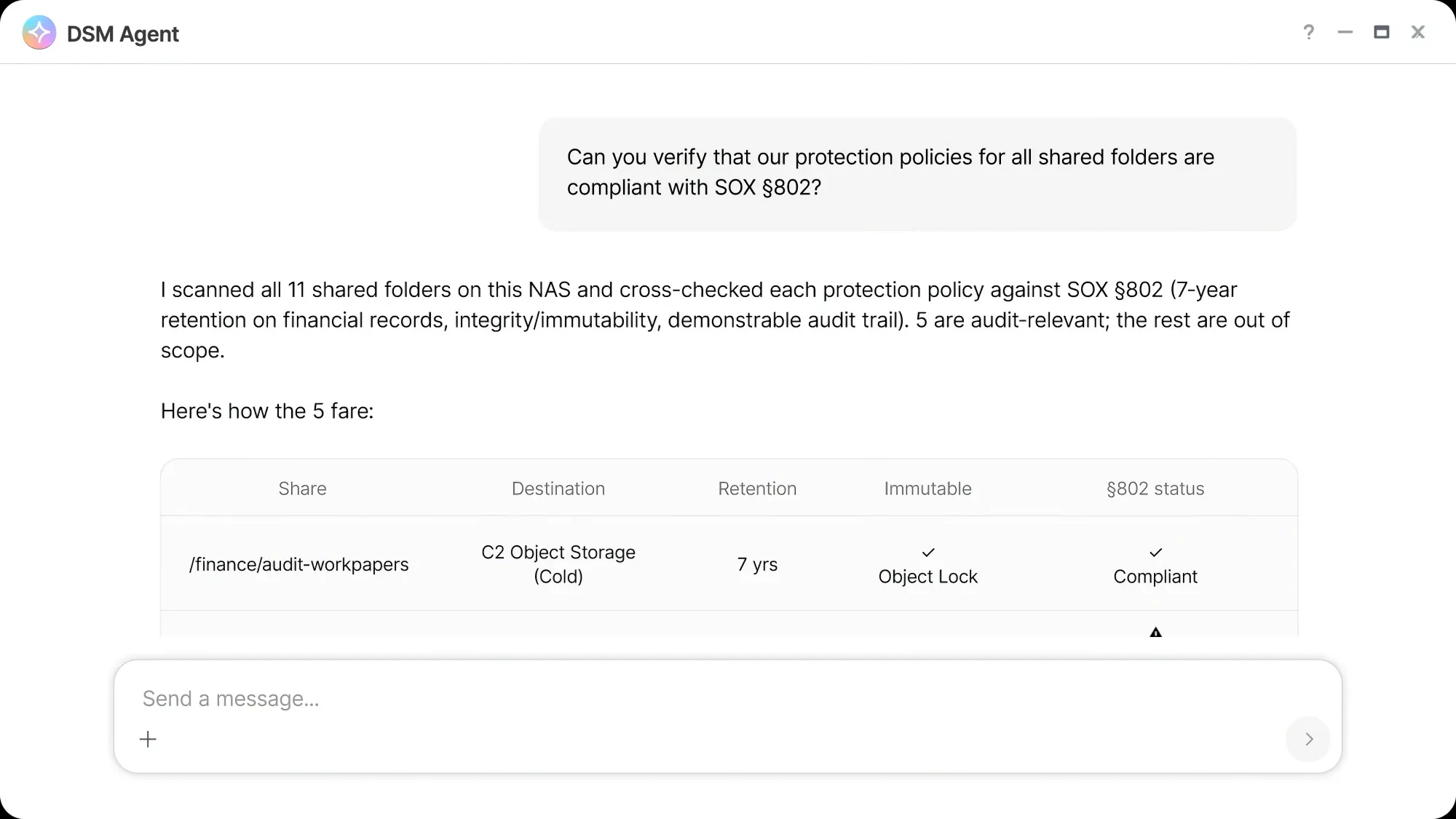
The whole idea behind this agent is to make IT admin tasks smoother. Using natural language, the DSM Agent can help streamline routine workflows, investigate security incidents, and validate the backup process.
This DSM agent could complete some basic tasks that would take up an hour in the background in a matter of minutes while utilizing the DSM packages that it needs. For example creation of a monthly storage report. The agent can use Storage Manager, Office, and MailPlus to review the current status, analyze for any anomalies, write a report with an attached spreadsheet, and send it out.
Security checks, such as activation of 2FA, password strength, or auto block configuration, could all be automated using simple natural language, while the agent in the background does all the checks and heavy lifting.
Synology AI solution stack
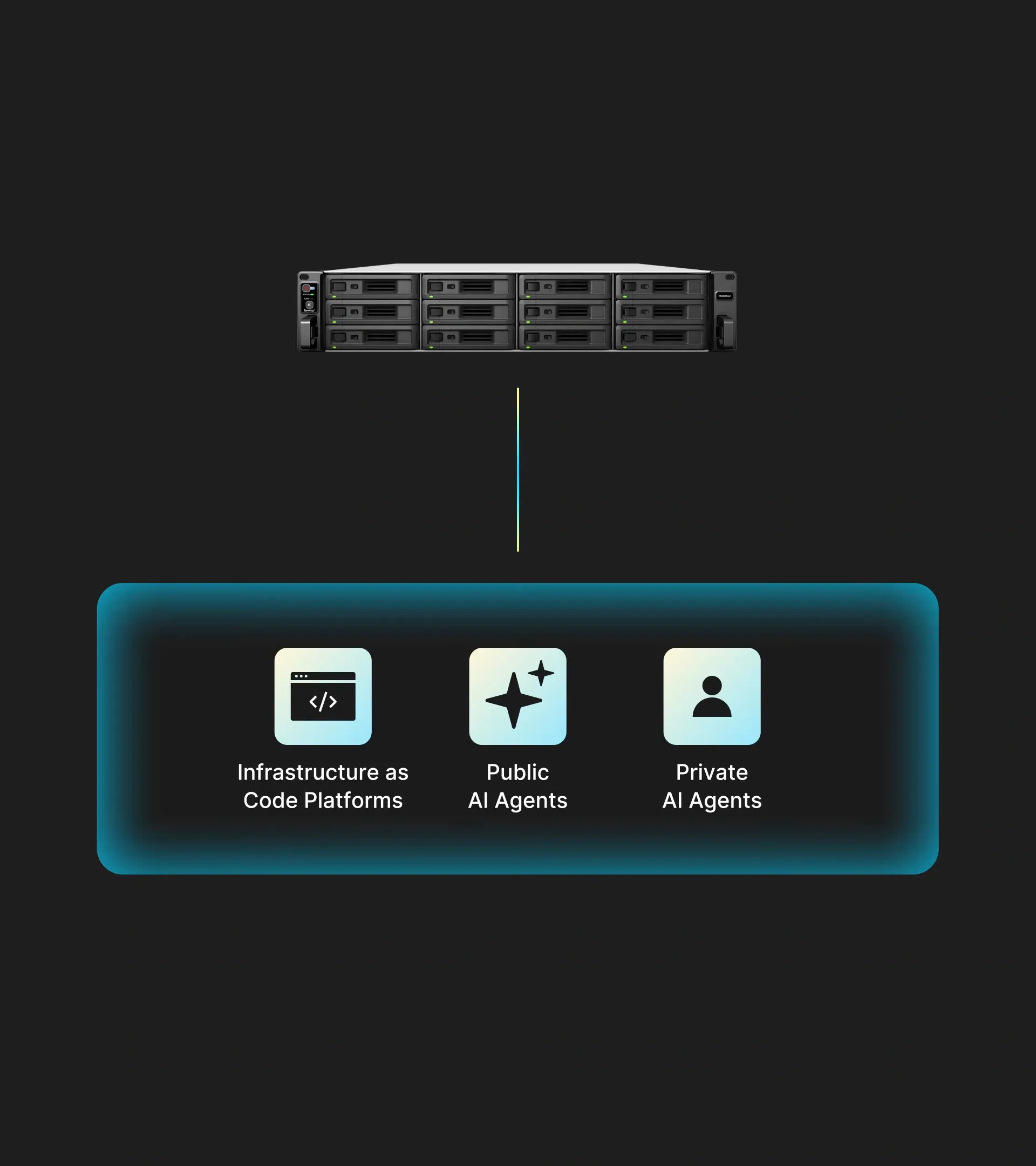
Synology is building a comprehensive enterprise-grade AI solution stack to enable agentic AI capabilities. The foundation begins with GPU-accelerated infrastructure to power demanding AI workloads, followed by a diverse model layer offering various embedding methodologies. Organizations can leverage a NAS data hub to prepare their data in machine-readable formats for AI implementations.
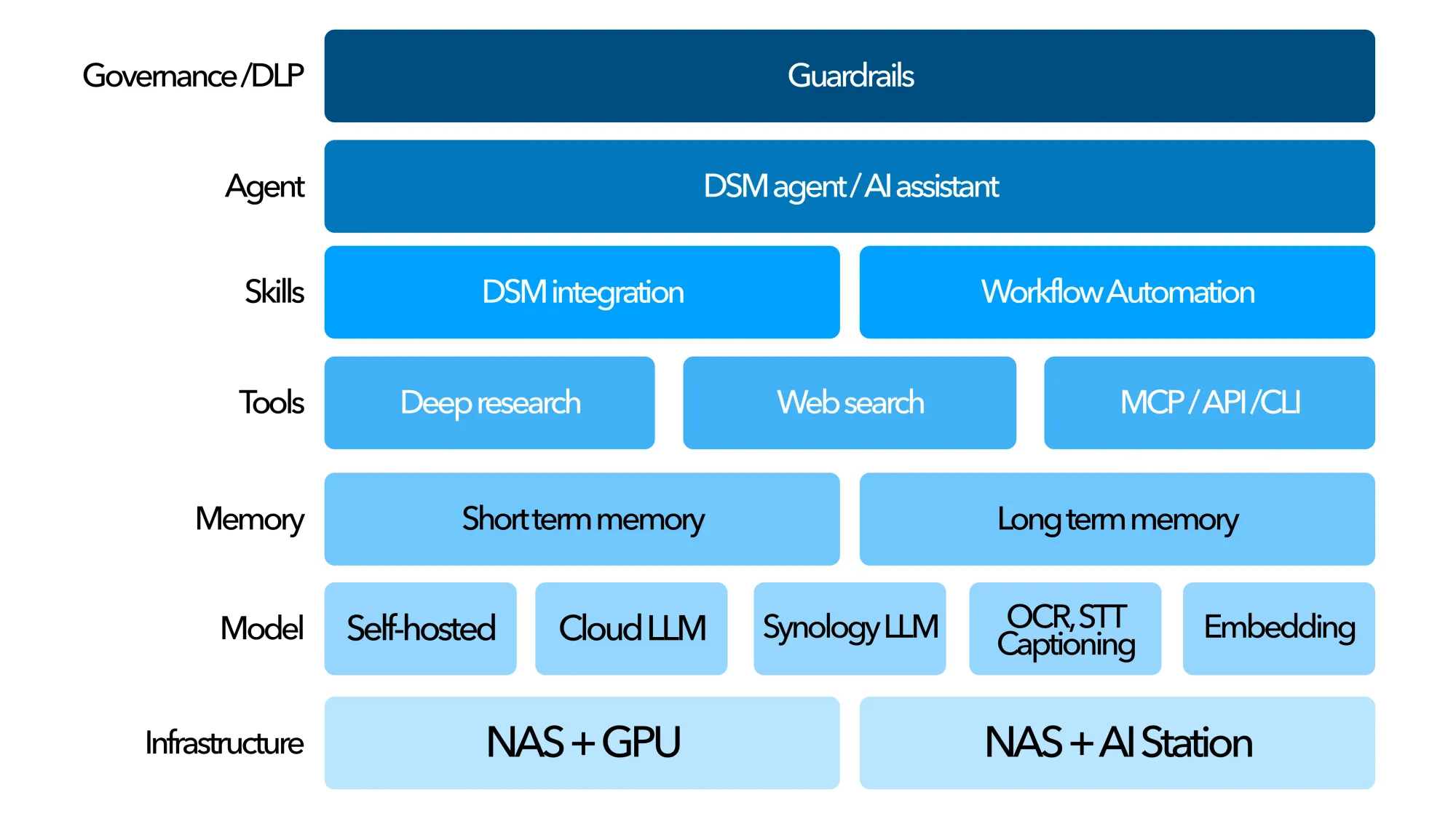
The stack incorporates memory systems that enable AI to retain conversation context and learn user preferences, alongside a tools layer that facilitates data reading and analysis through MCP, API, or Command-line interfaces. This allows AI to invoke capabilities like web search and research functions. Above this, the skills layer integrates DSM system workflows to transform AI reasoning into actionable operational tasks.
At the application level sits the agent layer, where specialized AI assistants and helpers function as dedicated consultants tailored to enterprise needs. Crowning the entire architecture is the governance layer, featuring guardrails including Data Loss Prevention (DLP) and security review mechanisms. These guardrails ensure all AI operations align with corporate policies and meet regulatory compliance requirements.
New Synology NAS models with AI capabilities
What does this mean in terms of the future and current NAS portfolio coming from Synology?
While we might guess that all these AI capabilities do require certain horsepower, it quickly becomes clear that Synology is not a company that runs the most current or most powerful hardware in its appliances. So, how will all this AI be supported in terms of hardware?
Well, Synology is planning on giving AI capabilities to all its current and future models, but selectively, as expected. There will be a general NAS with no GPU that will focus on security and data management, transforming NAS into a basic AI-capable storage node.
Next, there will be a new imaging and search accelerator category of i3-capable CPUs that will leverage specialized SLMs to unlock AI capabilities for system action, delivering high-speed intelligence without needing high-end hardware.
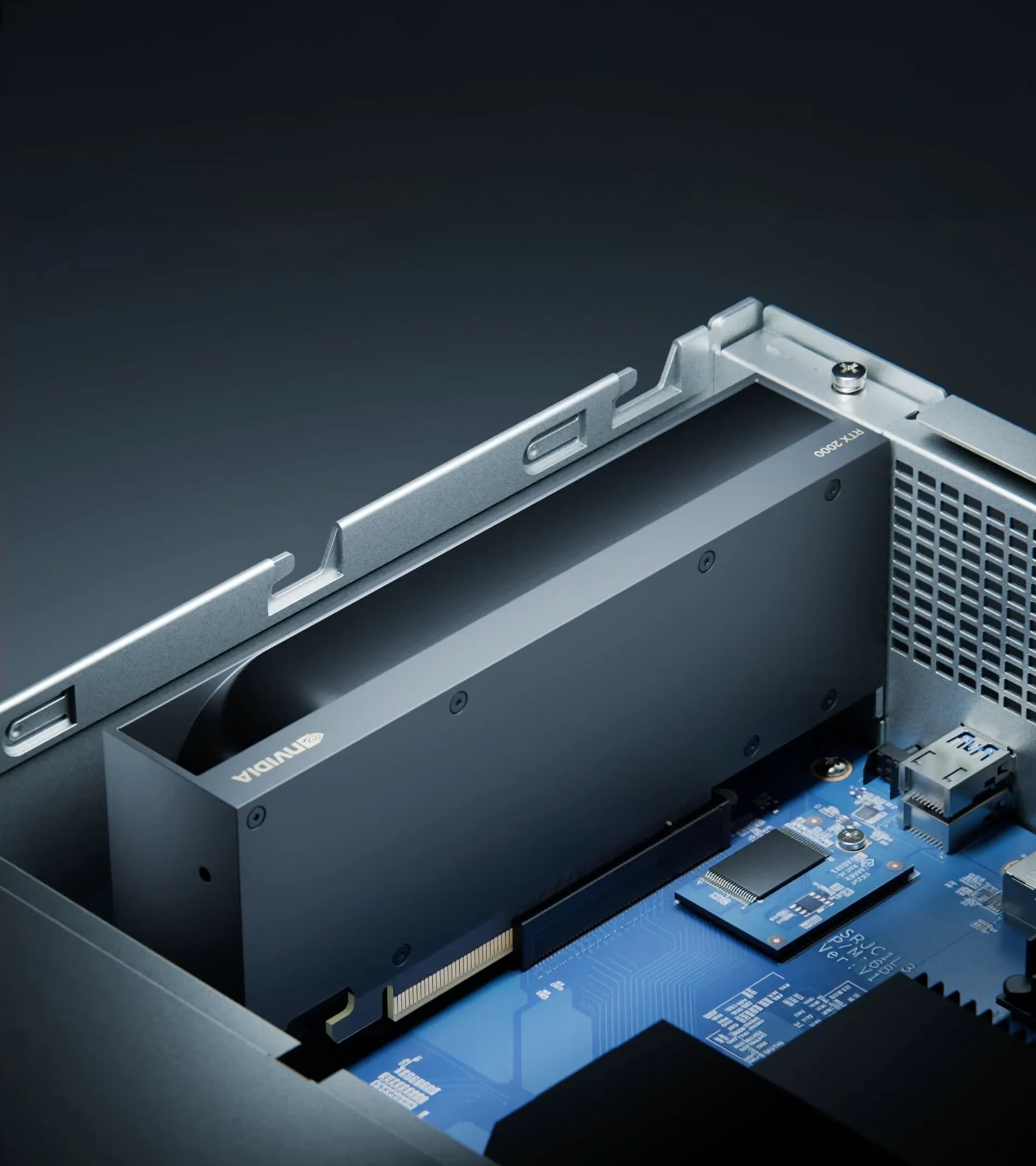
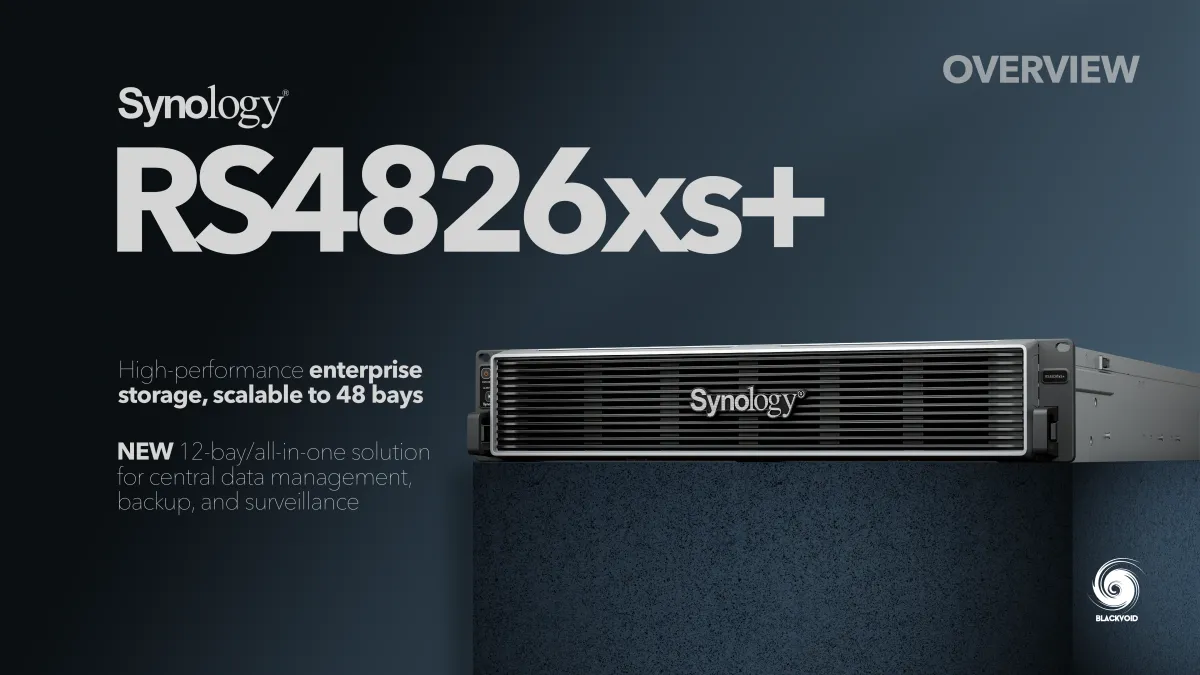
This year so far, we have seen half a dozen X26 rack-based models with PCIe 4.0 upgrades that already announced certain capabilities beyond a simple 25 GbE network card. These models will be compatible with GPUs, emphasizing "action" and "automation," therefore transforming NAS from a database into autonomous employees.
Luka Manestar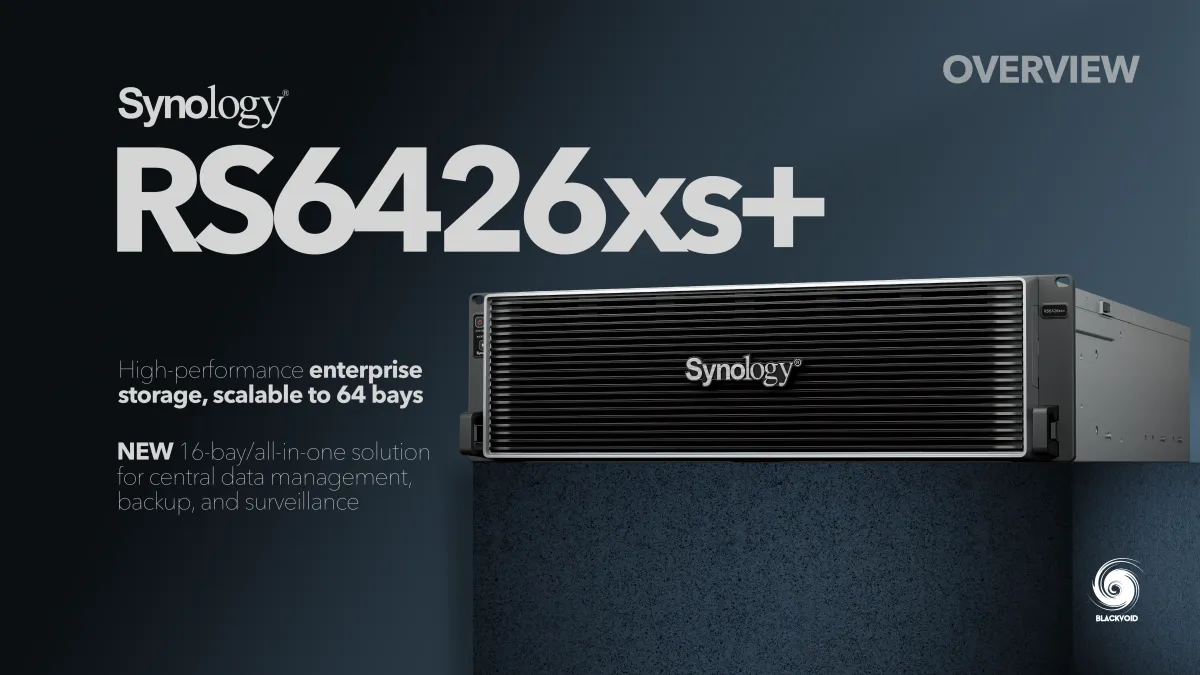 Luka Manestar
 Luka Manestar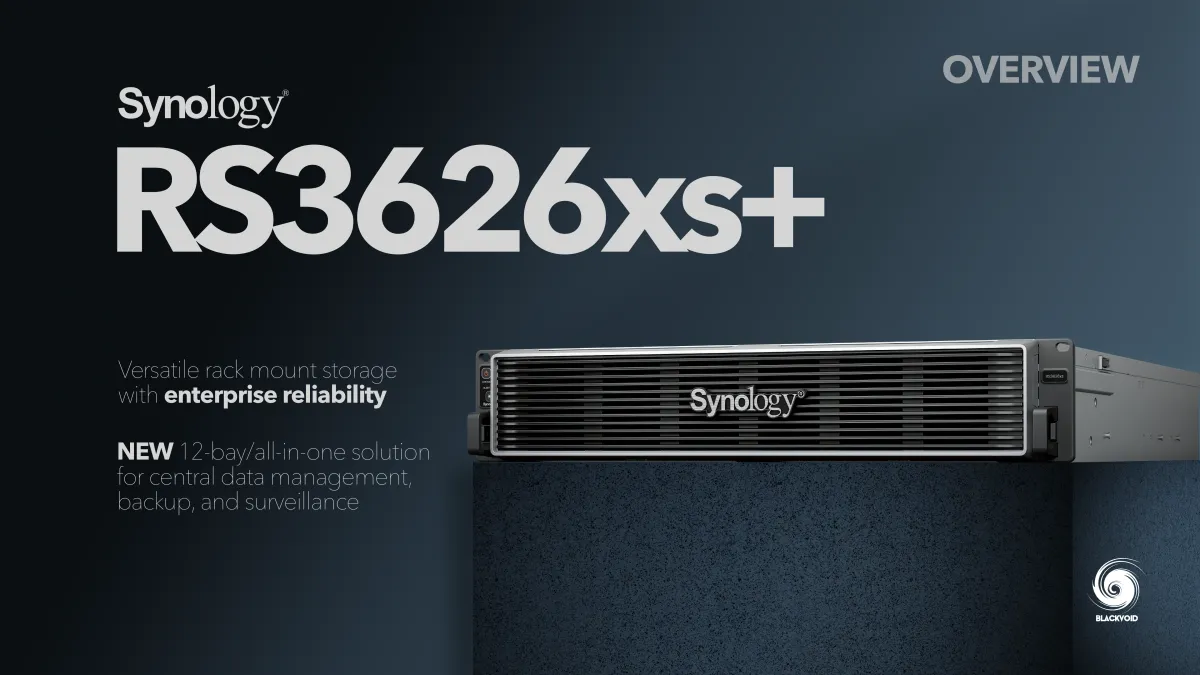
Finally, the "AI Stations" with GPUs will be Synology's top-tier devices with large computing power, supporting larger models (100B), and allowing non-GPU models to share computing power, becoming the AI computing scheduling hub for existing customers.
Both AI Stations and i3-capable models are yet to be confirmed in terms of release date. Still, the upcoming DVA3000 surveillance model is based on such a CPU, so Synology does have these models in the pipeline, it is just a matter of actually releasing them to the market. Expected release is in 2027 or later.
Depending on the class of these devices, AI capabilities will be more or less dependent on local or external access via the internet. For example MCP server, web search, or deep research features will require internet access for general NAS models without a dedicated GPU. Moving further along the infrastructure line, fewer and fewer AI features will be internet-dependent and will rely on local implementations.
HCL update for 2026
It wouldn't be interesting if there were no changes on the HCL segment with the new DSM version, would it? Well, with 7.4, Synology is introducing some new 2026 or newer model changes focusing on 3rd party SSDs used for caching.
While the past year and a half was very troubling in terms of the current HCL 5.0 policy involving SSD and HDD compatibility, this time around the scope of this policy is much more narrow and will effect less customers.
Luka Manestar
The main change is that after June 16th, all third-party SSDs—whether listed on the compatibility list or unverified third-party drives—cannot be used to create SSD cache. If you want to use them, they can only be used to create SSD storage pools.
The reason for this change is that Synology discovered third-party SSDs may have insufficient write endurance, so using them for cache, which requires intensive read/write operations, would carry a higher risk.
There we have it. Some under-the-hood changes and optimizations, with a lot of AI talk that is coming with DSM 7.4, as well as down the line with future updates. Support for all these features will require some serious horsepower, so it's also nice to see that Synology is expanding its portfolio with new, more powerful models and dedicated product lines.
Some of these features will arrive well into 2027, and maybe we will talk about them again during the next Computex expo, but for now, the future looks more enterprise than ever with AI at its forefront.