Synology Deep Search - on-device local AI application

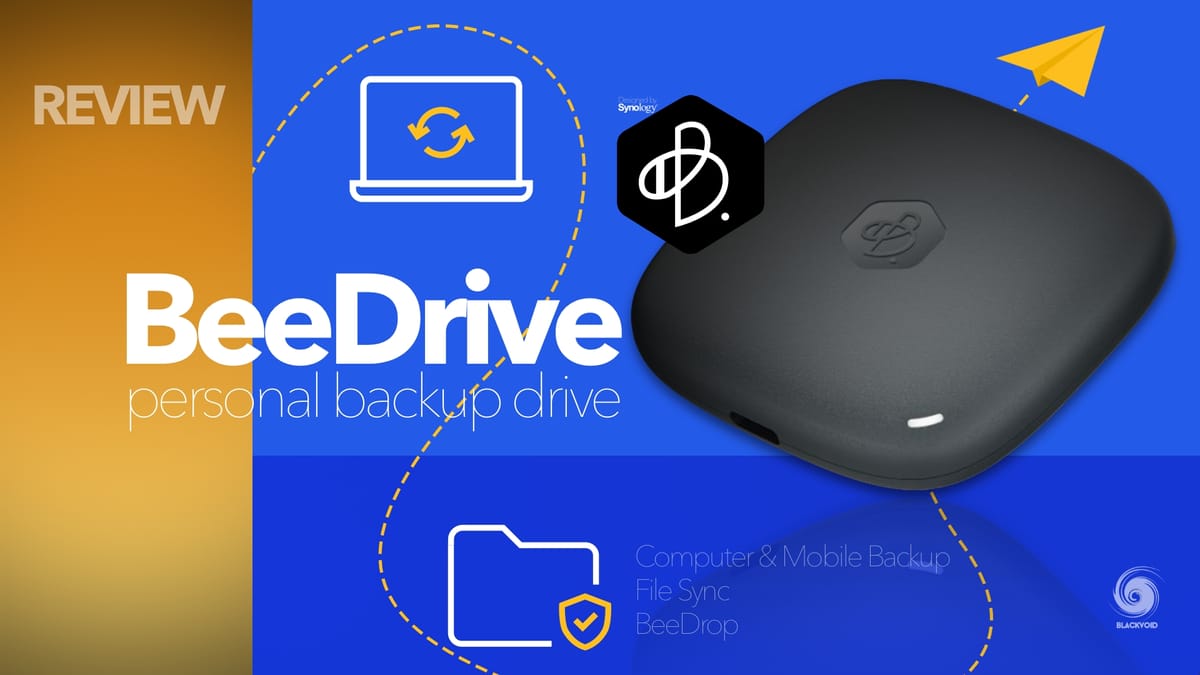
In the past three years, the BeeDrive has become a popular on-the-go mobile device that fits in your pocket and offers up to 4TB of SSD storage via USB 3.2 Gen 1 interface. Because of it, it allows for fast data transfers in various scenarios, but it also offers one added feature that Synology introduced in June of last year (2025).
Strictly focusing on the BeeDrive and macOS (with M architecture silicon), Synology introduced Deep Search functionality as part of the BeeDrive desktop app.
 Luka Manestar
 Luka Manestar
 Luka Manestar
Now, a year later, this same function is stepping outside the BeeDrive desktop shell and onto both Mac and Windows PCs as a dedicated desktop app. Introduced at this year's Computex expo, Deep Search will be a 30-day trial app with a one-time unlock fee that can be used on any number of machines once purchased.
Synology Deep Search coming to desktop
Advertised as part of Synology's "digital life" campaign, the Deep Search app is here to solve several issues that most desktop users are facing nowadays.
Those are rigid search, scattered assets, or a privacy dilemma. We all have one or more of those unsorted junk folders where we know the files are that we are looking for, just not sure where exactly, or what the file's name is. On top of that, looking for something specific inside a particular file as an image or text, can be an even more challenging task.


There are issues that Deep Search will try to address and solve for us. Having a local AI platform that will be able to search across years of files with various topics and ideas, all from a safe local space with no need to use the Internet or any other web service.
Deep Search is that lightning bolt that strikes in your moment of anxiety
What are Deep Search system requirements?
macOS: Requires macOS 15 or later on Apple Silicon M1 or newer with at least 16 GB of RAM
Windows: Requires Windows 11 version 22H2 or later and one of the following configurations:
- Copilot+ PC (Intel or AMD-based) with at least 16 GB of RAM
- Standard PC: Intel Core i5 or AMD Ryzen 5 processor, NVIDIA RTX 30 series GPU or newer with at least 6 GB of VRAM, and 16 GB of RAM
For full system requirements, see Software Spec.
Can I use Deep Search on my phone?
Deep Search is designed for desktop computers, where it can leverage powerful hardware to run AI indexing and deliver accurate results. It is currently available for macOS and Windows.
Do I need a Synology device to use Deep Search?
Deep Search is standalone desktop software and does not require a NAS, BeeStation, or other Synology hardware.
Does Deep Search require an internet connection?
Deep Search runs entirely on your computer. Your files remain on your computer at all times and are never uploaded to Synology or any cloud service.
Core indexing and search are performed locally and work offline. Optional features such as photo location recognition or cross language processing may reference operating system level services or public reference data. These features do not access or transmit your file content and can be disabled in settings.
What can Deep Search index?
Deep Search indexes the folders you select from your computer and any connected external drives. You stay in control by choosing exactly which folders to include or exclude at any time.
Essentially, Deep Search targets anyone from users with sensitive or complex documents, creators with large photo libraries, or simply privacy-conscious users who prefer on-device AI and full data control.
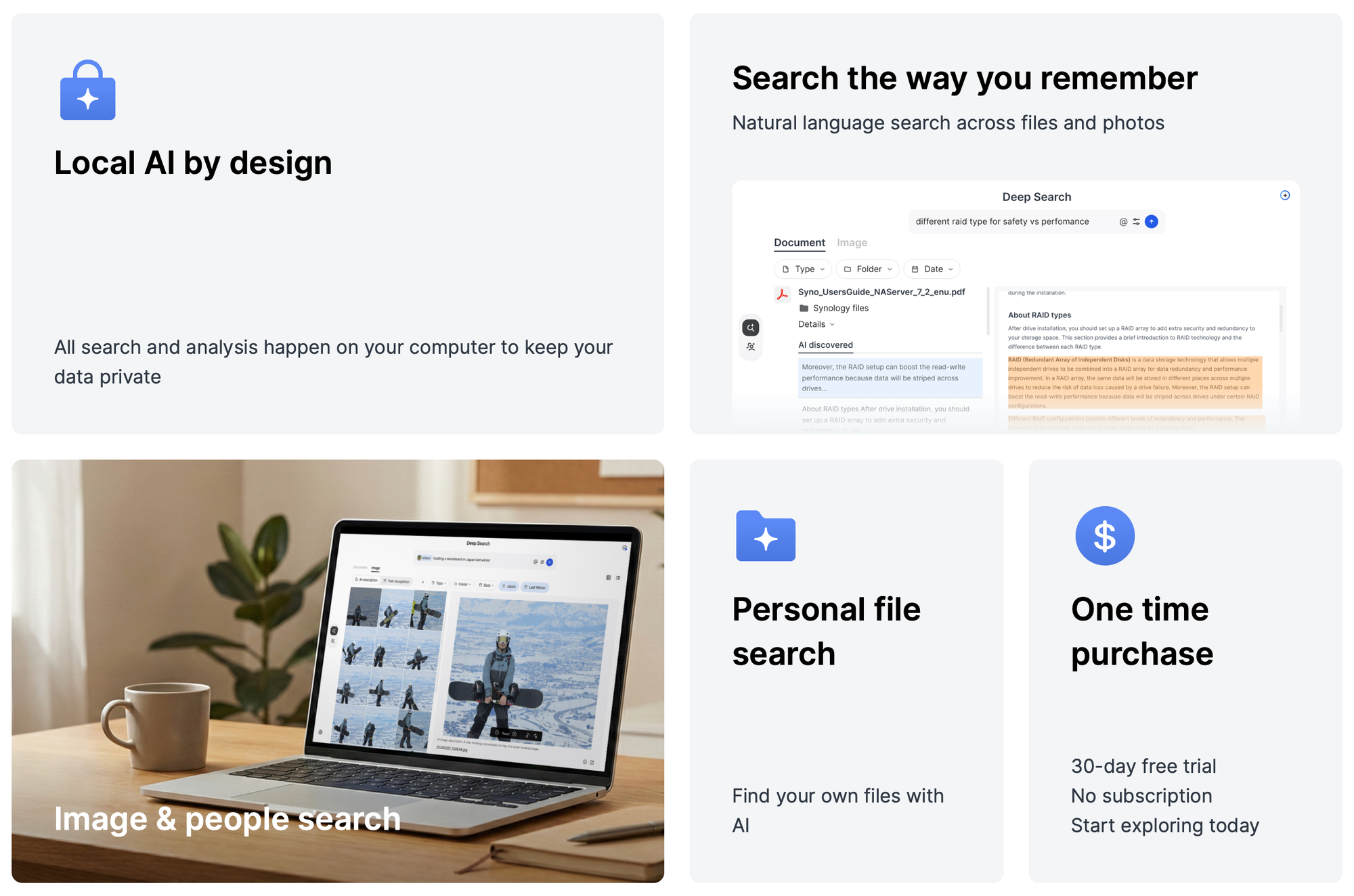
It is focusing on three major segments. Document, image, and people search. By utilizing semantic understanding as well as everyday languages, we can use the platform for study notes, work files, photos, and pretty much any other digital file that contains any usable information.
Document search
Surface content even when keywords don’t match
Find text, charts, screenshots, and scans
Image search
Find photos from any text, even fine print
AI captions photos so you can search beyond filenames and metadata
Narrow results with date or location cues
People search
Find photos by combining people with scenes, time, location, and details you remember
Recognized people appear so you can see who is in each image at a glance
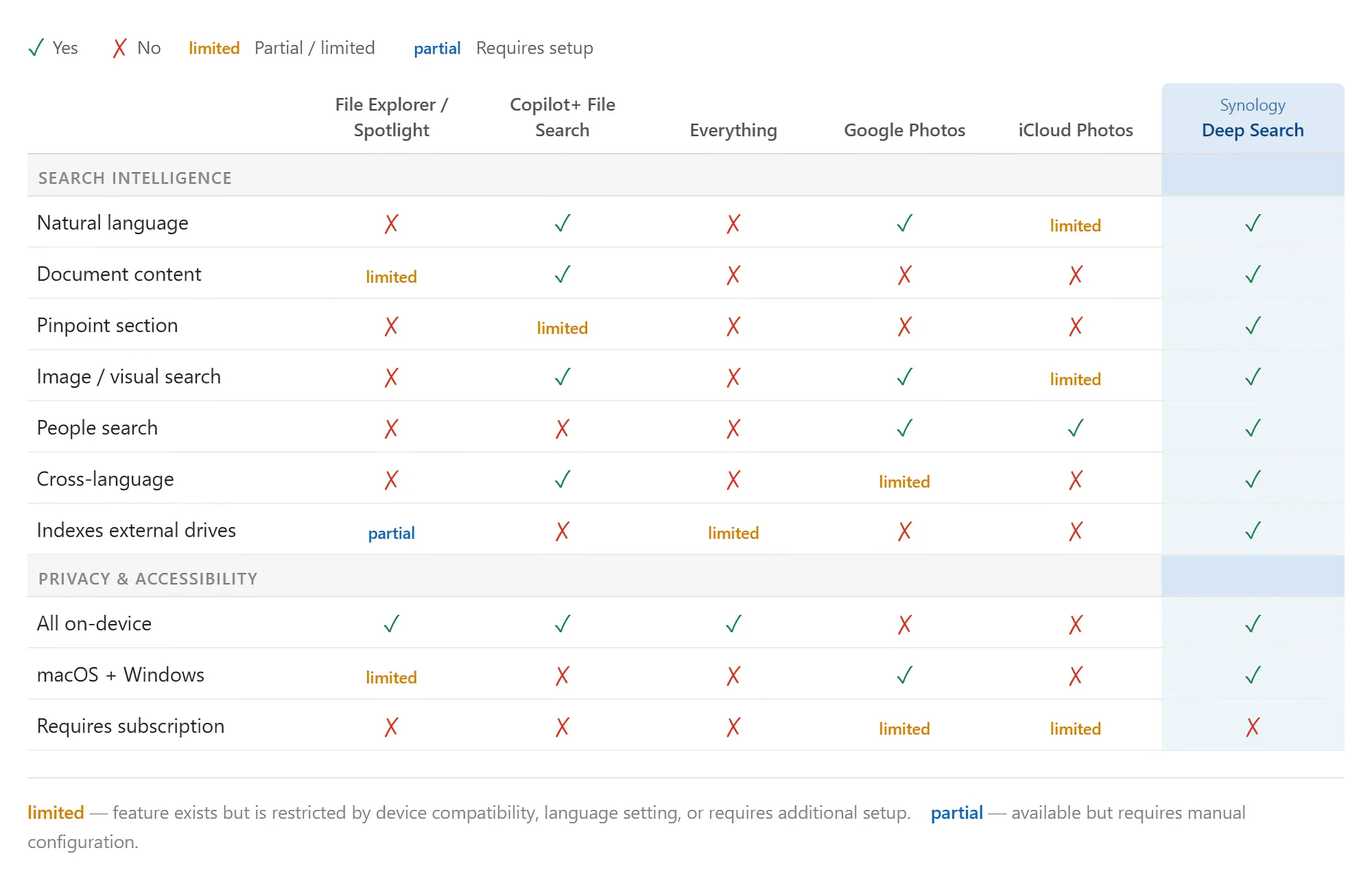
Compared to the common search tools we see in our daily lives, Deep Search not only provides AI semantic search but also delivers a more comprehensive search experience. It can search across languages, take you directly to the relevant passage, and it's available on dual platforms.
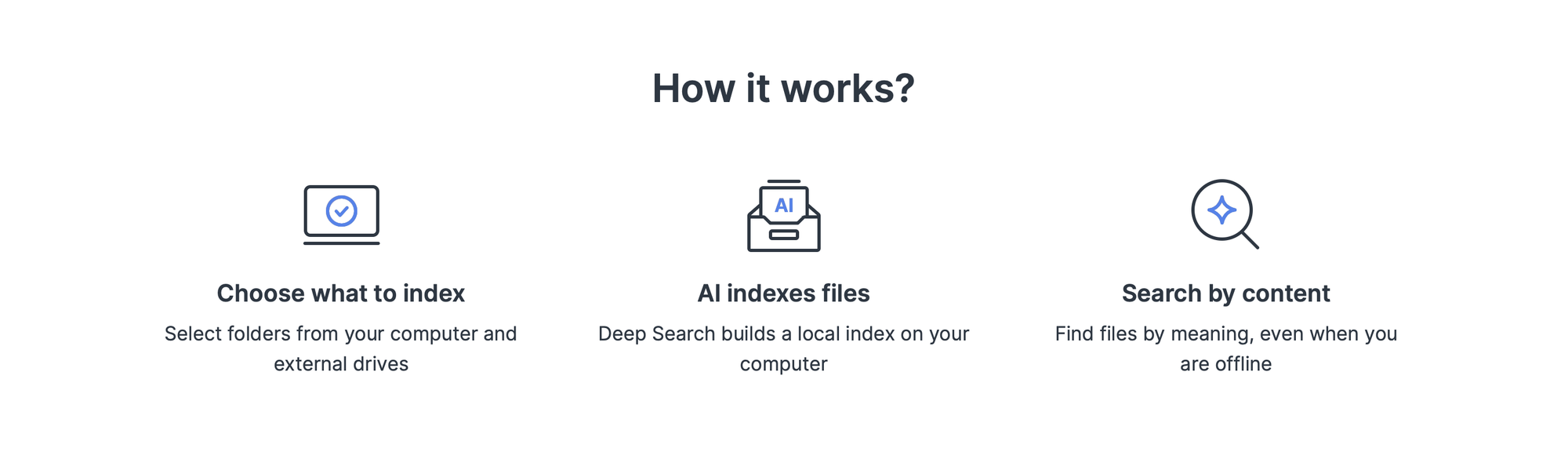
To deliver such a comprehensive experience, Deep Search integrates many AI models in its implementation behind the scenes. This includes OCR, Image Caption, Semantic indexing, face recognition, and so on.
It transforms all documents and images into language that AI can understand, allowing AI to comprehend our data. Through the embedding mechanism, it converts data into a vector database for us to search.
The entire process runs locally on your computer with no use of cloud AI whatsoever, fully protecting data privacy.
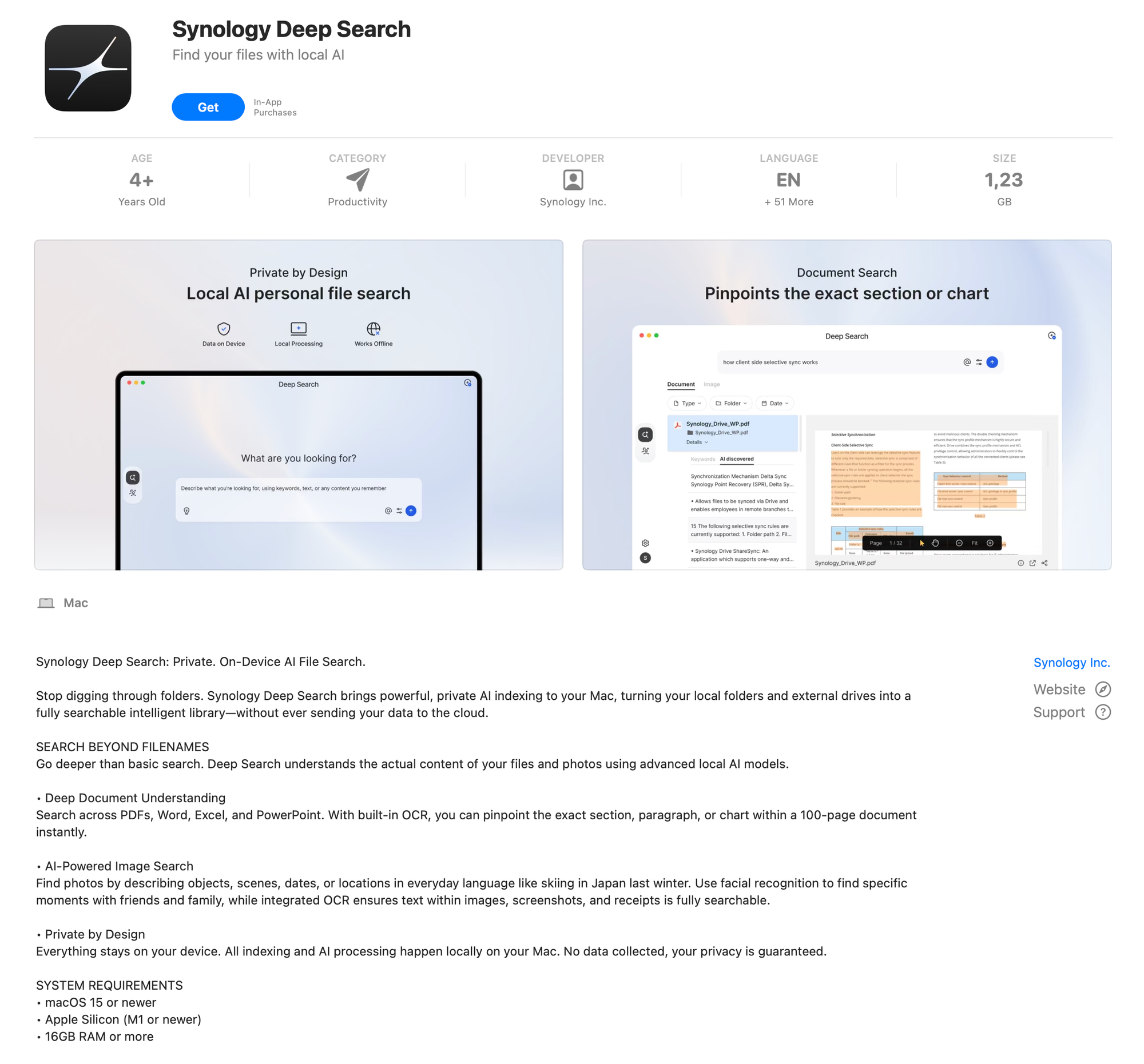

Deep Search is available today and comes with a 30-day free trial, but unlocks permanent access via an in-app purchase for $49.99. Of course, depending on the market and VAT, the price will vary. So, in the EU, in some countries, it could be as high as €59.99.