Synology RS3626xs review

Back in April of this year, Synology started to roll out its refreshed lineup of rack devices by introducing some new and "old" devices all the way up to 3U models.
In May, a quick overview of the RS3626xs was published, so the majority of this article's intro will consist of the same material.
 Luka Manestar
Table of contents
: Intro
: RS3614xs retirement
: Unboxing and installation
: Tests
> :: HAT3300 > HAT5300 SMB copy (single large file)
> :: HAT5300 > SAT5221 SMB copy (single large file)
> :: HAT3320 > HAT5300 SMB copy (large number of small files)
> :: HAT5300 > SAT5221 SMB copy (large number of small files)
> :: HAT5300 > multiple Mac machines (single large file)
> :: Virtual machines
:: ActiveProtect and Synology Tiering
:: Synology productivity apps with AI-enhanced capabilities
: Conclusion
Intro
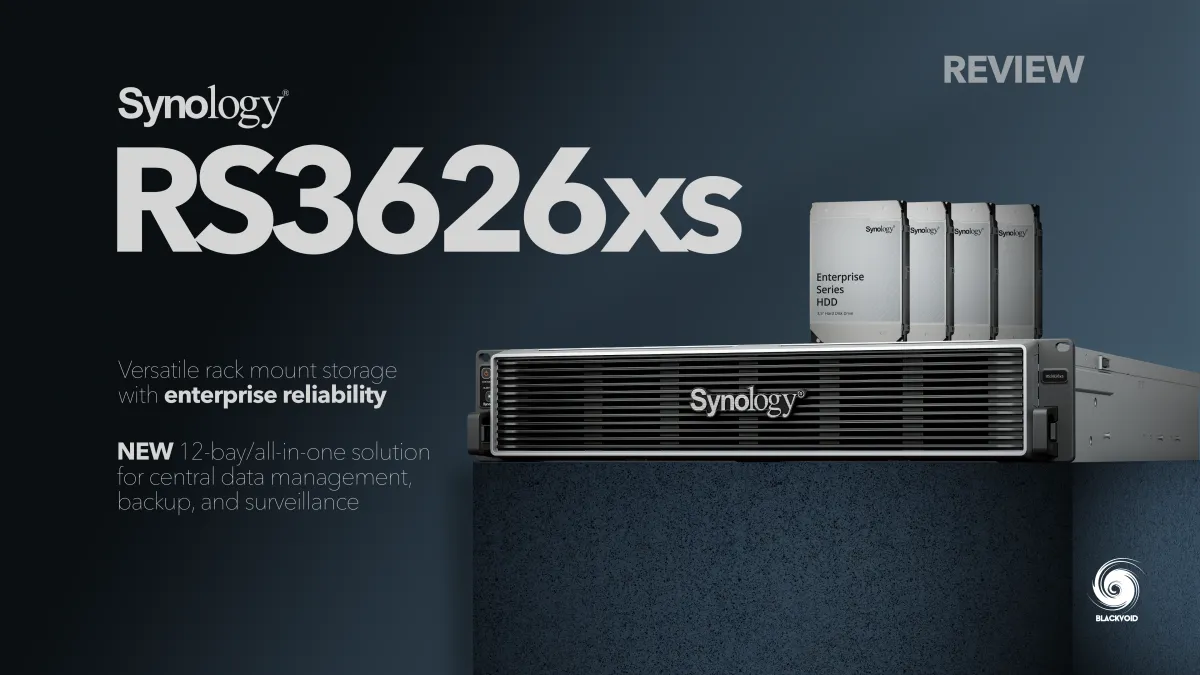
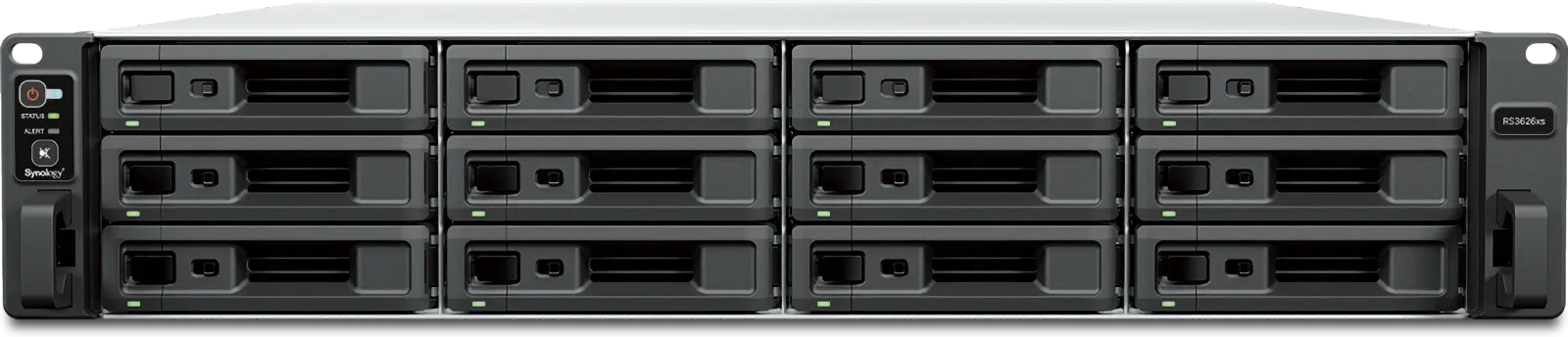
The RS3626xs is a direct successor to the existing line of the RS3600 series, the last of which was the RS3621xs. Without any major changes on the outside, here is the brand new RS3626xs.
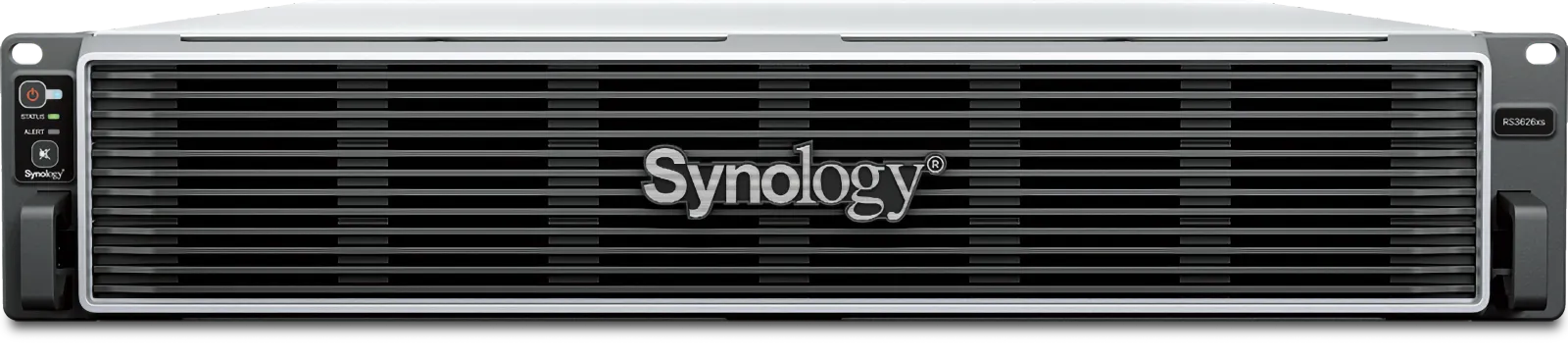
As its name suggests, this is still a 12-bay device capable of supporting up to a maximum of 36 disks by attaching two additional RX1225RP expansion boxes using the mini-SAS HD connectors on the back.
The 12-bay 2U RS3626xs delivers the performance, reliability, and scalability required by enterprise environments
The RS3626xs remained under the Intel umbrella (as all of the new XS+ models have), but got an upgrade to a still-supported CPU from 2022, the Intel Xeon D-1726. This 6-core (12-threads) CPU runs at 2.9GHz with an optional turbo up to 3.5GHz. The base memory remained the same as it was in the 2021 model, with 8GB of DDR4 ECC memory with a maximum supported capacity of up to 48 GB.
It is worth noting that the memory setup has been lowered compared to the previous generation, with 8GB x 6, as opposed to 16GB x 4 (maximum of 64GB for the X21). While the maximum supported RAM capacity for this particular Xeon is 384GB, staying in the 48GB range will still allow for a more than capable device for its advertised purposes.
High-speed performance: Over 115,000 4K random write IOPS and 6,300/3,700 MB/s sequential read/write performance supports demanding
workloads
The jump to a more modern and currently still supported CPU offers two additional cores, a lower price, but a 35% increese in power consumption, as TDP for this D-1726 Xeon is 70W.
The CPU is also based on a smaller lithography of 10nm, making it smaller, but one important aspect is support for PCIe 4.0 (as compared to PCIe 3.0 on the X21). With PCIe 4.0, the RS3626xs offers two Gen4 x8 slots (x8 link), unlocking the option for additional NVMe cards, 10 or 25GbE network adapters, and more. While the X21 offered the same, now with double the speed increase, investing in a PCIe expansion card will have even more benefits.
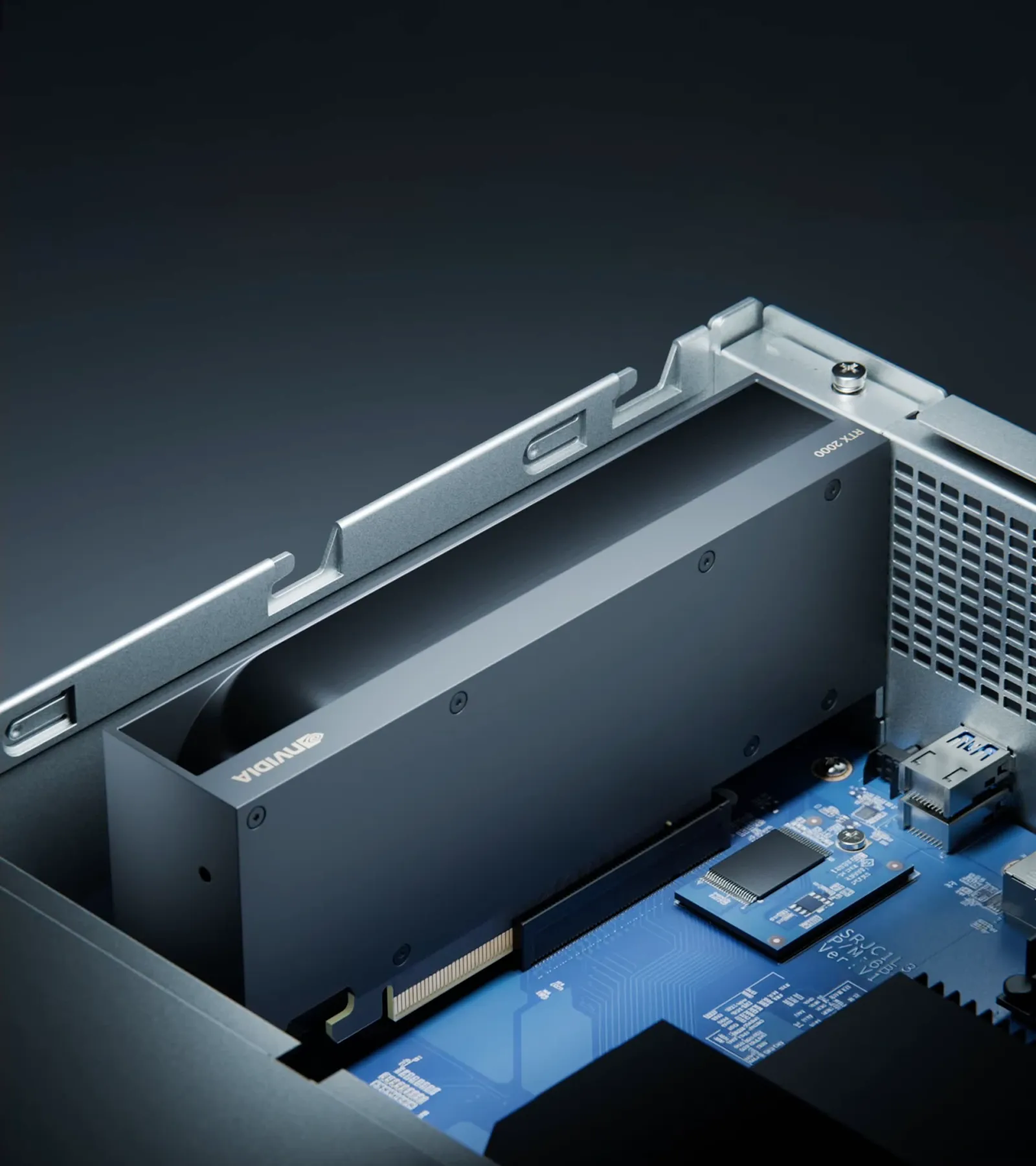
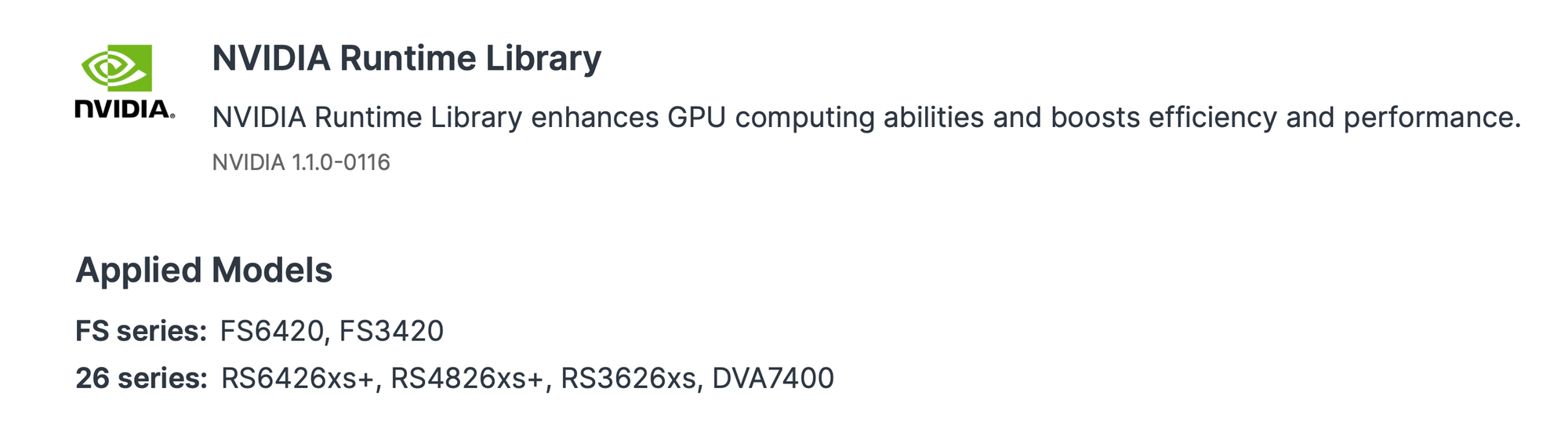
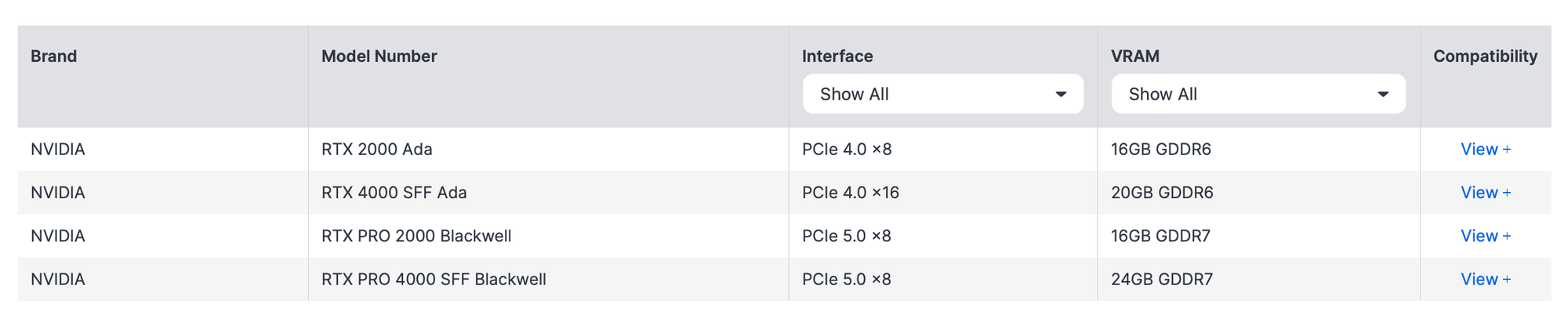
One of those benefits is the compatibility of the x26 2U and 3U models with NVIDIA GPUs, which unlocks on-device AI capabilities. With the introduction of the DSM NVIDIA Runtime Library package, select x26 and FS models can now be fitted with compatible and supported GPU cards.
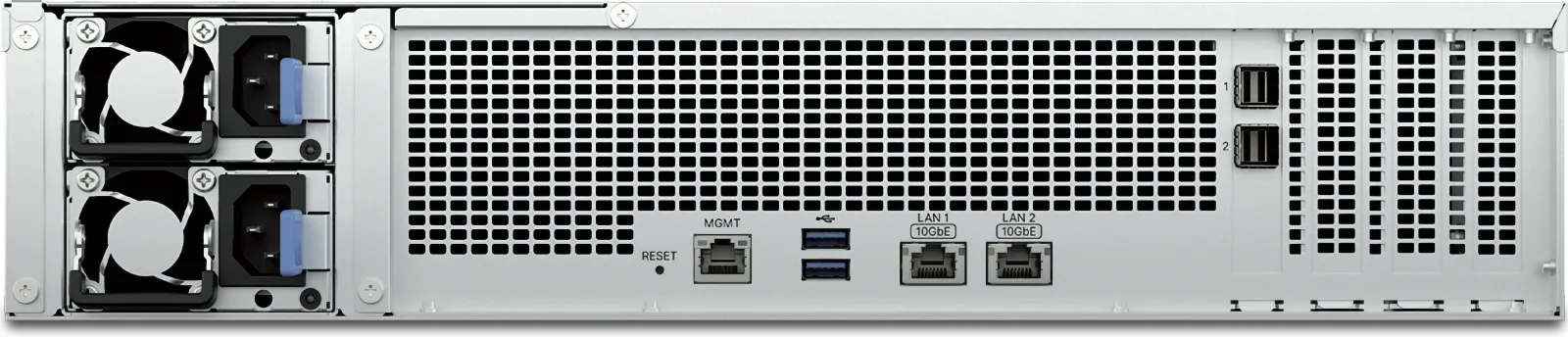
Like the previous generations, the RS3626xs has a redundant power supply, and four 80mm system fans just behind the twelve 3,5" drive bays. The interior has not changed a lot apart from the obvious motherboard, RAM, and CPU setup.
Versatile networking: Dual built-in 10GbE ports can be supplemented with 10/25GbE NICs and Fibre Channel adapters via two PCIe 4.0 expansion slots
What has changed is the back of the unit. While we have already mentioned some changes, the obvious difference on the back will be the lack of an array of 1GbE ports that were standard on older models. This time around, Synology has eliminated those and instead replaced them with dual 10GbE copper LAN ports, as well as a single dedicated 1GbE management port.
The old console port has also been removed, while the dual USB 3.2 Gen 1 (5GbE) ports are still here for the occasional need of connecting an external storage device or connecting a UPS, should there be a need to make this the main UPS server in the network.
The model is still packed inside an identical X21 chassis with 19" dimensions (724mm depth) and weighs 14.5 kg, as its predecessor. The warranty has also not changed, so the same 5-year standard warranty applies.
RS3614xs retirement
The new RS3626xs is one of two models acquired as part of my personal Synology equipment refresh. Three years ago, I replaced an RS3614xs with a brand new RS2423+, and now the time has come to replace the second one as well.
 Luka Manestar
Considering that Synology has rolled out only the RS versions from the higher tier this year, I have decided to adopt the exact successor from the same series. After twelve years of service, the RS3614xs still works well and will find a new home soon, running DSM 7.1.1 for the foreseeable future.
The plan is to get the new NAS up and running and perform a live migration of the content, including almost the entire Docker stack.
Unboxing and installation
After some delay with the brand new CyberPower UPS that will support both the RS3626xs and the RS1626xs+, the time has come to install the new model inside the rack.
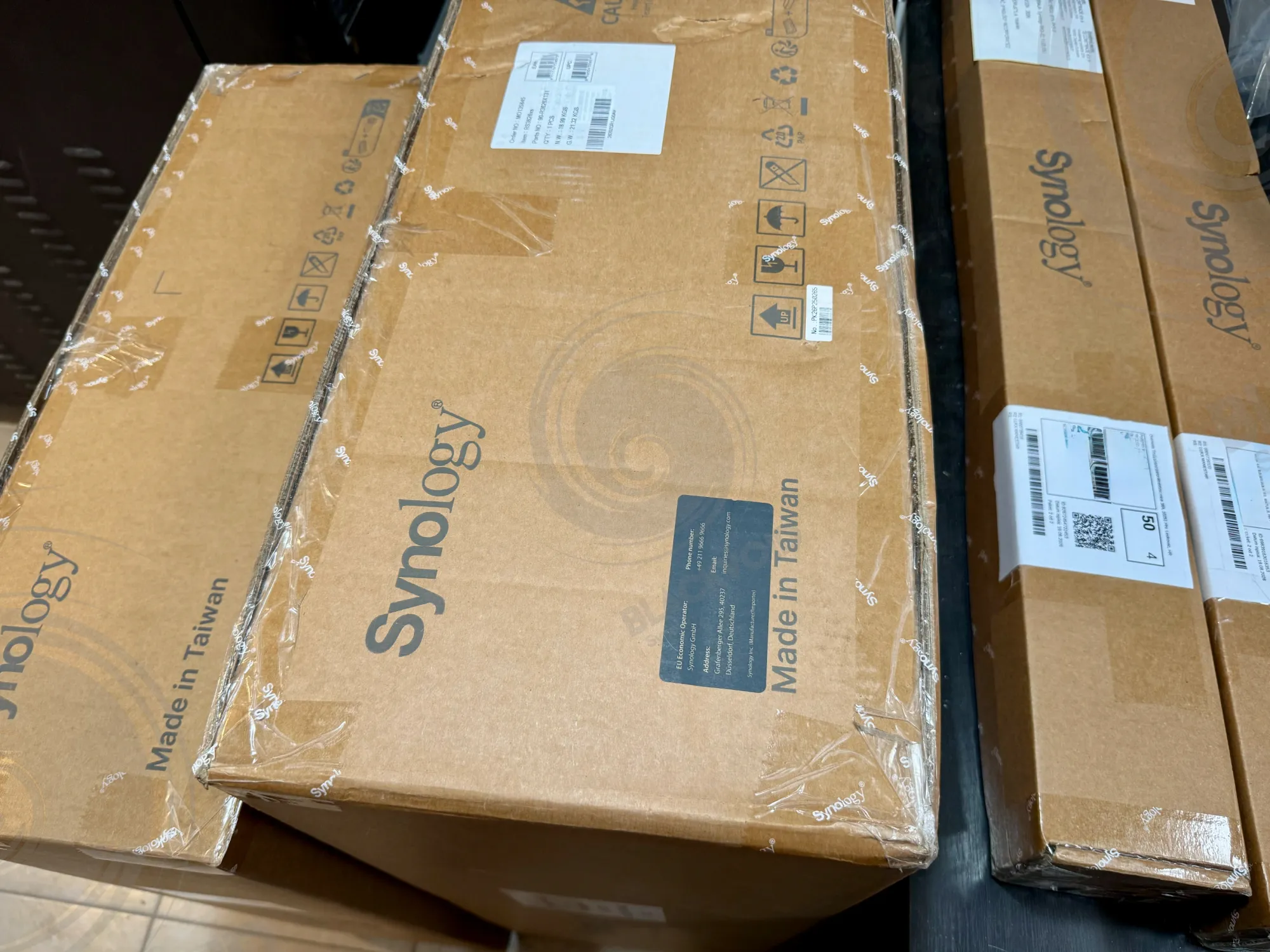
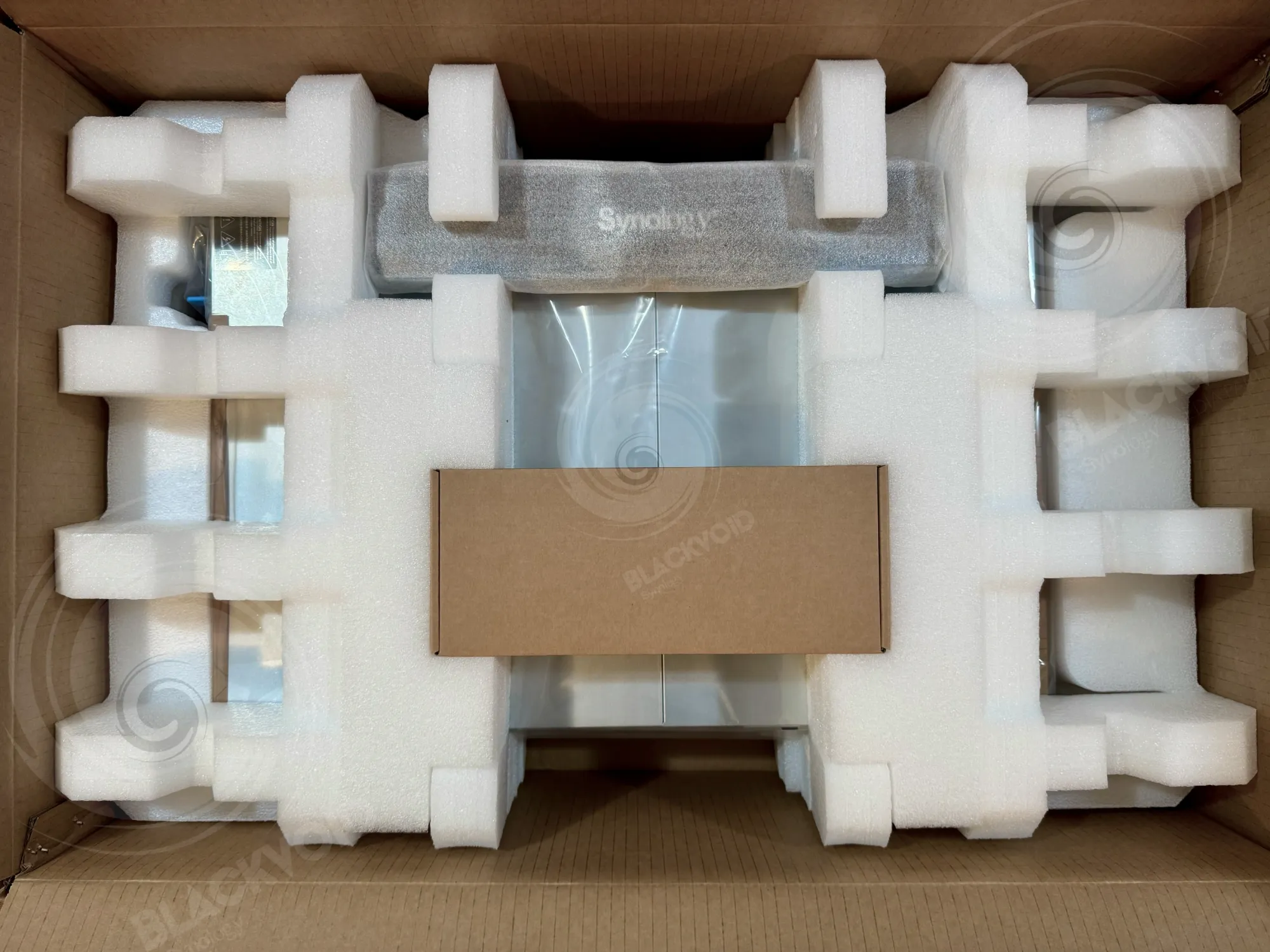
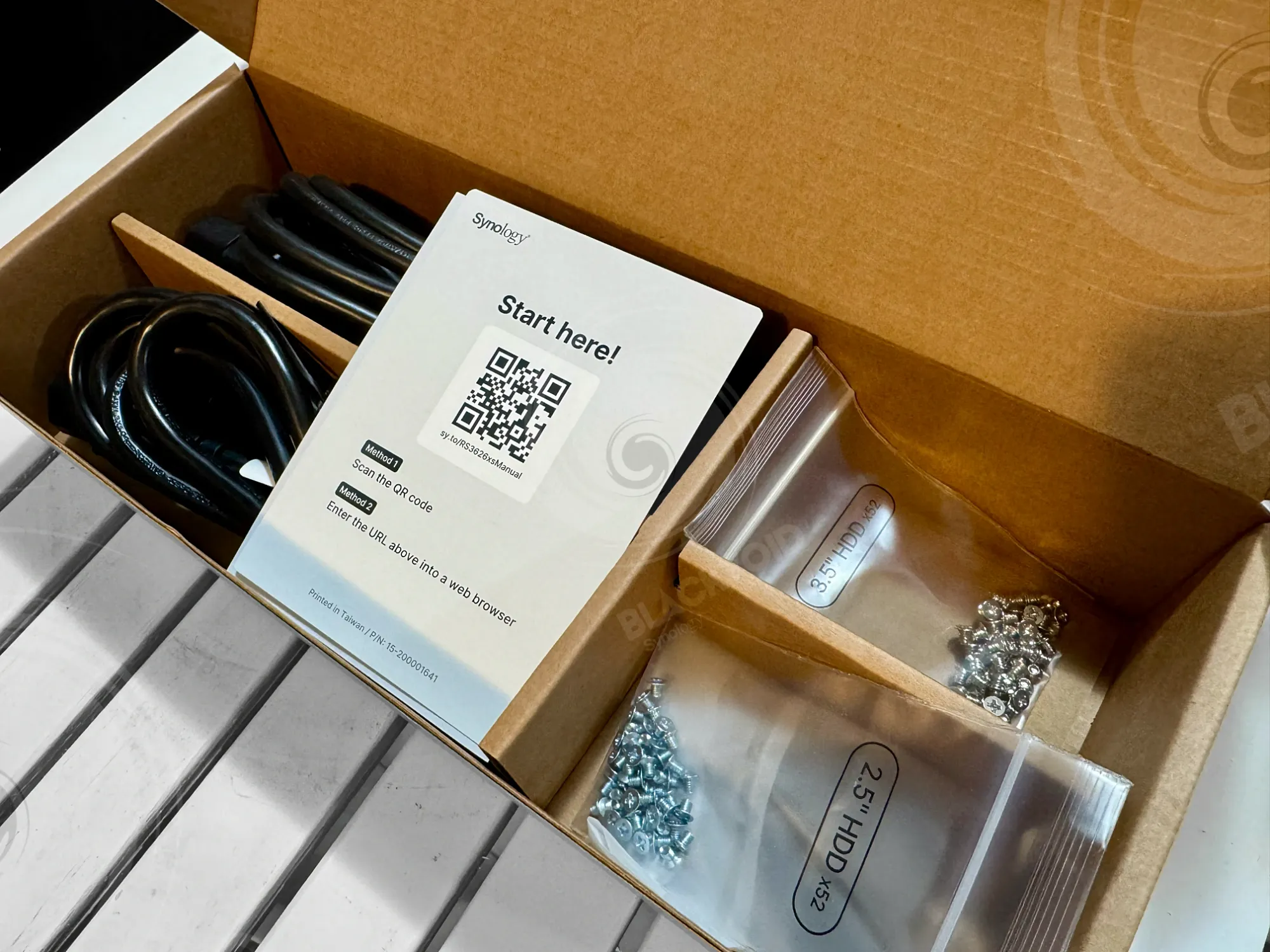
Following the usual Synology packaging, the NAS arrived in a double cardboard box with plenty of foam protection and no visible damage. The accessory box contains two C14 power cables, two ethernet RJ45 cables, a pack of 3.5" and 2.5" disk screws, and a single sheet with a startup QR code. Apart from the NAS itself, there is also a decorative front mask that optionally covers the HDD drive bay cage.
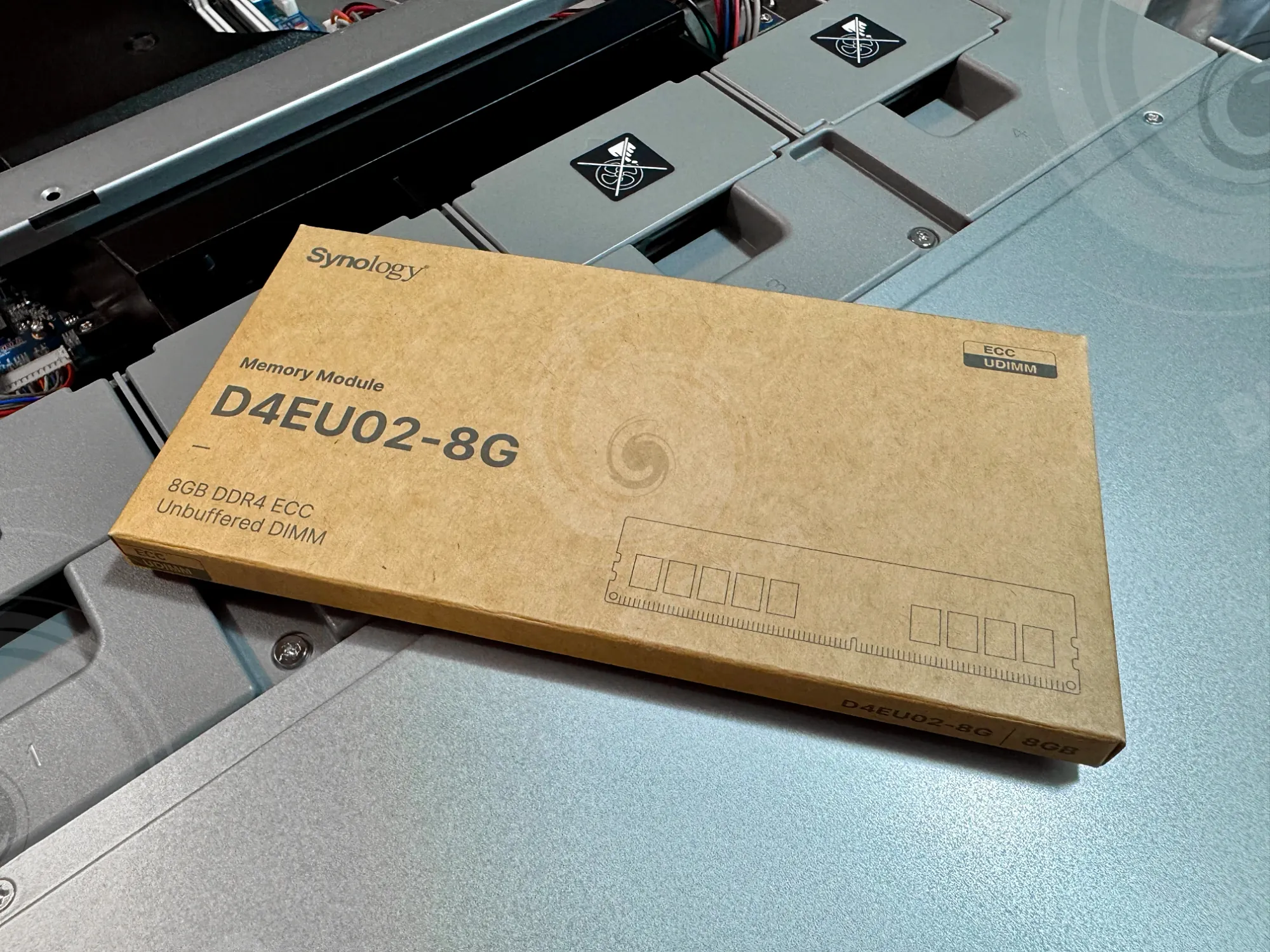
This particular model arrives with 8GB of DDR4 ECC memory, as already stated, but considering it will be a long-term investment, it will be upgraded with an additional 8GB RAM module.
While current compatibility and support require Synology-branded memory, the "AI factor" is also not helping in this case, as the D4EU02-8G stick currently costs just under 800€ (VAT included). However, with a total of 16GB, the RS3626xs is now specced as the RS1626xs+, powered by a 6-core Intel Xeon.
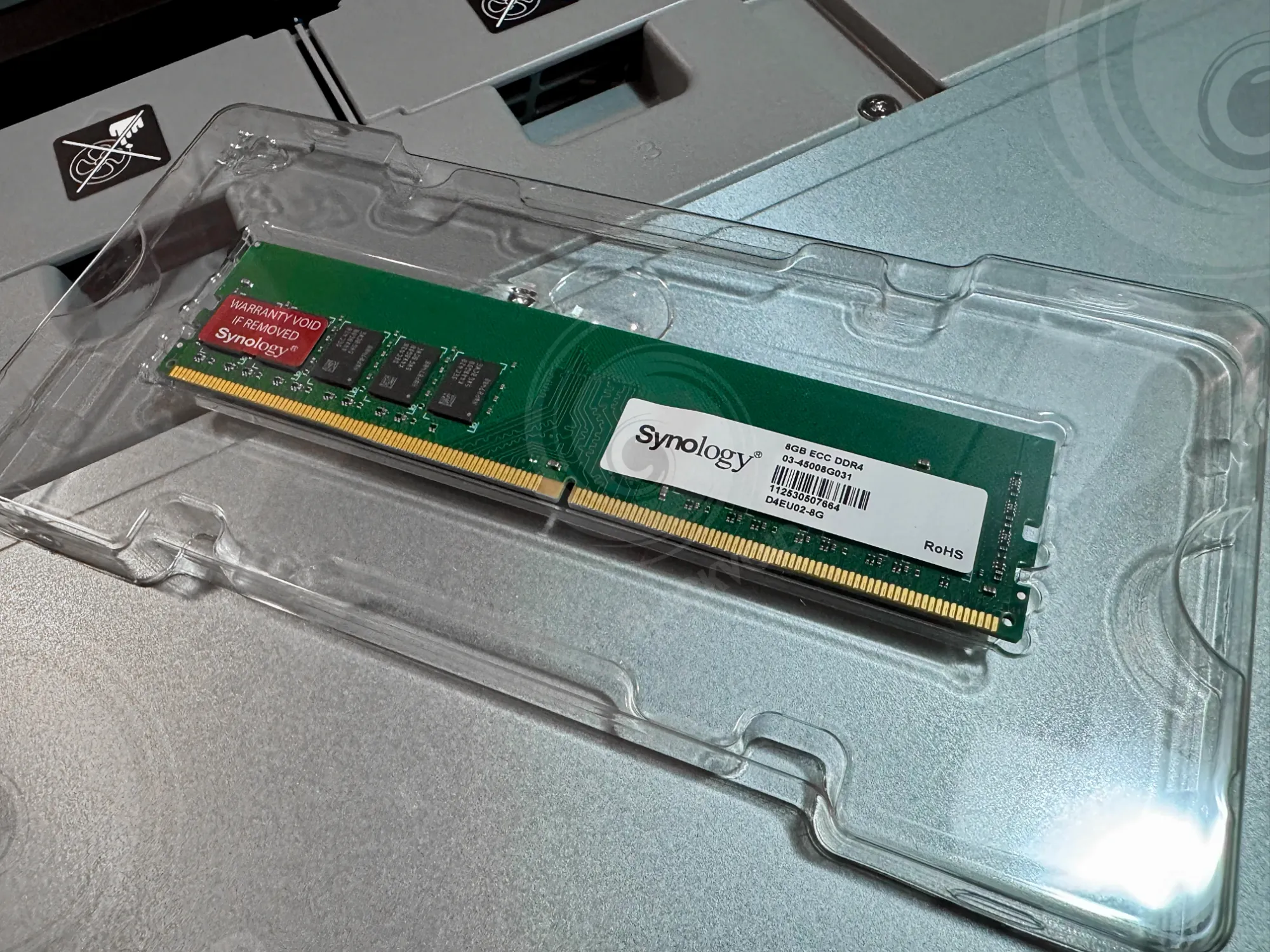
Speaking of memory, the internal setup of the NAS is straightforward, very clean, and minimal. Front to back, the NAS has a 12-bay SATA cage followed by a row of four vents that extend into the back of the chassis.
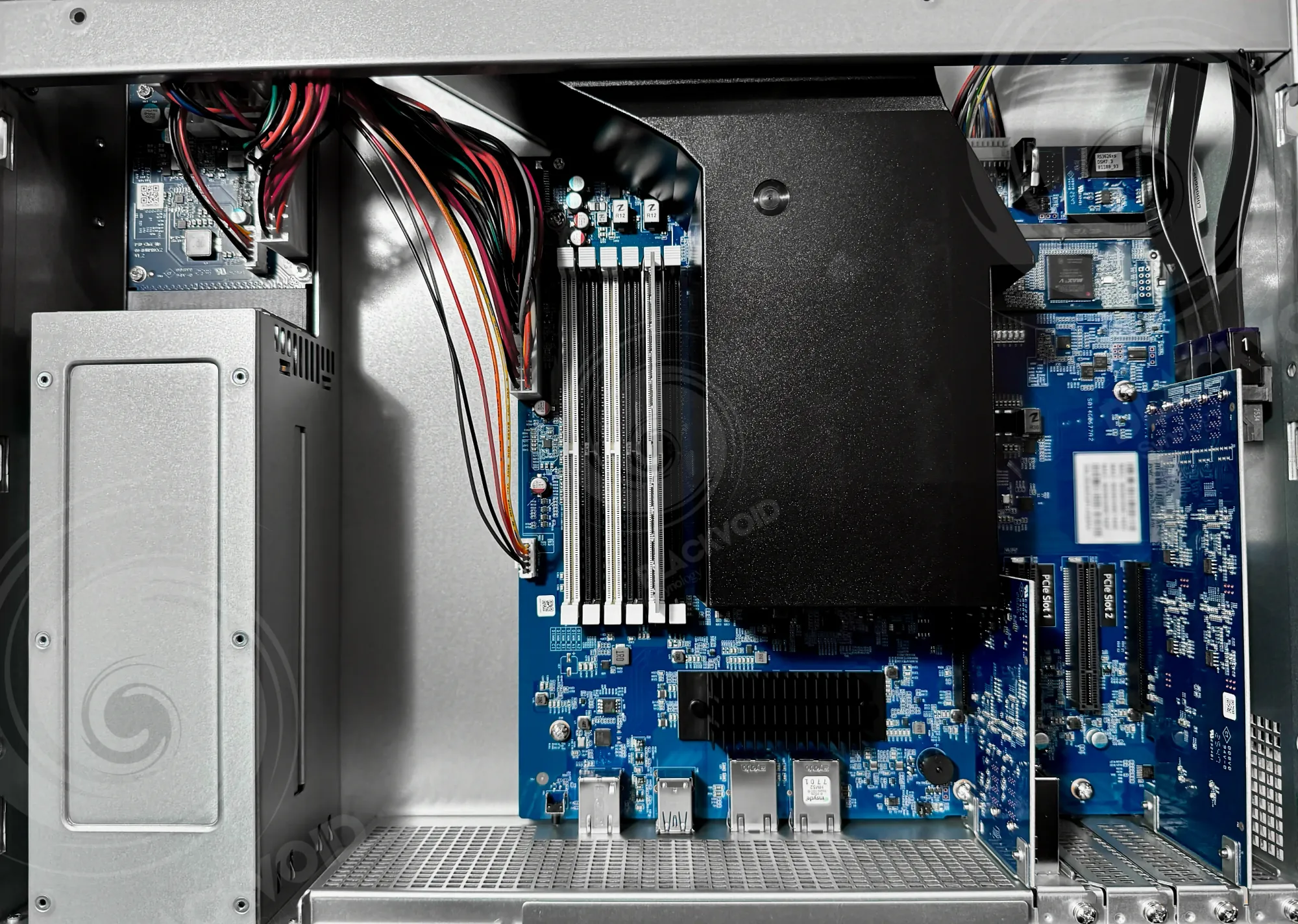
The left side is occupied by dual redundant power supplies, while the right side houses the motherboard with all the main components. With four PCI slots, two are occupied by a SATA controller (far right) and the dual expansion card that can accommodate two RX expansion units.
The motherboard has a total of six (6) RAM slots, with a single one occupied by the mentioned 8GB RAM module.
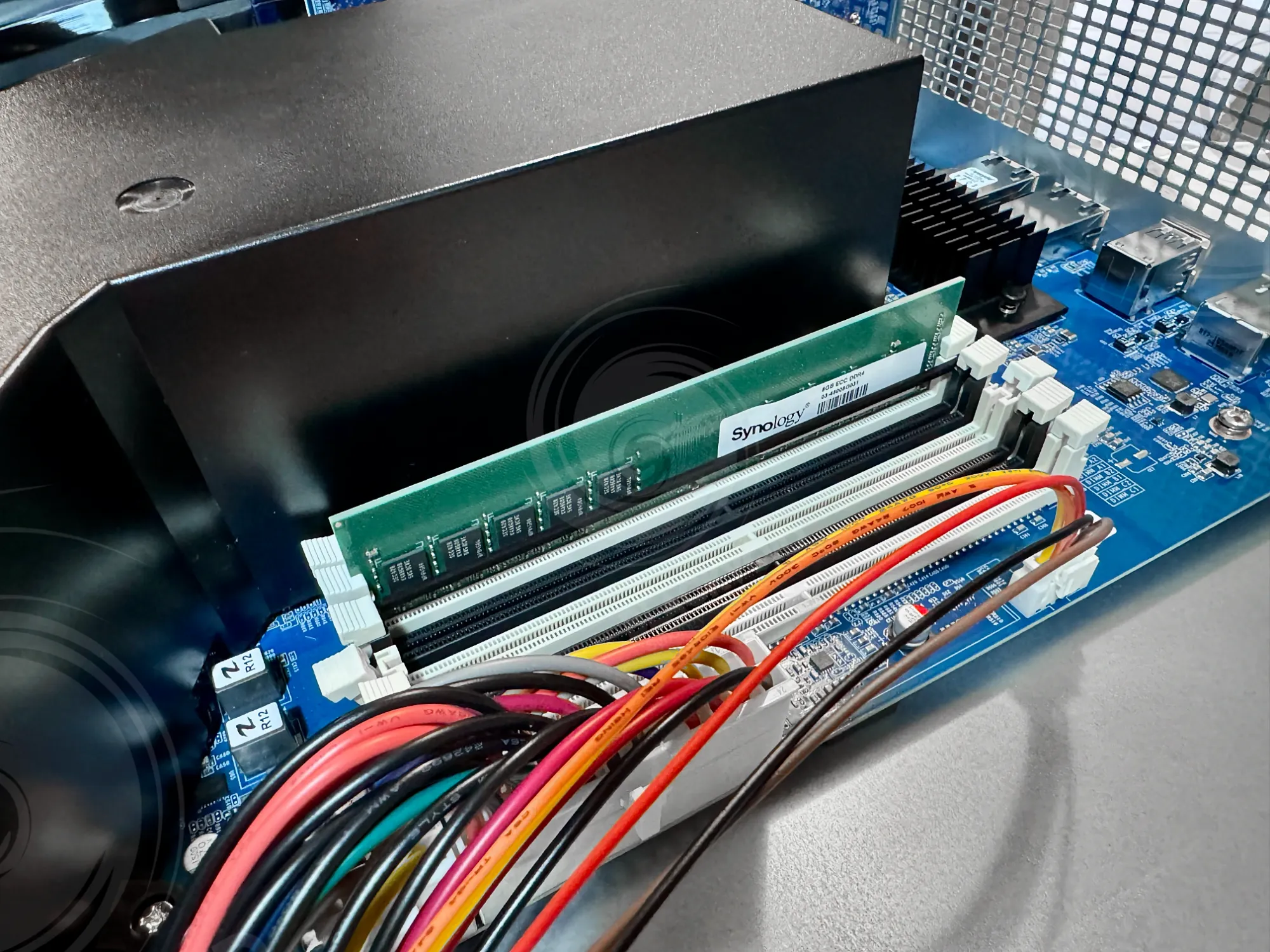
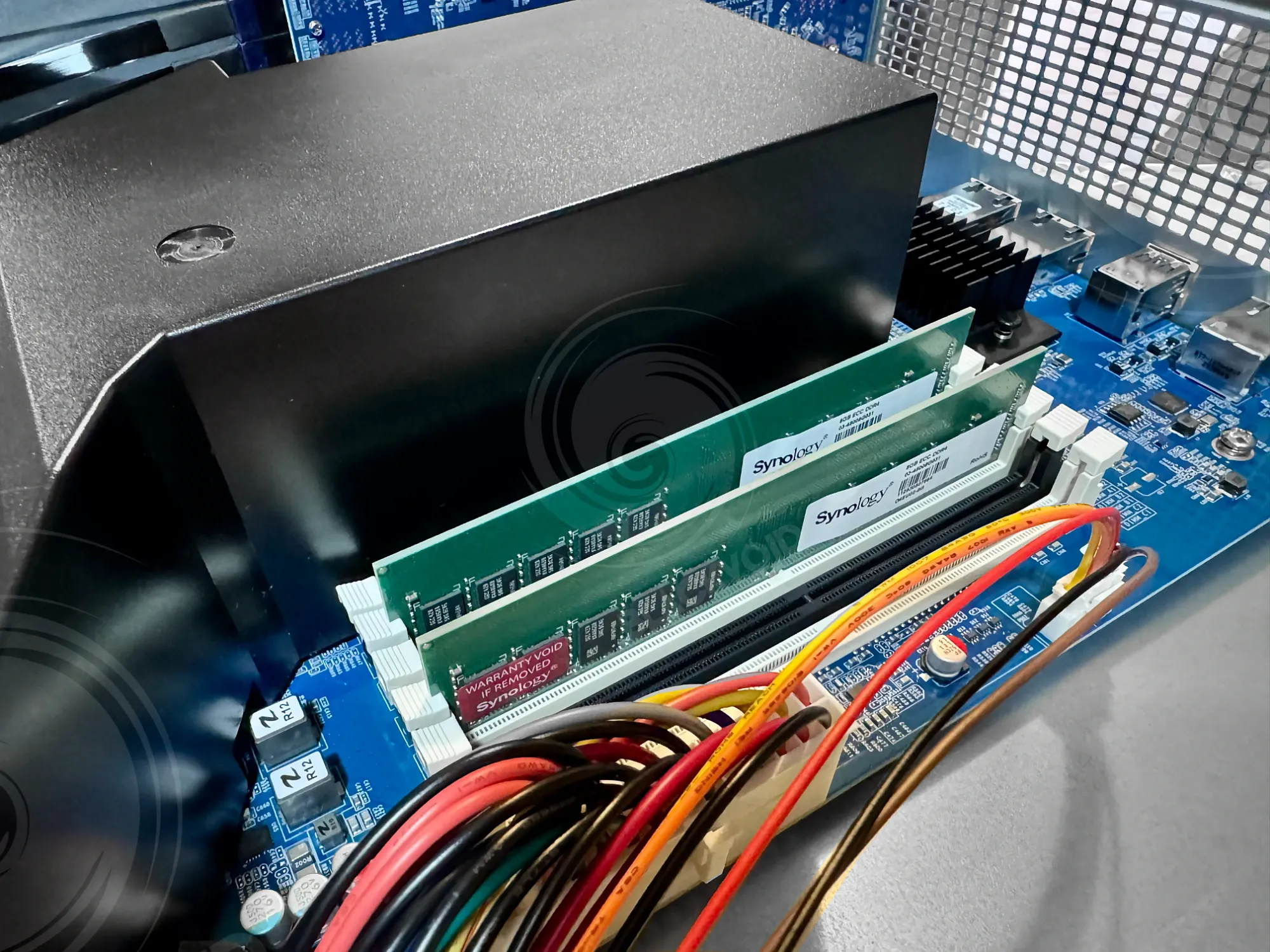
Each Synology NAS has a recommended installation scheme for RAM depending on the number of slots and memory modules. In this case, a classic dual-channel setup was recommended.
Finally, the drives. As with everything else, the XS lineup is officially compatible only with Synology drives and only with the HAT5300 enterprise series. To start, this NAS will house four (4) HAT5320-8T models in RAID5 configuration.
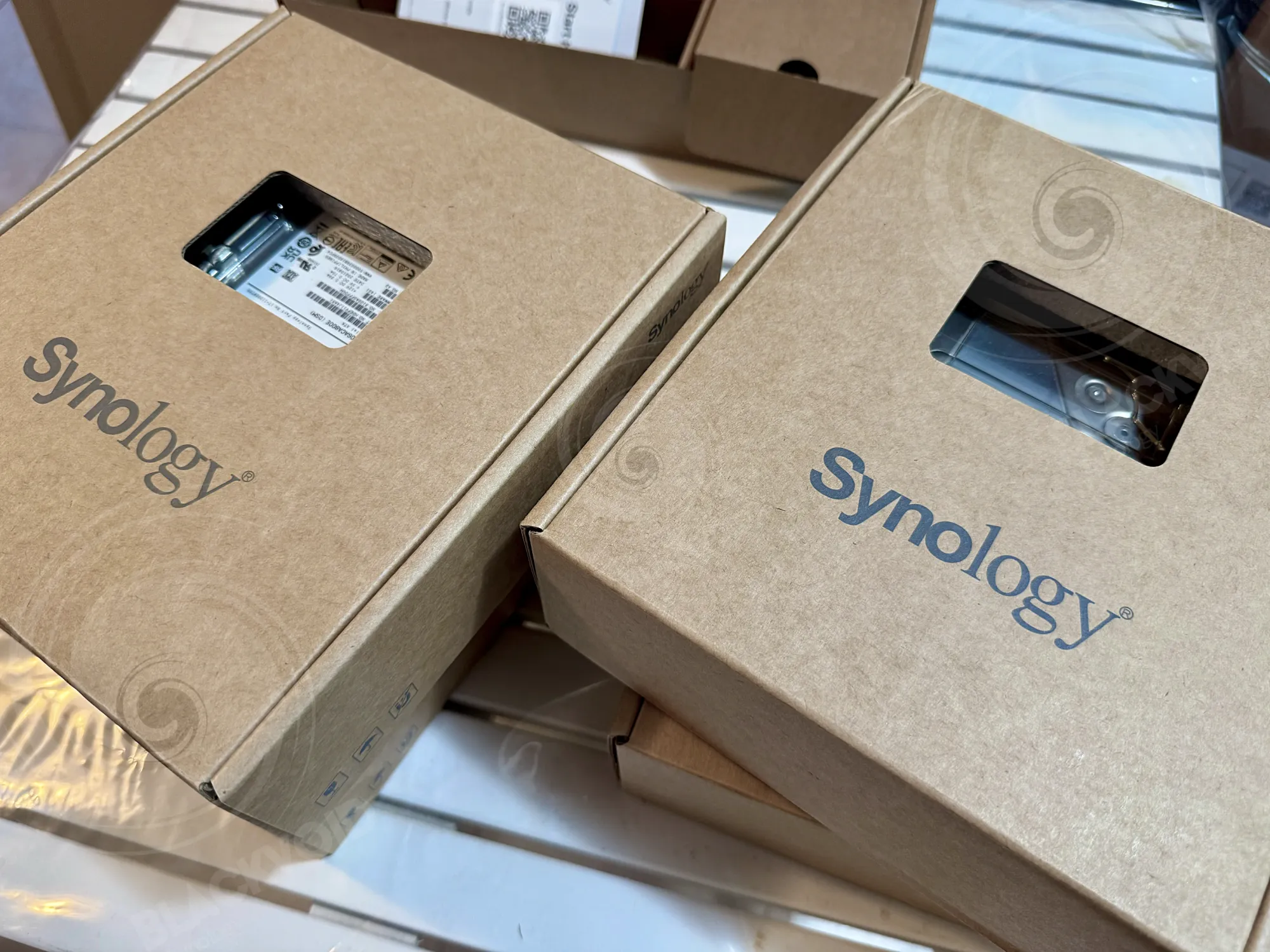
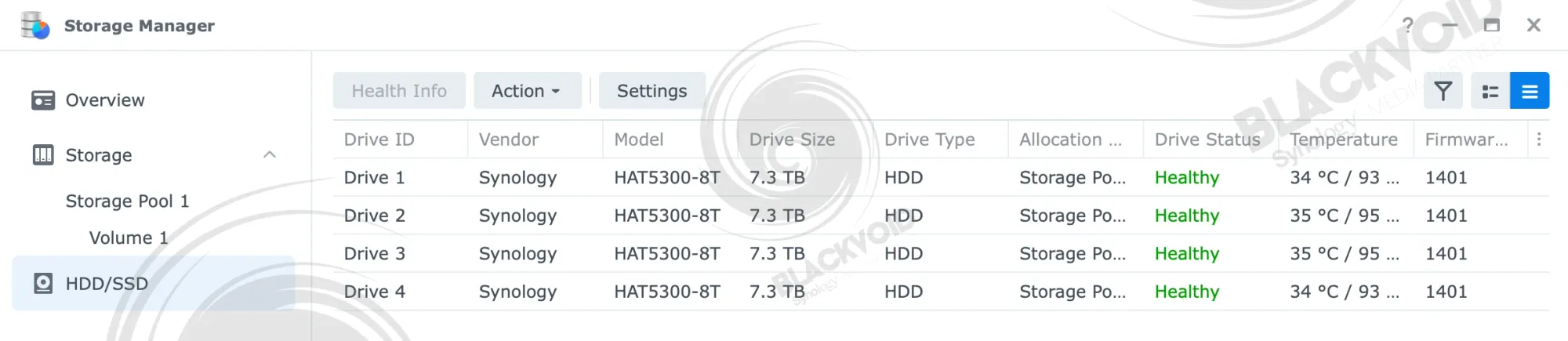
Unlike the desktop lineup of Synology NAS models that do not require any tools for drive installation (apart from 2.5" SSDs), the RS models require the drives to be screwed in, regardless of whether they are 3.5" or 2.5".
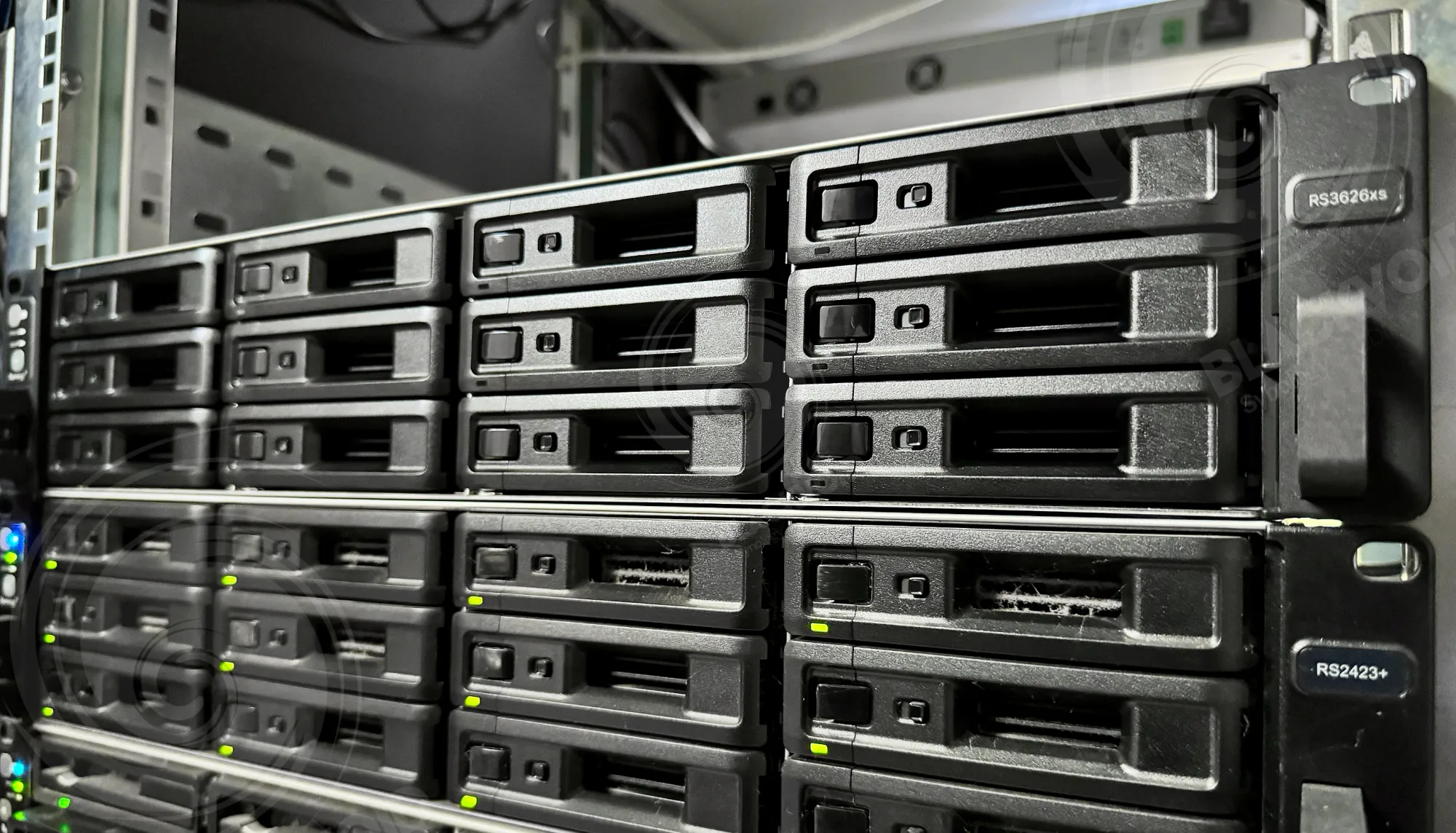
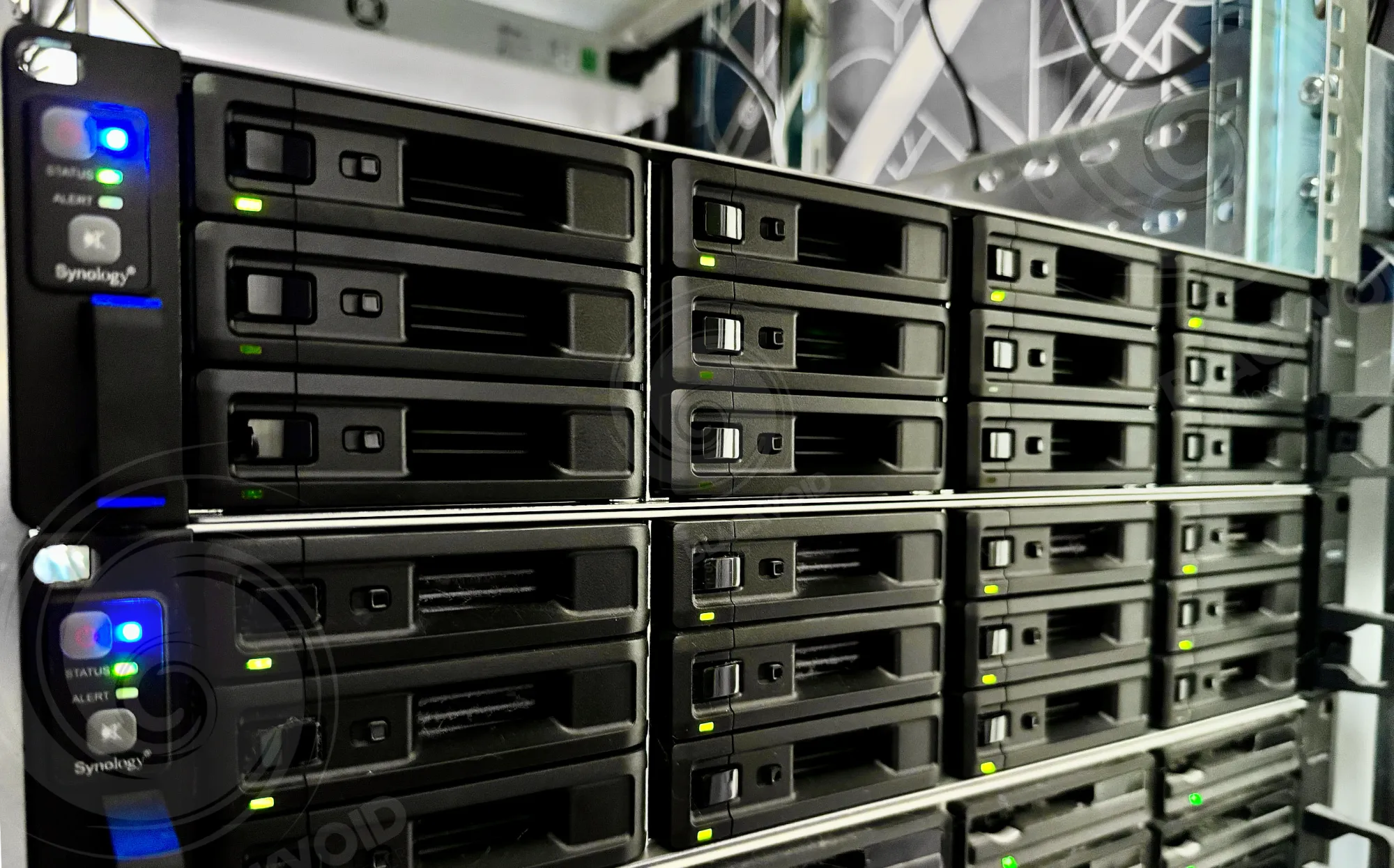
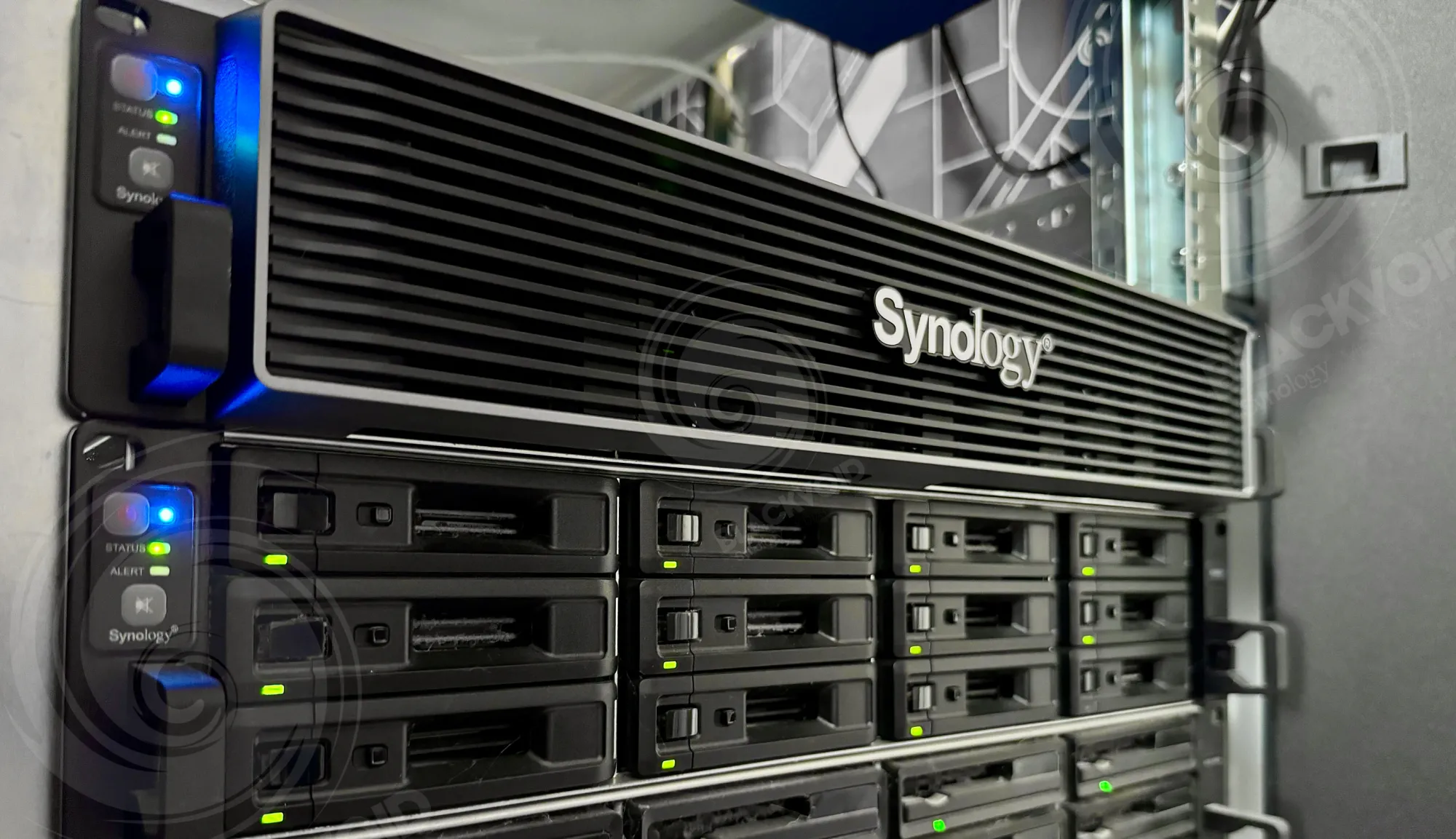
Sliding the drives into place and powering up the NAS is all that it takes to begin configuring the machine. Setting up rack rails and screwing in the drives are the two tasks that will take the most time, as the rest is straightforward.
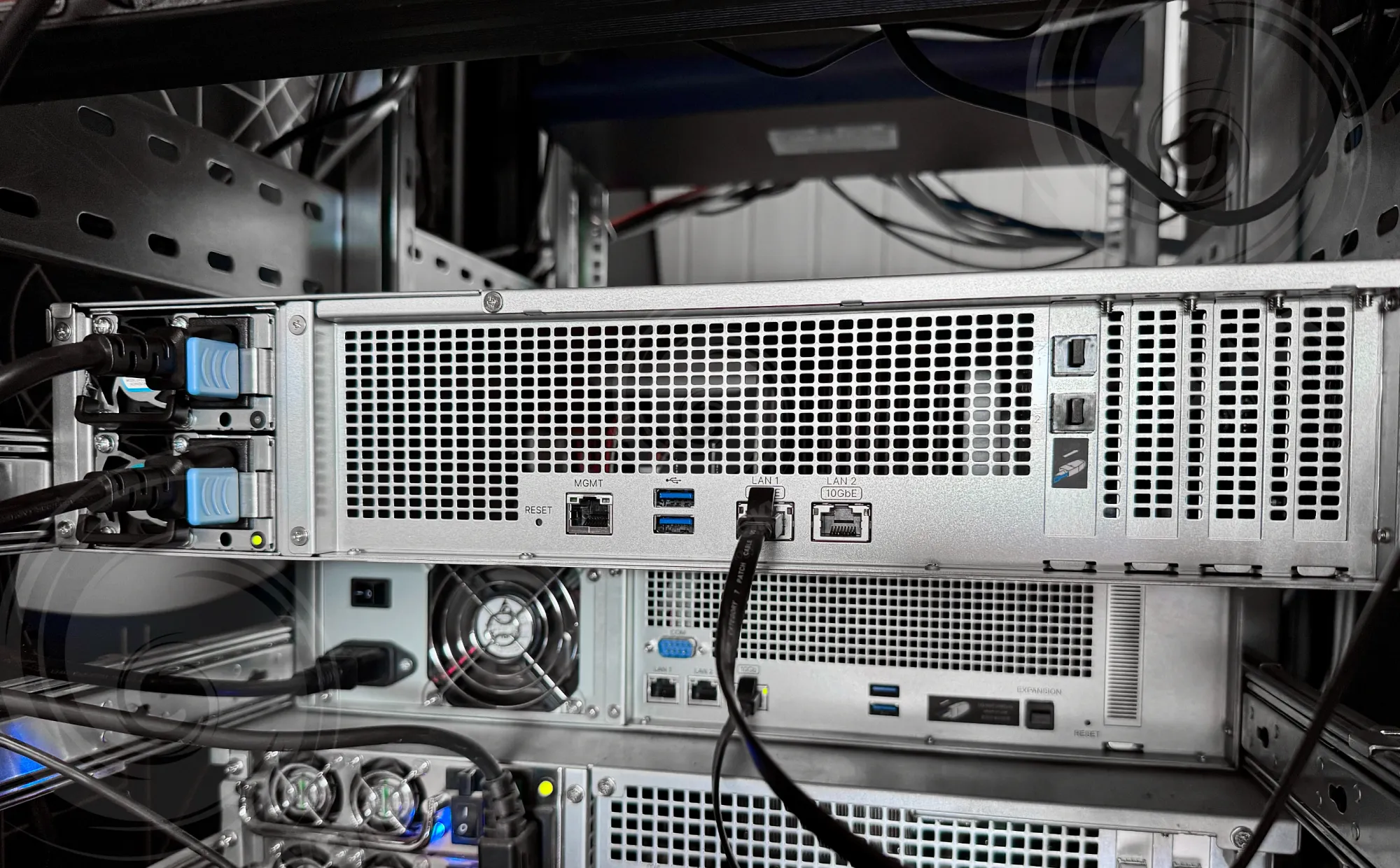
Connecting the power and at least one network cable is all that needs to be done on the back before the NAS is completely ready for use. As already mentioned, the NAS comes with two 10Gbit ports as well as a single 1GbE management port on the left-hand side. Power consumption in this configuration is about 80W in total, which, for a NAS of this size and capability, is not a lot at all.
Tests
Taking into consideration that this NAS, like so many others share the same DSM installation principle, I have decided to skip it for this review, as it doesn't bring anything interesting to the table.
What could be mentioned here as a reminder, before moving forward, is the DSM update settings.
Since DSM 7.2.2., Synology decided to remove the DSM update option that allows administrators to get notified about the system updates, but not install those automatically.
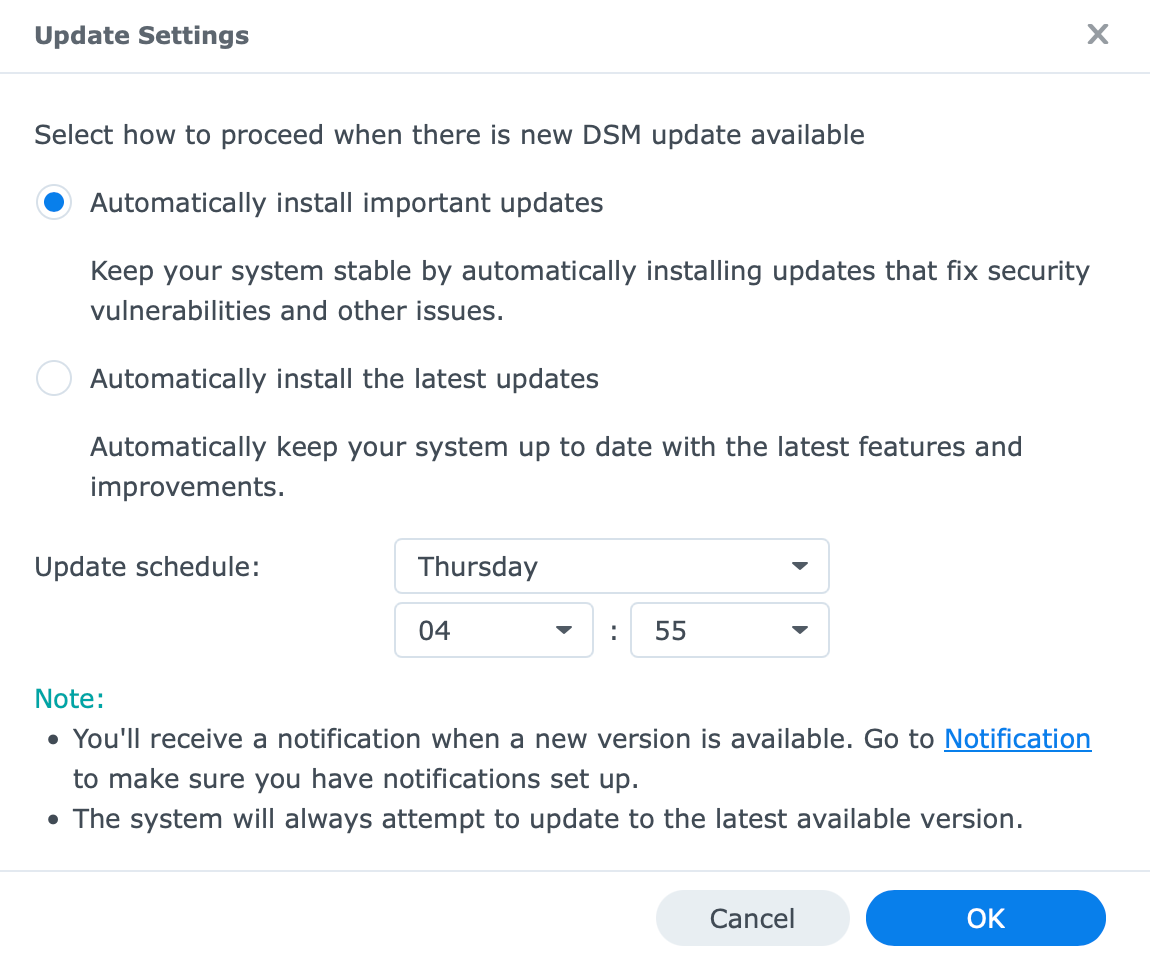
In case there is a need to reintroduce the 3rd option, using the SSH command line, we can restore it and have it selected.
By running /usr/libexec/syno-update-settings --set-autoupdatetype-notify as root and reloading the DSM, we can now select the option.
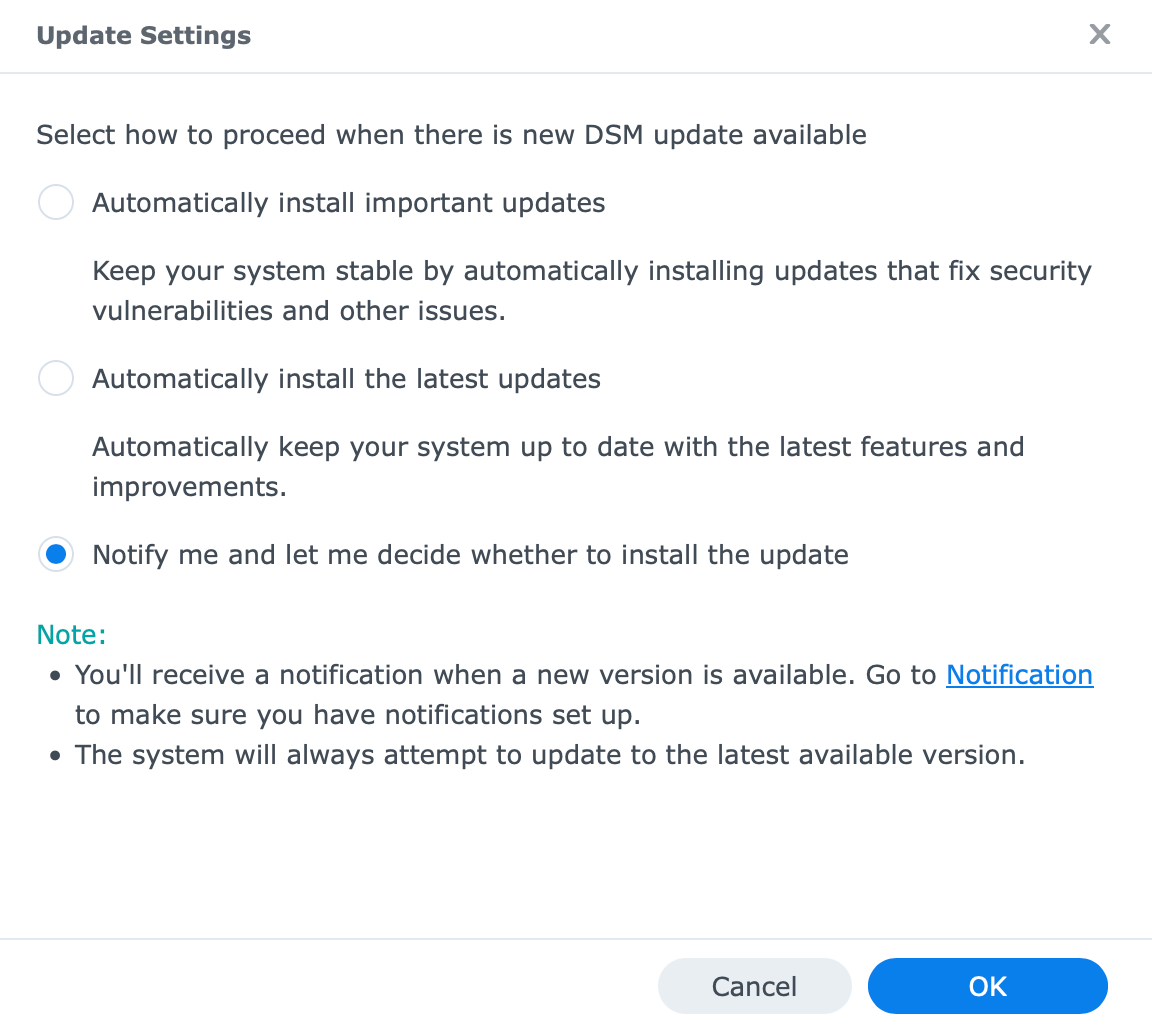
While security is crucial, especially today, some auto-install situations (and follow-up reboot) could cause more issues for the IT and business alike.
With the DSM settings now in place, it is time to test the actual setup and its capabilities.
This being a 10Gbe capable device out of the box, including binding multiple 10GbE into a LAG setup, and installing 25GbE cards, the RS3626xs offers a lot of options when it comes to networking. Of course, depending on the use case, it will be up to the customer to define the setup, but the number of users and disk configuration will also play a factor as well.
[ ID] Interval           Transfer     Bitrate         Retr  Cwnd          RTT
[  5]   0.00-1.00   sec  1.10 GBytes  9.42 Gbits/sec    0   6.07 MBytes   3ms
[  5]   1.00-2.00   sec  1.09 GBytes  9.39 Gbits/sec    2   2.14 MBytes   2ms
[  5]   2.00-3.00   sec  1.10 GBytes  9.41 Gbits/sec    0   2.50 MBytes   3ms
[  5]   3.00-4.00   sec  1.10 GBytes  9.41 Gbits/sec    5   2.12 MBytes   2ms
[  5]   4.00-5.00   sec  1.10 GBytes  9.41 Gbits/sec    0   2.47 MBytes   2ms
[  5]   5.00-6.00   sec  1.10 GBytes  9.41 Gbits/sec   14   2.01 MBytes   2ms
[  5]   6.00-7.00   sec  1.10 GBytes  9.41 Gbits/sec    0   2.45 MBytes   2ms
[  5]   7.00-8.00   sec  1.09 GBytes  9.40 Gbits/sec   10   2.12 MBytes   2ms
[  5]   8.00-9.00   sec  1.10 GBytes  9.42 Gbits/sec    0   2.48 MBytes   3ms
[  5]   9.00-10.00  sec  1.10 GBytes  9.41 Gbits/sec   24   2.05 MBytes   2ms
- - - - - - - - - - - - - - - - - - - - - - - - -
[ ID] Interval           Transfer     Bitrate         Retr
[  5]   0.00-10.00  sec  11.0 GBytes  9.41 Gbits/sec   55             sender
[  5]   0.00-10.00  sec  11.0 GBytes  9.41 Gbits/sec                  receiver
Testing 10G capabilities using iPerf3
Testing the default built-in Ethernet card via iPerf3 gives us a passing score of 1.10GB/s transfer speed. This has nothing to do with real-time data transfer, as it has no restrictions when it comes to the raid array, number, and size of the files, and more.
HAT3300 > HAT5300 SMB copy (single large file)
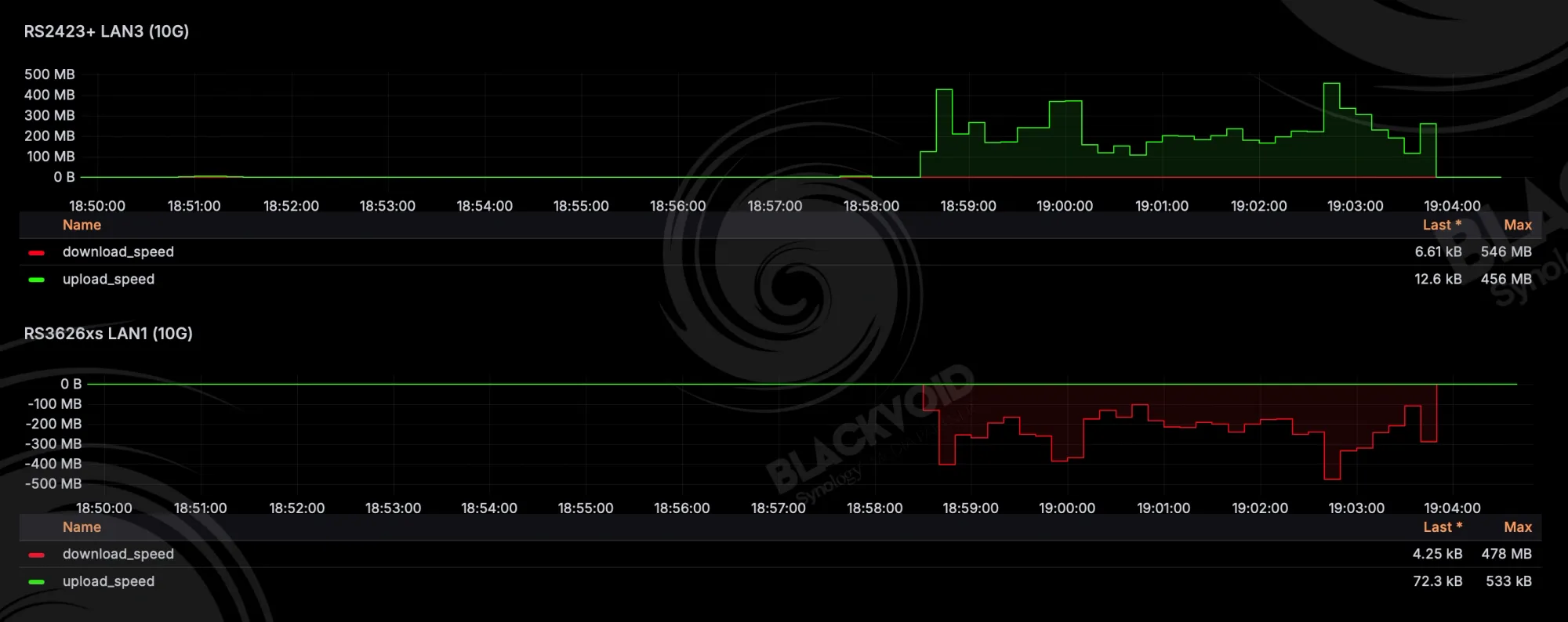
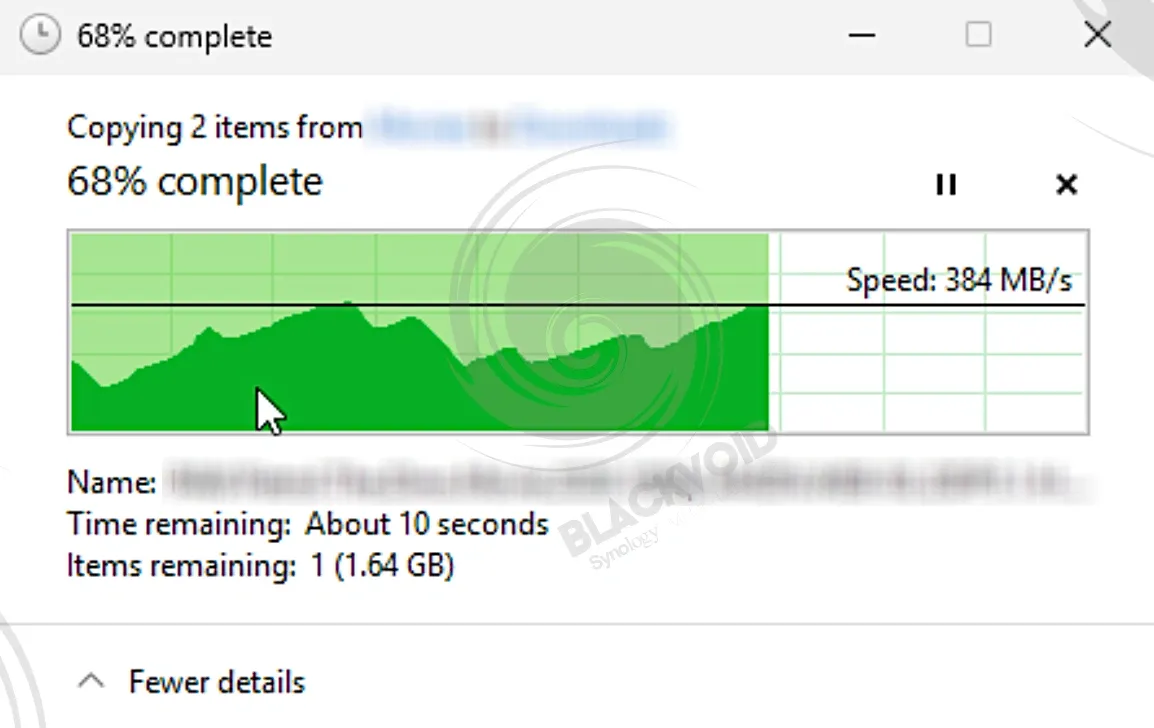
In this first example, we can see a single large SMB copy from a HAT3300 (5400rpm) array hosted on RS2423+ towards the HAT5300 (7200 rpm) array on the RS3626xs. With an average speed of 228MB/s, it took 5 min to copy a 67GB file.
HAT5300 > SAT5221 SMB copy (single large file)
Moving that same file from the RS3626xs and its HAT5300 array towards the RS1626xs+ and its RAID1 SSD array, we can see that the output changes dramatically. With an average speed of 440MB/s the same transfer completes now just under 2.5 minutes, hitting the maximum SSD speed of the SSD RAID1 array most of the time. Considering the SAT5221 models are rated at 500MB/s speed in a mirror configuration, we can't expect more.
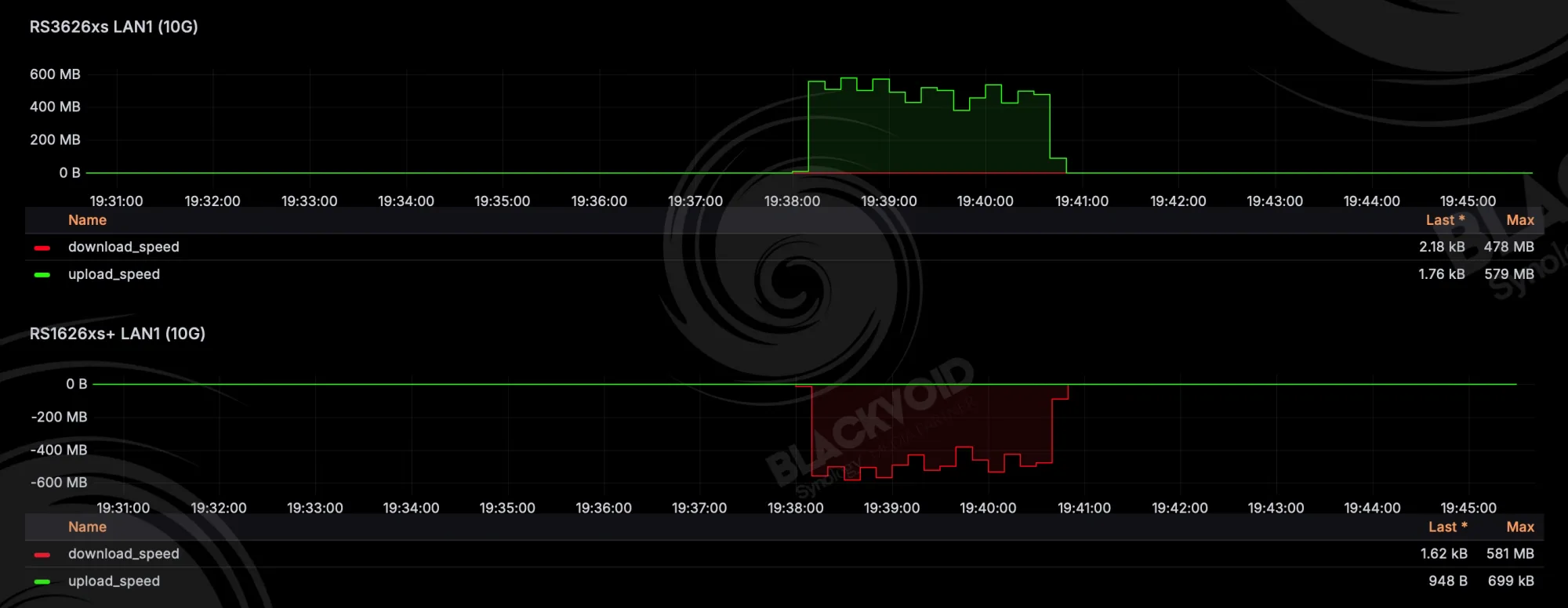
Still, the output shows near-sustained speed during the transfer, showing the real difference between the 5400 "plus" and 7200 "enterprise" drives, as well as the overall more robust setup of these new X26xs and xs+ models. At times, the top speed in these configurations reached close to 600 MB/s as well.
While on the topic of SMB transfers, the RS3626xs also does exceptional sustained transfers towards desktop devices as well. Testing a single large 46GB file with a Mac Studio M1 Max (10GbE, macOS27 Golden Gate), it took 1,5 minute to copy it with an average speed of 523MB/s.

Of course, speeds will depend on the protocol and application being used. Testing via Black Magic disk speed test using the same Mac Studio and RS3626xs as its destination, we can see that 10GbE speeds are possible in read operations, as well as high write operations.
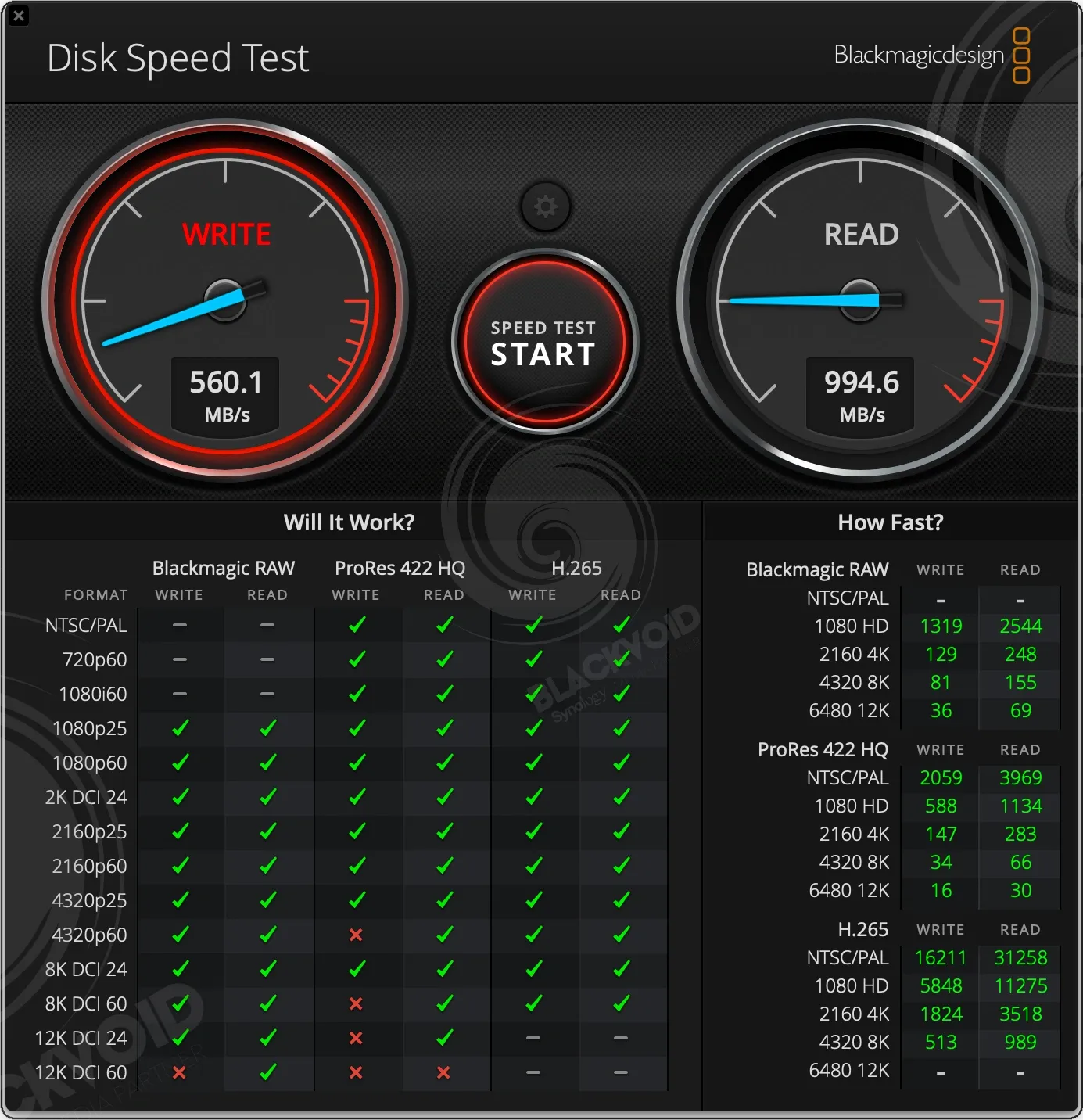
These results show that the backend, in this case the RAID5 array on the RS unit, is more than capable of supporting 8K ProRes 422HQ as well as 8K RAW. Overall, a lot of headroom just from a single 10GbE connection.
CPU and RAM utilization during these transfers was negligible (CPU at about 3% total), even though the NAS is running a dedicated VDSM (virtual DSM) instance on top of everything.
HAT3320 > HAT5300 SMB copy (large number of small files)
Moving now to a large number of small files, while the overall total size is 22GB, the sample consists of 2857 files across 295 folders. Copying the sample from the same RS2423+, this time around the RAID5 array was comprised of HAT3320 (7200 rpm) drives.
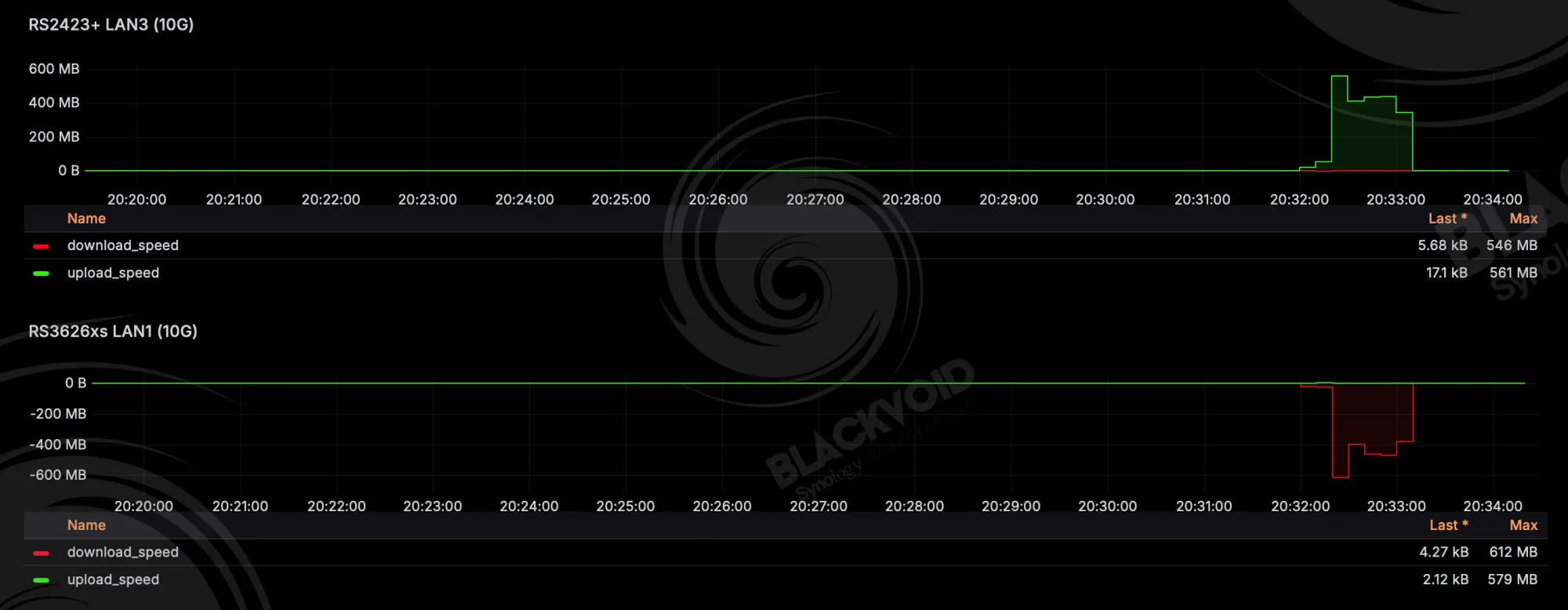
While still rated as "plus" drives, these new 7200 RPM disks are demostrating difference in performance compared to the HAT3300 series. An average speed of 375 MB/s was achieved during this 1-minute transfer.
HAT5300 > SAT5221 SMB copy (large number of small files)
Just as before, pushing this same sample forward, making the RS3626xs the source and RS1626xs+ the destination, while the transfer tool took about 10 seconds longer, it basically performed the same as in the previous test.
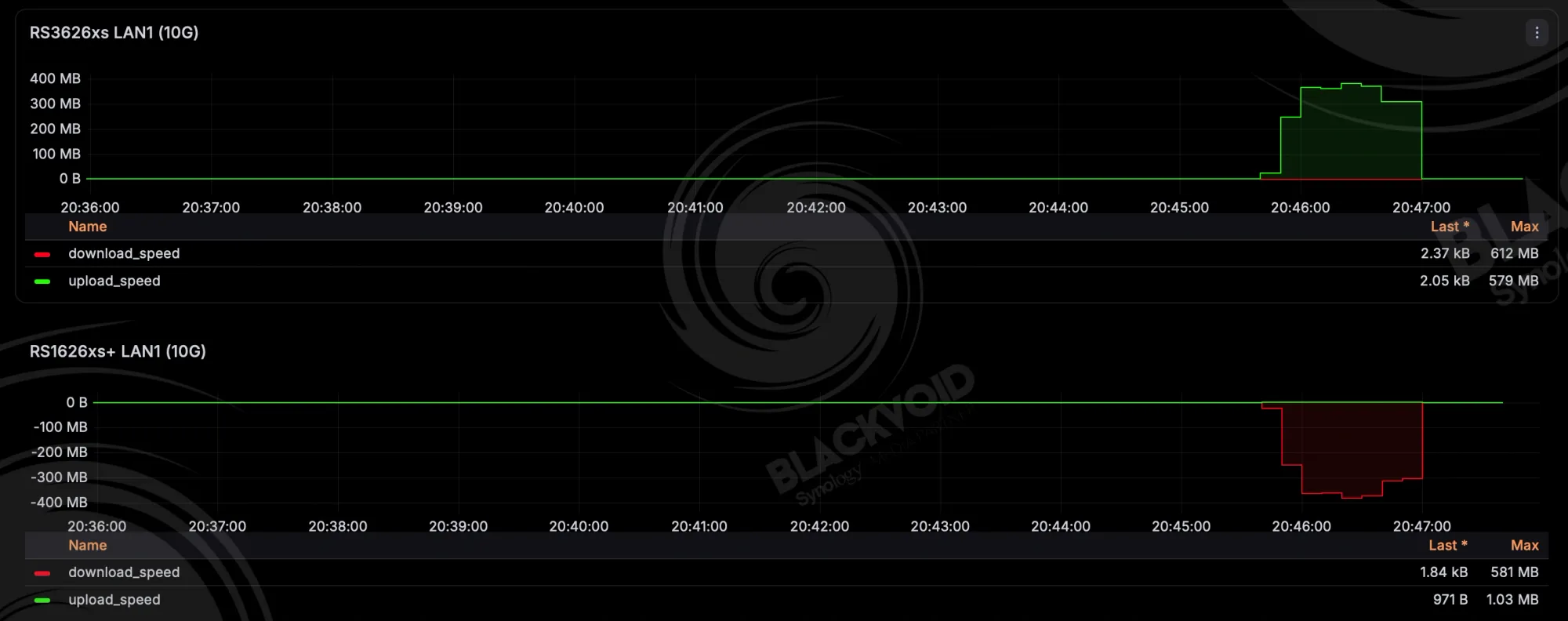
While a single file transfer is expected to be faster overall, these speeds are very good, all things considered. Even more so when transferring the data over to a Mac Studio client machine. With an average speed of about 470MB/s, it took only 50 seconds to copy the same sample over.

HAT5300 > multiple Mac machines (single large file)
As shown, the RS3626xs has more than enough capabilities when it comes to pure data transfers via the most common transfer protocol today. Again, depending on the network setup, sample size, as well as endpoint clients and their OS, the speeds will vary.
Let's end the SMB tests with one more very common scenario, copying data to multiple clients at the same time. While we have seen so far that the data transfer towards a single client is roughly around 400-500 MB/s mark, what happens when we have multiple 10GbE clients?
Using the same 67GB single file as before, this time we will use the aforementioned Mac Studio M1 Max and Mac Mini M4 Pro (both 10GbE capable) as our test units.



This parallel test was completed in about 3 minutes with an average transfer speed of about 800MB/s (both streams combined), peaking at times to a full 10GbE as well. Again, the CPU and RAM were not affected at the slightest, showing that this versatile device was designed for far greater loads than this.
Virtual machines
For a NAS of this size and capabilities, virtualization is an area where we can expect no issues at all. Installing a fresh Windows 11 machine took about 8 min total from start to the first update screen (including two reboots).

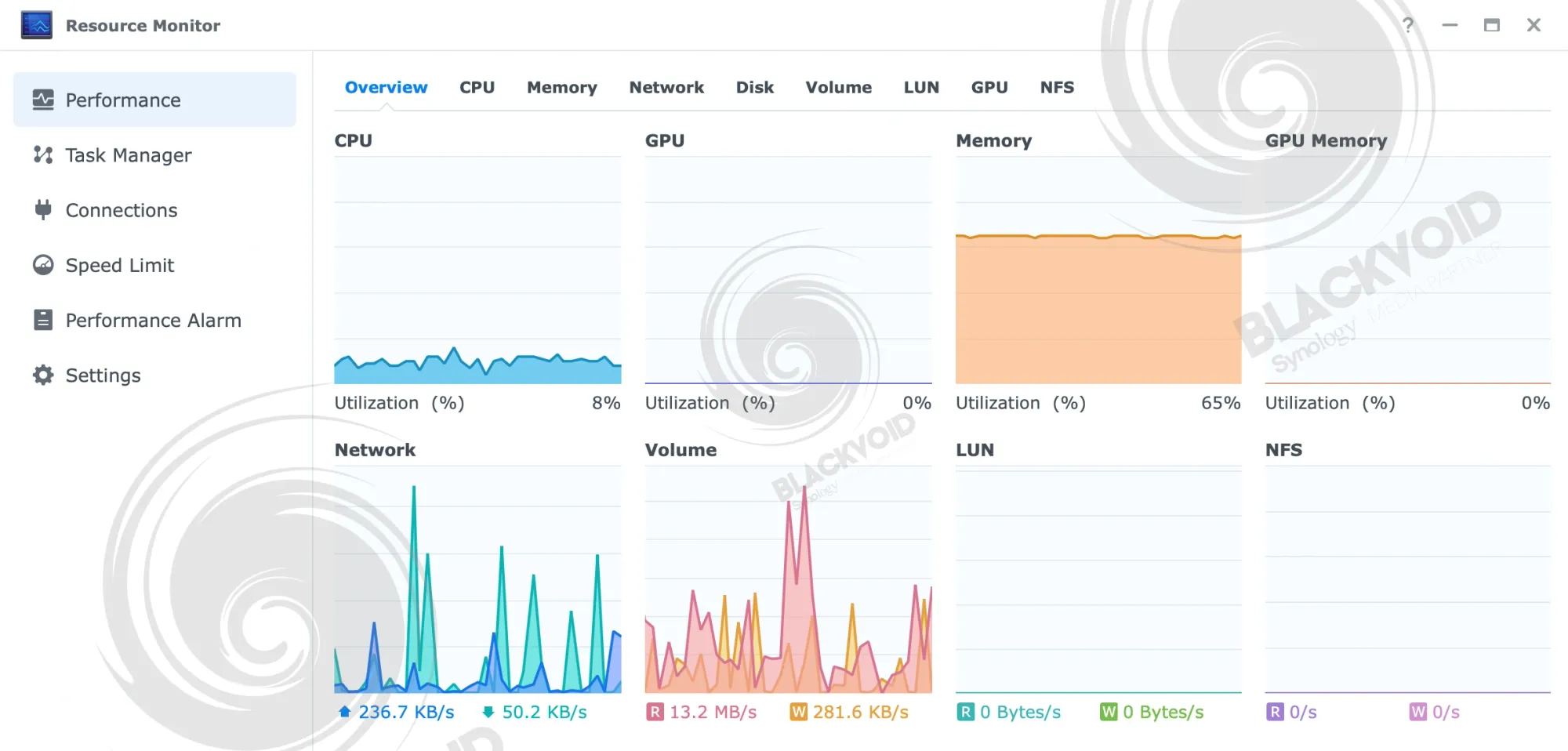
The CPU and RAM utilization were as expected, between 10-20% during installation, with about 9-10GB of RAM for the DSM, virtual DSM instance, and one Windows 11 machine.
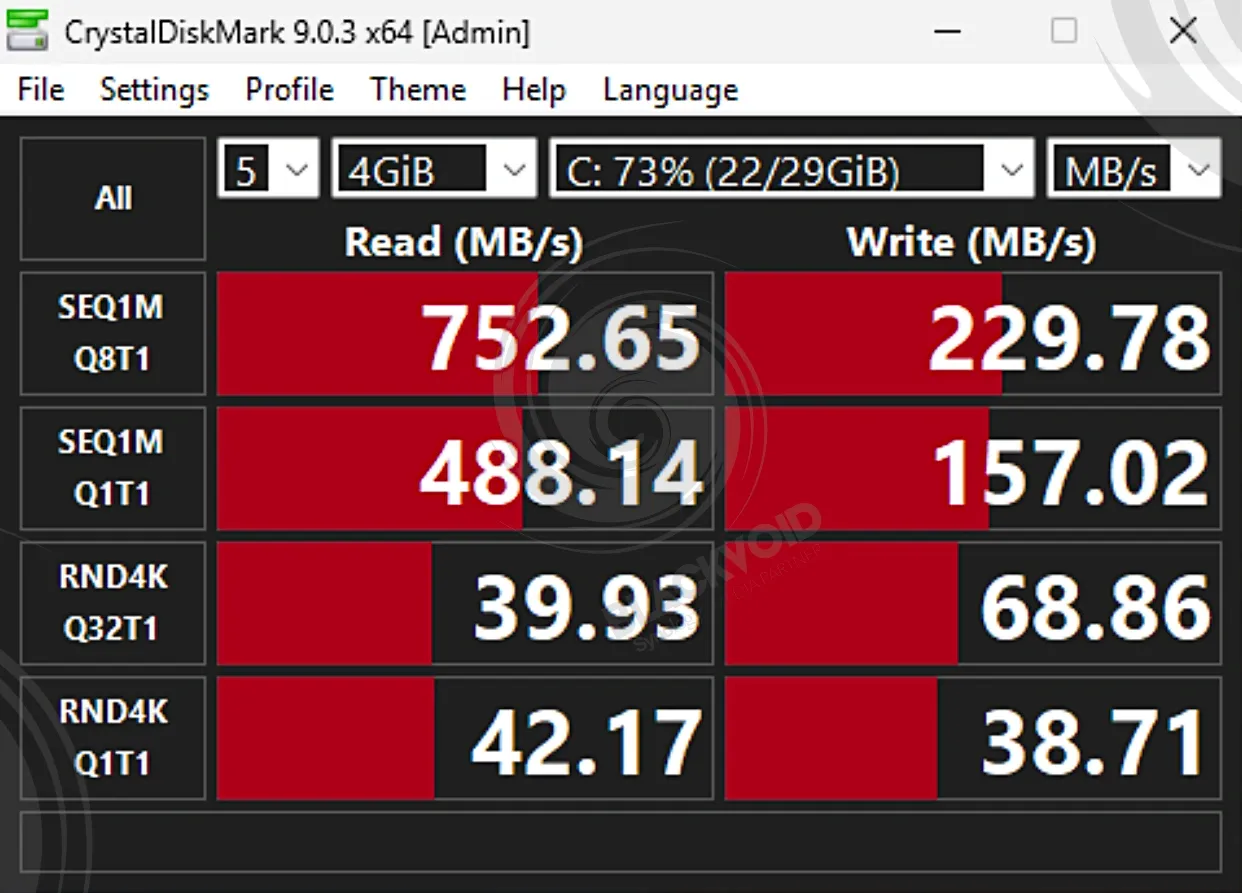
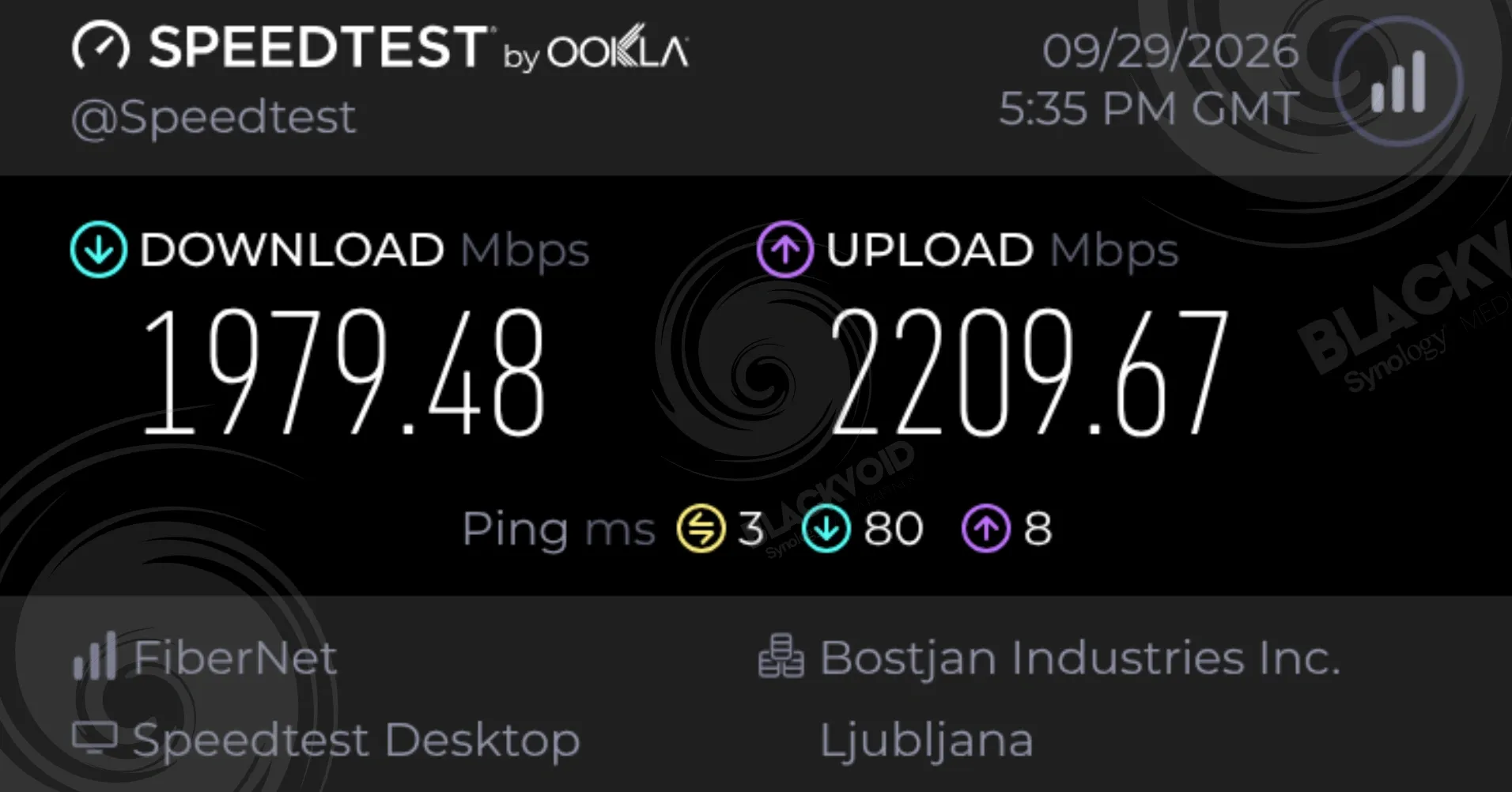
After installing VMM tools and accessing the VM via RDP application, the feeling of working on it is near bare metal when it comes to basic operations. Configured with a 10G adapter, the network speeds were as expected while testing Internet as well as SMB transfers.
While the NAS is more than capable of running even more than a few virtual machines (depending on the hardware and the OS in question), compared to some lower models, this is still a NAS first and foremost. Meaning, it would be best to leave the hypervisor role to a dedicated machine with an even more capable CPU, as well as some NVMe drives.
Not that this NAS can't be equipped with NVMe via a dedicated PCIe card, it's just that its main roles are still backup and services. This is where this RS unit excels.
ActiveProtect and Synology Tiering
Speaking of backup and services, the RS3626xs supports both Synology Tiering and ActiveProtect Vault apps and features. Currently, only eight Synology lineups support those capabilities, 48 devices to be exact, that offer additional support for main production devices for both backup and compute.
 Luka Manestar
 Luka Manestar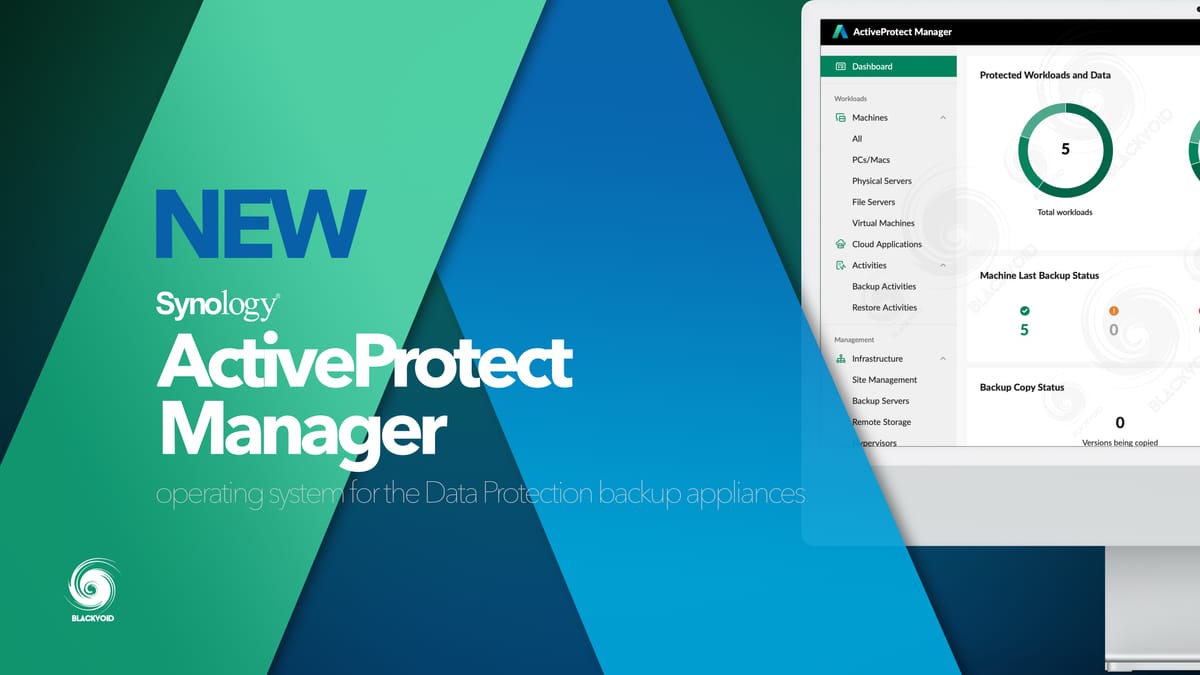
What that means is that this NAS can serve as an immutable backup copy location for Active Protect backup appliances, such as DP7400 or DP320, as well as either a hot or cold tiering device for storage resources optimization.
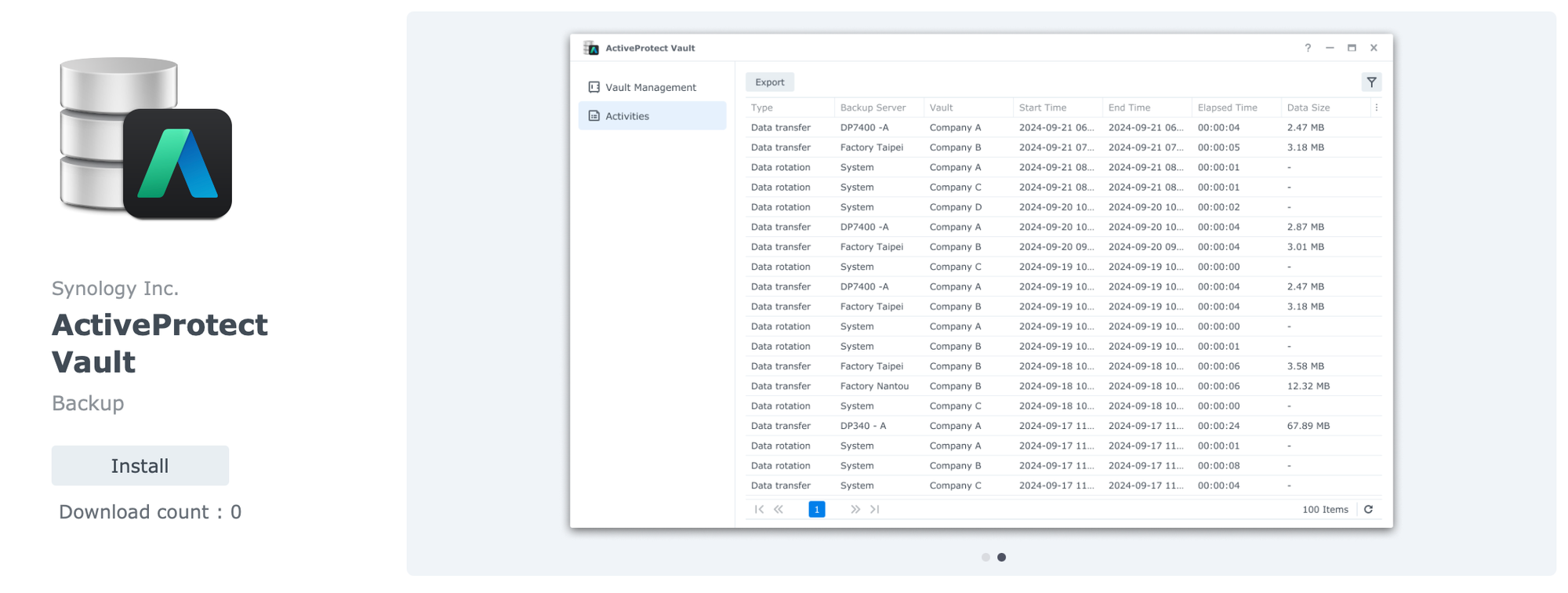
Installing the ActiveProtect Vault app, by default, a new W.O.R.M. folder will be created (new ones can be added as well) that will be used as a destination for DataProtect backup jobs. Just like with any other ActiveBackup platform from Synology's DSM Package Center, the APV will allow for the creation of custom folders and multiple keys that can be used to configure the NAS as a remote backup location for up to a hundred DP appliances.
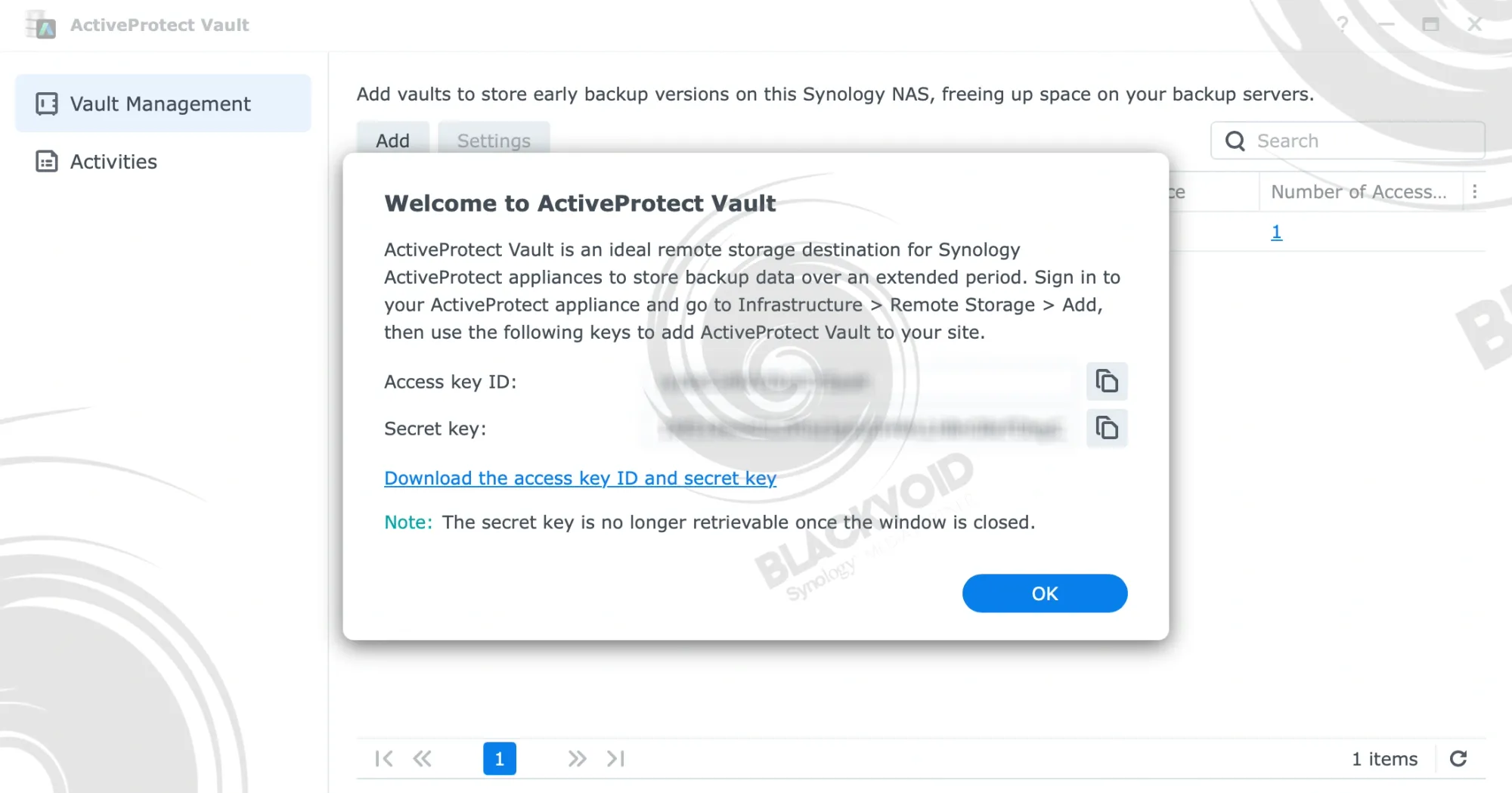
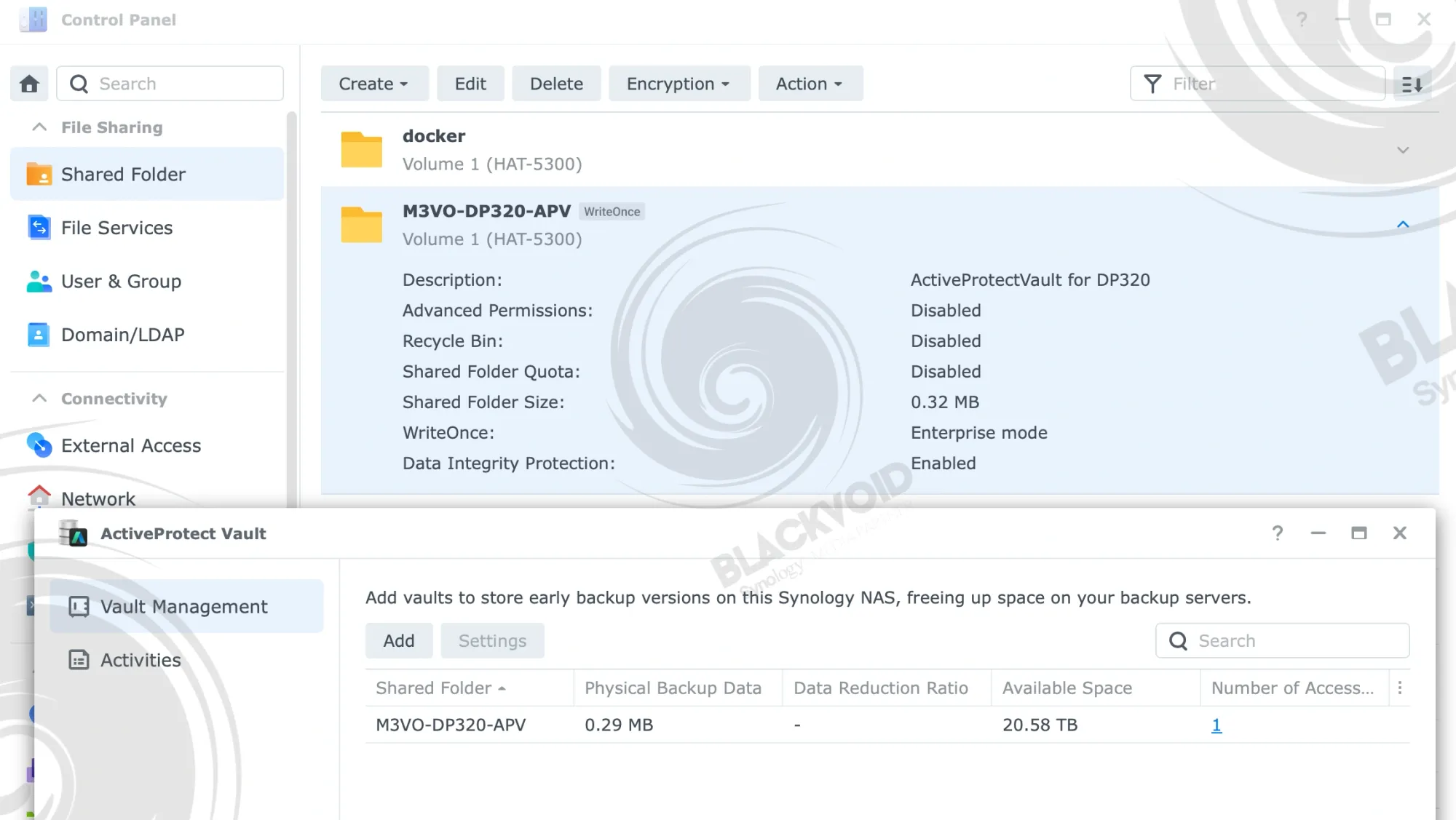
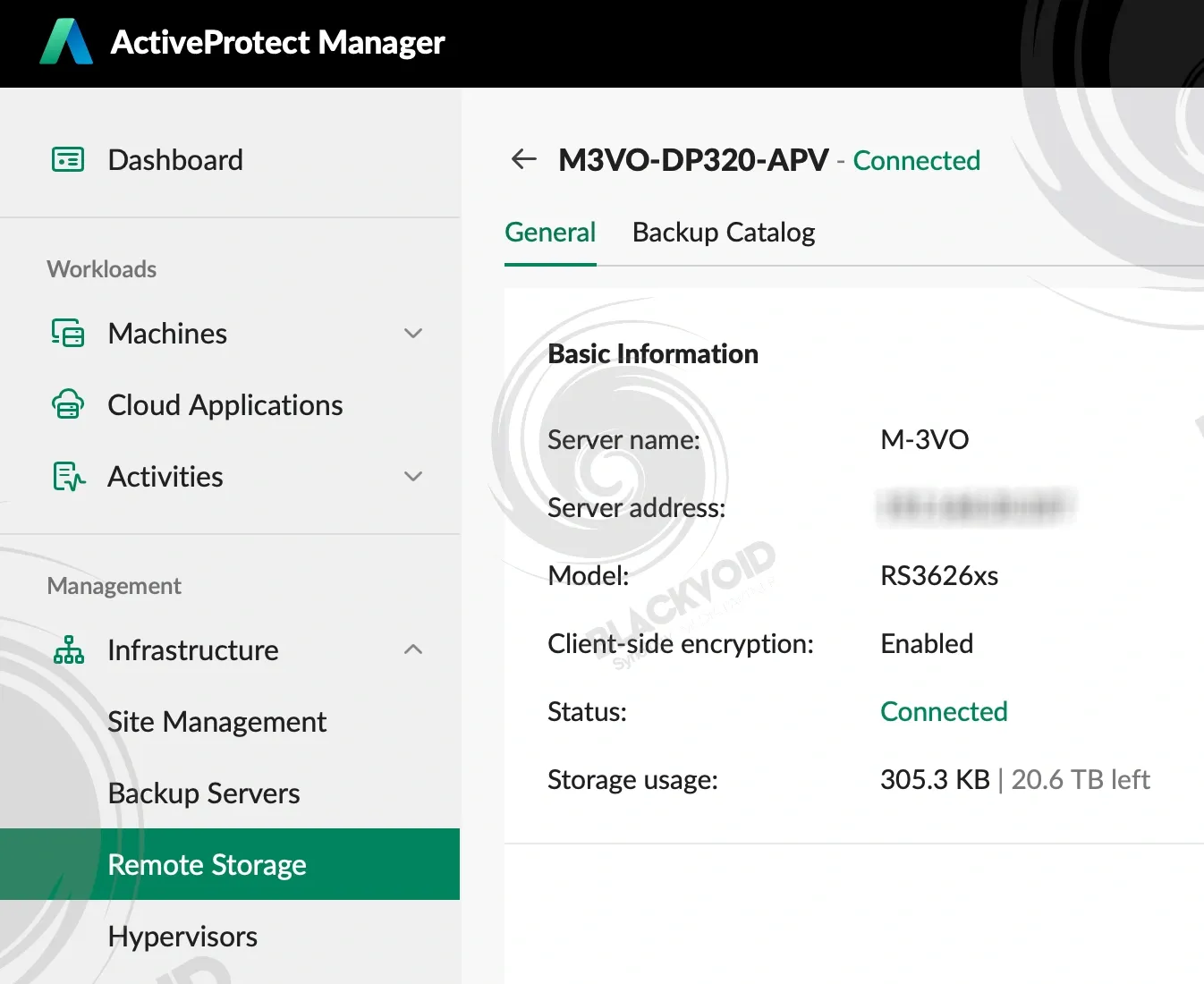
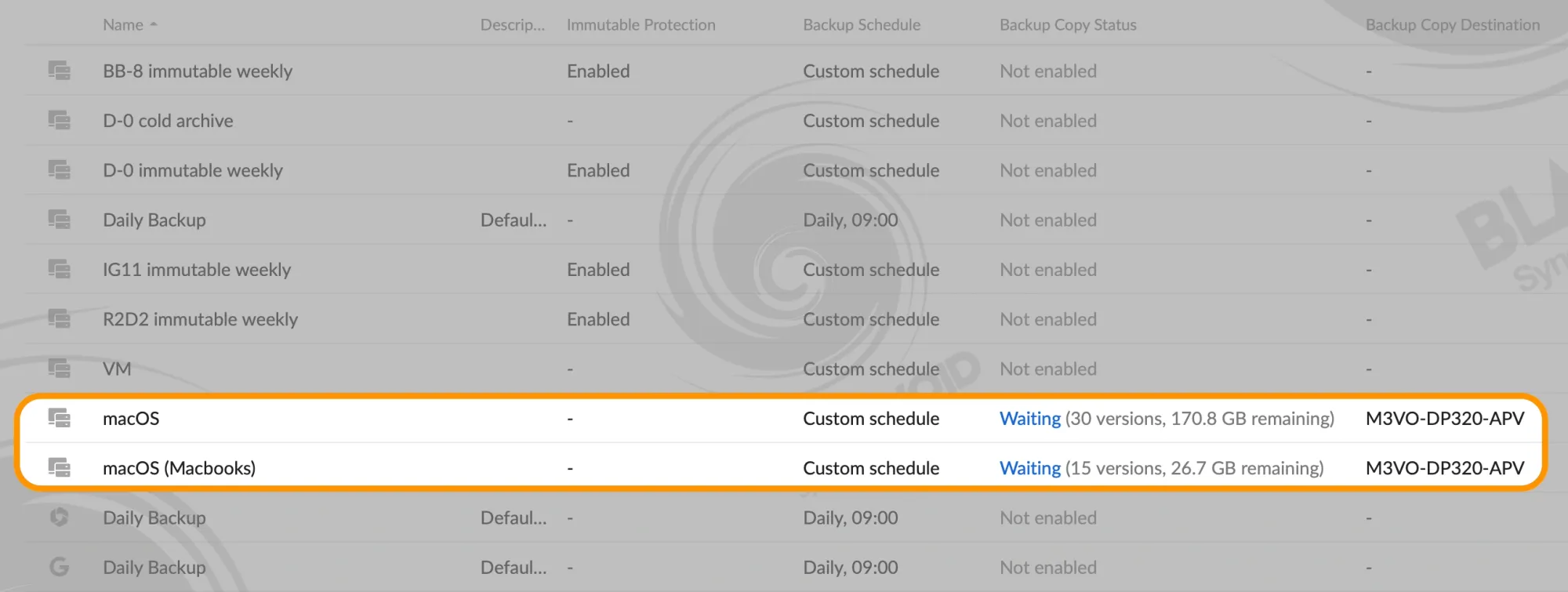
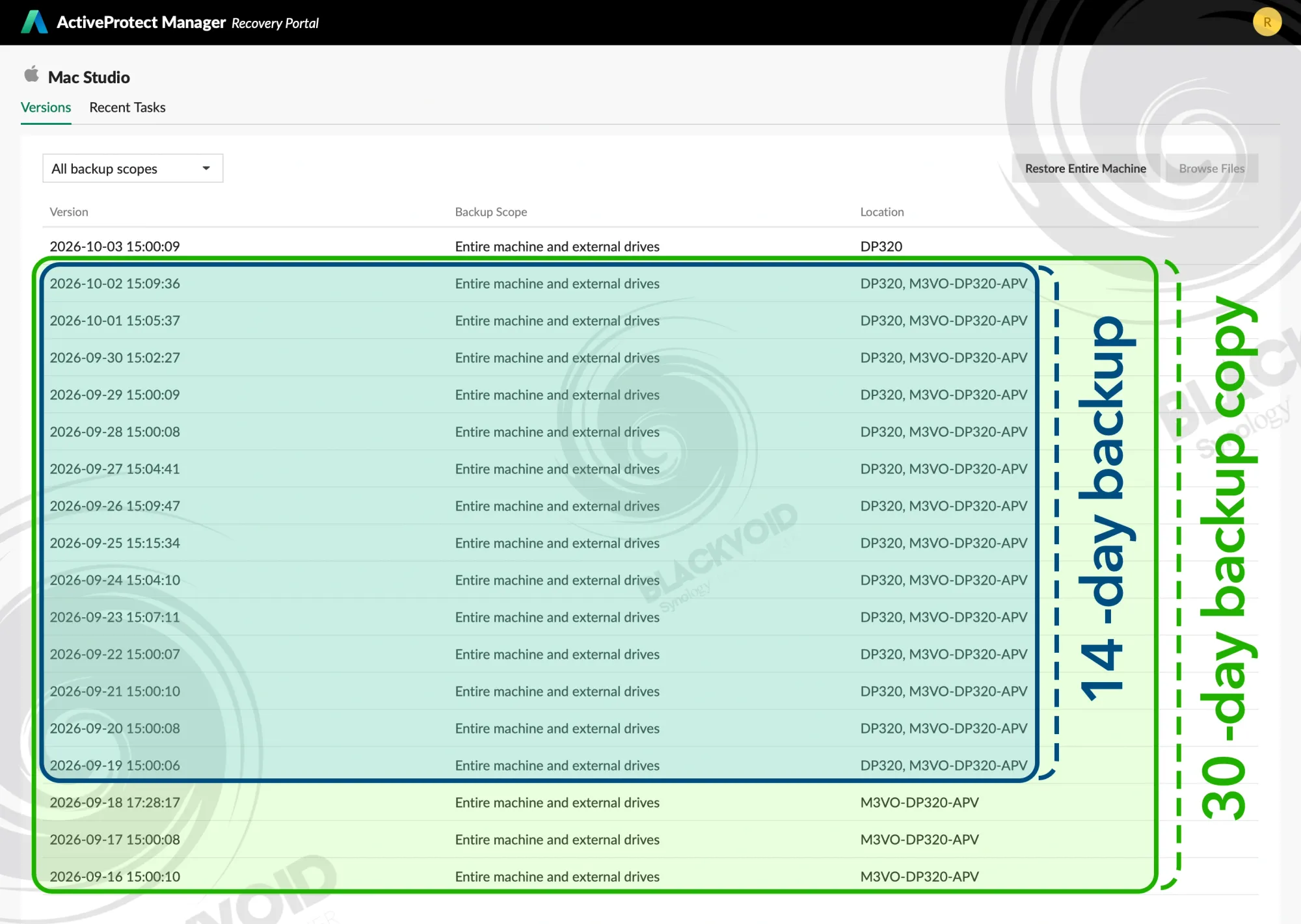
High-capacity devices such as the RS3626xs can handle backup copy or tiering tasks with no issues at all, specifically as those can be configured on a custom schedule outside peak hours, preventing saturation and performance issues for active users.
Synology productivity apps with AI-enhanced capabilities
One more thing that separates this particular model, as well as other X26 rack models, is the introduction of the new Drive 4.1 and Office 3.8 (both currently still in beta).
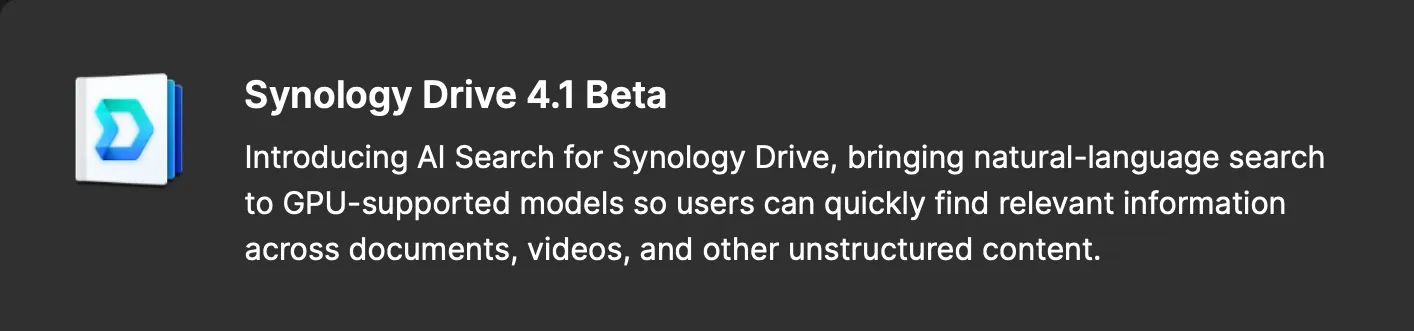
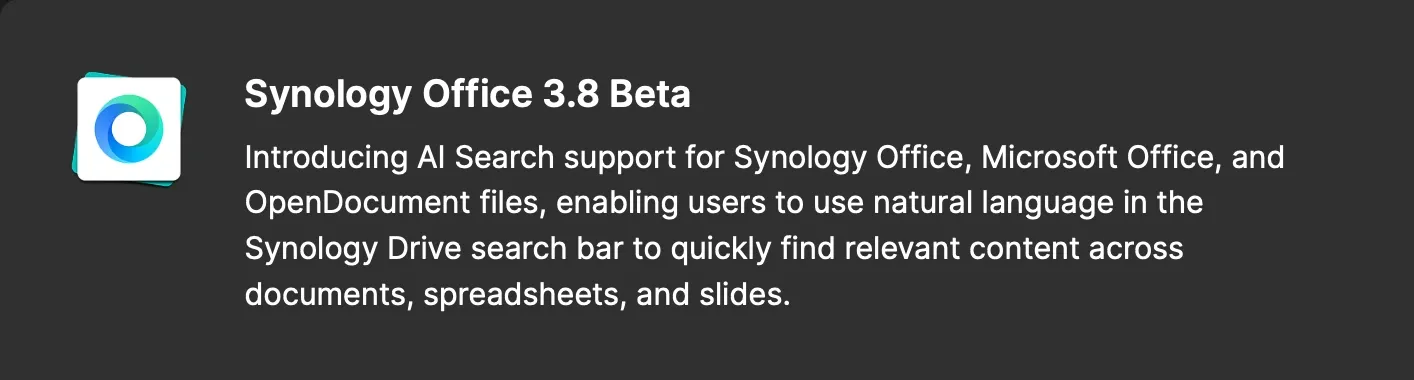
These productivity platforms now support AI search capabilities powered by an NVIDIA GPU that can be installed inside the NAS itself.
This feature allows users to quickly find files using natural language queries and view relevant content snippets for a more intuitive search experience.
As previously mentioned, the 2000 and 4000 RTX NVIDIA cards are supported, and a review of this will come as a separate article, but it goes to show that Synology is pushing the local AI/LLM implementation beginning with the x26 series.
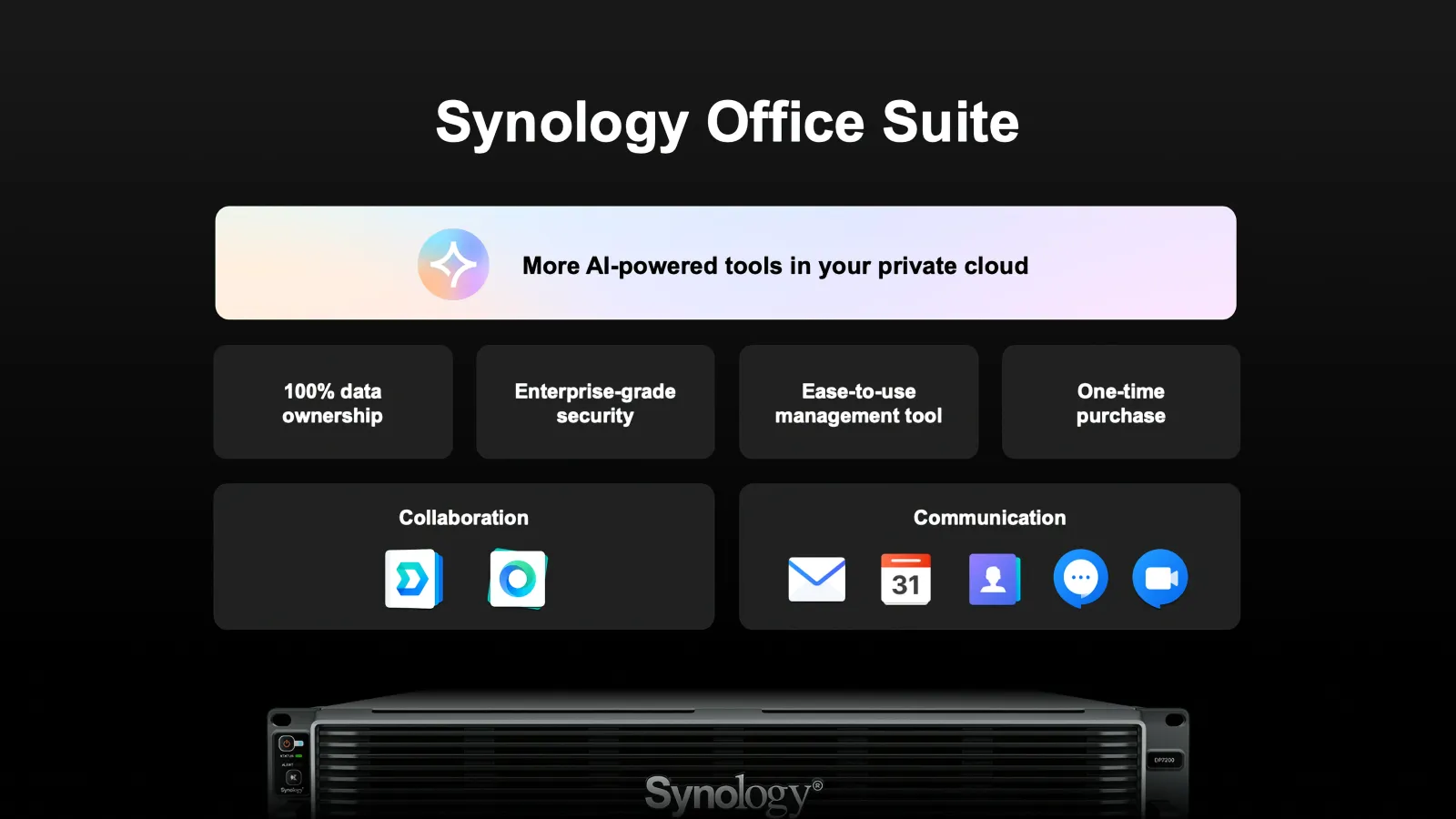
Along with Drive and Office, we can also already test out new ChatPlus and Meet Server, also in beta at the time of this article. While these platforms will be license-based, Synology has made them from the ground up, offering customers on-premise alternatives to the most popular collaboration tools currently available.
Combined with the RS3626xs AI capabilities via installed GPU, we will be able to utilize various features inside all apps to further push and speed up productivity.
Conclusion
With many more scenarios that this machine can be used with, it is impossible to write them all down, but the point is that the RS3626xs is indeed a versatile model capable of serving hundreds of users, apps, and services. From a pure backup, hot or cold tiering endpoint, as well as a surveillance host, all the way to backing up data from public cloud providers.
No matter the case, with its expansion capabilities, the RS3626xs really has unlimited combinations. Priced at about 5200€ (with no drives), the new 12-bay model will be a fine starting point for anyone looking at a rack-based AI host, on top of all that DSM and its apps have to offer. We also have to say that Docker support further unlocks another plethora of services for an ultimate combination tailored for anyone's needs.
It's starting 8GB of RAM might be a bit low, especially if we are looking into virtualization, but a 6-core CPU, and a wide variety of drives, SSDs, and NVMe's offer plenty of combinations that will fit best for small businesses as well as large enterprises.
It is also worth mentioning that the device uses less than 90W of power in idle with up to six drives, allowing for a very affordable 24/7 operation schedule.
While this is not the only X26 rack model that Synology has released this year, it will certainly be the most popular one coming from a well-proven lineup of 12-bay models before it.