Synology C2 OneStorage

Back in May, Synology announced multiple changes affecting its C2 cloud portfolio, including price changes and service termination.
 Luka Manestar
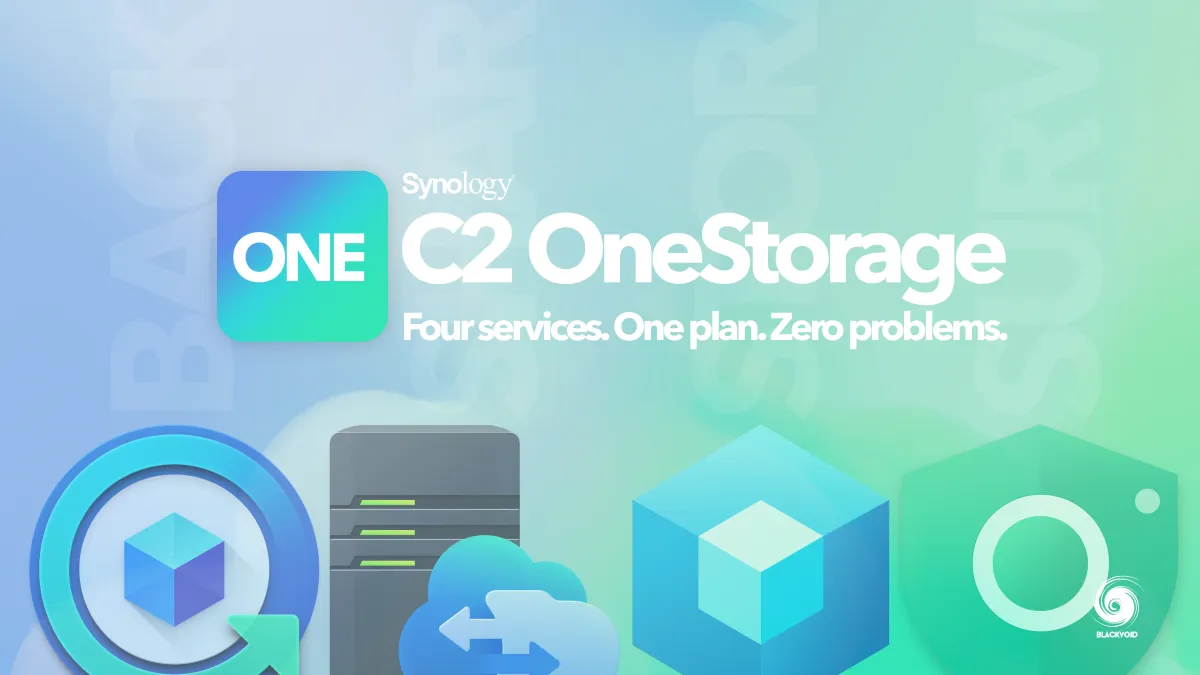
Details of upcoming changes are covered in the article linked above, but one other thing that is happening with these changes is the introduction of a new C2 plan called OneStorage.
OneStorage is not a new C2 service but a new license plan, replacing subscription-based ones that we have had so far. This particular plan also covers all major C2 services under one roof and starts with 300GB of capacity.
Included Services
C2 Storage for Hyper Backup
 Luka Manestar
- Back up data from your NAS to the cloud
- Access backup files from a web browser
C2 Storage for Hybrid Share
- Multi-site file sharing and syncing
- Local cache for frequently accessed data
C2 Object Storage
 Luka Manestar
- S3-compatible cloud storage with immutability
- No charge for egress or API requests
Surveillance365
 Luka Manestar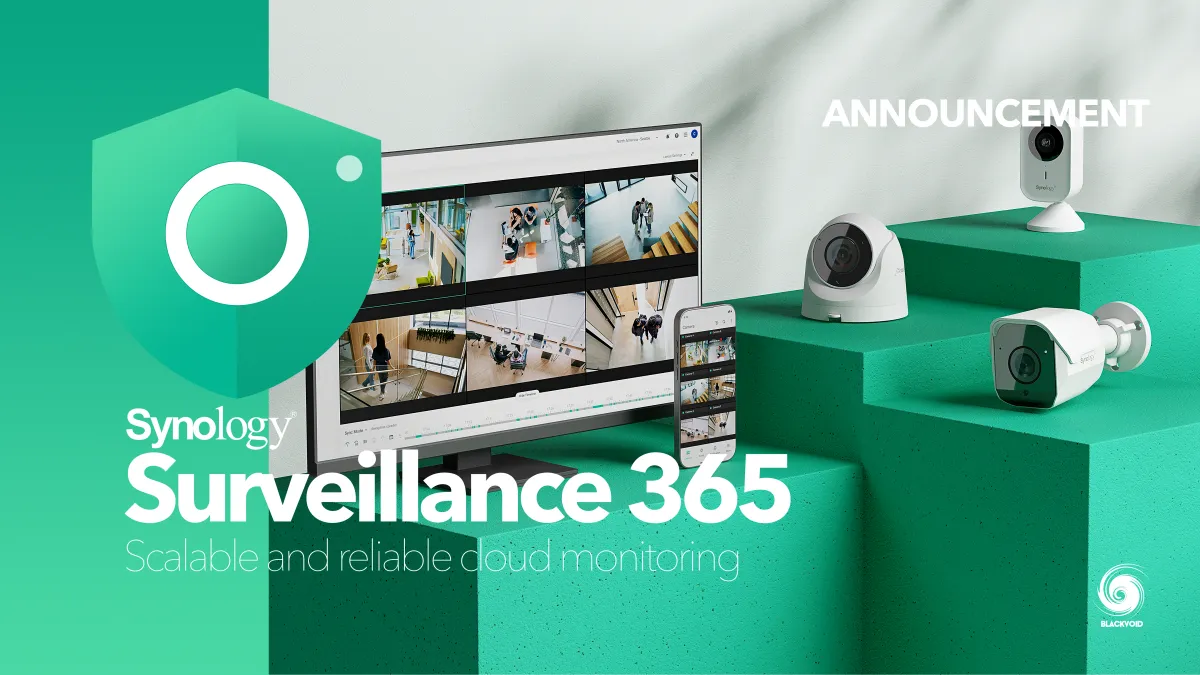
- Backup video recordings to the cloud
- Granular camera retention plans
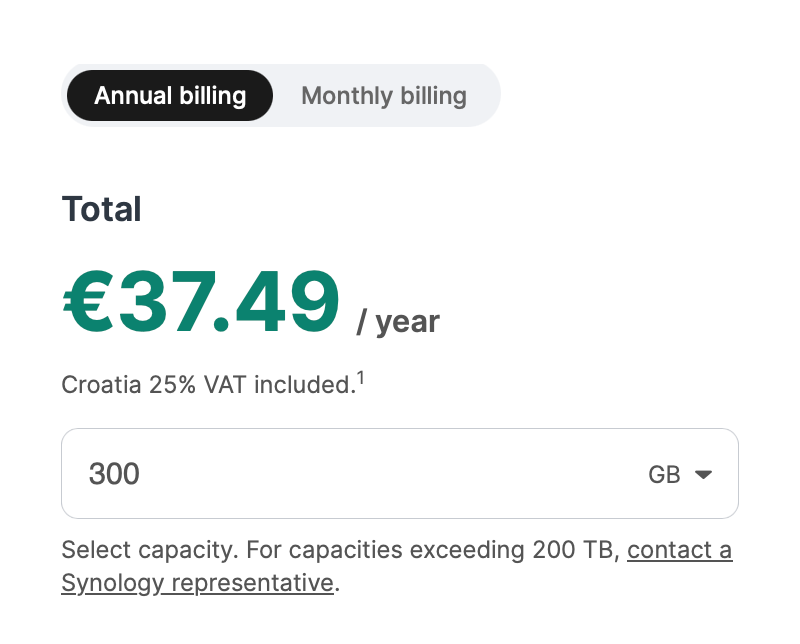
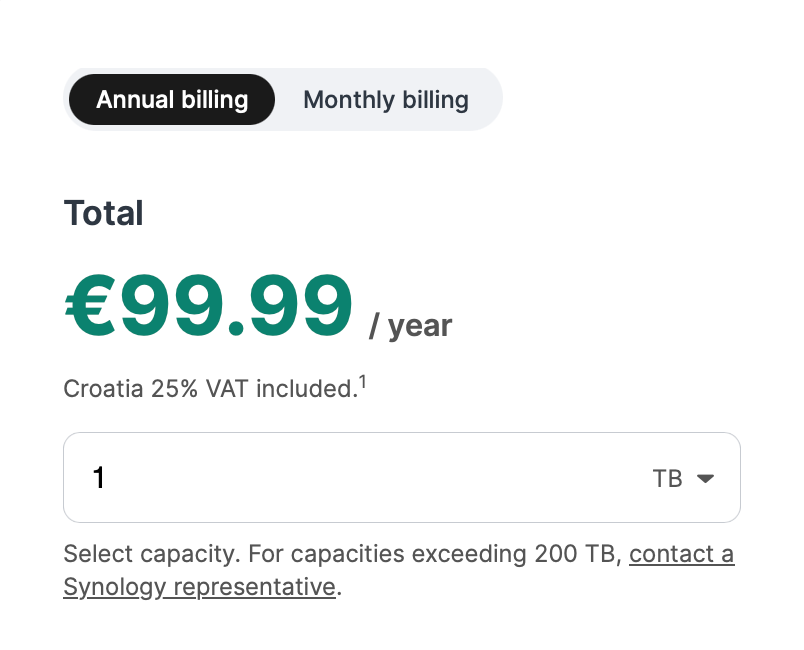
C2 OneStorage pricing for 300GB and 1TB (yearly) - October 2026
Price-wise, things have changed over the years. Back in 2017, C2 Storage 100GB was offered for 9.99€ (plus VAT), so a third of the price. The biggest jump was in 2022, when a 300GB plan was set as minimum and priced at 14.50€ (VAT included).
Now granted, the 60% jump in price since then, today does come with three more services on top of C2 Storage for Hyper Backup, so one could argue it is justified.
One more important thing when it comes to acquiring the new license is that an individual can't get it from Synology on their own. These new licenses need to go via a partner portal and resellers before they can be activated and used.
Transition from subscriptions to OneStorage
In case the user is an existing C2 subscriber to any of the services that are becoming part of OneStorage, the migration process is straightforward.
The process is already ongoing for anyone renewing their subscriptions since the end of June till the end of this year in December. After that, the old subscriptions will be deprecated.
The licence management is part of the C2 Partner Portal. There we can manage all cloud, pacakge and system licences.
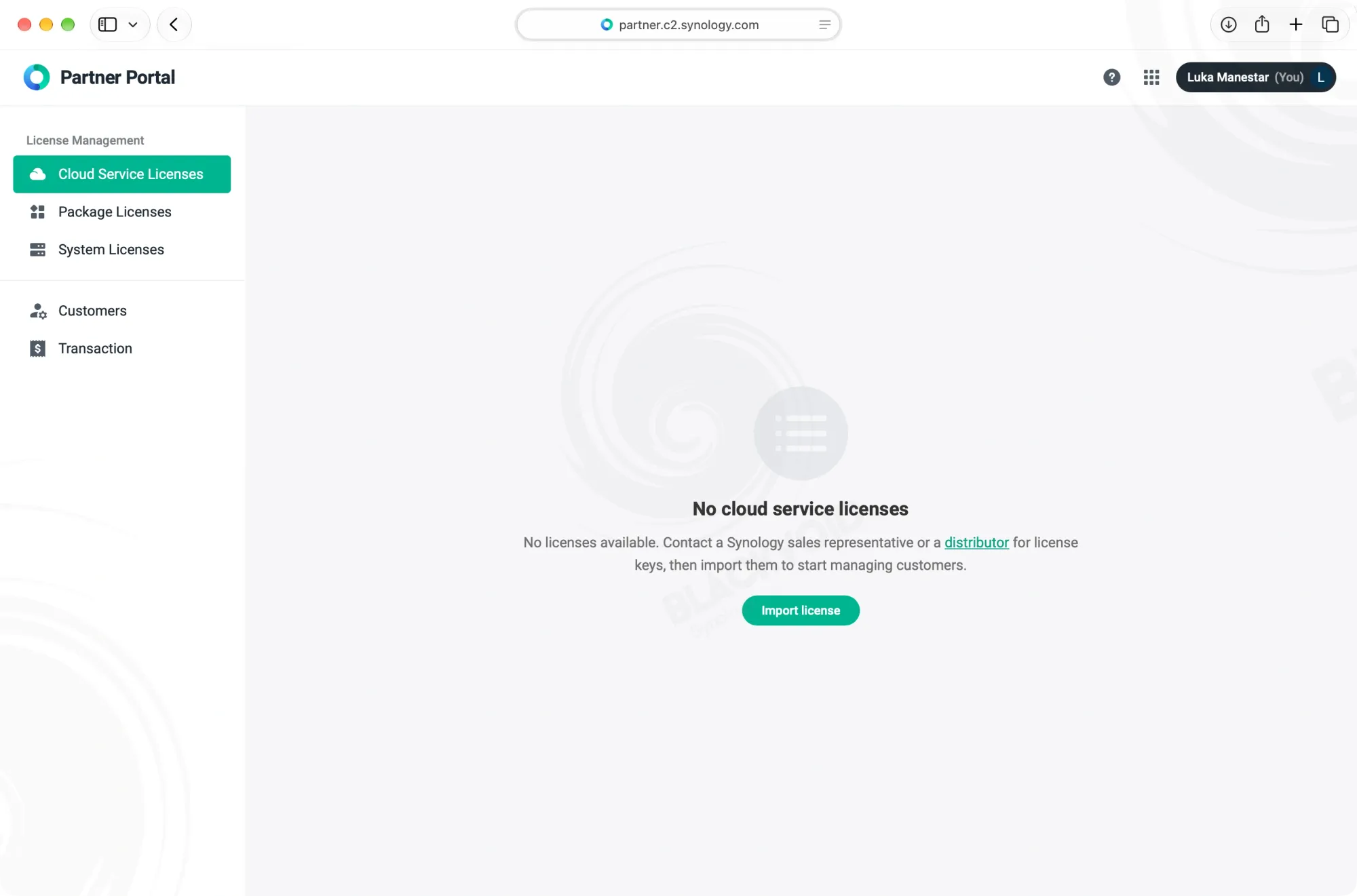
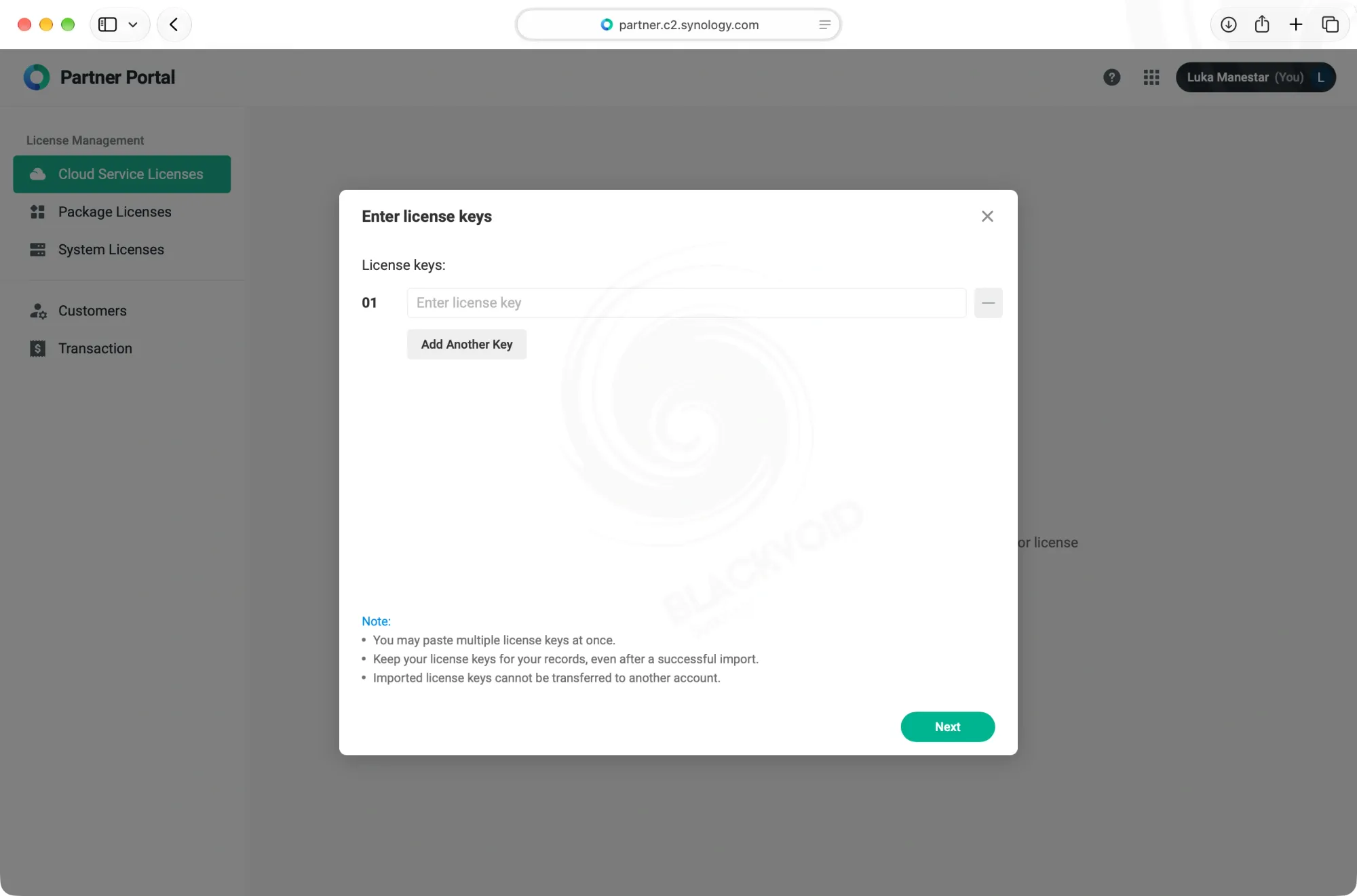
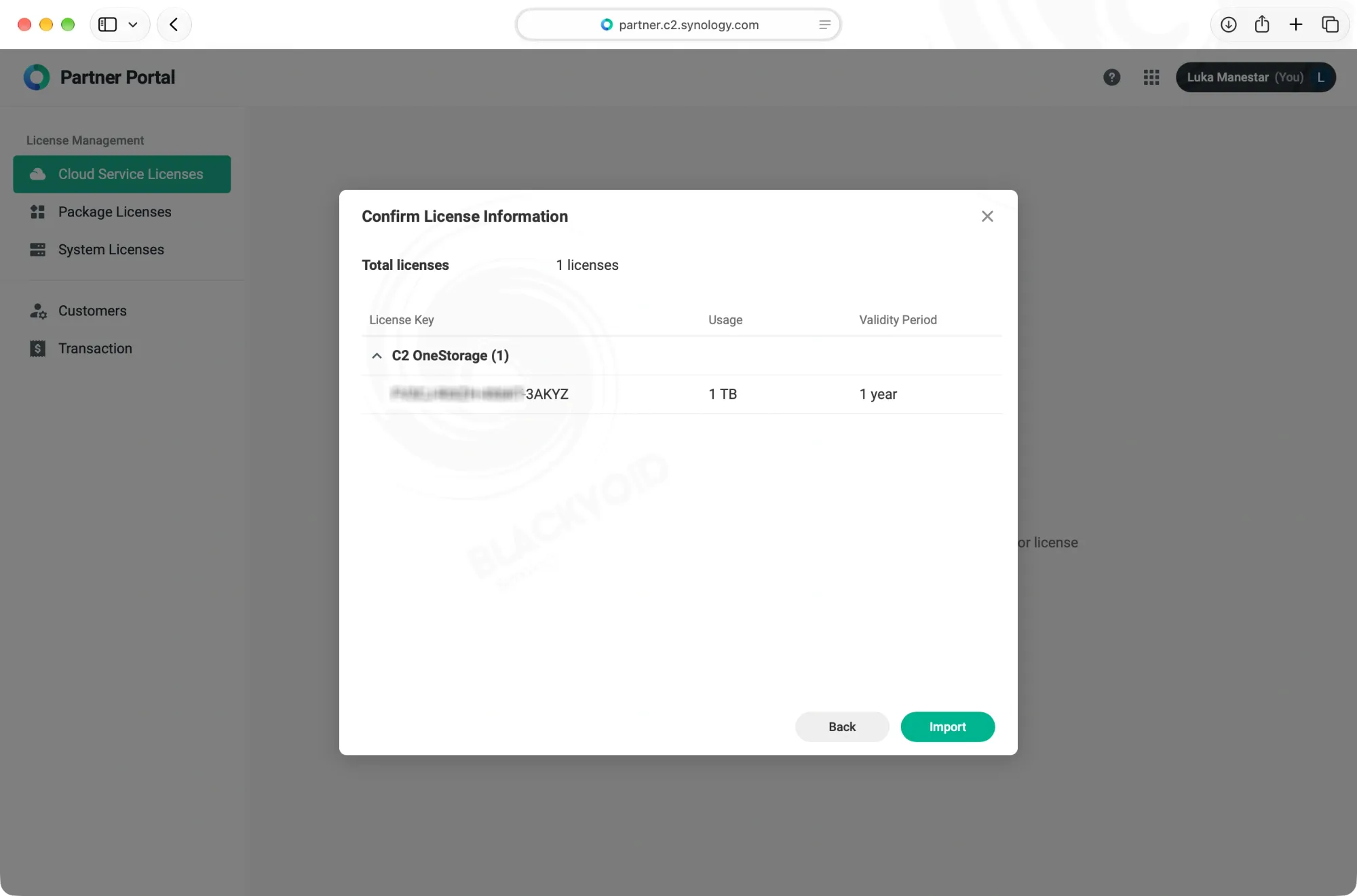
Adding a purchased digital licence
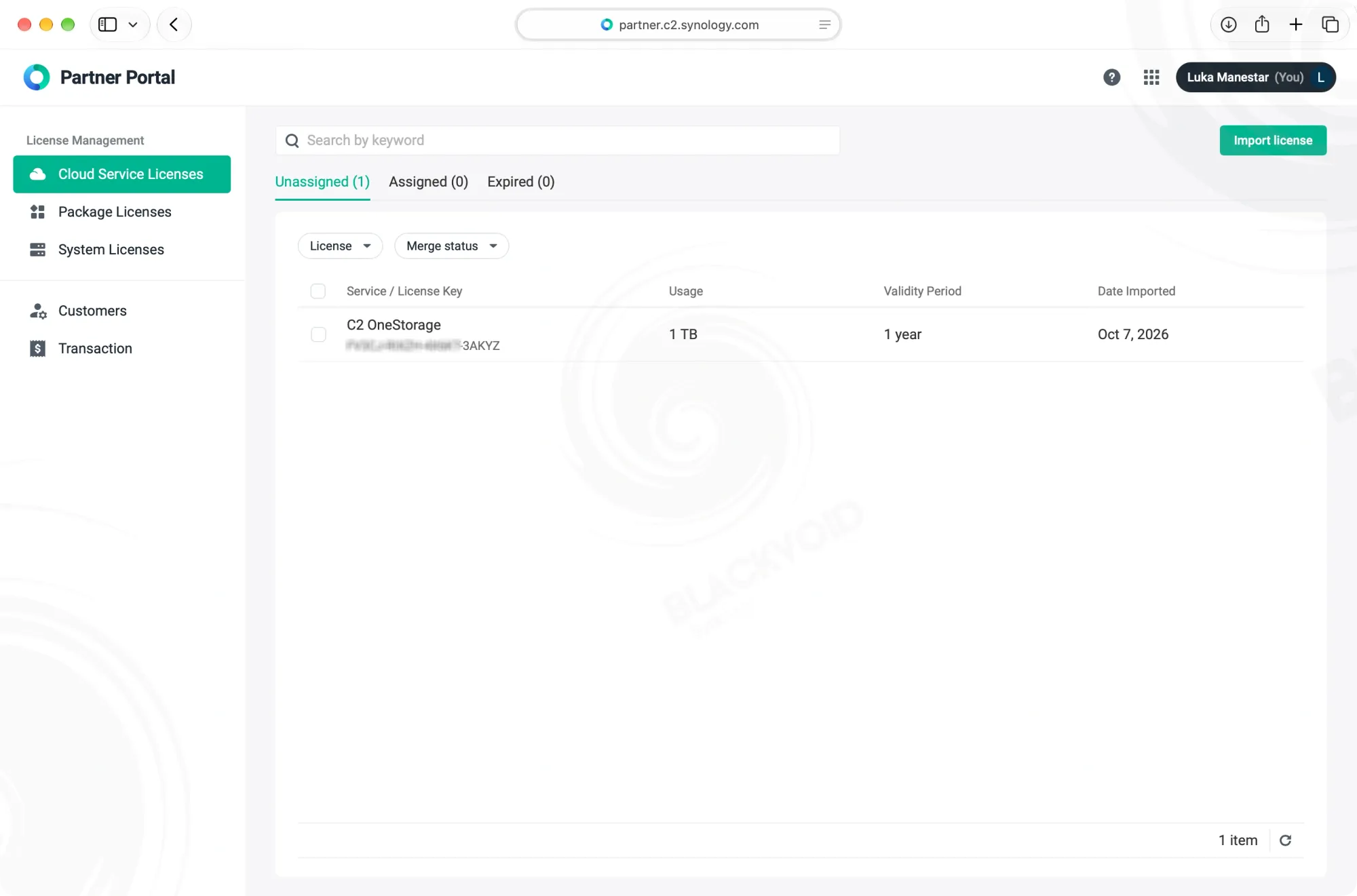
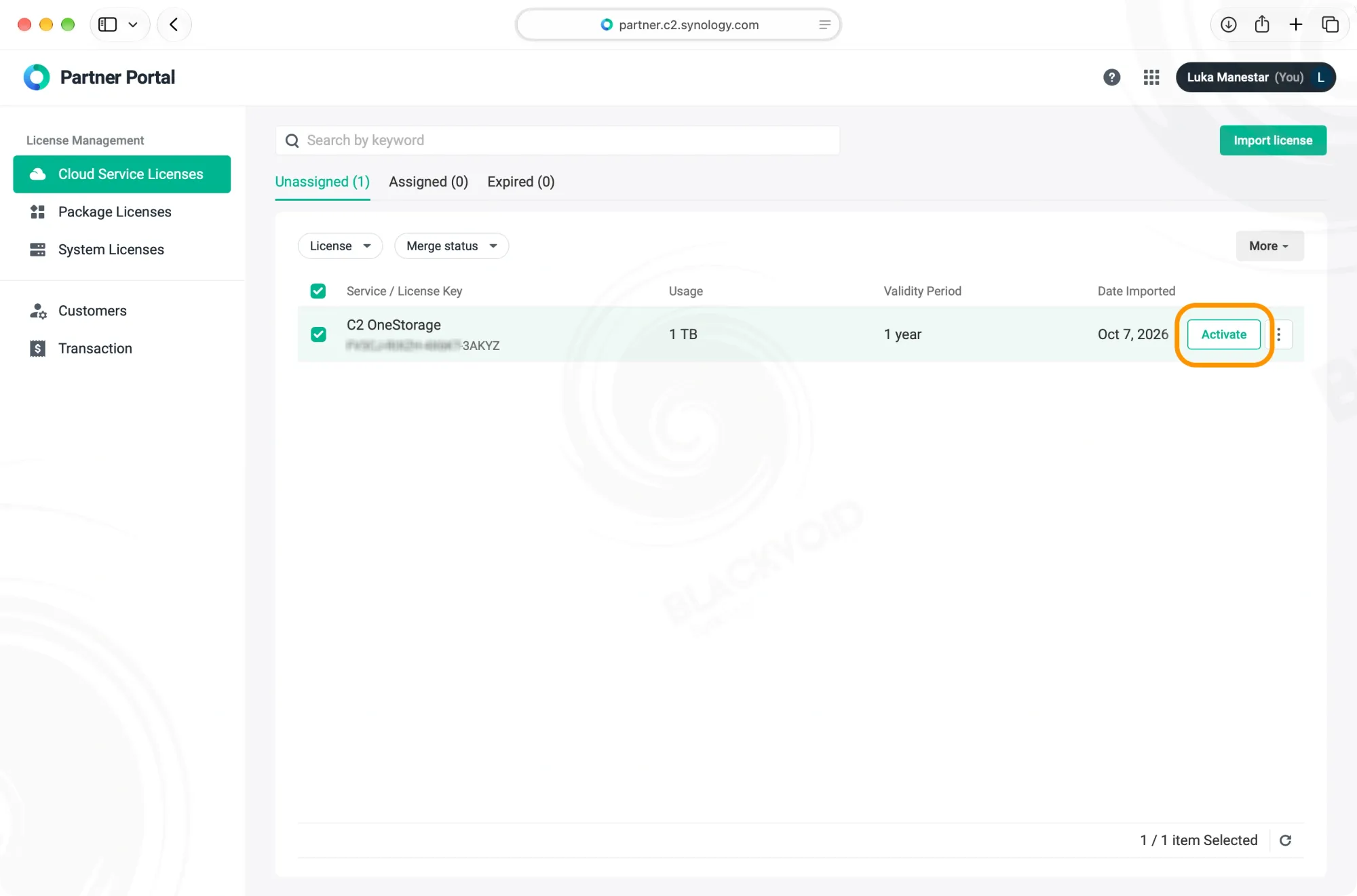
Once the licence was acquired and delivered digitally, we now need to add it as a cloud service licence and then activate it.
In case the user is still under an active subscription model, they will first be migrated over to the new OneStorage model for the remainder of their subscription period and then activated with the new OneStorage licence.
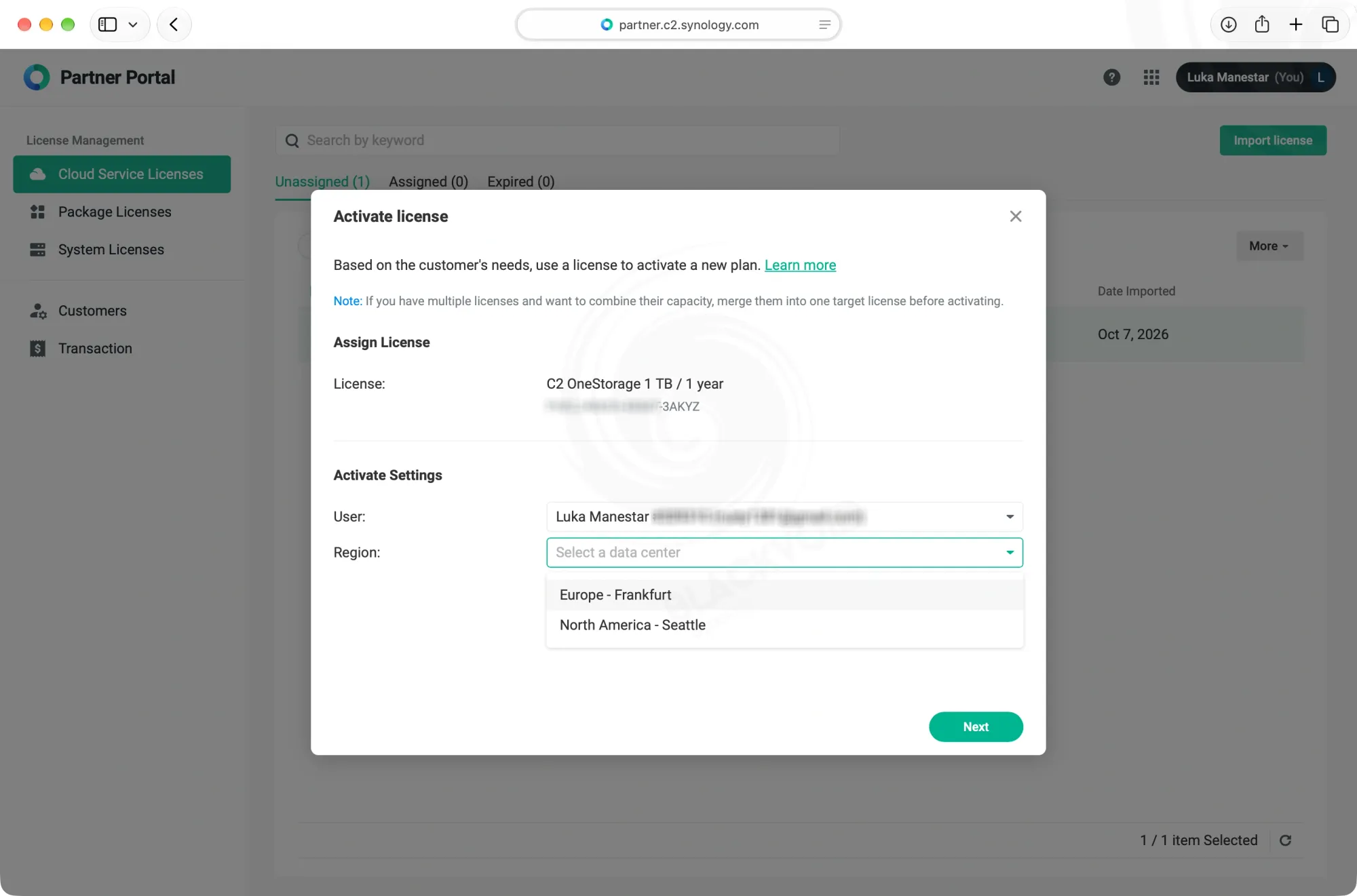
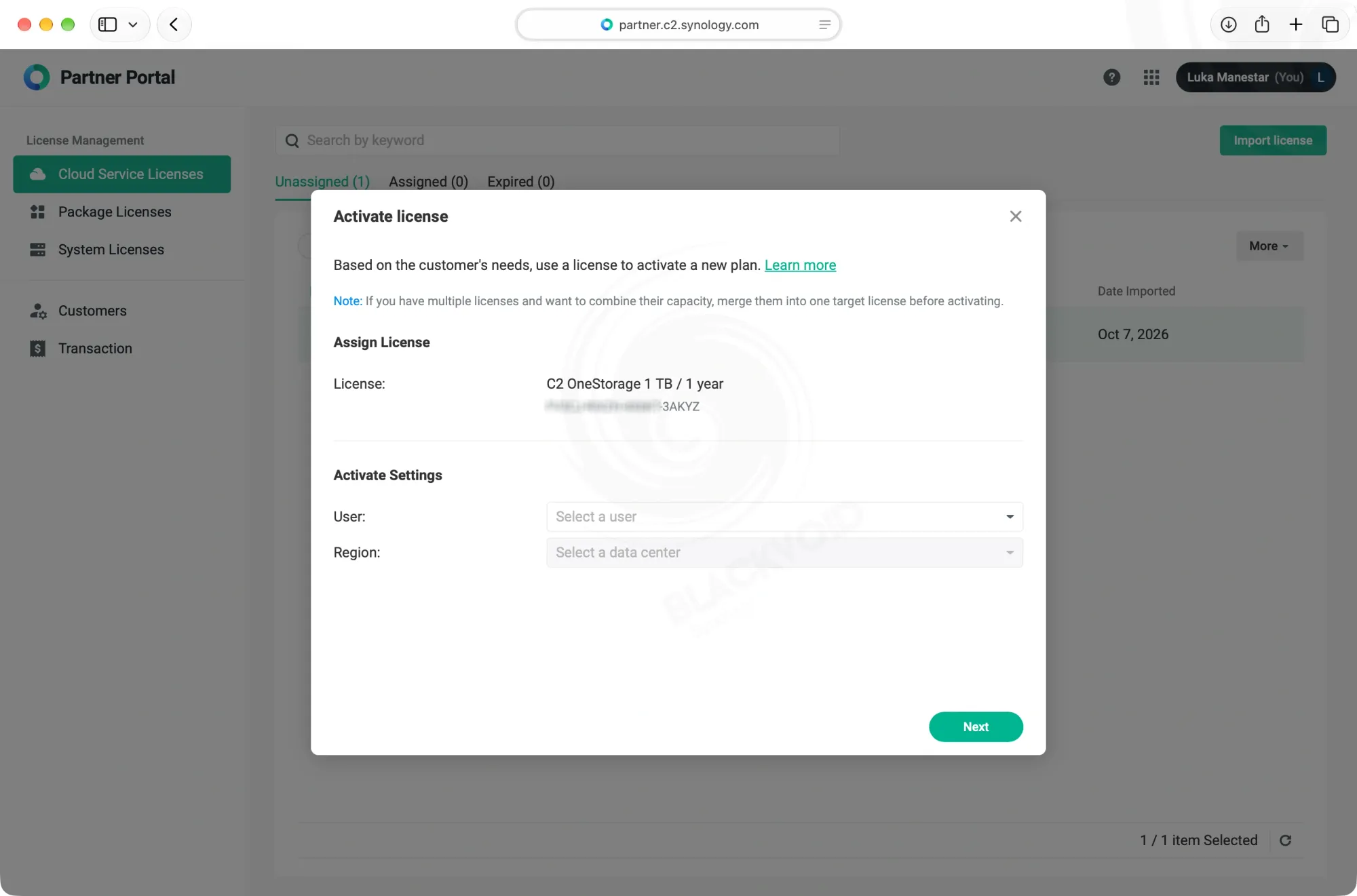
Selecting the account and the C2 data center is the first step
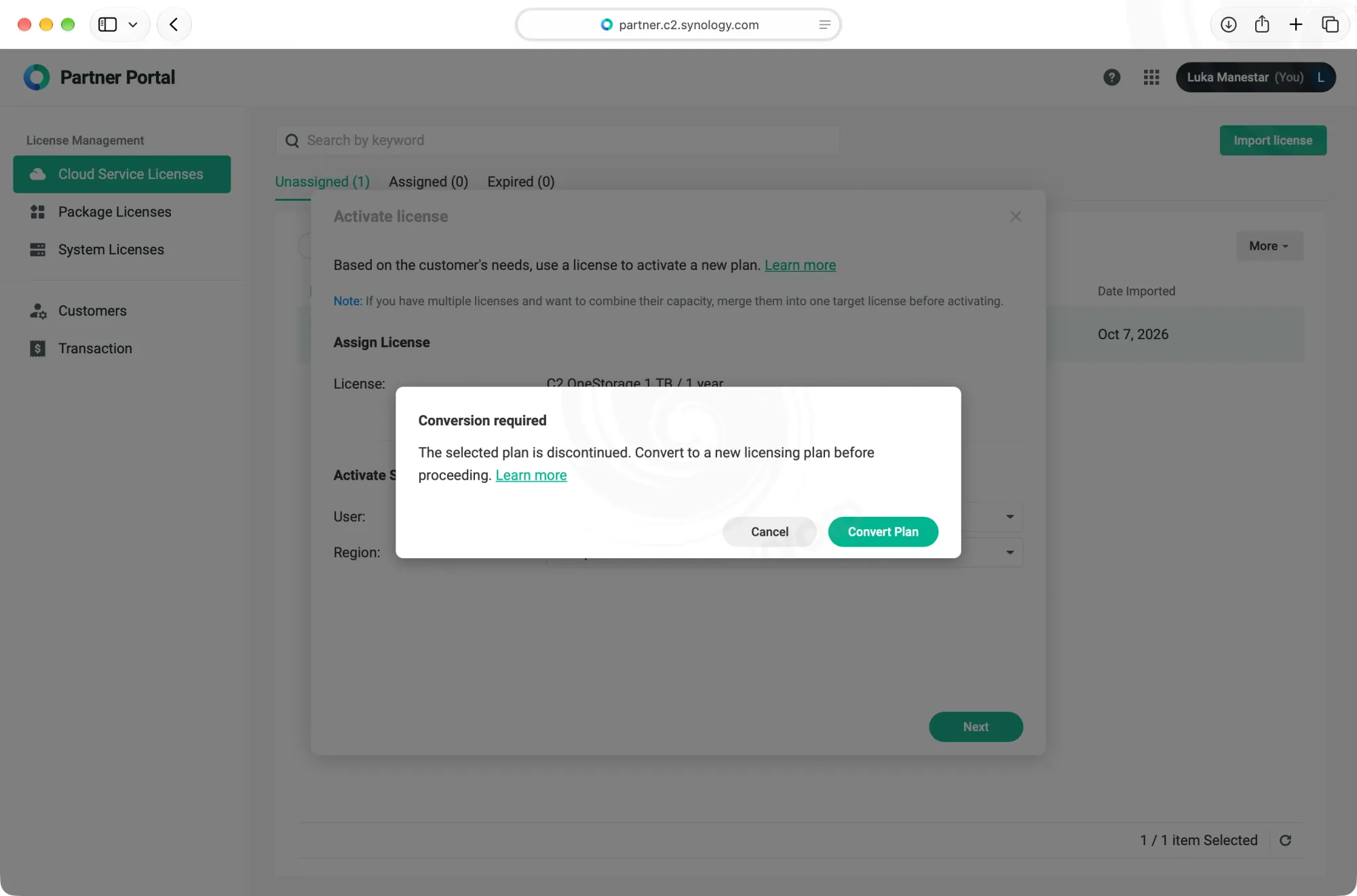
As always, the licence will be bound to a certain account and C2 data center (Frankfurt or Seattle at the moment), so that is what needs to be done first before the convert plan wizard kicks off.
In any case, the wizard will provide detailed information on the changes that are about to happen. All affected services will also be outlined before the whole process is completed.
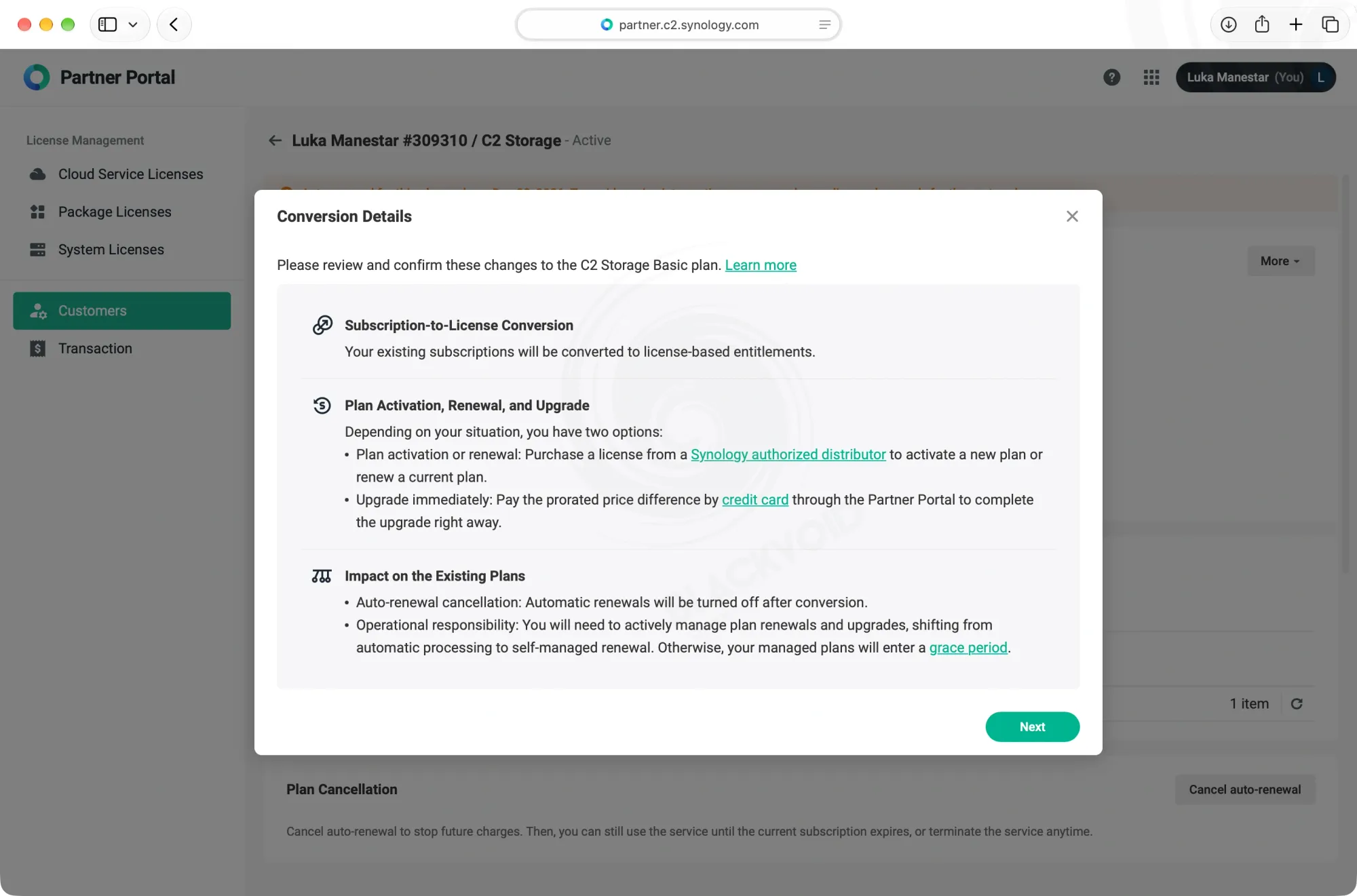
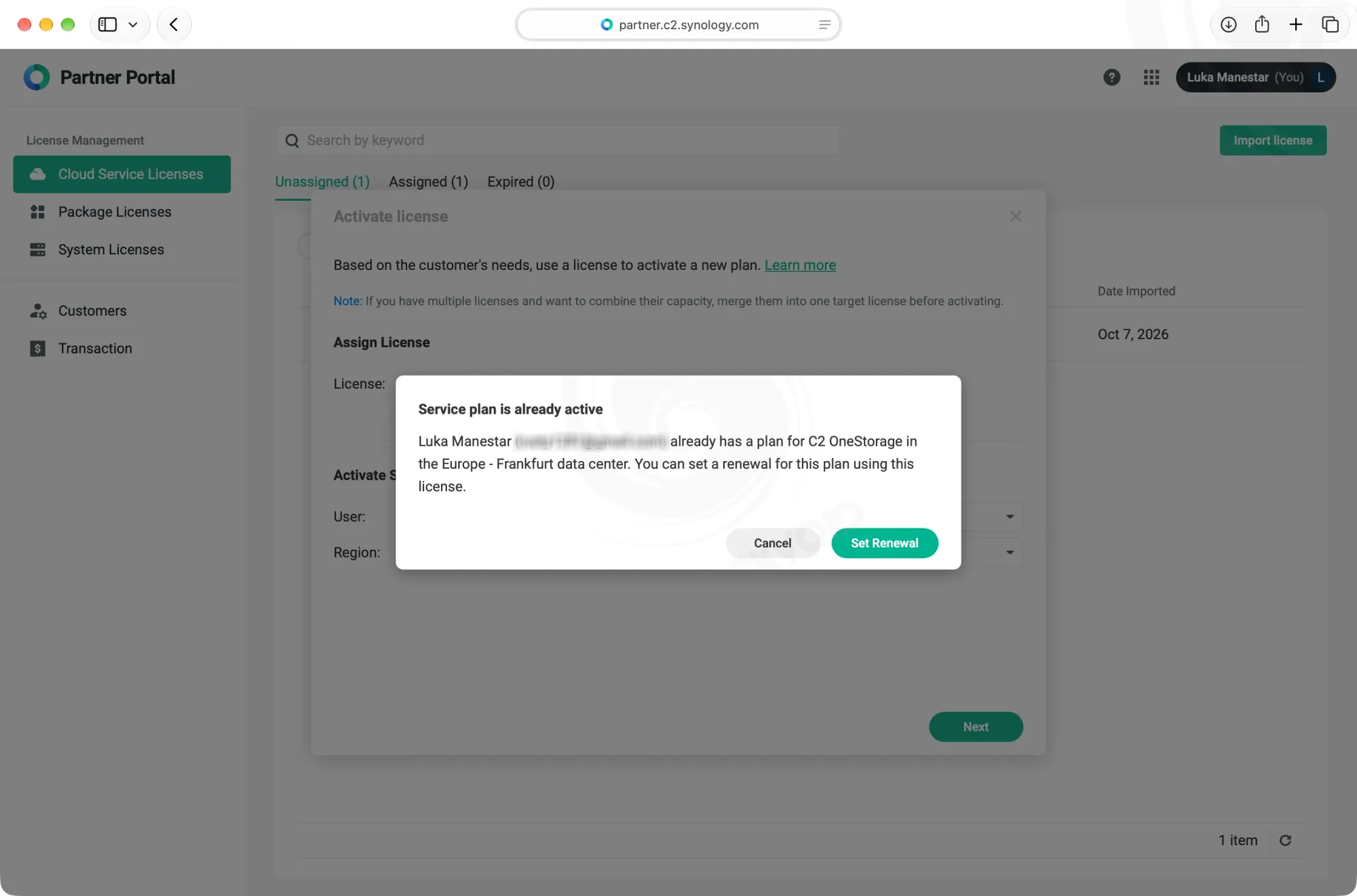
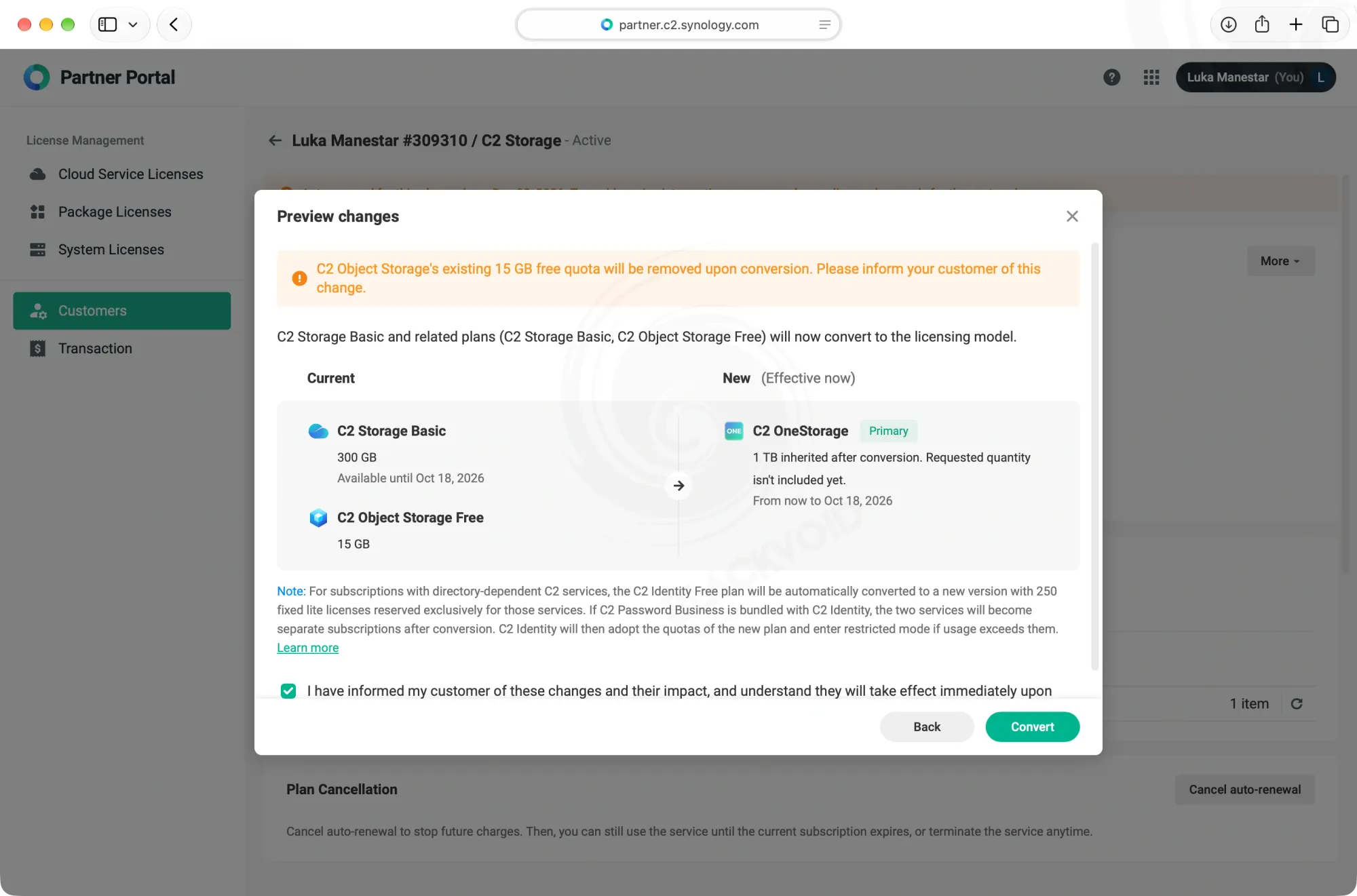
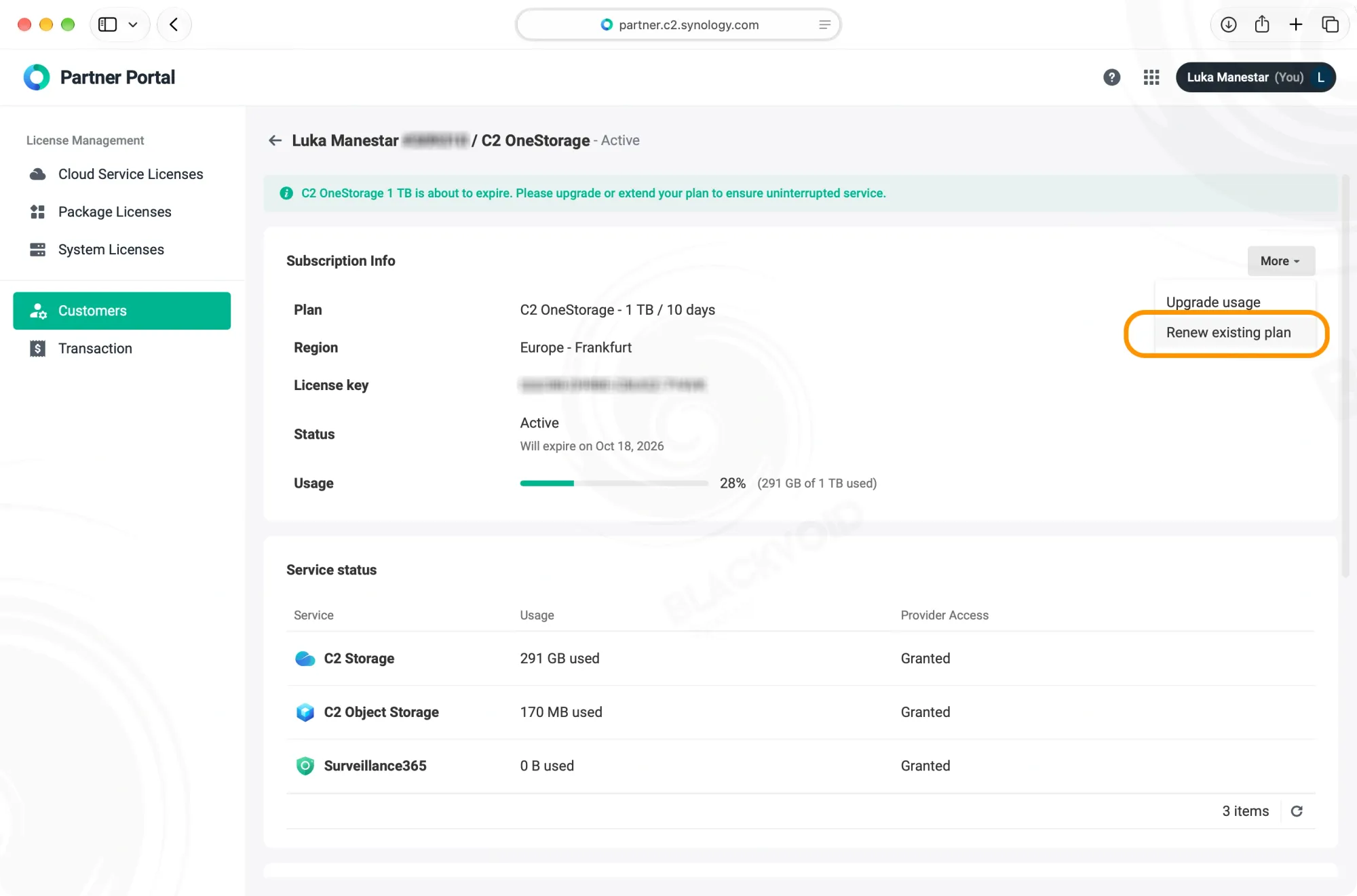
The actual upgrade process steps
If there is a licence attached to the accound the renewal process can be started immediately upon upgrade. This means that any remaining time from the previous subscription will be covered and valid, and a new licence can be attached and waiting.
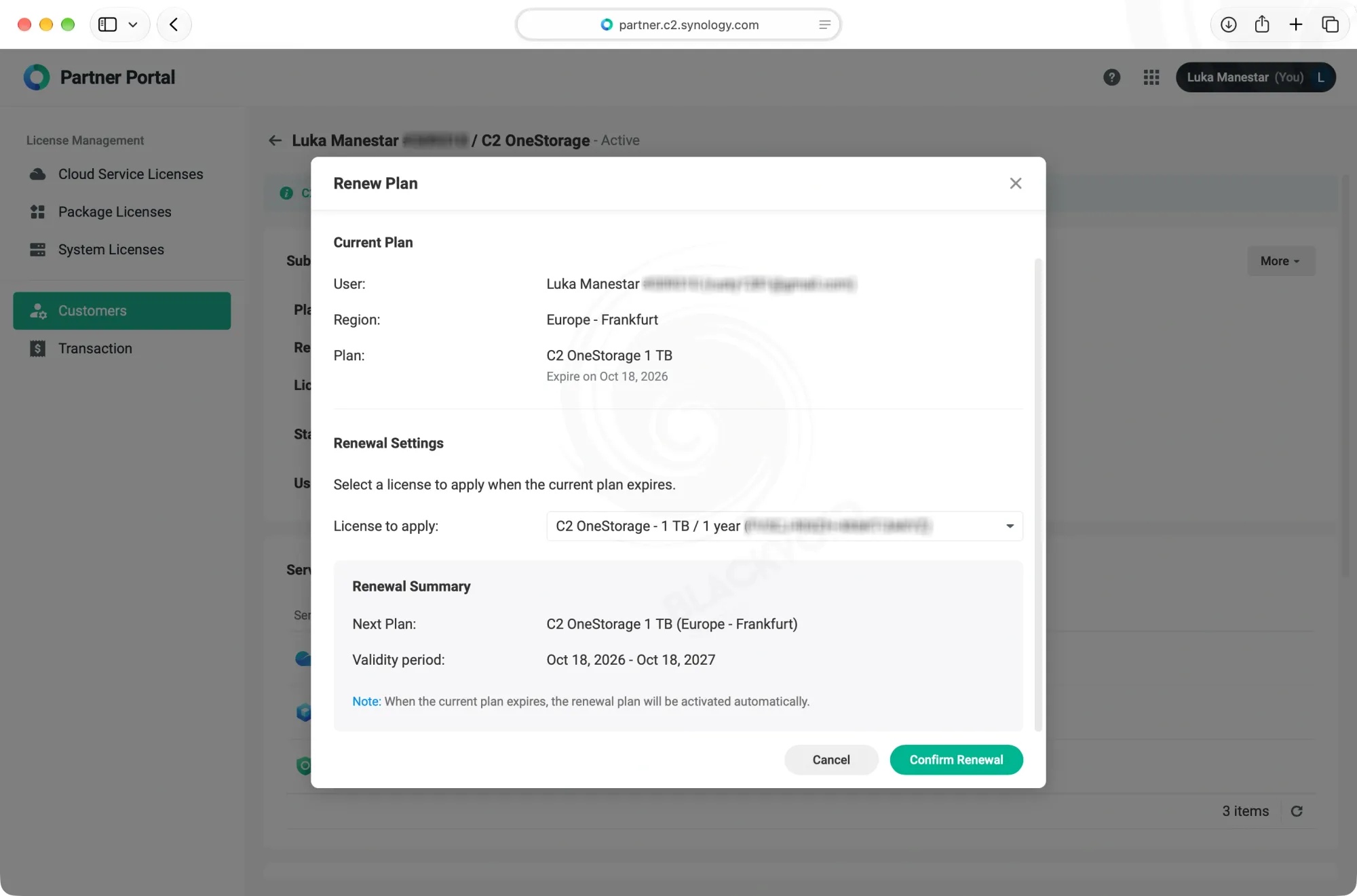
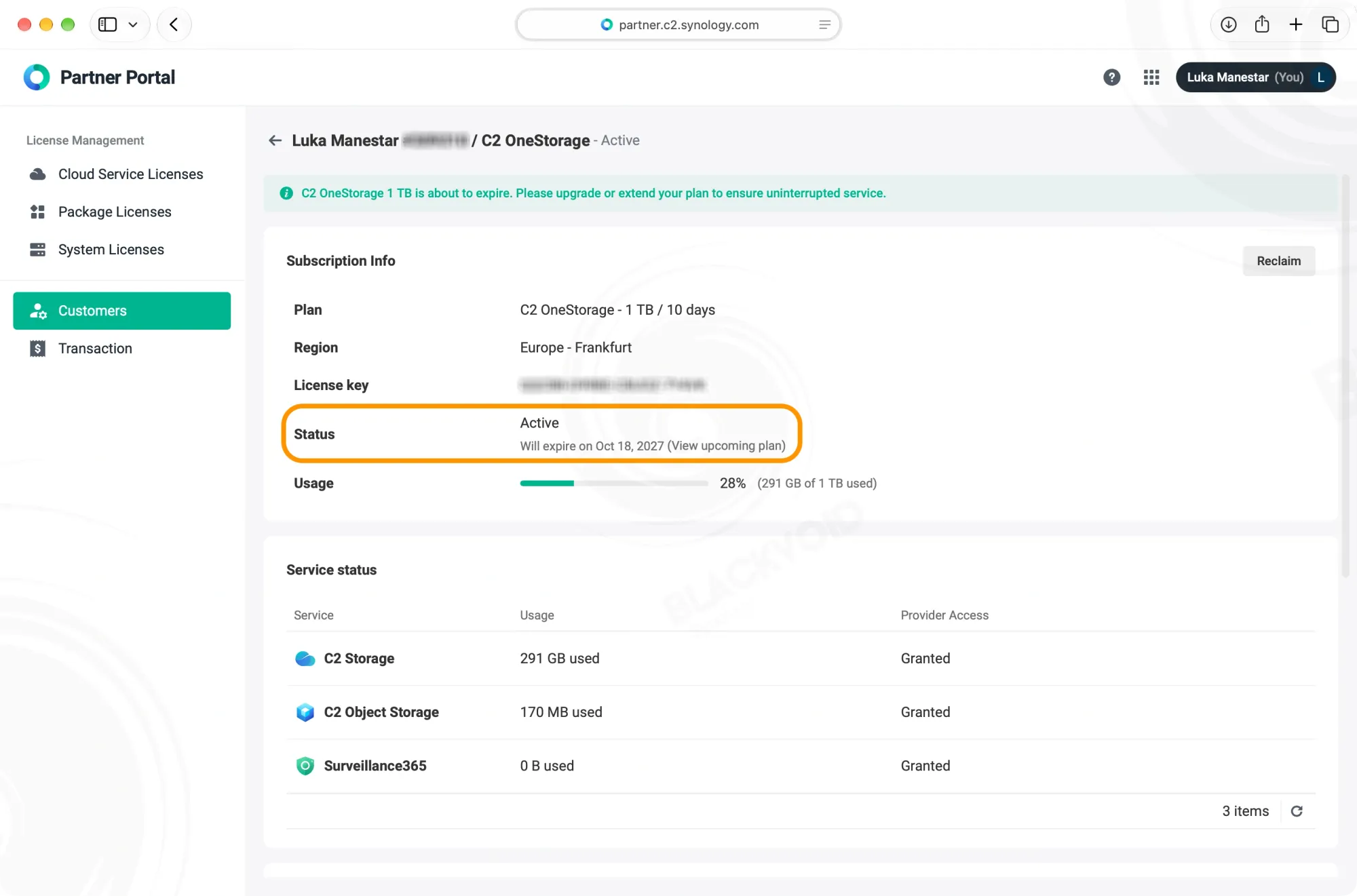
In the event that the license also provides more storage, it will also be applied immediately for each of the four services.
As said, the new plan and license do not bring anything new to the table beyond joining multiple services under a single banner. One could argue that Surveillance 365 is a new service, and they would be right, but for the rest of the services, those remain the rock-solid and proven backup and storage cloud solutions that we have all come to know.
Having a NAS is one thing, having a backup is another, but having a backup of a backup nowadays is practically mandatory. Think about your data.