Using Synology Hyper Backup with MEGA S4 object storage


Back in 2013, when MEGA was founded, I had my doubts about it surviving the whole ordeal surrounding it, but once the operations were taken over by Mega Cloud Services Limited, it looks like this provider is here to stay.
In 2023, MEGA also introduced Synology and QNAP compatible packages, allowing users to back up, sync, and share content via command line from their NAS devices, directly into the cloud.
 Luka Manestar
This functionality is still supported with the current MEGA CMD version 2.x, but while the initial idea behind MEGA was encrypted file sharing, today they offer multiple services, including VPN, password management, and the latest S3-compatible object storage, called MEGA S4.
MEGA S4 meets Synology Hyper Backup
Just as the MEGA CMD package is officially supported and developed by MEGA, so is the official support for Synology's backup package, the Hyper Backup. Built as a simple, secure, and affordable S3-compatible object storage, the new S4 service allows Synology users to back up their NAS data into MEGA cloud using Hyper Backup as their client.
Full support for versioning, and client-side encryption is supported, of course, and it forces no lock-in policy of any kind.

While MEGA does offer a number of subscription tier plans for its services, S4 on the other hand, requires a proper subscription starting with the PRO Lite plan.

As mentioned, on top of the main storage and object storage capabilities, we get VPN, password manager, and conference features as well, all included in the package price.
Backing up with Hyper Backup is as familiar as with any other compatible destination inside the HB tool, and starts with the built-in wizard. However, before starting, we need to initialize the S4 service by setting up the main password and at least a single destination bucket.
Logging into mega.nz will allow us to configure and set up S4 using a multi-step wizard, starting with the object storage configuration.


MEGA S4 initial configuration wizard
Like with any other S3-compatible platform, naming a bucket has strict rules regarding its nomenclature. In order to successfully connect to the said bucket, we also need an access key and a secret key, as well as the actual endpoint.
The list of potential destinations is worldwide, with a dominant number of European locations. With all three parameters, users can now follow HB's default wizard to initiate the connection and configure the backup.


Synology Hyper Backup task towards MEGA S4 cloud (Sep 2026)
The backup process is straightforward, and depending on the number of objects that need to be backed up, as well as their size, the transfer rate will fluctuate. Both backup and restore were maxing out at about 35 MB/s, but that is due to HB's issues working with 3rd party S3 destinations. Still, the speed is more than enough for cold storage tasks. If there is a frequent need for a large amount of data, it might start to feel a bit strained.
As an example, a restore test of about 7,5GB of data took about 4 min to complete with an average speed of about 35MB/s.

Being an HB proprietary format, the web UI view is not usable for restoring the data. On top of it, the encrypted tasks require the restore to be initiated via the HB tool anyway.

Effectively, everything is done via the HB interface, the same way as it works when connecting to any other backup destination.
Cloud Sync
On top of Hyper Backup, MEGA S4 also supports Synology's Cloud Sync tool. Unlike a classic backup package such as HB, the Cloud Sync tool is more of a Dropbox/Google Drive alternative and a proper sync tool, allowing the user to synchronise files between their Synology NAS and MEGA S4, keeping data aligned across local and cloud storage.
Built on the same connection method, the CS package can also be configured with MEGA S4 using the three parameters, just as the HB scenario.
Unlike a classic backup process, the CS package offers three sync direction options: upload, download, and bidirectional, depending on how we want and need to use the S4 destination.
MEGA S4 vs Synology C2
In case anyone is unfamiliar with the fact, Synology also has its own cloud platform called C2. It incorporates several services, from cloud storage, object storage, surveillance (VsaaS), password management, and more.
 Luka Manestar
 Luka Manestar
Comparing MEGA with Synology is not fair, but just focusing on the object storage feature set, we can draw some conclusions. From a configuration standpoint, be it using it via the Hyper Backup or the CloudSync package, there is absolutely no difference, because both C2 and S4 object storage work on the compatible S3 protocol and rules.
What we can state is the fact that S4 and C2 are identical in both upload and download speeds using the same hardware and data sample. In our testing C2 data center in Frankfurt and the S4 in Paris completed the upload in 35 min, and restore in 4,5 min for an identical 7.4GB data sample.
 Luka Manestar
Synology C2 service changes coming in 2026/2027
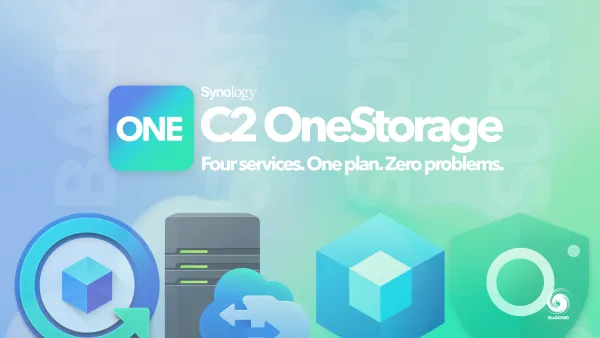
Now, price-wise, there are differences, but again with a bit of a caveat. At the end of 2026, Synology will combine its C2 packages under a single C2 OneStorage package that will include its cloud storage services, as well as surveillance and object storage.
Priced at 99,99€ (Croatian VAT +25% included), the OneStorage offers four major services under a single 1TB subscription, or 37,49€ for 300GB (no egress or ingress limitations).
MEGA S4, as mentioned before, starts with Pro Lite at 75€ (25% VAT included) for 750GB of storage and 12TB of transfer, or Pro I at 125€ for 3TB of storage and 36TB transfer. Both subscriptions also unlock access to MEGA VPN and PASS services.
You can draw your own conclusions based on these prices as they sit at the moment (AI demand might change those in the future), but the fact is that both platforms are very similar in pricing, depending on the actual feature set and storage space, and identical in implementation.
It is clear that while C2 is 100% compatible with Synology hardware, the object storage implementation for S4 and C2 is based on an S3 standard, and as such presents a choice for the customer in the end.