Synology DSM Agent 1.0 - beginning of agentic DSM future

With the introduction of DSM 7.4, which was announced at this year's Computex 2026 expo, Synology announced a more refined OS for its whole product line. Among all the updates and optimisations, as well as a new storage efficiency feature, a great deal of effort for the past few years has been devoted to AI implementation across various DSM packages.
 Luka Manestar
 Luka Manestar
While this is not the first time that DSM and AI are sharing a sentence, since last year, Synology has been hard at work to implement AI in multiple productivity apps, culminating this year with DSM and Synology Drive.
 Luka Manestar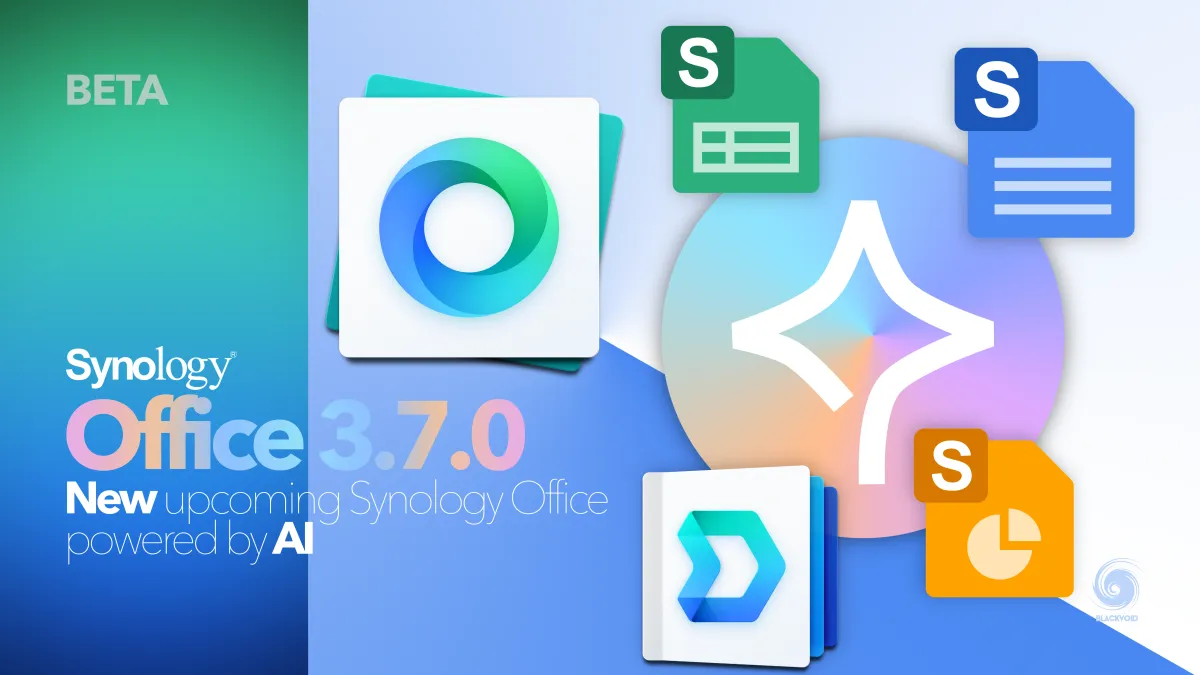
Synology MailPlus and Office apps already have AI capabilities with the implementation of public and on-premises AI models via Synology's AI Console platform.
 Luka Manestar
 Luka Manestar
Focusing maily with OpenAI public models that can be utilized to power the generative AI features in these apps, with DSM 7.4, Synology is pushing towards a full agentic implementation that will be system-wide, including the OS and available apps.
DSM Agent 1.0 beta
On June 16th of this year, Synology rolled out DSM 7.4-90075 version, which is the initial version that supports the upcoming DSM Agent, currently in beta.

Please read the following before installing this beta software
- For evaluation only - This beta software is for evaluation purposes only and should not be installed on critical equipment or in production environments. We strongly recommend reading the Release notes section before installing it. Synology cannot be held responsible for any damages, such as accidental data loss, caused by this beta software.
- Not downgradable - After installation of this beta application, you will not be able to downgrade to a previous official version of this software.
To install the beta software on your Synology NAS
- Log in to DSM using an account belonging to the administrators group.
- Open Package Center.
- Now you should be able to find and install packages that currently have a beta version available and are compatible with your Synology NAS for public testing.
- You can also contact Synology Support to report issues or suggestions via the Package Center by navigating to Installed > DSM Agent > Contact Support.
Compatibility
Applied Models
- FS-series:FS6400, FS3600, FS3410, FS3400, FS3017, FS2500, FS2017, FS1018, FS200T
- HD-series:HD6500
- SA-series:SA6400, SA3610, SA3600, SA3410, SA3400D, SA3400, SA3200D
- 26-series:RS6426xs+, RS4826xs+, RS3626xs, RS1626xs+
- 25-series:RS2825RP+, DS1825+, DS1525+, DS925+, DS725+, DS425+, DS225+
- 24-series:DS224+, DS124
- 23-series:RS2423RP+II, RS2423RP+, RS2423+, DS1823xs+, DS923+, DS723+, DS423+, DS423, DS223, DS223j
- 22-series:RS822RP+, RS822+, RS422+, DS3622xs+, DS2422+, DS1522+, DVA1622
- 21-series:RS4021xs+, RS3621xs+, RS3621RPxs, RS2821RP+, RS2421RP+, RS2421+, RS1221RP+, RS1221+, DS1821+, DS1621xs+, DS1621+, DVA3221
- 20-series:RS820RP+, RS820+, DS1520+, DS920+, DS720+, DS620slim, DS420+, DS420j, DS220+, DS220j, DS120j
- 19-series:RS1619xs+, RS1219+, RS819, DS2419+II, DS2419+, DS1819+, DS1019+, DS419slim, DS119j, DVA3219
- 18-series:RS3618xs, RS2818RP+, RS2418RP+, RS2418+, RS818RP+, RS818+, DS3018xs, DS1618+, DS918+, DS718+, DS418, DS418play, DS418j, DS218+, DS218, DS218play, DS218j, DS118
- 17-series:RS18017xs+, RS4017xs+, RS3617xs+, RS3617RPxs, RS3617xs, RS217, DS3617xsII, DS3617xs, DS1817+, DS1817, DS1517+, DS1517
- 16-series:RS18016xs+, RS2416RP+, RS2416+, RS816, DS916+, DS716+II, DS716+, DS416, DS416play, DS416slim, DS416j, DS216+II, DS216+, DS216, DS216play, DS216j, DS116
Release notes
Compatibility and Installation
- Due to regulatory and service policy restrictions, DSM Agent is not available in China, Hong Kong, and Macau.
- DSM Agent 1.0 Beta requires DSM 7.4 and above.
What's New
- Introduces an AI assistant that helps users diagnose and troubleshoot system issues using natural language, providing instant support.
- Supports on-screen awareness to provide more accurate, context-aware troubleshooting guidance tailored to your environment.
As expected with the initial version, DSM Agent for the moment does not offer much more than what we can already see on Synology's website, the Synology AI Advisor.
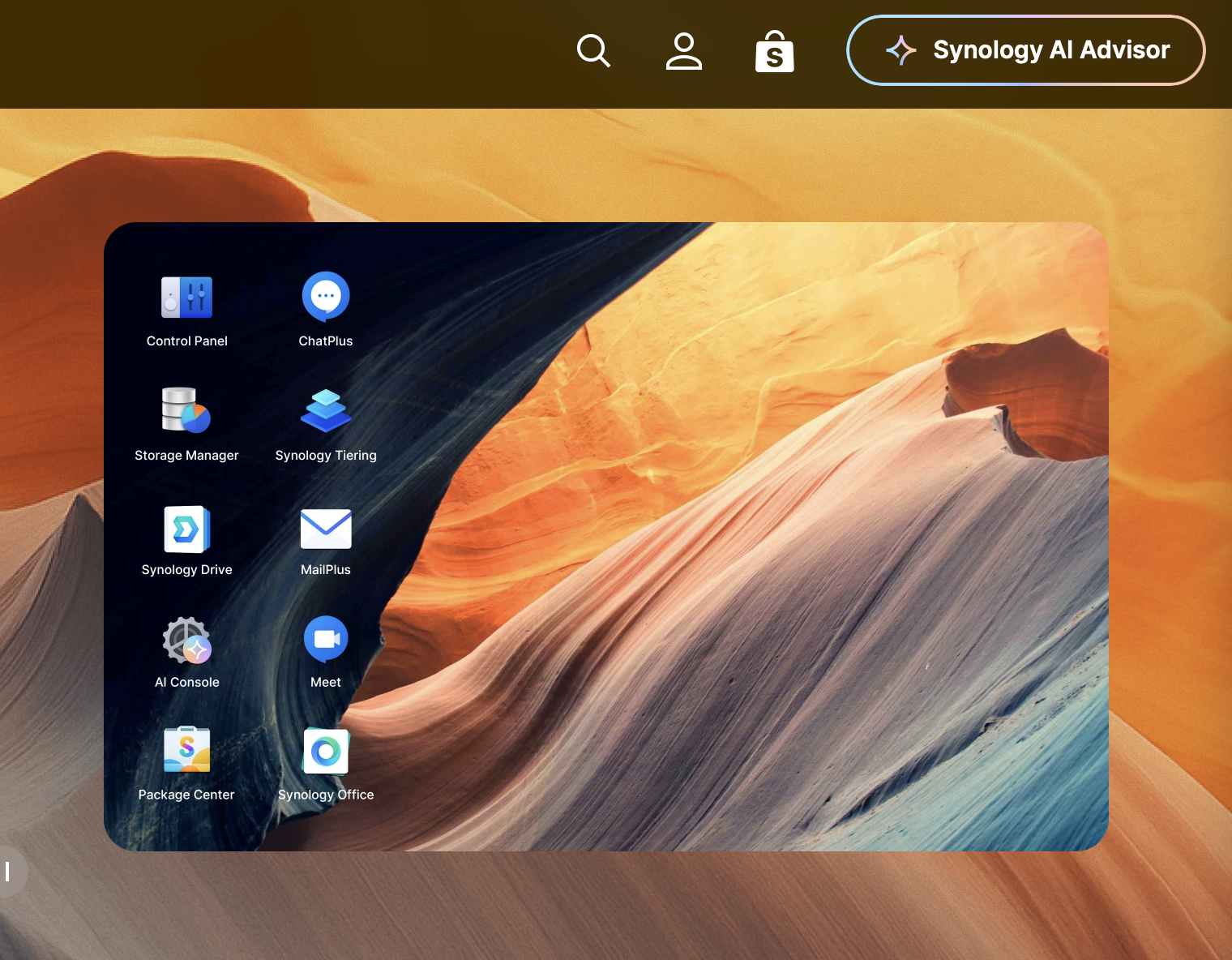
This implementation of AI is the same one we have currently with the DSM Agent, with one extra feature in this new on-device implementation.
As we can read in the release notes, the Agent comes with two main features. First is the AI Assistant/advisor that will help DSM users and admins to troubleshoot and diagnose all OS and app-related issues, as well as on-screen awareness, a context-aware troubleshooting feature.
How does the DSM Agent work?
After installing DSM 7.4, the Agent can be installed via the Package Center and its beta subsection.
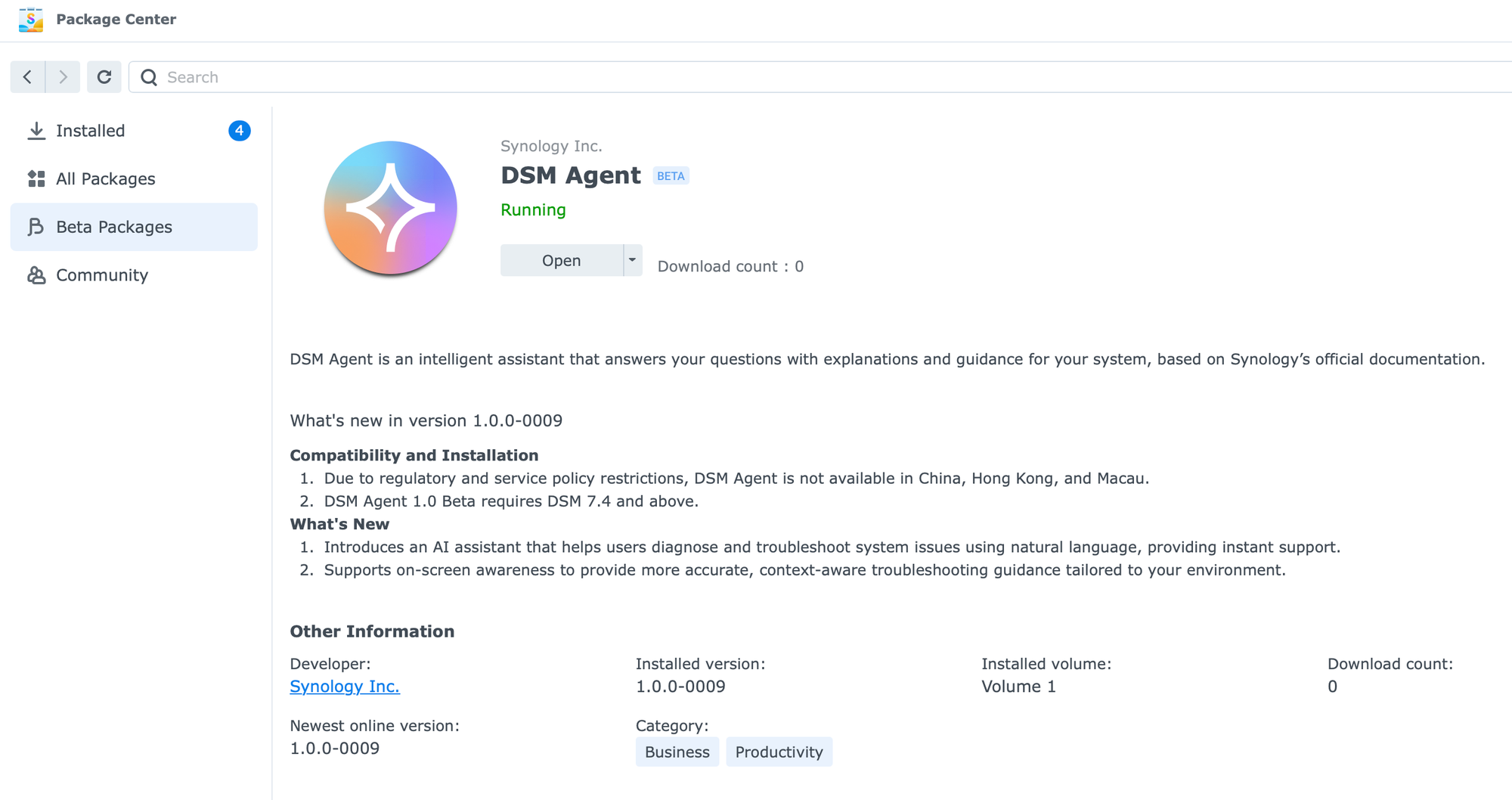
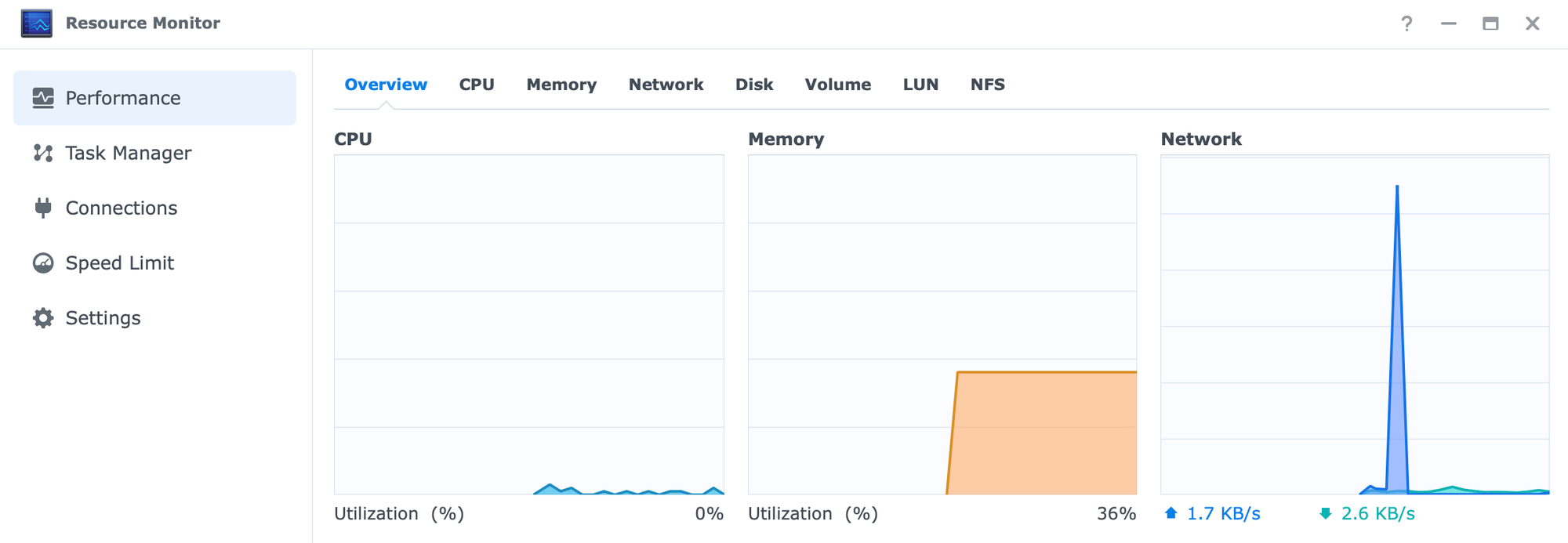
The main question now is how much resource impact it will have on the NAS itself. The answer is none. For testing purposes, this Agent has been installed on a VDSM (virtual DSM) instance with only 1 GB of RAM, and runs just fine. The main reason for this is that no local LLM will be downloaded in the process, apart from installing the app itself.
Reading up on the license agreement, we can see that the AI service is hosted in Microsoft Azure public cloud (SaaS), but conversation data will not be used to train the AI models, and it will not be used in any other way by 3rd party providers.
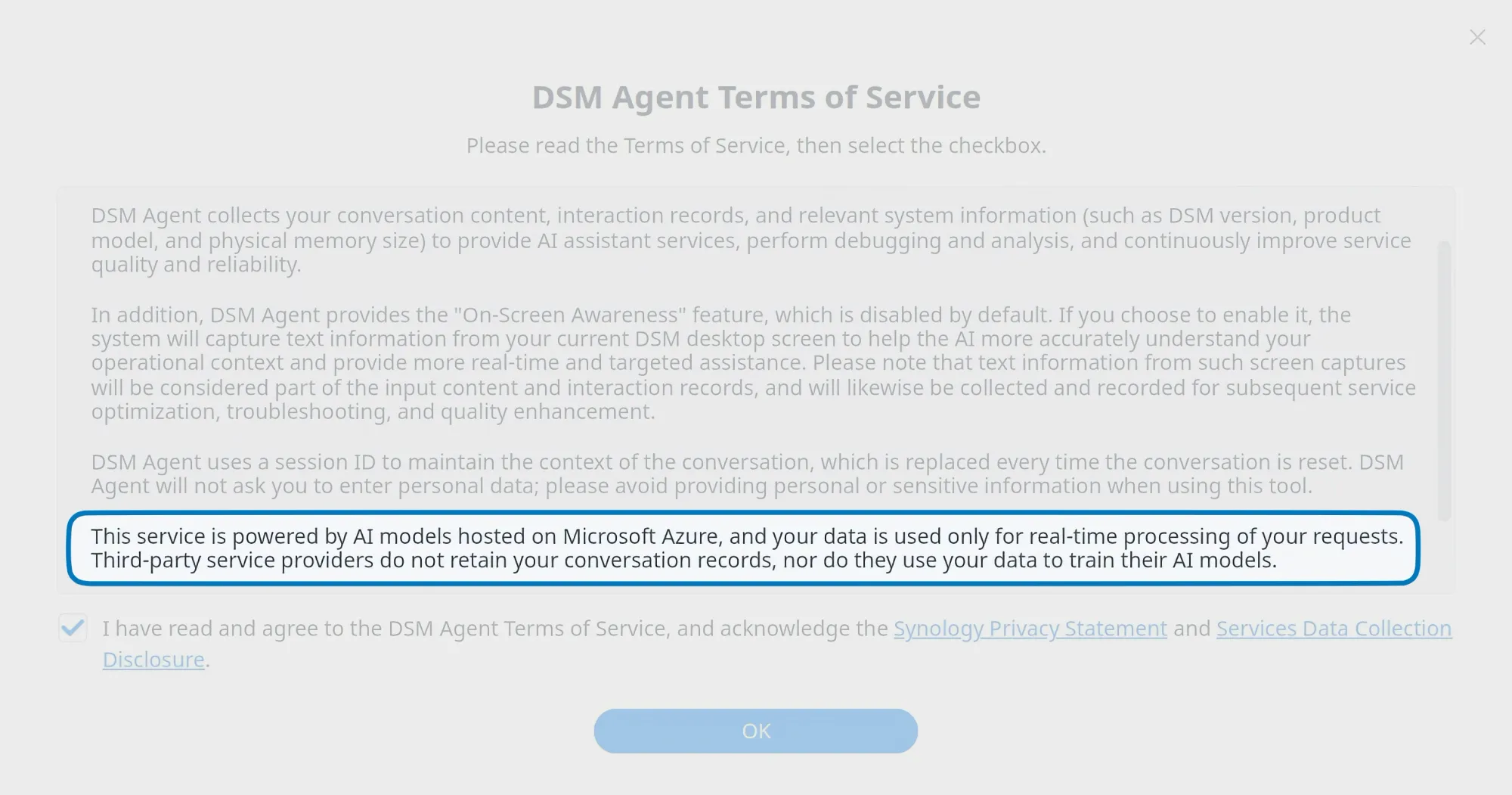
This means that the DSM Agent functions primarily as a web interface to a publicly-hosted generative model. Because of this, keep in mind that any information shared with it will be transmitted externally, so exercise caution when sharing sensitive data.
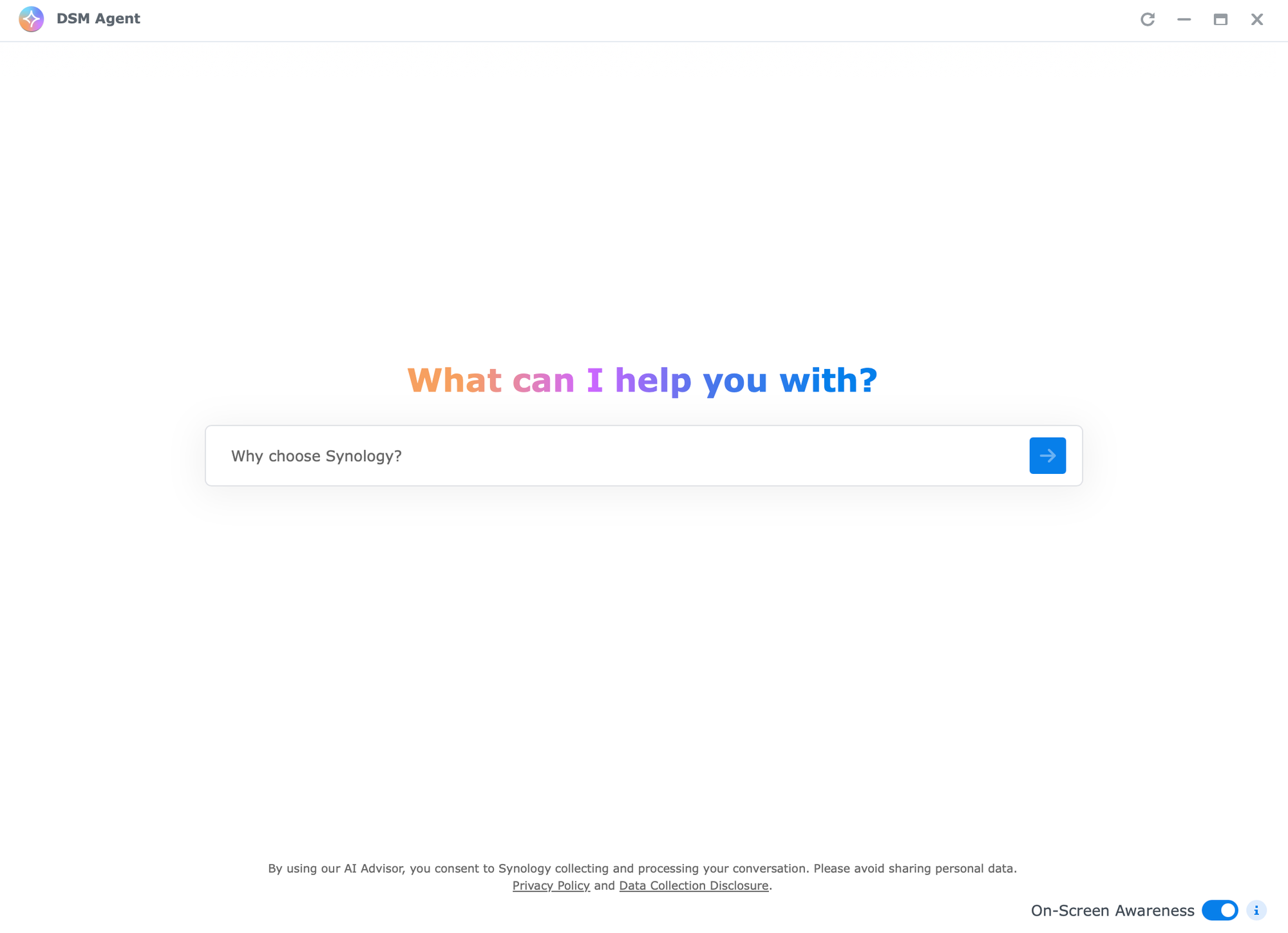
The DSM Agent currently lacks configuration parameters, making it impossible to redirect to a private cloud or local LLM instance, so we need to use it as-is for now.
Once we ask a question, we will see an almost identical interface to the main web AI Advisor solution that we are already familiar with.
The initial behaviour, as expected, will give useful information using Synology's accumulated knowledge across all its software, hardware, and service products.
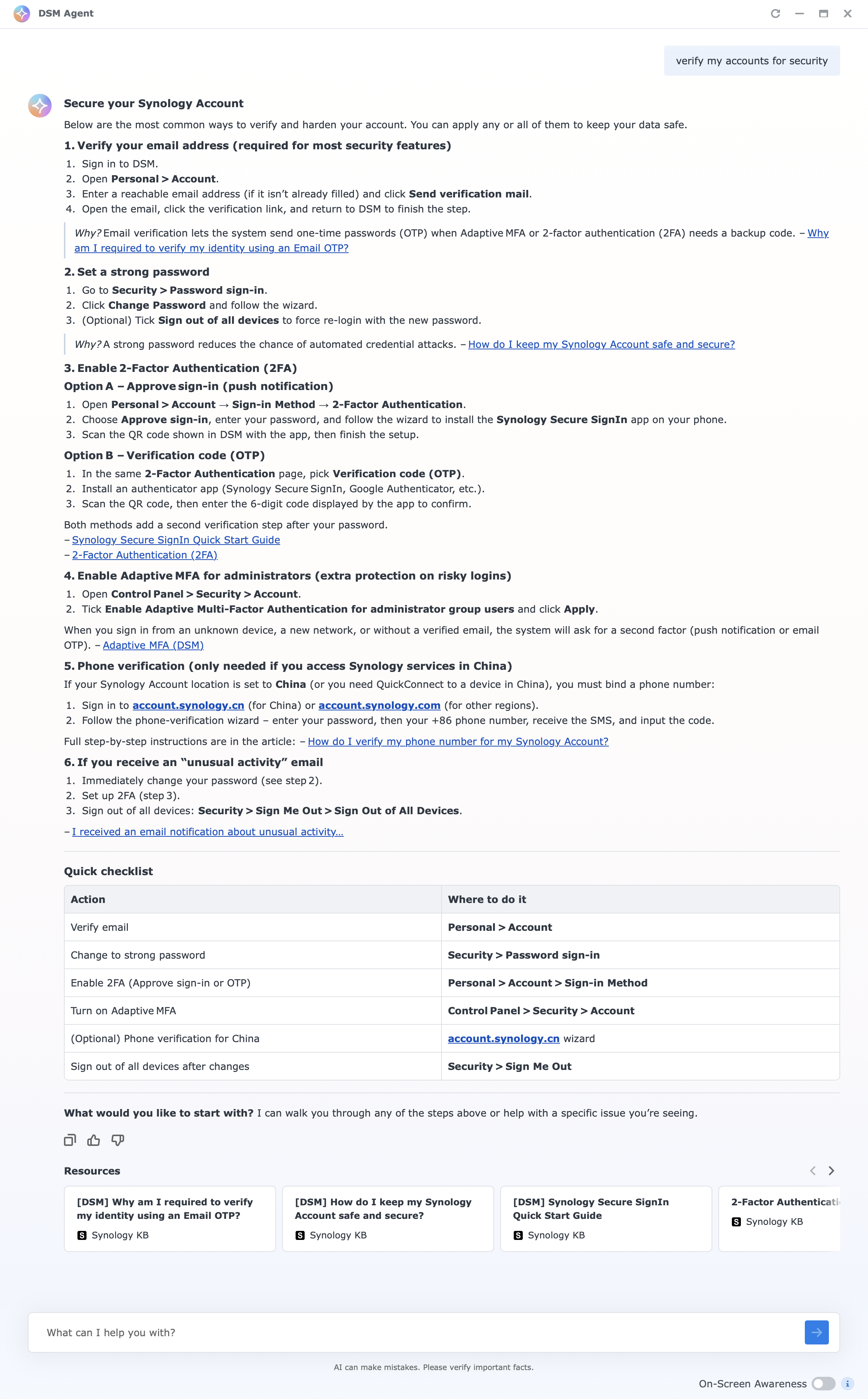
Even when questions address a specific issue or device hosting the DSM Agent, responses will be generic. For instance, a question about account security returns standard KB content with source links rather than device-specific guidance.
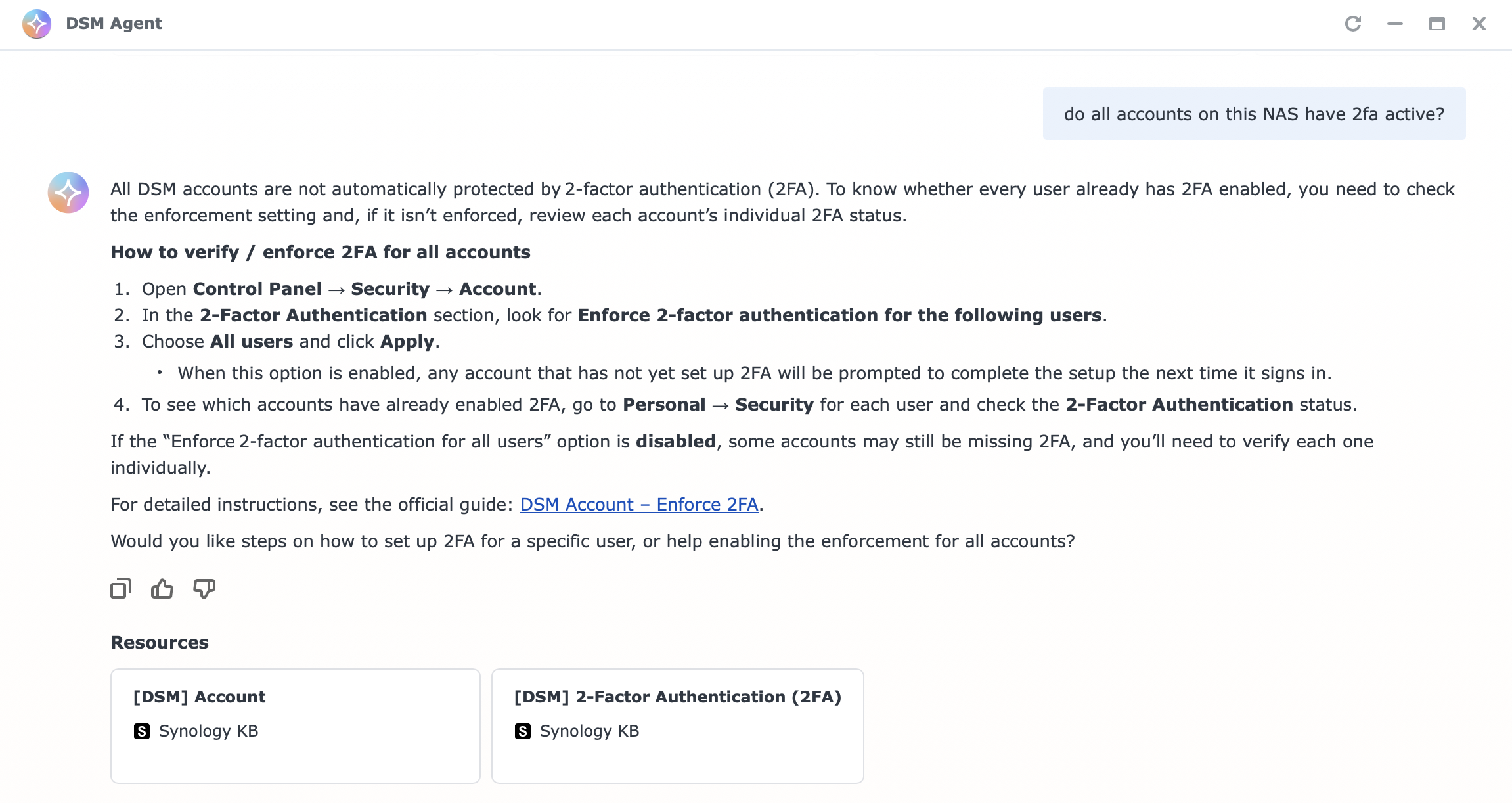
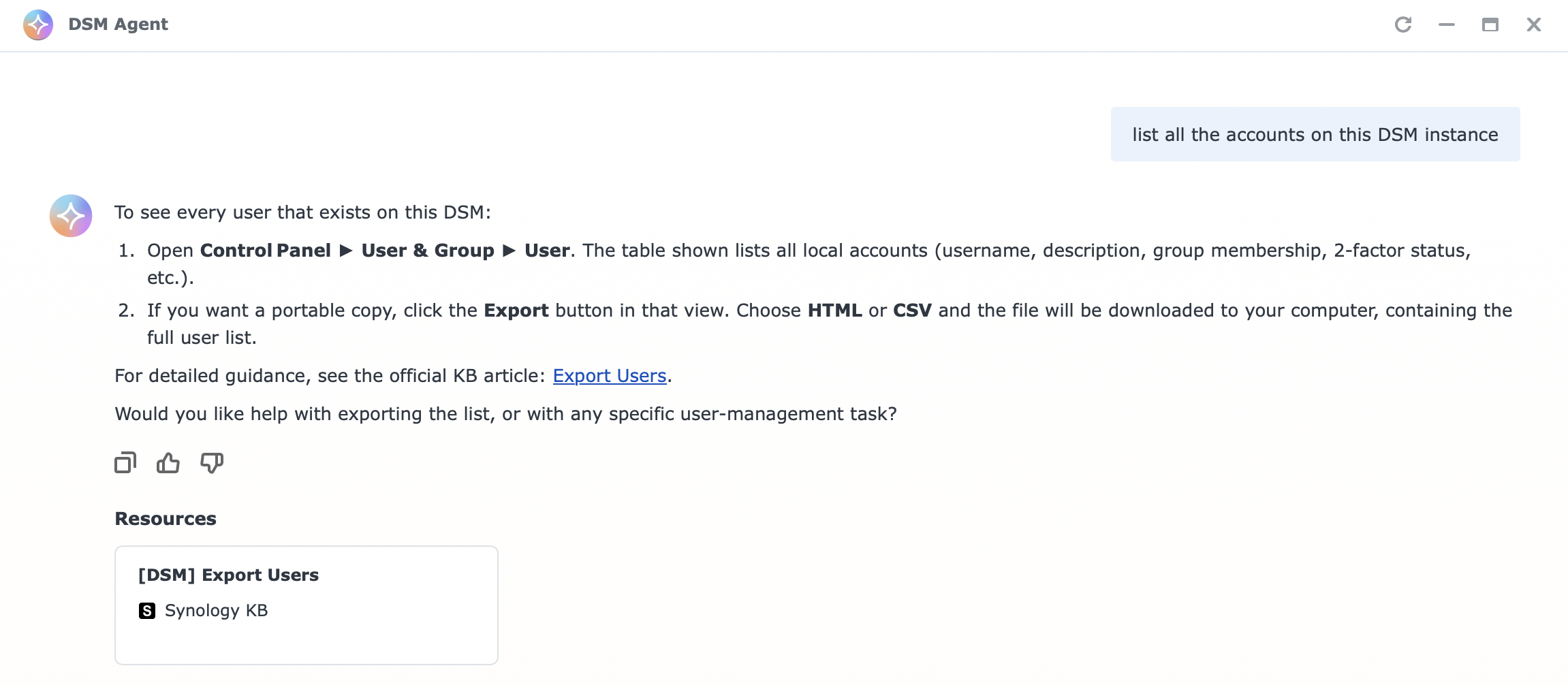
However, if we activate the on-screen awareness feature and open up a specific DSM module or app, the results change.
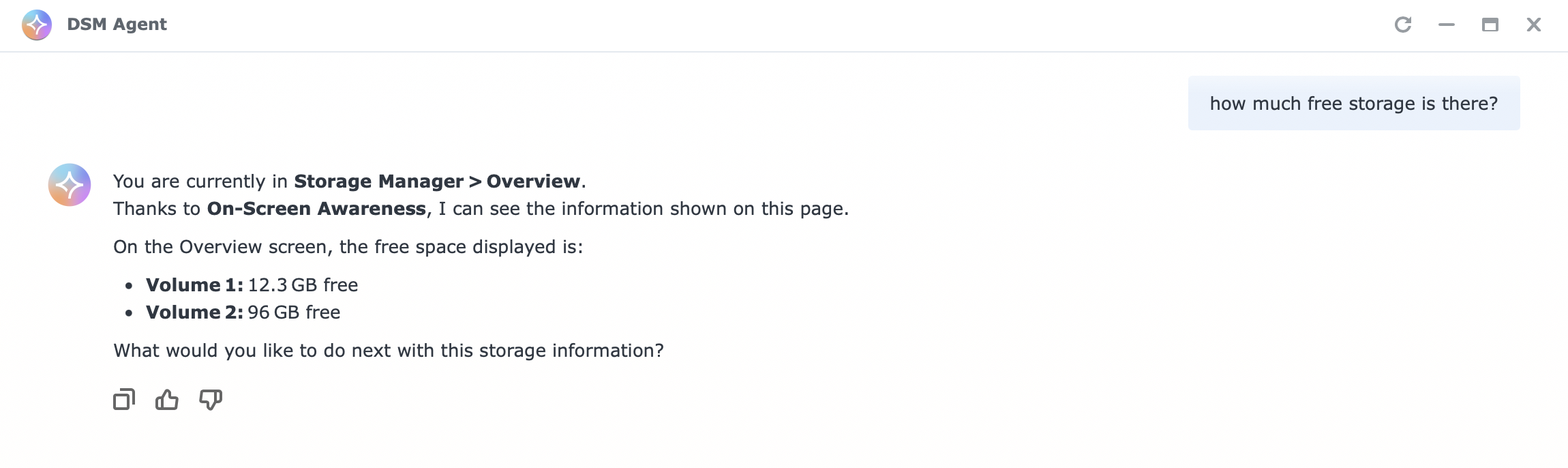
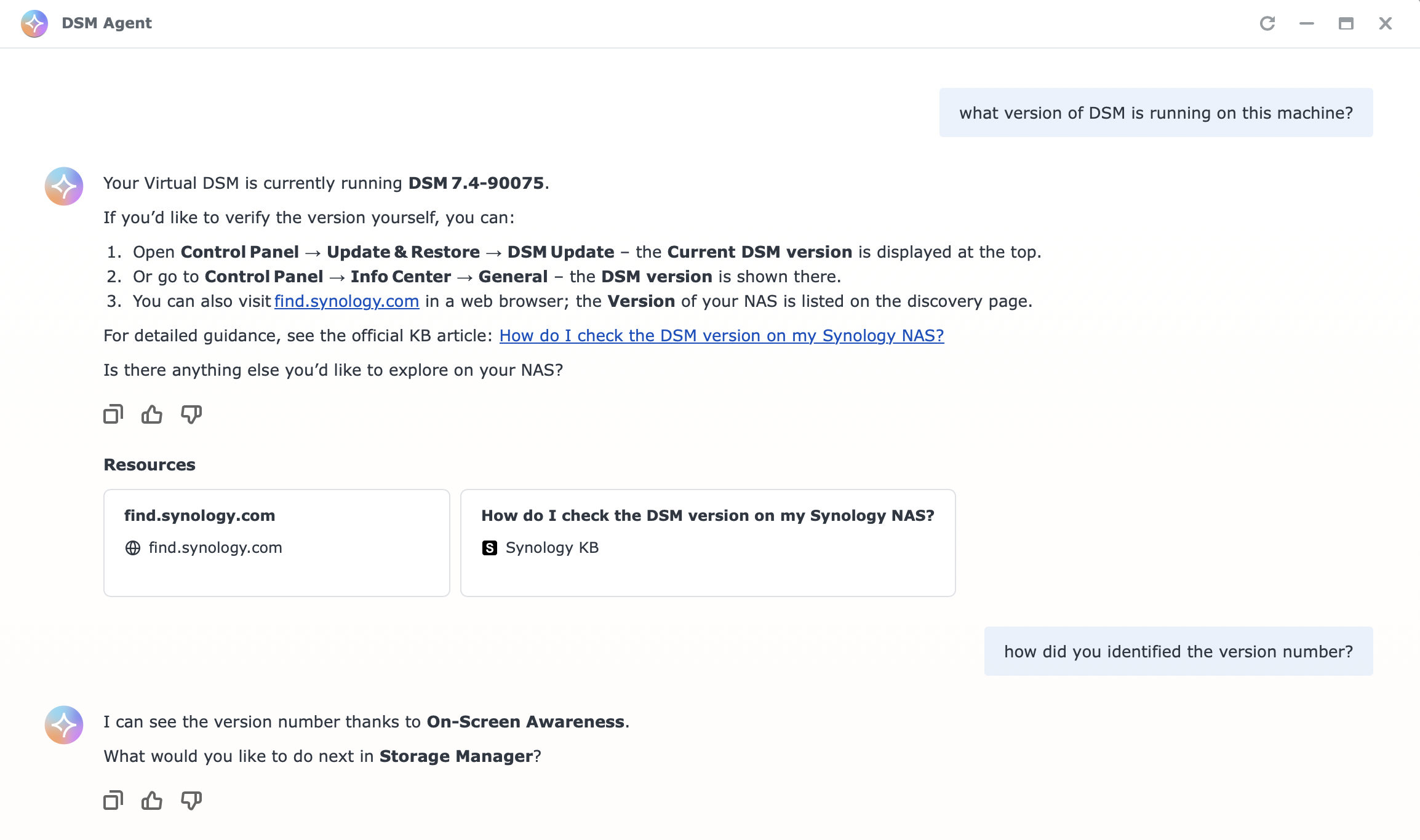
The DSM Agent's usefulness to administrators depends on the specific issue and their knowledge level. It cannot handle system-wide problems like parsing application logs or recovering bricked machines, nor should it be expected to. For now, it functions as an on-device assistant with capabilities limited to what it can access from open windows and modules. Beyond that scope, it provides general guidance and suggestions sourced from Synology's knowledge base.
While a step forward, the current implementation lacks true agentic functionality to integrate the system and its applications, limiting its immediate value for most administrators. However, Synology's Computex demo hinted at a more capable agent coming in the future that will deliver greater utility.